Ever wondered how those cool music videos seem to appear out of nowhere, perfectly matching the song’s vibe? You know, the ones that look like they took a ton of effort but were actually made with just a few clicks? Well, you’re about to find out. We’re diving into the tech behind AI music video generation, breaking down how it all works from a simple idea to a finished video. Get ready to see how AI is changing the game for creators.
Key Takeaways
- AI music video generators take your text ideas or audio files and create synchronized visuals, often without needing any special skills.
- These tools use a mix of AI that understands text, analyzes audio, and generates video frames, all working together.
- Many platforms can now create both the song and the music video in one go, which is a big step up from needing separate tools.
- You can get videos in different sizes, ready for platforms like TikTok, Instagram, or YouTube, straight from the AI.
- While AI does most of the heavy lifting, sometimes a little human touch is still needed to make the video really shine.
Understanding AI Music Video Generation
Core Functionality: From Prompt to Screen
Ever wondered how you can turn a simple idea into a full music video without touching a camera? AI music video generators make this possible. You provide the input, and the AI handles the visual creation. It’s about translating your creative vision into moving images that sync with sound. This technology bypasses traditional filming, offering a new way to produce videos efficiently.
The Multimodal AI Approach
These tools use something called multimodal AI. This means they can understand and combine different types of information at once. Think text descriptions, audio files, and even style references. The AI analyzes all of this to create a cohesive video. It’s like having a director, editor, and animator all rolled into one intelligent system.
Key Differentiators in the Market
What sets these AI tools apart? Many focus on either creating the music or generating the video. However, some platforms now offer both in a single workflow. This integrated approach means you can go from a song idea to a finished music video without switching between different applications. This makes the whole process much smoother for creators.
The ability to generate both music and video from simple text prompts is a significant leap. It democratizes content creation, allowing individuals without extensive technical skills or large budgets to produce professional-looking music videos. This accessibility is changing the landscape for independent artists and small businesses alike.
The Technical Workflow Explained
Input Processing: Text and Audio Analysis
First, the system needs to understand what you want. If you’re generating a song, you’ll input text describing the genre, mood, tempo, or even full lyrics. The AI analyzes this text to grasp the musical direction. For video generation, you’ll upload an audio file, like an MP3 or WAV. The AI then breaks down this audio, looking at its tempo, energy, and overall structure. This initial analysis is key to making sure the visuals match the music’s rhythm and feel.
Visual Generation and Synchronization
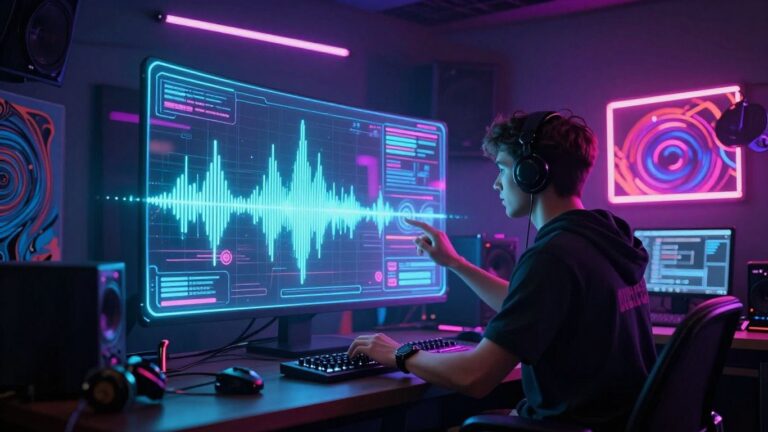
Once the audio is analyzed, the AI starts creating visuals. It uses your prompts or the audio’s characteristics to generate video clips. The goal is to make these clips sync up with the music. This involves matching visual beats to musical beats and ensuring scene transitions align with song structure. It’s a complex process that tries to make the video feel like a cohesive part of the song, not just random footage. This is where the magic happens, turning sound into a visual story.
Output Formatting for Distribution
Finally, the generated music video needs to be ready for you to share. The AI platform will format the video into common aspect ratios. You can usually choose between vertical (9:16) for platforms like TikTok, square (1:1) for Instagram, or horizontal (16:9) for YouTube. This ensures your video looks good on any device or social media feed. The final output is a ready-to-upload file, making the whole process from idea to distribution much simpler. This streamlined approach is part of what makes AI video workflows so appealing for creators.
AI Song Creation Capabilities
This section breaks down how AI can help you create entire songs, not just the visuals. You can go from a simple idea to a finished track with vocals, all without needing to be a music producer.
Text-to-Song Generation Process
You start by giving the AI a prompt. This can be a description of the genre, mood, tempo, or even full lyrics you’ve written. The AI then takes this information and composes an original piece of music. It handles the melody, harmony, and rhythm based on your input. This process is designed to be straightforward, letting you focus on the creative direction.
AI Singing Vocals Integration
Beyond just the music, these tools can add singing vocals to your generated songs. You can often choose the vocal style or gender. The AI generates a complete vocal performance that fits the music it created. This means you get a finished song with lyrics sung by an AI voice, ready for your music video.
Limitations of AI Songwriting
While impressive, AI songwriting has limits. The generated lyrics might sometimes sound a bit unnatural or lack deep emotional nuance. You might also find that the AI struggles with complex musical structures or highly specific artistic styles. Fine-tuning the output often requires editing the lyrics or prompts multiple times. You can explore how AI music generators work to understand their underlying technology.
Visual Generation Techniques
AI music video generators use a few different methods to create visuals. You’ll encounter techniques that build scenes from scratch and others that animate existing images. Understanding these approaches helps you choose the right tool for your vision.
Leveraging Generative Image Models
Many tools start with generative image models, similar to those used for creating still pictures. These models can produce entirely new visuals based on text descriptions or even by animating a series of images you provide. This allows for a high degree of creative freedom, letting you generate scenes that don’t exist in reality. You can describe anything from a futuristic cityscape to a surreal landscape, and the AI will attempt to render it. Tools like Runway’s Gen-3 and Kling are examples of platforms that excel in this area, offering robust image-to-video capabilities.
Motion Alignment and Scene Transitions
Getting the motion and transitions right is key to a watchable AI music video. The AI analyzes your audio to understand the rhythm, tempo, and mood. It then tries to match visual changes, like scene cuts or camera movements, to these audio cues. This synchronization makes the video feel connected to the music. Some platforms use an ‘AI director’ to plan shots and pacing automatically, aiming for a more polished flow. This technology significantly saves time and enhances the creative process.
Applying Visual Styles and Themes
Beyond just generating content, AI tools let you apply specific visual styles. You can often choose from presets like ‘cinematic,’ ‘animated,’ ‘abstract,’ or even ‘lyric video.’ Some advanced tools allow for more granular control, letting you define the aesthetic by referencing artistic movements or specific color palettes. You can even upload a few photos of your subject to ensure they appear consistently throughout the video, which is great for maintaining a cohesive look. This feature is particularly useful when you want your music video to have a distinct look and feel, aligning with the song’s message or genre.
Key Features and User Experience
Integrated Workflow Benefits
This AI music video generator brings together song creation and video production into one place. You don’t need to jump between different apps or pay for separate services. This makes the whole process much smoother. It saves you time and hassle, letting you focus on your creative vision.
Ease of Use for Non-Technical Users
You don’t need to be a video editing expert or a music producer to use this tool. The interface is designed to be straightforward. You can create professional-looking music videos with simple text prompts and audio uploads. It’s built for creators, not just tech wizards.
Customization and Export Options
Once your video is generated, you have options. You can pick from various visual styles to match your song’s mood. When you’re ready, you can export your video in different formats. This includes vertical for social media like TikTok and Instagram Reels, square for feeds, and standard widescreen for platforms like YouTube. You can get videos ready for any platform you use.
The goal is to make video creation accessible. You should be able to turn your music into a visual story without a steep learning curve or expensive equipment. The platform handles the complex parts, so you can enjoy the creative output.
Here’s a quick look at what you can expect:
- Text-to-Song: Describe your music idea, and the AI writes and sings it.
- Audio-to-Video: Upload your track, and the AI creates visuals that match.
- Style Selection: Choose from cinematic, animated, abstract, and more.
- Multi-Format Export: Get 9:16, 1:1, and 16:9 versions.
Competitive Landscape and Advantages
You’ve seen how AI music video generation works, but where does it fit in the bigger picture? The market for AI video tools is growing fast, with projections showing significant expansion in the coming years. This means more options for you, but also a need to understand what makes different tools stand out.
Distinguishing Features of AI Music Video Tools
Many tools focus on just one part of the process. Some excel at generating music from text, like Suno or Udio, but require you to find separate software for the video. Others, like Neural Frames, are great for making visuals react to audio but don’t create the song itself. You’ll find platforms that offer audio-to-video sync, but lack the song creation aspect. The key is finding a tool that matches your specific needs, whether that’s just visuals or a full song-to-video package.
The Advantage of Integrated Platforms
What’s really changing the game are platforms that combine multiple steps. Instead of juggling different apps for song writing and then video production, you can do it all in one place. This saves you time and hassle. You avoid the need for separate subscriptions and the headaches of moving files between programs. This integrated approach simplifies your workflow considerably.
Market Positioning and User Base
AI video generation is moving beyond simple demos into everyday production. Adoption is strongest in areas where video was previously too costly or slow. For instance, training and onboarding are major use cases, with companies cutting production costs significantly. You’ll also see these tools used for marketing content and customer education, where speed and affordability are key. The overall AI video market is expanding rapidly, indicating a broad acceptance across industries.
The market is shifting towards consolidated platforms that handle the entire content lifecycle. This means fewer vendor relationships and faster iteration cycles for you. The goal is to go from an idea to a finished, interactive video without needing a dedicated production team.
Wondering how we stack up against the competition? We’ve got the inside scoop on what makes us stand out. Our unique approach offers benefits you won’t find anywhere else. Want to learn more about our edge and how it can help you? Visit our website today to discover the full story!
Wrapping Up: Your New Creative Toolkit
So, that’s the lowdown on how AI music video generators work. You’ve seen how they take your ideas, whether it’s a song concept or an audio file, and turn them into visuals without needing you to be a pro editor or musician. Tools like Creatus are making it possible to go from a text prompt to a finished song and then a synchronized music video, all in one place. It’s a pretty straightforward process now, and you don’t need a big budget or a film crew to get started. If you’ve got music you want to share visually, or just want to experiment, now’s the time to give these tools a try. You might be surprised at what you can create.
Frequently Asked Questions
Can I use any kind of music with these AI video tools?
Totally! Most of these tools can handle pretty much any audio file you throw at them. The AI tries its best to match the vibe and rhythm of your music, but sometimes, super unique or complex songs might give it a little more of a challenge. Just give it a try and see what magic happens!
Do I need to be a tech whiz to make an AI music video?
Nope, not at all! These tools are made for everyone, even if you’re not super tech-savvy. You usually just need to type in your ideas and upload your music. Think of it like telling a friend what you want your video to look like, and the AI does the heavy lifting.
What’s the difference between AI song makers and AI video makers?
That’s a great question! Some AI tools are like songwriters – they take your text and create a whole song with singing. Others are like video directors – they take your audio and create cool visuals to go with it. Some super-powered tools, like Creatus, can actually do both in one go, which is pretty neat because you don’t have to switch between different apps.
Can I make a song and its video all in one place?
You bet! Tools like Creatus are designed to do just that. You can start with just a text idea, have the AI write and sing a song for you, and then immediately turn that song into a music video, all without leaving the same platform. It makes the whole process way smoother.
What kind of videos can I make?
You’ve got options! You can create videos that are perfect for TikTok, Instagram Reels, or YouTube Shorts (that’s the tall, 9:16 format). You can also make square videos for your Instagram feed (1:1), or standard wide videos for YouTube (16:9). Whatever platform you’re aiming for, there’s usually a format that works.
How do these AI tools actually create the video from my music?
It’s pretty clever! The AI looks at your music and figures out things like the beat, the mood, and when the song changes. Then, it uses what it learned from tons of videos and images to create new scenes and movements that match your song’s energy and rhythm. It’s like the AI is listening to your music and painting a picture with moving images that fit perfectly.