Key Takeaways
A useful Lyria 3 free alternative should help you move from a musical idea to a shareable visual without adding unnecessary production work.
- Compare song generation and music video creation separately.
- Check vocal control, prompt flexibility, free access, and export terms.
- Use one workflow when you need both audio and synchronized visuals.
- Match each video version to the platform where you will publish it.
- Review rights, lyrics, visuals, and quality before sharing publicly.
What to look for in a Lyria 3 free alternative
Choosing a Lyria 3 free alternative starts with the result you actually need. Some tools generate short musical clips, while others focus on complete songs or turn existing audio into video. Before you sign up, define whether your priority is a finished track, a visual release, or both.
The best choice also depends on how much control you want. You may prefer quick results for social posts, or more room to specify vocals, instruments, tempo, lyrics, and visual direction.
Song generation versus music video creation
Song generation and music video creation are different jobs. A song tool can give you vocals and instrumentation, but you may still need another application for scenes, synchronization, and platform exports.
By contrast, an audio-to-video workflow starts with an existing MP3 or WAV file. If you need both outputs, a two-part process can work, but it adds an extra handoff and another set of export decisions.
For background on the source tool, you can review Google Lyria 3 before comparing alternatives. Focus on the gap between making audio and finishing a publishable audiovisual piece.
Vocal quality, prompts, and creative control
Your prompt should describe the musical direction in language you can judge after listening. Genre and mood matter, but so do vocal presence, instrumentation, tempo, lyrics, and the shape of the song.
Listen for whether the vocals fit the words and whether the arrangement supports the intended mood. Clear creative direction usually gives you a better starting point than a vague request such as “make something good.”
Free access, export limits, and commercial considerations
A free tier is useful for testing a workflow, but it does not automatically answer whether you can publish or monetize the result. Check credit rules, watermarks, download options, commercial rights, and the terms attached to paid plans.
Do not treat a free generation as a finished business asset until you have read the current usage terms. Plans and limits can change, so verify them at the point of export.
Platform formats for YouTube, TikTok, and Instagram
Format support can save you from rebuilding a project later. Vertical video suits short-form feeds, square video works for many social posts, and horizontal video remains the natural choice for standard players.
Your content plan should influence the tool choice from the start. A useful social media marketing FAQ can help you think through Reels, Stories, creative assets, and calls to action before you render multiple versions.
Why Creatus is a practical alternative
Creatus combines text-to-song generation with AI singing vocals and audio-to-music-video production in one workflow. You can start with a text description or lyrics, generate a complete song, and then use that song for the visual stage. You can also begin with an existing audio file.
That makes the workflow practical when you want a finished piece rather than an isolated experiment. It is built for creators who do not have music production or video editing experience.
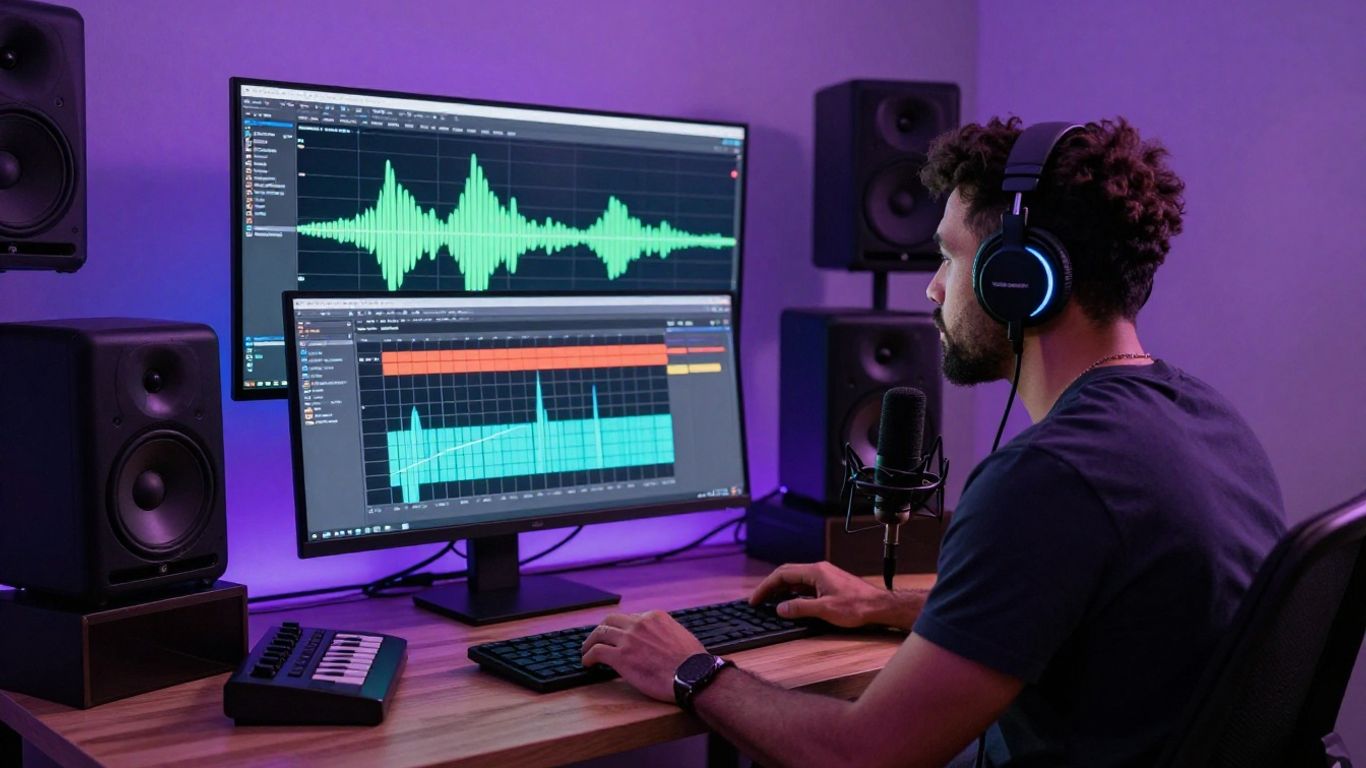
The useful distinction is not that every result will suit every project. It is that you can keep the audio and visual steps together instead of moving between separate tools.
Generate complete songs from text or lyrics
You can enter a text prompt, lyrics, or a rough song idea. The tool composes music and adds AI-generated singing vocals, producing a complete song without requiring music production experience.
Start broad enough to keep the idea flexible, then add details that affect the sound. A mood, genre, tempo, and vocal direction give you concrete points to assess when the track is ready for review.
Turn generated tracks or uploaded audio into videos
You can use an AI-generated song or upload an MP3 or WAV file for video generation. The system analyzes tempo, mood, energy, and song structure, then produces synchronized visuals that match the audio.
This is also useful when the music already exists. You do not need to regenerate a track just because you need a visual release.
Create content without music production or editing skills
The workflow is designed for people who want to direct the outcome without learning a full audio workstation or video editor. You provide the musical idea, review the track, select a visual direction, and generate the video.
That lowers the number of technical decisions between an idea and a social-ready draft. You still need editorial judgment, especially when lyrics or brand messaging matter.
Work within one tool instead of switching platforms
Keeping both stages together can reduce downloads, file transfers, and repeated setup. The Creatus workflow is especially relevant when you need to move from text or lyrics to a full song and then into synchronized visuals.
You can still use a separate editor for final trimming or captions if your project needs it. The point is to remove unnecessary production steps, not to pretend every project needs only one application.
How to create a song with Creatus
A strong result usually begins before you press generate. Decide what the listener should feel, what kind of voice belongs in the track, and where the song will be used. Then describe those choices in plain language.
You do not need a technical music vocabulary to get started. Specific, observable details are more useful than a long list of fashionable adjectives.
Start with a clear genre and mood
Name the genre and the emotional direction first. “Warm acoustic pop with a reflective mood” gives you a clearer target than “a beautiful song.”
You can also mention energy or tempo when it matters to the use case. A short social clip may need a more immediate opening than a relaxed background track.
Describe vocals, instruments, and song structure
Add the vocal type, key instruments, and basic structure you want to hear. You might request a verse-led song with a recurring chorus, restrained drums, and a prominent vocal line.
Keep the description readable. If you list too many competing instructions, the first result may become harder to evaluate rather than more precise.
Refine the prompt when the first result misses the mark
Treat the first generation as a test of your direction. Note what is wrong, then change one or two elements at a time so you can tell which revision helped.
Useful revisions might include a different mood, a simpler arrangement, a clearer vocal description, or a more direct chorus. Small changes often make comparison easier than replacing the entire prompt.
Review the track before creating visuals
Listen to the full track before you spend credits on visuals. Check the lyrics, vocal phrasing, transitions, ending, and whether the song fits the audience and platform you selected.
A quick review prevents you from polishing a visual concept around an audio problem. If the track needs another pass, fix it before moving on.
How to turn audio into an AI music video
Audio-to-video tools work best when you treat the song as the source of the visual rhythm. A quiet verse, dense chorus, and instrumental break can each support a different visual pace. You should make those changes intentional rather than asking for random scenes.
You can also use an existing track, which makes the process relevant for musicians, podcasters, and brands with approved audio already in hand.
Upload an MP3 or WAV file
Prepare the cleanest approved version of the song and upload it as an MP3 or WAV file. If you generated the track in the same workflow, you can use that audio without creating a separate transfer.
Check the beginning and end before uploading. Silence, clipped audio, or an unfinished mix can affect how the visual timing feels.
Match visuals to the song’s mood and structure
Describe visual movement that fits the audio rather than listing unrelated objects. A slow track may suit measured camera movement and longer scenes, while a high-energy chorus can support quicker changes.
Think in sections: opening, verse, chorus, bridge, and ending. This approach gives the generated video a sense of progression even when the visuals are stylized.
Choose between cinematic, animated, abstract, and lyric styles
A cinematic look can support a release announcement, while animation may suit a playful song or educational piece. Abstract visuals can carry instrumental music, and lyric styles can keep the words central.
Use the style that supports the purpose of the video. A visually busy treatment may distract from lyrics, while a minimal treatment may leave a promotional clip feeling too quiet.
The Audioread example is a reminder that audio can serve different listening contexts, but a music video needs visuals that support the track rather than simply reproduce its sound.
Adjust the concept for promotional or social content
For promotion, put the strongest visual idea near the beginning and keep the central subject easy to follow. For social content, consider how the first seconds work without relying on a long introduction.
If you need more practical ideas, an AI music video workflow can help you connect prompts, audio review, visual direction, and publishing decisions.
Choosing the right video format for each platform
One song can support several pieces of content, but each version should have a clear job. You may want a full horizontal video for YouTube, a vertical excerpt for short-form feeds, and a square cut for a social feed.
Plan the crop before you generate. Subjects placed too close to the edge can become awkward when you reuse the same visual idea in another ratio.
The available formats make it easier to test the same audio across different publishing environments. Keep the core concept consistent, but adjust framing and pacing for each audience.
Use 9:16 for TikTok, Reels, and Shorts
Choose 9:16 when the viewer will hold a phone upright. Keep the main character or visual action near the center, where platform controls and captions are less likely to cover it.
A vertical version should not feel like a badly cropped horizontal video. Write the visual direction with portrait framing in mind.
Use 1:1 for square social media posts
Square video gives you a balanced middle ground for social feeds. It can work well when the subject needs room on both sides or when your post will appear beside other square creative.
Keep important movement and lyrics within a safe central area. That gives you more flexibility if the platform previews the post at a different size.
Use 16:9 for YouTube and standard video players
Use 16:9 for full-length releases, standard video players, and layouts where a wide composition matters. This ratio gives scenes more horizontal space for environments and group performances.
It also suits viewers who expect a conventional music video frame. Check the opening and thumbnail frame before publishing.
Build alternate versions from the same audio
You can create several versions without changing the underlying track. Before rendering, decide what each cut should achieve:
- A full version for the main release.
- A short vertical excerpt for discovery feeds.
- A square version for a social post.
- A lyric-focused cut for listeners who want to follow the words.
This makes repurposing more deliberate. Each export should feel native to its platform, not like an afterthought.
Creatus compared with single-purpose AI music tools
A single-purpose tool can be the right choice when your project ends with audio. The decision changes when you also need a synchronized visual asset, especially if you are working with limited time or no editing background.
Compare the whole production path rather than one isolated feature. Ask where the song is made, where the video is made, how files move between them, and which export formats you need.
When a song generator such as Suno or Udio is enough
A dedicated song generator is enough when you only need a full song or a musical sketch. Suno and Udio are documented as text-to-song tools with vocals, while video creation requires a separate step.
That separation can be useful if you already have a preferred video editor or want specialized control over the audio first. You may also prefer to keep sound design and visuals as separate production decisions.
When an audio-to-video tool is the better fit
An audio-to-video tool makes more sense when your track already exists and the main need is a visual accompaniment. You can focus on mood, pacing, style, and format without generating a new song.
This route suits artists with released audio, beatmakers showing instrumentals, and creators who need visuals for an established intro or theme.
How the two-in-one workflow reduces production steps
A two-in-one workflow keeps song generation and video generation in the same path. The CREATUS.AI music video tool supports text prompts, uploaded audio, AI singing vocals, and multiple video formats within that broader process.
That does not remove the need to review your work. It does reduce the number of separate tools you must learn when your goal includes both a track and a video.
Where dedicated tools may provide more specialized control
Dedicated platforms may offer a deeper focus in one area, such as advanced audio variation, detailed timeline editing, or specialized visual effects. If you need that level of control, a multi-tool workflow may still be the better fit.
The tradeoff is time and coordination. Choose the simpler path for quick content, and accept extra steps when a project genuinely needs specialized control.
Best use cases for a free Lyria 3 alternative
A free or free-to-start workflow is most useful when it helps you test ideas before committing a budget. You can assess the song, the visual style, and the export process with a small project first.
The format is especially practical for people who need consistent content but do not have a production crew. Start with one clear use case, then reuse what works.
Release visuals for independent musicians
Independent musicians can pair a new track with a visual release without booking a crew or building a full post-production setup. You can test a mood, generate a format for the main release, and cut shorter versions for promotion.
A music video still needs a point of view. Choose visuals that support the song’s identity instead of treating the video as decoration.
Short-form content for creators and podcasters
Creators and podcasters can turn a theme, intro, or short musical idea into repeatable social content. A vertical excerpt can give viewers a visual reason to stop while the audio carries the message.
For people who listen to articles or scripts through tools such as Audioread, keep the use case separate: spoken-audio workflows and music-video workflows need different visual decisions.
Educational songs and branded background music
Educational songs can make a lesson easier to remember when the lyrics and visuals stay focused. Brands can also use generated background music for product clips, provided the plan and publishing rights fit the campaign.
Keep the wording accurate and review every line. A catchy mistake can spread faster than a corrected one.
Product videos and campaign assets for e-commerce brands
A product video can use a short original track to set pace and mood around a collection or campaign. Square and vertical versions make it easier to test placements without rebuilding the entire concept.
For broader production planning, you can also try the workflow with a small approved asset before deciding whether it fits a larger campaign.
What to check before publishing AI-generated content
Publishing requires more than a successful generation. Listen and watch as if you were an unfamiliar viewer, then check the rights and platform requirements that apply to the final export.
A short review is worthwhile even for casual posts. It protects your reputation and helps you catch problems that are easy to miss during generation.
Confirm the plan’s usage and export terms
Read the current plan details for usage, downloads, watermarks, credits, and commercial rights. Free access can be enough for personal tests, while paid plans may provide different publishing terms.
Keep a record of the plan you used and the date you exported the work. For comparison, Clickova.AI shows why service terms can cover responsibilities, payment, approvals, and intellectual property in detail.
Review lyrics, vocals, and visuals for unwanted errors
Check names, pronunciation, repeated lines, awkward phrasing, visual glitches, and timing. Watch the full file on a phone as well as a larger screen if mobile publishing matters.
If the project includes spoken material, do not confuse a reading tool with a song generator. Your review should match the type of media you are publishing.
Avoid copyrighted names, lyrics, and recognizable styles
Use original lyrics and describe broad musical characteristics rather than asking for a living artist’s exact style. Avoid recognizable characters, logos, and protected brand elements unless you have permission.
You may encounter unrelated reference material during research, such as Nemo Group UK pricing guidance or cataract lens options. Keep those sources separate from your music project and do not import their names or content into a creative prompt.
Keep expectations realistic for professional production needs
AI generation can shorten the path to a usable draft, but it does not replace every professional production process. You may still need a musician, editor, designer, or legal review for a high-stakes release.
Set the quality bar before you start. A quick social asset and a flagship campaign may need very different levels of review.
Start Your Music Video
If you want to test the full path from song idea to synchronized video, start with a small project and a clear brief. The Creatus AI music video service gives you a practical place to turn that brief into a track and visual draft.
Conclusion
A Lyria 3 free alternative is worth considering when it matches the way you actually work: clear prompts for music, a workable audio-to-video step, useful aspect ratios, and terms you can understand before publishing. Start small, review every result, and choose the workflow that gives you enough control without adding production steps you do not need.
Frequently Asked Questions
What is a Lyria 3 free alternative?
It is another tool or workflow you can use to generate AI music, vocals, or related visual content when the original service does not fit your needs, budget, or production process.
Can AI tools create a full song from text?
Some tools can turn a text description or lyrics into a complete song with generated instrumentation and vocals. Results vary, so you should review structure, words, pronunciation, and musical fit.
Can you turn an existing song into a music video with AI?
Yes, audio-to-video tools can accept an existing audio file and generate visuals based on its mood, energy, tempo, or structure. Check which file formats and export ratios the service supports.
Which video ratio is best for TikTok and Reels?
A 9:16 vertical video is generally the most suitable starting format for TikTok, Instagram Reels, and YouTube Shorts. Keep important subjects away from the edges and platform controls.
Is AI-generated music free to use commercially?
Not automatically. Commercial use depends on the service plan and its current terms, so check rights, attribution requirements, watermarks, and export conditions before monetizing a project.
How do you improve an AI music prompt?
Name the genre, mood, tempo, vocal direction, instruments, lyrics, and structure you want. If the first result misses, change a small number of details and compare the next version.
Should you use one tool for music and video?
One tool can be convenient when you need both outputs and want fewer file transfers. Separate tools may be preferable when you need highly specialized audio production or detailed video editing.