Ever wanted to make a music video but thought it would be too much work or too expensive? These days, you can actually create a full AI music video right from your phone, no fancy gear or editing skills needed. With a few taps, you can turn your song idea—or even just a rough audio file—into a video ready for TikTok, Instagram, or YouTube. If you’re curious about how to make AI music video on mobile, you’re in the right place. Let’s break it down step by step, so you can get started without the tech headache.
Key Takeaways
- You don’t need to be a music or video pro—AI tools on your phone handle both the song and the video.
- Platforms like Creatus let you type a song idea or upload audio, then pick a style for your music video.
- Most apps offer export options for vertical, square, or horizontal videos, so you can post anywhere.
- Spend a little time tweaking your prompts and visuals to get the look and vibe you want.
- Sharing your finished video to social media is usually just a tap away—no computer required.
Understanding AI Music Video Creation On Your Phone
What is an AI Music Video Generator?
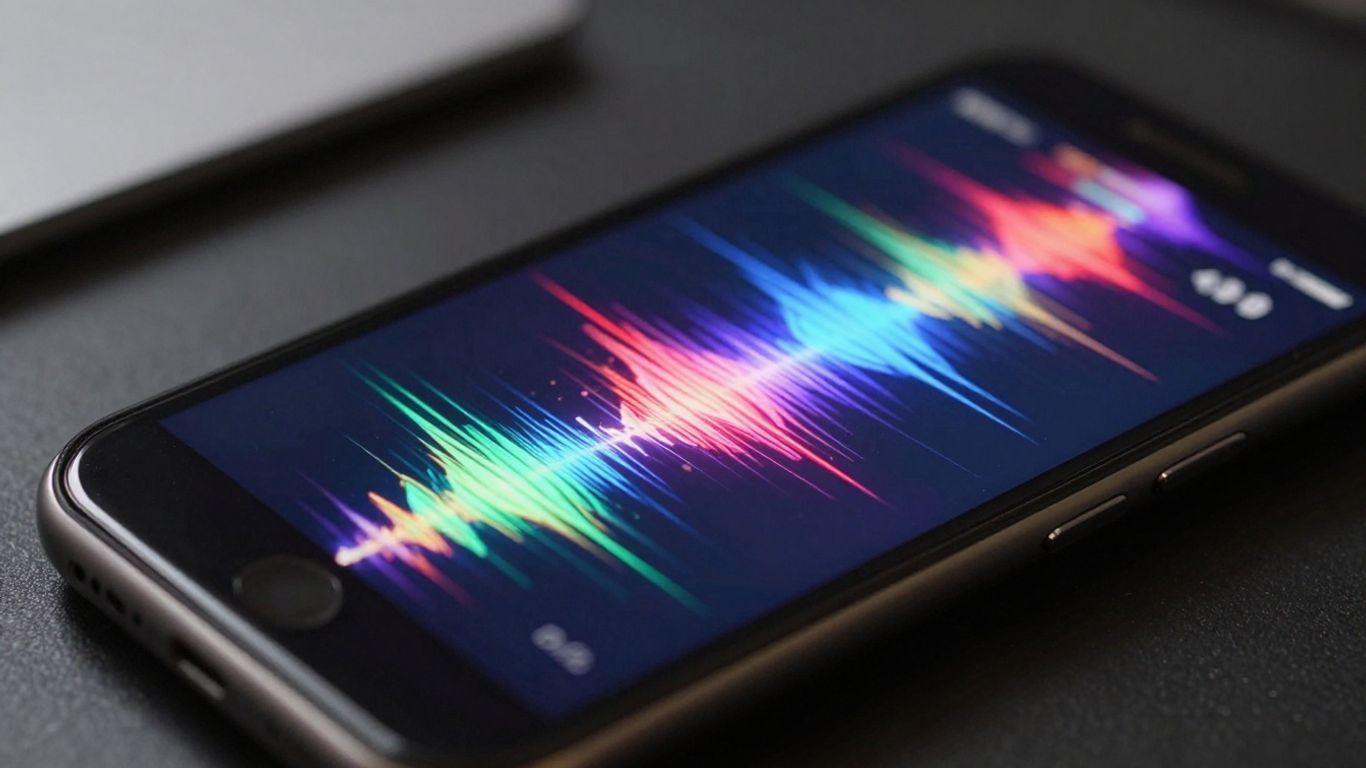
An AI music video generator is a tool that takes your song and turns it into a visual experience. You give it your audio, maybe some ideas about what you want to see, and the AI creates the video for you. It’s like having a digital director and animator all in one. These tools analyze your music’s rhythm, mood, and energy to match it with fitting visuals.
Key Benefits of AI Music Video Tools
Using AI for music videos on your phone offers a few big advantages. First, it’s incredibly fast. You can go from song to finished video in minutes, not days or weeks. This means you can produce more content more often.
It also makes video creation accessible to everyone, regardless of their technical skills. You don’t need to be a pro editor or animator. Plus, it’s much cheaper than hiring a traditional video production team.
How AI Music Video Generators Work
These generators work by analyzing your audio file. They break down the music into its core components: tempo, beat, mood, and even specific sounds. Then, based on your text prompts or chosen styles, the AI selects or generates video clips and images.
It then stitches these visuals together, making sure they sync up with the music. Some advanced tools can even create consistent characters or specific visual themes throughout the video. You can think of it as a smart system that translates sound into sight. Creating AI-powered music videos involves understanding these underlying processes.
- Audio Analysis: The AI listens to your song, identifying beats, tempo, and emotional tone.
- Visual Generation: Based on your input, it creates or selects images and video clips.
- Synchronization: The AI edits the visuals to match the rhythm and feel of your music.
- Output: A complete music video ready for sharing.
Choosing the Right AI Music Video Platform
With so many tools out there, picking the right AI music video platform can feel a bit overwhelming. You want something that fits your workflow and helps you create the visuals you imagine. Think about what you need most: generating a song and video together, or just focusing on making a video from audio you already have.
Integrated Song and Video Generation
Some platforms let you do it all in one place. You can describe your song idea, and the AI writes and sings it for you. Then, it generates a video to match. This is great if you’re starting from scratch and want a quick, all-in-one solution. Tools like Creatus AI offer this combined approach.
Audio-to-Video Focused Tools
Other tools are built specifically for turning existing audio into video. You upload your track, and the AI analyzes it to create visuals that sync up. These often give you more control over the visual style and how closely it matches the beat. Freebeat is one option that excels at precise beat synchronization.
Evaluating Platform Features and Output
When you’re looking at different platforms, consider a few key things. How easy is it to use? What kind of visual styles does it offer? Can you get high-quality exports for different social media sites? Check out examples of videos made with the platform to see if the output matches your expectations. Some platforms might offer a free trial, which is a good way to test them out before committing.
Pay attention to how well the AI syncs visuals to the music’s rhythm and mood. This is what makes a music video feel alive and engaging, rather than just a slideshow.
Here’s a quick look at some platform types:
- All-in-One: Generates both music and video from text prompts.
- Video-Focused: Creates videos from your uploaded audio files.
- Visualizer Tools: Generates animated graphics that react to sound.
Think about your budget too. Many platforms have different pricing tiers, from free basic options to paid plans with more features and higher export quality. You might find that a tool like One More Shot AI fits your needs if you’re looking for a mobile-friendly option.
Crafting Your Music Video Concept
Before you start generating, you need a clear idea of what you want your music video to look and feel like. This is where you define the visual story that will accompany your song.
Developing Your Song Idea or Uploading Audio
If you’re creating a song from scratch with AI, start by describing your musical vision. Think about the genre, mood, tempo, and any specific lyrical themes you want to explore. The more detail you provide, the better the AI can match the music to your concept. If you already have a song, simply upload the audio file. This will be the foundation for your video’s rhythm and energy.
Selecting Visual Styles and Themes
Consider the overall aesthetic you’re aiming for. Do you want something realistic, animated, abstract, or perhaps a mix? Many platforms offer a range of styles, from cinematic looks to vibrant, graphic designs. Think about the mood of your song – is it dark and moody, bright and energetic, or something else entirely? This will guide your choice of visual themes and color palettes.
Defining Your Target Audience and Platform
Who are you trying to reach with this video? Knowing your audience helps shape the video’s content and style. Are you aiming for a younger, trend-focused crowd on TikTok, or a broader audience on YouTube? Also, consider the platform where you’ll primarily share the video. Vertical formats are best for mobile-first platforms like Instagram Reels and TikTok, while horizontal is standard for YouTube. This decision impacts how you frame your shots and present your visuals. You can find inspiration for effective AI prompts to help visualize your ideas.
Generating Your AI Music Video
Now comes the exciting part: bringing your song to life visually. Most AI music video platforms offer a couple of ways to get started. You can either let the AI create a song from scratch based on your text prompts, or you can upload your own audio file. Both methods have their own unique advantages.
Inputting Text Prompts for Song Creation
If you don’t have a song ready, you can describe it to the AI. Think about the genre, mood, tempo, and any specific lyrical ideas you have. The AI will then compose an original song, complete with vocals, based on your input. This is a great way to quickly generate a track and its accompanying visuals simultaneously. It’s like having a co-writer and a director all in one tool.
Uploading Existing Audio Files
For those who already have a finished track, you can simply upload your audio file. The AI will analyze your song’s tempo, energy, and structure. It then uses this information to generate visuals that sync up with your music. This approach gives you full control over the audio, while still letting the AI handle the visual creation. You can upload files in common formats like MP3 or WAV.
Initiating the Video Generation Process
Once you’ve either generated a song or uploaded your audio, it’s time to create the video. You’ll typically select a visual style from the platform’s options. This could range from cinematic looks to animated styles or even lyric video formats. After choosing your style, you’ll hit the generate button. The AI then works its magic, producing a music video that matches your audio. You can get a full music video, not just short clips, ready for sharing.
Refining and Exporting Your Video
Once your AI has done the heavy lifting, it’s time to put your personal touch on the video. This is where you make sure the visuals truly match your music and your vision.
Reviewing AI-Generated Visuals
Watch your video from start to finish. Does it flow well with the music? Are there any jarring transitions or odd visual glitches? Pay close attention to how the visuals sync with the beat and the mood of your song. Sometimes, the AI gets it almost perfect, but a few tweaks can make a big difference.
Adjusting Video Settings and Styles
Most platforms let you make some final adjustments. You might be able to change the overall color grading, adjust the speed of certain clips, or even swap out a few scenes if they aren’t working. Think about the overall aesthetic you’re going for. If the AI generated a hyper-realistic style but you wanted something more animated, see if you can adjust that now. Some tools allow for advanced editing features that give you more granular control.
Exporting for Social Media and Streaming Platforms
Finally, it’s time to export. You’ll usually have options for different resolutions and file formats. For most social media, like TikTok or Instagram Reels, a 9:16 vertical format is best. For YouTube, 16:9 is standard. Make sure you select the right settings for where you plan to share your video. Many apps are designed for direct publishing to social media, so check those options.
Exporting in the correct format is key. A video that looks great on your phone might not play well on a desktop if the aspect ratio is wrong. Always double-check the recommended settings for each platform you’re targeting.
Best Practices for Mobile AI Music Video Creation
Optimizing Prompts for Mobile Input
When you’re creating on your phone, typing long, complex prompts can be a hassle. Keep your text descriptions short and to the point. Focus on the core elements you want: the mood, the main subject, and the overall style. Think of it like sending a quick text message – clarity is key.
Try using keywords that the AI can easily interpret. Instead of "a melancholic scene of a lone figure walking through a rainy cityscape at dusk with neon lights reflecting on the wet pavement," try "sad city rain night neon." This makes it much faster to input and less prone to typos on a small screen. You can always refine the output later if needed.
Leveraging Mobile Editing Features
Most AI video tools offer some level of editing directly within the app. Get familiar with these features. You might be able to adjust clip timing, swap out certain visuals, or even tweak the color grading. These mobile-friendly tools let you make quick fixes without needing to transfer files to a computer.
Look for options to re-generate specific scenes or apply different visual filters. Sometimes a small adjustment can make a big difference in the final look. Don’t be afraid to experiment with the built-in editing tools; they’re designed for quick adjustments on the go. You can often find ways to create a professional music video using just your phone.
Ensuring Seamless Sharing from Your Phone
Once your video is ready, you’ll want to share it quickly. Most AI music video apps allow direct export to popular social media platforms. Make sure you understand the export settings, especially aspect ratios.
Here’s a quick rundown of common aspect ratios:
- 9:16 (Vertical): Ideal for TikTok, Instagram Reels, and YouTube Shorts.
- 1:1 (Square): Good for Instagram feeds and Facebook.
- 16:9 (Horizontal): Standard for YouTube and most other video platforms.
Choose the right format for where you plan to post. This saves you from awkward cropping or black bars later. You can also use your phone to produce high-quality video for social media ads, so sharing your music video should be just as straightforward.
Always preview your video in the intended platform’s format before hitting publish. What looks good on your phone screen might appear differently when uploaded.
Remember, the goal is to create and share efficiently. By optimizing your prompts and using the mobile editing features wisely, you can produce and distribute your AI music videos directly from your phone with minimal fuss.
Making cool music videos with AI on your phone is easier than you think! We’ll show you how to get awesome results without needing fancy equipment. Ready to make your music shine? Visit our website to learn all the tricks and start creating today!
Wrapping Up Your AI Music Video
So there you have it. You’ve seen how you can take an idea, turn it into a song, and then make a music video for it, all from your phone. It’s not about replacing human creativity, but giving you a new tool to get your ideas out there faster. Don’t overthink it; just start playing around with it. The more you use these tools, the more you’ll figure out what works for you and your music. Go ahead and give it a try.
Frequently Asked Questions
What exactly is an AI music video maker?
Think of it as a super-smart app that helps you create music videos without needing to film anything or be a video editing whiz. You give it your song (or an idea for one), and it uses artificial intelligence to whip up visuals that match the music’s vibe and beat. It’s like having a virtual director and editor all rolled into one, right on your phone!
Can I really make a whole song and video just from my phone?
Absolutely! Many AI tools let you type in a song idea, and the AI creates the music and even sings it for you. Then, you can take that song or your own uploaded track and have the AI generate a fitting music video. It’s a pretty neat way to bring your musical ideas to life from start to finish, all from your pocket.
Do I need to be a musician or know how to edit videos?
Nope, not at all! These tools are designed for everyone. You don’t need to know how to play an instrument or use complicated editing software. The AI does most of the heavy lifting. You just guide it with your ideas and preferences, and it handles the technical stuff. It’s all about making video creation easy and accessible.
What kind of visuals can I expect from an AI music video?
The visuals can be super diverse! You can often choose from different styles, like cinematic scenes, animated looks, abstract patterns, or even lyric videos. The AI tries to match the mood and tempo of your song, so if it’s an upbeat track, you might get fast-paced, energetic visuals. For a chill song, expect something more laid-back and dreamy. It’s all about creating a look that fits your music.
Can I use the music videos I make on social media?
Definitely! Most AI music video tools let you export your videos in different sizes, perfect for platforms like TikTok, Instagram Reels, YouTube Shorts, or even standard YouTube videos. You can usually share them directly from your phone after you’re done, making it super convenient to get your music out there.
Is this going to cost a lot of money?
Many of these AI tools offer a free version or a free trial, so you can test them out without spending anything. If you want more advanced features or to create longer videos, they often have affordable monthly plans. It’s a great way to get professional-looking music videos without the big production costs.