Ever wondered how those AI song generators whip up singing vocals that sound surprisingly real? It’s not magic, though it can feel like it sometimes. You’ve got lyrics, maybe a melody idea, but no singer handy. Or maybe you just want to experiment with sounds you couldn’t normally achieve. Well, you’re in luck. We’re going to break down how do AI song generators create vocals, from the tech behind it to how you can use these tools yourself. It’s easier than you might think to get a vocal track going without needing a studio.
Key Takeaways
- AI song generators use complex neural networks trained on vast amounts of human singing data to understand pitch, tone, and emotion.
- The process usually involves inputting lyrics and musical parameters, which the AI then interprets to create a vocal performance.
- Tools offer controls for selecting vocal style, genre, pitch, tone, and tempo to tailor the AI’s output.
- Refining AI vocals often requires critical listening, iteration, and applying post-processing techniques like EQ and reverb.
- AI vocal generation offers benefits in speed, cost, and creative exploration compared to traditional methods, though realism is still a focus for improvement.
Understanding AI Vocal Generation Technology
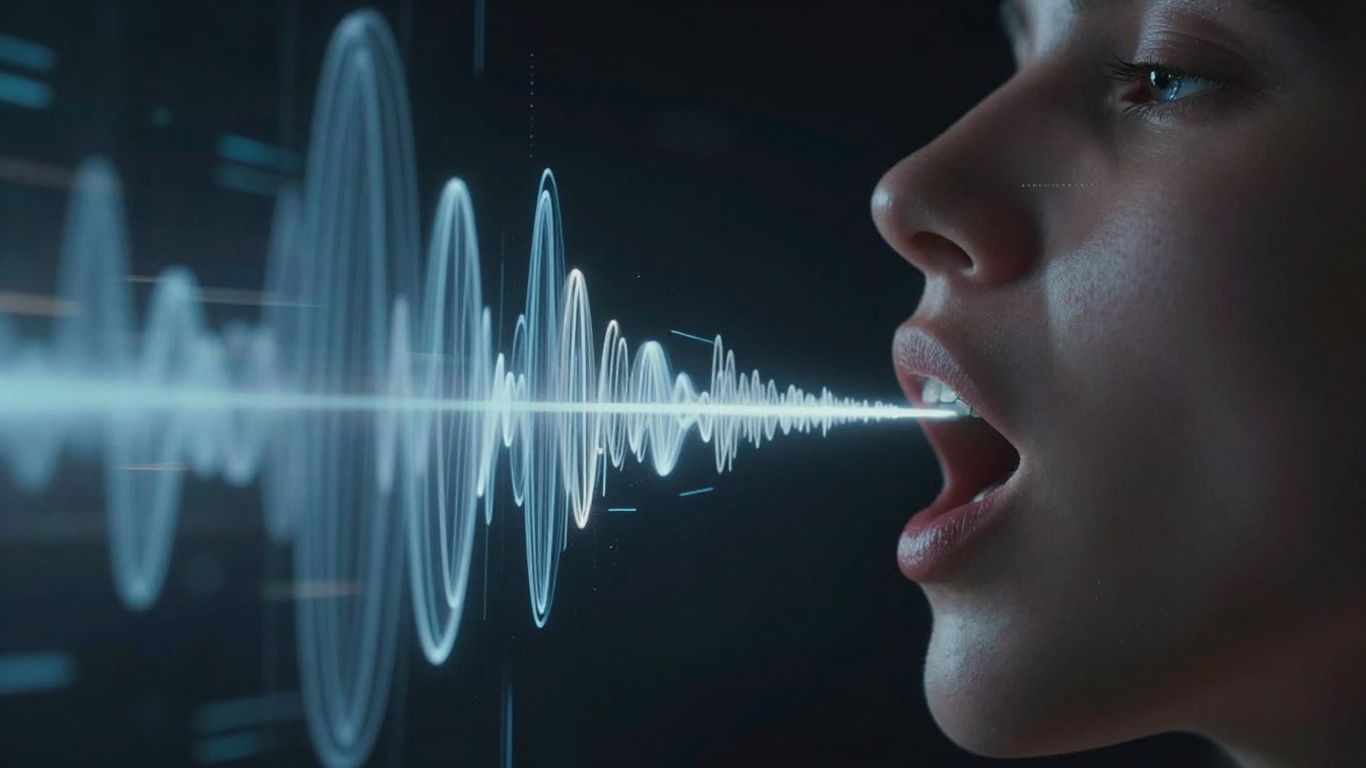
AI voice generators have come a long way. They don’t just speak text anymore; they can sing it. These tools map lyrics onto melodies, add pitch changes, vibrato, and timing adjustments to sound like a real singer.
It’s a big leap from older text-to-speech systems that couldn’t carry a tune. Modern AI models are trained on huge amounts of human singing. They learn how singers breathe, emphasize words, and how their pitch moves. This training helps them create realistic, melodic vocals quickly.
Core Principles of AI Singing Synthesis
At its heart, AI singing synthesis uses complex algorithms to create vocal performances. These systems analyze vast datasets of human singing to learn patterns. They learn about pitch, rhythm, articulation, and even emotional expression.
The goal is to mimic the nuances of human vocalization. This involves understanding how different sounds are produced and combined. It’s about more than just hitting the right notes; it’s about making the singing sound natural and expressive.
Neural Networks and Vocal Performance
Neural networks are the engines behind most AI vocal generation. These networks are designed to learn from data, much like a human brain. They process information in layers, identifying complex relationships between different vocal elements.
These networks can learn to replicate specific vocal styles or even mimic the voice of a particular singer. They analyze features like tone, timbre, and the subtle imperfections that make a voice unique. This allows for a high degree of customization in the generated vocals.
Text-to-Singing Algorithms
Text-to-singing algorithms take your written lyrics and turn them into sung audio. They work by breaking down the text and mapping it to a musical structure. This involves predicting the correct pitch, duration, and pronunciation for each word.
These algorithms also consider the musical context, like the melody and rhythm. They aim to produce a vocal performance that is not only accurate but also emotionally resonant.
- Lyric Analysis: The AI breaks down the text into phonemes (basic sound units).
- Melody Mapping: It aligns these phonemes with the provided musical notes and timing.
- Performance Generation: It adds expressive elements like vibrato, breath sounds, and dynamic changes.
The process involves a sophisticated interplay between linguistic understanding and musical interpretation. The AI must understand the meaning and emotion of the lyrics to deliver a convincing performance.
AI sound generators can produce a wide range of sounds, including realistic human voices. This technology is rapidly advancing the possibilities in music creation.
The Process of Creating AI Sung Vocals
Inputting Lyrics and Musical Parameters
To start, you’ll need to provide the AI with the words you want it to sing. This is usually done by typing or pasting your lyrics directly into the tool. Beyond just the words, you’ll also set key musical details. This includes things like the desired genre, tempo (BPM), and the overall mood you’re aiming for. Getting these initial inputs right is key to the final output.
AI Interpretation of Emotion and Style
Once you’ve given the AI the lyrics and basic parameters, it begins to interpret them. It analyzes the text for emotional cues and considers the style you’ve selected. For example, a sad lyric sung in a pop style will sound different from the same lyric in a rock style. You can often guide this further by selecting specific tones like ‘warm,’ ‘breathy,’ or ‘bright.’
Generating Vocal Variations
Most AI singing tools don’t just give you one option. After processing your inputs, they’ll typically generate several different vocal takes. This is helpful because you can then listen to each one and pick the best fit for your song. You might find one variation has better phrasing, while another captures the emotion more effectively. It’s a good idea to listen critically to all the options provided. You can explore different voice styles to see how they change the feel of your lyrics.
Key Components of AI Song Generation Tools
Lyric and Melody Integration
AI song generators need your lyrics and a basic melody to work. You’ll input your text, and often, a simple tune or chord progression. The AI then uses this information to shape the vocal performance. Think of it as giving the AI the words and the basic emotional arc of the song.
Vocal Style and Genre Selection
This is where you tell the AI what kind of voice you want. You can pick from various genres like pop, rock, or R&B. You also select a specific vocal style, such as ‘warm,’ ‘breathy,’ or ‘energetic.’ This choice significantly impacts the final sound and feel of the generated vocals.
Pitch, Tone, and Tempo Control
Most tools offer controls to fine-tune the vocal output. You can adjust the pitch to fit your song’s key or choose a specific vocal range like soprano or tenor. Controlling the tone allows you to make the voice sound brighter or warmer. Setting the tempo ensures the vocals sync up with your music, often by matching the BPM. You can even experiment with different vocal styles to see what fits best.
Refining AI-Generated Vocal Performances
Once you have your initial AI vocal track, the real work of making it sound like a polished performance begins. It’s not just about hitting the right notes; it’s about making the vocal feel alive and fitting it into your song.
Critical Listening and Iteration
Listen to the generated vocals closely, ideally with your instrumental track. Pay attention to how the AI handles specific words, phrases, and emotional cues. Does the pacing feel right? Are there any awkward pronunciations or unnatural-sounding sustained notes? Don’t settle for the first output you get. Most tools offer variations, so cycle through them to find the best starting point.
- Check for syllable clarity.
- Assess the flow of held notes.
- Evaluate emotional impact on key phrases.
- Listen for any robotic or unnatural artifacts.
If something feels off, don’t be afraid to tweak your original input. Sometimes, changing a single word, adding a comma, or splitting a long sentence can lead the AI to a much better interpretation. Small adjustments can make a big difference in the final output.
Applying Post-Processing Techniques
Raw AI vocals often need a bit of help to blend into a mix. Basic audio effects can work wonders. EQ can help the vocal sit better with the instruments, while compression can even out the dynamics. Reverb and delay can add space and depth, making the vocal sound more natural and less like it was generated in a vacuum.
Post-processing is where you bridge the gap between a generated sound and a musical performance. Think of it as the final polish that makes the AI vocal feel like it belongs in the song.
Many AI voice enhancement tools can help here, offering features to improve pitch and timing. You can also use standard studio effects to shape the tone and add character. Experiment with different settings until the vocal sounds integrated and professional.
Layering and Blending Vocal Tracks
If you’re working with an acapella vocal from an AI generator, you’ll need to build the music around it. This involves finding or creating an instrumental track that complements the vocal’s style and tempo. Once you have your instrumental, align the vocal and instrumental tracks in your Digital Audio Workstation (DAW).
- Export your AI vocal as a clean acapella.
- Find or create a matching instrumental. Platforms like Mubert can generate royalty-free tracks based on your descriptions.
- Align the vocal and instrumental in your DAW.
- Adjust volume levels and panning to create a balanced mix.
Blending is key. You might want to layer the AI vocal with other vocal elements, or even use it as a background texture. The goal is to make the AI vocal feel like a natural part of the overall song production, not an add-on. This careful integration is what makes AI vocals truly shine in a musical context. AI vocal enhancement tools can be a great resource for this stage.
AI Song Generators Versus Human Vocals
AI vocal generation has come a long way, but how does it stack up against the real thing? You might be surprised by the differences, and where each shines.
Bridging the Gap in Realism
AI can now produce vocals that sound remarkably human. Tools can mimic pitch, tone, and even some emotional inflections. However, capturing the full spectrum of human expression remains a challenge for AI. Human singers naturally imbue their performances with subtle nuances that AI often struggles to replicate, leading to a less authentic feel in some cases.
While AI is getting better at mimicking human emotion, it still lacks the lived experience that informs a truly soulful performance. The subtle cracks in a voice, the spontaneous breaths, the sheer raw feeling – these are things AI is still learning to simulate convincingly.
Efficiency and Cost Benefits
When you need vocals quickly and on a budget, AI is a clear winner. You can generate vocal tracks in minutes without the expense of studio time or hiring a singer. This speed and affordability make it a powerful tool for independent artists and producers. For example, you can get a full vocal track generated without the need for booking singers or studio time.
Here’s a quick look at the trade-offs:
| Feature | AI Vocals | Human Vocals |
|---|---|---|
| Speed | Minutes to hours | Days to weeks |
| Cost | Low (often subscription-based) | High (studio, session fees, royalties) |
| Consistency | High (predictable output) | Variable (depends on performance) |
| Emotional Depth | Improving, but can be superficial | High (nuanced, authentic expression) |
| Availability | 24/7 | Requires scheduling |
Creative Freedom and Exploration
AI opens up new avenues for creativity you might not have considered. You can experiment with vocal styles, languages, and textures that would be difficult or impossible for a human singer to achieve. This allows you to push sonic boundaries and explore unique artistic directions. You can easily try out different vocal personas for your tracks, which is a huge advantage for experimentation. Tools like Soundverse AI offer a way to generate standalone vocal tracks, giving you full control over the musical arrangement.
Integrating AI Vocals into Music Production
AI song generators can be powerful tools in your music-making process. You can use them in a few different ways, depending on what you need.
Standalone Vocal Generation
Sometimes, you just need a vocal track to fit into an existing instrumental. You can generate a clean vocal stem from your AI tool and then import it into your Digital Audio Workstation (DAW). This gives you a professional-sounding vocal performance without needing to hire a singer or spend hours recording yourself. You can then mix this AI vocal just like you would any other recorded track. This approach is great for quickly adding a lead vocal or backing harmonies to a beat you already have. It’s a way to revolutionize your production workflow.
Full Song Creation Workflows
Other AI tools go a step further, creating entire songs from text prompts. You provide lyrics, a genre, and a mood, and the AI generates both the music and the vocals. This is a fantastic way to get a complete song idea down fast. You can use these generated songs as a starting point, or even as the final product if the quality meets your needs. It’s a quick way to explore different song ideas without much effort.
Using AI Vocals in Digital Audio Workstations
Once you have your AI-generated vocal, you’ll likely want to refine it within your DAW. You can apply standard mixing techniques like EQ, compression, and reverb to make the vocal sit well in your track. You might also want to use pitch correction tools, but be gentle; AI vocals are often quite accurate already. Automating the volume to mimic natural human dynamics can add a lot of realism. You can even layer two slightly different AI vocal takes to create a fuller, more textured sound. This process helps to transform hours into mere minutes.
The key is to treat AI vocals as another instrument in your mix. Don’t be afraid to experiment with different processing chains. Small tweaks can make a big difference in how natural and integrated the vocals sound.
Here are some common steps when working with AI vocals in your DAW:
- Export your vocal: Get the clean vocal track from your AI generator.
- Import into DAW: Load the vocal into your preferred music software.
- Align and mix: Adjust levels, EQ, and add effects like reverb and delay.
- Automate dynamics: Draw in volume changes to create a more human feel.
- Layer vocals: Blend multiple AI vocal takes for a richer sound.
- Listen critically: Make adjustments until the vocal sounds like it belongs in the song.
Want to add cool AI voices to your music? It’s easier than you think! You can learn how to blend these new sounds into your tracks and make your songs stand out. Ready to explore the future of music making? Visit our website to get started and discover all the amazing possibilities.
So, What’s the Takeaway?
Look, AI song generators have come a long way. You can now get a full song with singing vocals, or just the vocals themselves, without needing a studio or a professional singer. Tools like Creatus even let you go from a text idea straight to a music video. It’s not magic, it’s just smart tech. You type, the AI figures out the melody, the voice, and even the visuals. The quality is getting really good, too. You can make stuff that sounds pretty close to what a human would do, and you can do it fast. So if you’ve got ideas but not the resources, these tools are definitely worth checking out. You can experiment, get a feel for what works, and actually finish projects that used to be out of reach.
Frequently Asked Questions
How does an AI song generator actually create singing voices?
Think of it like teaching a computer to sing! AI song generators learn from tons of real singing. They study how singers hit notes, change their voice for emotion, and follow the rhythm. When you give it lyrics and a melody, the AI uses what it learned to create a new singing voice that sounds pretty real. It’s like a super-smart digital mimic!
Can I make the AI sing in different styles, like pop or rock?
Absolutely! Most AI song tools let you pick the style you want. You can tell it to sound like a pop singer, a rock star, or even something more specific like a ballad singer. You can often adjust things like the singer’s tone, how high or low they sing, and even their mood to get the exact feel you’re going for.
What if I don’t like the first AI voice it creates?
Don’t worry, you usually get a few tries! AI tools often give you a couple of different versions of the vocal. You can listen to them all and pick the best one. If none are quite right, you can tweak your instructions – maybe change a word in the lyrics or adjust the style – and try generating again. It’s all about experimenting until you get it perfect.
How is an AI singing voice different from a regular text-to-speech voice?
A regular text-to-speech (TTS) voice just reads words, like a narrator. It sounds pretty flat. An AI *singing* voice generator is way more advanced. It understands music! It can hit different notes, add vibrato (that wavering sound), and make the singing sound emotional and natural, not just spoken. It’s built for music, not just talking.
Can I use AI-generated vocals in my own songs?
Yes, you totally can! Many people use AI vocals as a starting point for their music. You can get a basic vocal track from the AI and then add your own instruments and beats to it. Some tools even let you export just the vocals so you have full control over the music part. It’s a great way to create music without needing a human singer right away.
Do AI song generators sound as good as real singers?
They’re getting incredibly close! A few years ago, the difference was obvious, but now AI can sound surprisingly realistic. For some styles or simple songs, you might not even be able to tell the difference. However, sometimes a real singer can bring a unique emotion or subtle performance that AI still struggles to perfectly copy. But for many uses, AI vocals are already fantastic and very useful!