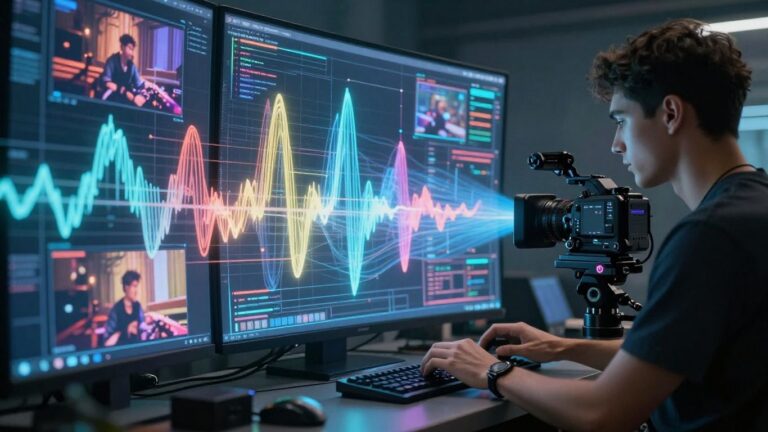
Here are the main points to remember when deciding if you need an account for an AI music video generator:
Key Takeaways
- Not all AI music video generators require an account, but many do, especially for full features.
- Accounts often provide benefits like saving projects, accessing higher quality exports, and advanced tools.
- You can find generators with guest access or free tiers, but these usually come with limitations.
- Consider privacy policies and subscription costs before signing up for an account.
- The trend is moving towards account-based services, but free and account-free options still exist.
Understanding AI Music Video Generator Account Requirements
Do All AI Music Video Generators Require An Account?
Not every AI music video generator forces you to sign up. Some platforms let you jump right in and start creating without needing an account. This is often the case for basic features or trial versions. You might be able to generate a quick video or test out the service before committing. It’s a good way to see if the tool fits your needs.
The Role Of Accounts In AI Music Video Tools
Accounts are usually there to manage your work and access more features. They act like a digital locker for your projects, settings, and any credits you might have. Without an account, saving your progress or coming back to a half-finished video can be impossible. It’s how these tools keep track of your usage and your creations.
Accessing Features With And Without An Account
Generally, you’ll find that tools without an account offer limited functionality. You might get basic video generation or lower export quality. An account often unlocks the full potential of the generator. This includes higher resolution exports, more advanced editing options, and the ability to save multiple projects. For serious creators, an account is usually the way to go to get the most out of the service. You can often create your first music videos without needing a credit card by signing up with just your email [69aa].
Account Benefits For AI Music Video Creation

Creating music videos with AI tools can be a lot easier when you have an account. It’s not just about saving your work; it opens up a whole range of features that can really speed things up and improve your final product.
Saving Projects And Preferences
When you sign up for an account, you get a dedicated space to save all your ongoing projects. This means you can stop and start whenever you need to, without losing your progress. Your settings and preferences are also saved, so the tool remembers how you like things done. This consistency saves you time on future projects. It’s like having a digital workbench that’s always set up just the way you like it.
Accessing Advanced Features And Higher Quality Exports
Many AI music video generators offer basic features for free, but the really powerful stuff is usually behind an account. This often includes access to higher resolution exports, more advanced editing tools, or a wider selection of visual styles. You might also get more processing power, leading to faster generation times or more complex animations. Think of it as getting the pro version of the software. For example, you might be able to generate videos in 4K or use more sophisticated AI models for unique visuals, like those offered by Neural Frames.
Collaboration And Sharing Capabilities
An account can make it simpler to share your work with others. Some platforms allow you to invite collaborators to view or even edit projects. This is great if you’re working with a band, a director, or other creatives. You can also easily share your finished videos directly to social media platforms or export them for use on services like Spotify Canvas. Tools like Freebeat focus on planning a coherent visual arc, which is easier to manage and share when you have a dedicated project space.
Exploring Account-Free AI Music Video Options
Not every AI music video generator locks you behind a login screen. You can often find tools that let you jump right in and start creating without needing to sign up. This is great for quick tests or when you just want to make something fast.
Identifying Generators With Guest Access
Some platforms offer guest access or a "try before you buy" approach. These often provide a limited number of free credits or a short trial period. You might find these on sites that want you to experience their service first. Look for phrases like "start creating instantly" or "no account needed" on their landing pages. For example, some tools let you start creating without a credit card.
Limitations Of Non-Account Usage
While convenient, using a generator without an account usually comes with restrictions. You might face lower export quality, watermarks on your videos, or limited access to advanced features. Saving your work or accessing past projects is often not possible. These limitations are how the services encourage you to eventually create an account for more robust features.
Free Tiers Versus Account-Required Services
It’s important to distinguish between a true account-free experience and a free tier that requires signup. Many services offer a free plan, but you still need to register. These free tiers can be quite generous, offering a good amount of creative power. However, if your priority is immediate, no-strings-attached creation, you’ll want to focus on those that explicitly state no account is necessary for basic use.
Key Considerations Before Signing Up

Before you commit to an AI music video generator, especially one that requires an account, take a moment to think about a few things. It’s not just about making cool videos; it’s about how the tool fits into your workflow and what you’re comfortable sharing.
Privacy Policies and Data Usage
Always check the privacy policy. You need to know how the service handles your personal information and the music you upload. Some services might use your data for training their AI, which could be fine, but you should be aware of it. Understand what you’re agreeing to before you upload your tracks.
Understanding Subscription Models
Many AI tools operate on a subscription basis. Look closely at what each tier offers. Do you need faster exports, higher resolution, or access to more advanced features? Compare the costs against what you get. For example, Freebeat offers several plans from a free tier to a pro plan, each with different capabilities.
Here’s a quick look at potential pricing structures:
| Plan Type | Cost | Key Features |
|---|---|---|
| Free | $0 | Basic features, limited exports |
| Basic/Weekly | ~$5/week | More features, suitable for light use |
| Standard/Monthly | ~$10/month | Balanced features, good for regular creators |
| Pro/Premium | ~$25+/month | Faster generation, higher quality, advanced tools |
Evaluating the Value Proposition of an Account
Think about whether creating an account is truly necessary for your needs. If you only plan to make a few videos occasionally, a service that allows guest access might be better. However, if you intend to use the tool regularly, an account often provides benefits like saving projects and accessing premium features. Consider if the added convenience and capabilities justify the sign-up process and potential data sharing.
Sometimes, the simplest solution is the best. Don’t get caught up in features you’ll never use. Focus on what helps you create your music videos efficiently and effectively.
Workflow Integration And Account Management
Seamless Integration With Existing Workflows
When you’re deep into creating music, the last thing you want is a clunky tool that disrupts your flow. Many AI music video generators are designed to fit right into your existing process. You can often upload your finished track or even a rough demo to start generating visuals. This means you don’t have to completely rethink how you work.
Think about how you currently organize your projects. Does the AI tool allow you to save your work in progress? Can you export in formats that match your usual editing software? Look for tools that offer flexibility, allowing you to use your own audio files and export in standard video formats. This makes the transition much smoother.
Managing Multiple AI Tool Accounts
It’s common to use several different AI tools for various parts of your creative process. If you’re using one tool for music generation and another for video, you’ll likely have multiple accounts to manage. This can get complicated quickly, especially if each service has different login details and subscription plans.
Consider consolidating where possible. Some platforms offer a suite of AI tools, including music video generation, which can simplify account management. If you find yourself juggling too many logins, it might be time to explore more integrated solutions. This can save you time and reduce the mental overhead of keeping track of everything. Explore a comparison of AI music video maker platforms to see which ones offer a broader range of features.
The Impact Of Accounts On Project Scalability
Your account status can directly affect how easily you can scale up your video production. Free tiers or guest access might limit the number of videos you can create or the quality of the output. If you plan to produce a lot of content or need high-resolution videos for commercial use, a paid account is often necessary.
Think about your future needs. Will you need to generate multiple versions of a video for different platforms? Do you anticipate needing higher export resolutions or faster processing times? An account, especially a paid one, often provides the resources and permissions required to scale your projects effectively. This is especially true if you’re working with clients or need to meet tight deadlines for multiple releases.
The Future Of AI Music Video Generator Access
Evolving Access Models For AI Tools
AI music video generators are changing how they’re offered. You’ll see more platforms move away from simple, one-size-fits-all access. Instead, expect a mix of options designed to fit different user needs and budgets. This means more flexibility for you as a creator.
The Trend Towards Account-Based Services
Many services are leaning towards account-based models. This allows them to offer personalized experiences and better track user progress. Having an account often unlocks more advanced features and storage for your projects. It’s becoming standard practice across many creative AI tools.
Balancing Accessibility And Feature Richness
The goal is to keep these tools accessible while still providing powerful features. You might find more free tiers with basic capabilities, alongside paid plans for professional use. This approach helps new users get started easily while rewarding dedicated creators with more. It’s a smart way to grow the user base and support ongoing development. You can explore some of the top AI video generators available today to see these trends in action here.
As AI technology advances, the way you access and use these creative tools will continue to adapt. Expect a landscape where both free, easy entry points and robust, account-gated professional suites coexist. The focus will remain on making powerful video creation tools available to a wider range of artists and creators.
Thinking about how AI will change music videos? It’s happening faster than you think! Soon, making cool music videos with AI will be super easy for everyone. Want to see what’s next and maybe even try it out? Head over to our website to learn more and get ready for the future of music video creation!
Wrapping Up: Accounts and Your AI Music Video Workflow
So, does an AI music video generator need an account? Often, yes, but not always. While many tools offer guest access or free tiers without an account, signing up usually unlocks more features, better quality, and project saving. Think about what you need: quick, one-off videos might be fine without an account, but if you plan to create regularly or need advanced options, creating an account is likely the way to go. Always check the specific tool’s policies on privacy and data before you commit. Ultimately, the decision depends on balancing convenience, features, and your personal workflow.
Frequently Asked Questions
Do I always need to make an account to use an AI music video maker?
Not always! Some tools let you try them out without signing up, which is great for a quick video. But, if you want to save your work, get the best quality, or use special features, you’ll probably need to create an account. It’s like visiting a store – you can look around without giving your name, but to buy something or get a membership, you usually need to sign up.
What happens if I use a generator without an account?
Usually, you can still make a video, but it might be a bit limited. Think of it like a free sample. You might only be able to make shorter videos, get lower quality results, or you won’t be able to save your projects to work on later. It’s good for testing things out, but not ideal for serious or ongoing projects.
Are there AI music video tools that are totally free and don’t need an account?
Yes, some tools offer a free way to make videos without needing an account. These are often great for beginners or for making simple videos. However, they usually have limitations, like watermarks on the video, fewer style options, or shorter video lengths. They’re a good starting point, though!
Why do some AI music video tools ask for an account?
Making accounts helps the companies keep track of who is using their tools. It lets them save your projects so you can come back to them, offer you personalized settings, and sometimes give you access to better features or higher quality video exports that cost more. It’s also how they manage different subscription plans.
Is it safe to create an account for an AI music video maker?
Generally, yes, but it’s smart to be careful. Always check the website’s privacy policy to see how they use your information. If a tool seems a bit shady or asks for too much personal info, it might be better to stick with ones that don’t require an account or have a good reputation. Stick to well-known or recommended tools.
Can I make videos for YouTube or TikTok without an account?
You can often create the video file without an account, but whether you can upload it to YouTube or TikTok depends on the platform itself, not the AI generator. The AI generator’s job is to create the video file for you. If the tool lets you download the video without an account, you can then upload it wherever you like, as long as the music you used is okay for those platforms.