Key Takeaways
AI music videos for gaming streamers work best when the sound, pacing, and format match the content you already make.
- Use short intros to establish your channel without delaying the stream.
- Build outros around one clear next action.
- Turn clips with a strong payoff into music-led highlights.
- Choose 9:16, 1:1, or 16:9 before generating visuals.
- Check licensing, exports, and file organization before publishing.
Match the video format to the streamer’s content
Your format should follow the viewer’s reason for watching. A stream intro needs to identify you quickly, while a highlight video needs room for tension, reaction, and payoff. The best ai music videos for gaming streamers feel like part of the channel rather than a separate music project.
Keep the first version simple, then adjust after watching it at normal speed. A clean visual system and a repeatable edit usually matter more than adding another effect.
Build short intros that establish the channel identity
An intro should tell viewers where they are and what kind of energy to expect. Keep the channel name, signature color, and one musical idea visible long enough to register, but avoid a long sequence before the actual content begins.
Use a recognizable opening sound across uploads. A brief synth phrase, drum pattern, or vocal tag can do the identity work without competing with gameplay or conversation.
Use outros to direct viewers to the next action
An outro has one job: make the next step obvious. You might point viewers to the full stream, another highlight, a schedule, or a subscription, but placing every option on screen weakens the message.
Leave enough visual space for the call to action and keep the music moving underneath it. The ending should feel like a handoff, not a hard stop that interrupts the viewer’s attention.
Turn standout moments into highlight videos
A highlight needs a small story, even when it lasts less than a minute. Start with the setup, let the pressure build, and give the decisive play enough space for the reaction to land. A gaming content guide can help you think about intros, outros, background music, and shareable clips as one connected system.
Do not select clips only because they look impressive in isolation. A clutch save, unexpected mistake, or funny exchange often gives the soundtrack a clearer emotional arc than a string of unrelated eliminations.
Choose between vertical, square, and horizontal layouts
Decide on the destination before you frame the footage. Vertical video suits mobile-first feeds, square video fits many social posts, and horizontal video gives YouTube or a stream recap more room for gameplay and overlays.
Keep the important action near the center when you plan to reuse a clip. That makes a later crop less painful and helps you produce alternate versions without rebuilding every scene.
Create music that fits a gaming channel
Music should support the game’s mood instead of flattening every moment into the same level of intensity. A stealth game, a party game, and a competitive shooter each call for different movement, tone, and space for dialogue. Start with the channel’s personality, then set limits for the track.
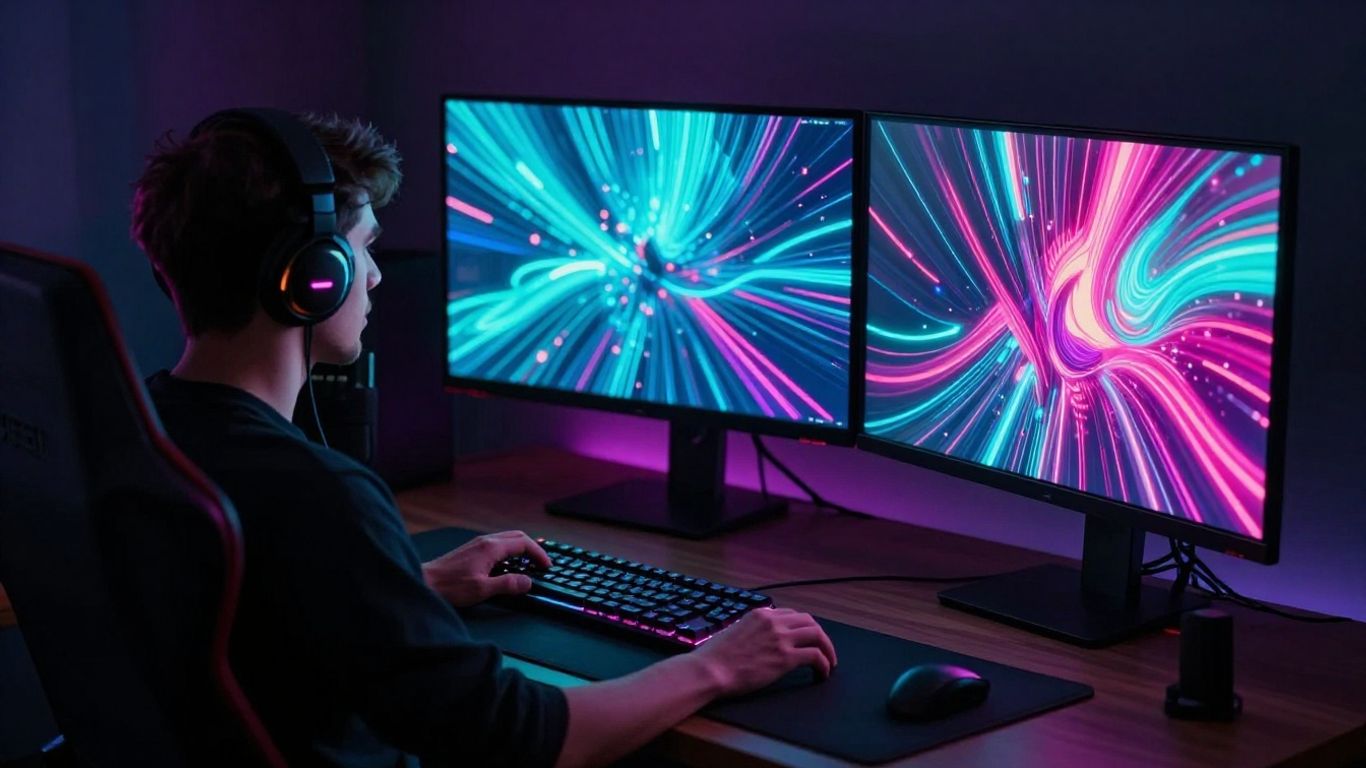
You can use text prompts for a new song or begin with audio you already own. CREATUS.AI supports text prompts, lyrics, and uploaded audio as inputs for music video creation, while its documented workflow also includes songs with AI singing vocals.
Define the game’s genre, mood, and pacing
Name the game category, emotional tone, tempo, and intensity in plain language. “Dark tactical tension with a restrained beat” gives you a better starting point than “make it cool,” because it tells the system how the track should move.
Also state where the music will play. An intro can tolerate a stronger hook, while background music during live commentary should leave room for speech and game audio.
Choose vocals, lyrics, or instrumental tracks
Vocals can make a channel anthem memorable, especially for an event recap or milestone video. Instrumental tracks often work better beneath spoken commentary, tutorials, and clips where the player’s reaction carries the scene.
If you use lyrics, write around the channel’s actual language and recurring jokes. Avoid adding personal information or references you cannot clear for public use.
Write prompts for intros, outros, and highlight reels
Write prompts that describe the use case, not only the genre. Include the desired length, energy changes, vocal choice, and ending behavior so the result has a practical role in the edit.
Useful prompt details include:
- “Short electronic intro with a clean hook and space for a channel name.”
- “Tense instrumental build for a ranked match comeback, followed by a sharp final hit.”
- “Warm outro with a relaxed tempo and room for one subscribe message.”
- “Fast, percussive track with a clear drop for a clutch gameplay montage.”
These directions give you something specific to review. If the track feels too busy, remove instruments or lower the intensity in the next prompt instead of trying to fix every issue in the video edit.
Keep recurring musical elements consistent across videos
Choose a small set of sounds and return to them. The same opening phrase, drum texture, or vocal color can connect a weekly highlight to a longer channel episode.
Consistency does not mean repeating the entire song. Keep the identity cues stable and vary the arrangement, tempo, and visual treatment around each game’s moment.
Generate an AI music video from text or existing audio
A practical workflow starts with either a clear song idea or a finished audio file. From there, you select a visual direction, generate a synchronized video, and review the result against the footage or channel plan. This keeps the creative decisions in the right order.
The two input paths serve different needs. Text and lyrics are useful when you want a new channel track, while an existing MP3 or WAV file lets you work from music you have already approved.
Start with a song idea, lyrics, or style description
Write down the scene before you ask for a song. Mention the game’s mood, the player’s role, the desired pacing, and whether you want vocals or an instrumental track.
A short description is enough if it is concrete. You can refine the genre, lyric theme, or tempo after hearing the first result, then carry the strongest musical detail into the visual prompt.
Upload MP3 or WAV files for audio-to-video creation
Audio-to-video creation is useful when the track already exists. The documented workflow accepts MP3 and WAV uploads, then uses the audio’s tempo, mood, energy, and structure to guide synchronized visuals.
Use a clean export with the final arrangement rather than a rough preview. Check the beginning and ending carefully, since an unexpected count-in or long silence can shift the visual rhythm.
Select visuals that match gameplay and channel branding
Choose visual styles that leave space for the actual gameplay when both appear in the same edit. Cinematic, animated, abstract, lyric, and performance-style directions can each work, but the choice should match your channel’s color, tone, and audience.
CREATUS.AI provides multiple visual styles and supports 9:16, 1:1, and 16:9 output. That makes it practical to plan one concept for several destinations, provided you check each crop before publishing.
Review synchronization between the music and key moments
Listen for the first strong beat, the main transition, and the ending hit. Then compare those points with the hook, reveal, win, fail, or reaction in your footage.
A synchronized result does not require every cut to land on a beat. It needs the important moments to feel intentional, while quieter sections give the viewer time to understand what happened.
Design intros and outros viewers will actually watch
Short branded segments work when they respect the viewer’s time. Treat the intro as a quick promise about the content that follows, and treat the outro as a useful route to another piece of content. Both should share the same audio and visual language.
Use one template as a starting point, but keep a few versions for different moods. A tournament recap may need more drive than a relaxed community stream.
Keep the opening focused on the hook
Put the strongest visual or musical event near the beginning. A moving gameplay detail, a character performance, or a concise vocal phrase can establish the tone before the logo appears.
Do not make viewers wait through a full song section. Trim the idea to the part that makes them curious about the content that follows.
Time channel names, logos, and calls to action
Bring the name in after the hook has earned attention. The logo should be readable without covering the action, and a call to action should appear when the viewer has enough context to understand it.
Use consistent placement across videos so returning viewers recognize the layout immediately. Keep overlays away from faces, score information, and other details that carry the clip.
Use music drops and transitions to signal the ending
A drop can make the final reveal feel deliberate, while a softer tail can suit a conversational outro. Match the transition to the emotional finish instead of forcing every video into the same loud ending.
Leave a small amount of clean audio after the final message. That breathing room helps the video finish naturally and gives platforms a less abrupt endpoint.
Create reusable templates for weekly uploads
A reusable template should preserve your identity while leaving room for new footage. Save the intro duration, font treatment, transition style, audio levels, and export settings in one project folder.
For more ideas on turning prompts into branded audio and visuals, see this YouTube music video guide. Apply only the parts that fit your channel, since gaming clips often need faster edits and more room for gameplay context.
Turn gameplay clips into music-driven highlights
Music can give a highlight a clear shape, but it cannot replace good selection. Start with moments that have a setup and payoff, then use the soundtrack to control how quickly the viewer reaches the important part.
Think of the edit as a short story. The viewer should know what was at risk, what changed, and why the ending matters without needing the full stream recording.
Select clips with a clear narrative or payoff
Choose a clip that can be understood with minimal explanation. A near miss, a tactical decision, a surprise reversal, or a strong team reaction usually provides more structure than a long sequence of routine play.
Trim dead time before you add visual effects. If the setup is necessary, keep it brief and add a caption that explains the situation without narrating every action.
Match visual intensity to the soundtrack
Let calm sections hold wider shots or slower movement, then tighten the cutting when the track gains energy. This contrast makes the payoff feel larger without requiring constant motion.
You can use a stream highlight workflow as a reference for synchronized visuals and short-form edits. Keep the final choices tied to your own footage rather than copying a generic rhythm.
Add captions, sound effects, and gameplay context
Captions help viewers follow clips when sound is off, while small sound effects can clarify a hit, alert, or reaction. Keep them subordinate to the original game audio and music.
Add context only where it improves understanding. A quick label for the match situation or objective is useful; a wall of text makes a fast clip harder to watch.
Cut alternate versions for Shorts, Reels, and TikTok
Make the vertical version a real edit, not just a narrow crop. Reframe the player, preserve the critical interface details, and place captions where platform controls will not cover them.
Keep a clean master so you can export each format without stacking compression on top of compression. A few focused variations can serve more platforms than one overloaded video.
Choose an AI music video workflow and tool
The right workflow depends on whether you need a song, a video, or both. A single workflow can reduce file transfers, while separate tools may give you more control over a specific stage. Compare the actual inputs and outputs before you commit.
CREATUS.AI documents a two-in-one process that generates songs with AI singing vocals and turns audio into music videos. Its broader workspace includes 35+ AI tools, but you should judge the music video product by the controls and exports your channel requires.
Compare all-in-one platforms with separate music and video tools
An all-in-one process is useful when you want to move from an idea to a shareable video without switching apps. Separate tools can still make sense when you already have a preferred music workflow or need a specialized editing step.
Write down the handoffs in your current process. If you regularly lose versions, forget aspect ratios, or re-enter the same prompt, fewer steps may save more time than an extra visual option.
Check song generation, audio uploads, and visual controls
Confirm whether the tool accepts text prompts, lyrics, MP3 files, and WAV files. Then check how much control you have over genre, mood, vocal direction, visual style, and the relationship between audio and scenes.
The useful question is not whether a tool has many buttons. It is whether those controls help you make the exact intro, outro, or highlight you planned.
Evaluate export quality, aspect ratios, and watermarks
Review the available output sizes and aspect ratios before building a weekly process. For this use case, 9:16, 1:1, and 16:9 cover common social and YouTube placements, but the final file still needs to look clean after upload.
Also check watermark rules, audio quality, download limits, and whether paid plans change commercial-use rights. Keep a short checklist so you compare plans on the same terms.
Test free tiers before committing to a paid plan
A free tier lets you test the full path from prompt or upload to export. Use it with one real clip, not only a demo idea, and note how long each revision takes.
When you review outside production references, even a brand comparison guide or painting contractor guide shows why stated scope and deliverables matter. Apply that same discipline here: pay for a workflow that matches your needs, not a list of features you will not use.
Publish AI music videos safely and consistently
Publishing safely starts before the render finishes. Keep records of where your music, samples, characters, and gameplay assets came from, and read the current terms for every service involved. Rules can differ between personal uploads, monetized videos, and client work.
A consistent archive also protects your schedule. When the next tournament or stream arrives, you should be able to find the approved track, source clip, thumbnail, and export settings without searching through old downloads.
Check commercial-use and licensing terms
Read the plan terms that apply to the exact account and output you use. Look for language about commercial rights, paid work, monetization, attribution, downloaded files, and changes to those rights after cancellation.
Do not treat a free generation as automatically cleared for every use. CREATUS.AI documents commercial rights on paid plans, so check the current plan terms before monetizing a finished video.
Avoid copyrighted songs, samples, and game assets
Use music you made, generated, or licensed for the intended channel. Avoid dropping a popular song into a highlight simply because it matches the mood, and keep proof for any sample or third-party sound you include.
Game footage may also have publisher rules, while logos, character images, and fan-made assets can carry separate restrictions. If you are unsure, remove the questionable element or ask the rights holder.
Export platform-ready files for Twitch, YouTube, and social media
Export the correct aspect ratio and watch the complete file before uploading. Check sync, captions, audio peaks, crop safety, and the final frame on a phone as well as a desktop monitor.
For privacy questions around account and usage data, review the privacy policy linked to the service you use. Keep your own project notes separate from public posts, especially when clips include private voice chat or personal details.
Organize music, project files, and brand assets for reuse
Use folders for source audio, raw gameplay, generated visuals, project files, approved exports, and licensing notes. Name files with the game, date, format, and version so you can identify them without opening each one.
A small library of approved intros, outros, fonts, colors, and sound cues will make future uploads faster. Save the editable project, not only the final MP4, so you can adapt the package for a new platform or campaign.
Conclusion
You can build a reliable channel system by pairing a focused song idea with the right visual format, selecting clips with a real payoff, and checking rights before publishing. Start with one short intro or highlight, test it across the platform you use most, and then try the workflow when you are ready to turn text or existing audio into a shareable music video.
Frequently Asked Questions
What makes a good gaming intro?
A good gaming intro is brief, recognizable, and connected to the channel’s tone. It should establish your identity without delaying the gameplay or conversation viewers came to see.
Should a gaming highlight use vocals?
Vocals can work well for an anthem, event recap, or milestone video. Instrumental music is often easier to place under commentary, reactions, and fast gameplay.
Which aspect ratio should you use for gaming clips?
Use 16:9 for standard YouTube videos and full gameplay context, 9:16 for Shorts and mobile-first feeds, and 1:1 when a square social post fits your distribution plan.
Can you use an existing song for an AI music video?
You can use an existing song when the workflow accepts the file type and you have the necessary rights. MP3 and WAV are common inputs, but always check the tool’s current requirements.
How long should a gaming outro be?
Keep an outro short enough that viewers do not feel delayed, usually just long enough for one clear action. Let the final music phrase support the message instead of extending the ending without purpose.
How do you sync music to gameplay?
Mark the song’s hook, major transitions, and ending, then align those points with setup, escalation, and payoff in the footage. Leave some cuts off the beat so the edit does not feel mechanically repetitive.
What should you check before publishing an AI music video?
Check commercial-use terms, music and asset rights, audio levels, captions, aspect ratio, watermarks, and synchronization. Watch the complete export before uploading it to any platform.