So, you’ve got a killer beat or instrumental track, but it feels like something’s missing. You know, that vocal magic that really brings a song to life? Well, you’re in luck. These days, you don’t need to find a singer or spend a fortune in the studio to get amazing vocals. We’re going to explore how to add AI vocals to a beat, turning your instrumental ideas into complete, ready-to-go tracks. It’s easier than you might think, and the results can be seriously impressive. Let’s get started on making your music sound complete.
Key Takeaways
- You can use AI tools to generate singing vocals for your beats without needing to hire a human singer.
- Prepare your instrumental track by making sure it’s good quality and understanding where vocals will fit best.
- AI vocal generators work by taking your lyrics and chosen style, then creating the vocal performance to match your instrumental.
- After generating, you’ll need to line up the AI vocals with your beat’s tempo and key, and adjust the mix levels.
- Advanced options include adding harmonies, background vocals, and exploring different genre styles with AI.
Understanding AI Vocal Generation for Your Music
What AI Vocals Can Do for Your Beats
AI vocal generation tools can add a whole new dimension to your instrumental tracks. You can quickly create demo versions of songs, test out different vocal ideas, or even produce finished tracks without needing to hire a singer. These tools interpret your lyrics and mood prompts to generate singing voices that fit your music. This means you can experiment with vocal styles and melodies much faster than before.
Key Features of AI Vocal Tools
Modern AI vocal generators offer a range of features to help you craft the perfect vocal performance. You can often input specific lyrics and describe the desired mood or emotion for the vocal. Many tools allow you to select the vocal style, gender, and even adjust parameters like ‘style weight’ or ‘creativity level’ for fine-tuning. Some platforms can even generate melodies that fit your instrumental’s harmony and structure.
Here’s a look at some common features:
- Lyric and Mood Input: Describe what you want the vocals to say and feel.
- Vocal Style Selection: Choose from various genres, tones, and performance styles.
- Parameter Control: Adjust settings like pitch, tempo, and vocal expression.
- Melody Generation: AI can create melodies that complement your instrumental.
- Structure Awareness: Vocals are placed to fit verses, choruses, and bridges.
Choosing the Right AI Vocal Generator
When picking an AI vocal tool, think about what you need most. Some are designed for quick demos, while others offer more detailed control for professional production. Consider the ease of use; many platforms let you upload your instrumental, type in lyrics and a mood, and generate vocals in just a few steps. Look for tools that support your preferred file formats and offer previews so you can hear the results before committing. Some services, like ElevenLabs, focus on versatile music generation, while others, such as Ace Studio, cater to established production workflows with professional AI vocals.
The AI music market is growing fast, with many tools now capable of producing vocals that are hard to distinguish from human singers. This technology is making it easier for creators to produce full songs independently.
Preparing Your Beat for AI Vocal Integration
Before you even think about generating AI vocals, you need to make sure your instrumental track is in the best shape possible. This step is often overlooked, but it makes a huge difference in the final quality of your song.
Ensuring Optimal Beat Quality
Start with a clean, well-mixed instrumental. Remove any unwanted noise or background hum. If your beat has a lot of clashing frequencies, the AI might struggle to place the vocals effectively. A good mix means each element has its own space, making it easier for the AI to understand the musical context.
A well-prepared beat is the foundation for convincing AI vocals. Think of it like building a house; you need a solid base before you start adding the walls and roof.
Understanding Vocal Placement and Structure
Consider where you want the vocals to sit within your beat. Does the song have clear verses, choruses, and bridges? AI tools can often follow song structure, but you need to have that structure defined in your instrumental. Think about the energy of each section and how the vocals should complement it. This helps the AI generate vocals that feel like they belong.
File Format Compatibility for AI Tools
Most AI vocal generators work best with standard audio file formats. WAV or high-quality MP3 files are usually preferred. Make sure your instrumental is exported in a format that the AI tool you choose supports. Check the tool’s requirements before you upload to avoid any compatibility issues. Some tools might have limitations on file size or length, so be aware of those too. For example, some tools accept MP3 and WAV files, but have a maximum file size of 50MB and a length limit of 8 minutes Add Vocals to Music.
Preparing your beat properly saves a lot of headaches later. It’s about setting the stage for the AI to do its best work. A little effort upfront goes a long way.
Generating AI Vocals with Your Instrumental
Now that your beat is ready, it’s time to bring in the vocals. AI tools can create singing performances from scratch, letting you add a voice to your music without needing a singer. This process involves giving the AI your instrumental, along with some instructions.
Inputting Lyrics and Prompts
First, you’ll need to provide the AI with the lyrics you want sung. Some tools also let you describe the mood or style you’re aiming for. This helps the AI understand how to deliver the vocals. Think of this as giving the AI a script and a direction.
Selecting Vocal Style and Performance
Most AI vocal generators offer a range of voice styles, genders, and even specific emotional tones. You can often adjust parameters like the intensity of the performance or the vocal’s timbre. Experiment with different options to find a voice that fits your track. You might want to explore tools that allow you to add vocals to your music with specific stylistic controls.
Generating and Previewing Vocal Tracks
Once you’ve set up your lyrics and chosen a vocal style, you can start the generation process. This usually takes a few minutes. The AI will then produce a vocal track that you can listen to alongside your instrumental. Take time to preview the results and see if they match your expectations. If not, you can tweak the settings and regenerate.
Integrating AI Vocals into Your Beat
Now that you have your AI-generated vocals and your instrumental ready, it’s time to bring them together. This stage is all about making sure the vocals feel like a natural part of the track, not just something slapped on top.
Aligning AI Vocals with Beat Tempo and Key
First things first, you need to make sure the vocals sync up with your beat. Most AI vocal tools will try to match the tempo you provide, but sometimes a little nudge is needed. Check if the timing of the syllables and phrases lines up with the rhythm of your instrumental. If it’s slightly off, you might need to adjust the tempo of your instrumental or use your DAW’s tools to stretch or compress the vocal track.
Getting the key right is just as important for a professional sound. If the AI vocals clash with the chords in your beat, it’ll sound jarring. Many AI vocal generators allow you to specify the key, or you can use pitch correction software to fine-tune the vocal performance to match your instrumental’s key. This step is critical for a cohesive musical experience.
Adjusting Vocal Mix and Levels
Once the timing and pitch are sorted, focus on how the vocals sit in the mix. You don’t want the vocals to be too loud or too quiet. Start by setting a basic level for the lead vocal. Then, use EQ to carve out space for the vocals in the instrumental. This means cutting frequencies in the beat that might clash with the vocal’s main frequencies, and vice versa.
Think about the overall balance. Are the drums overpowering the singer? Is the bassline muddying the vocal’s clarity? Adjusting the volume of each element, along with EQ and compression, will help the vocals blend in naturally. You can explore different vocal mixing techniques to achieve a polished sound.
Adding Harmonies and Background Vocals
AI vocal tools can often generate harmonies and background vocals, which really flesh out a song. If your AI tool supports it, try generating a few harmony layers. These can follow the main vocal melody or create counter-melodies.
Experiment with different types of background vocals. You might want simple ad-libs, call-and-response phrases, or sustained pads. Adjust the volume and EQ of these background parts so they support the lead vocal without distracting from it. This layering adds depth and professionalism to your track, making it sound like a full production. You can use tools like the AI Tracks Generator to help compose these additional vocal parts.
Refining and Exporting Your AI-Voiced Track
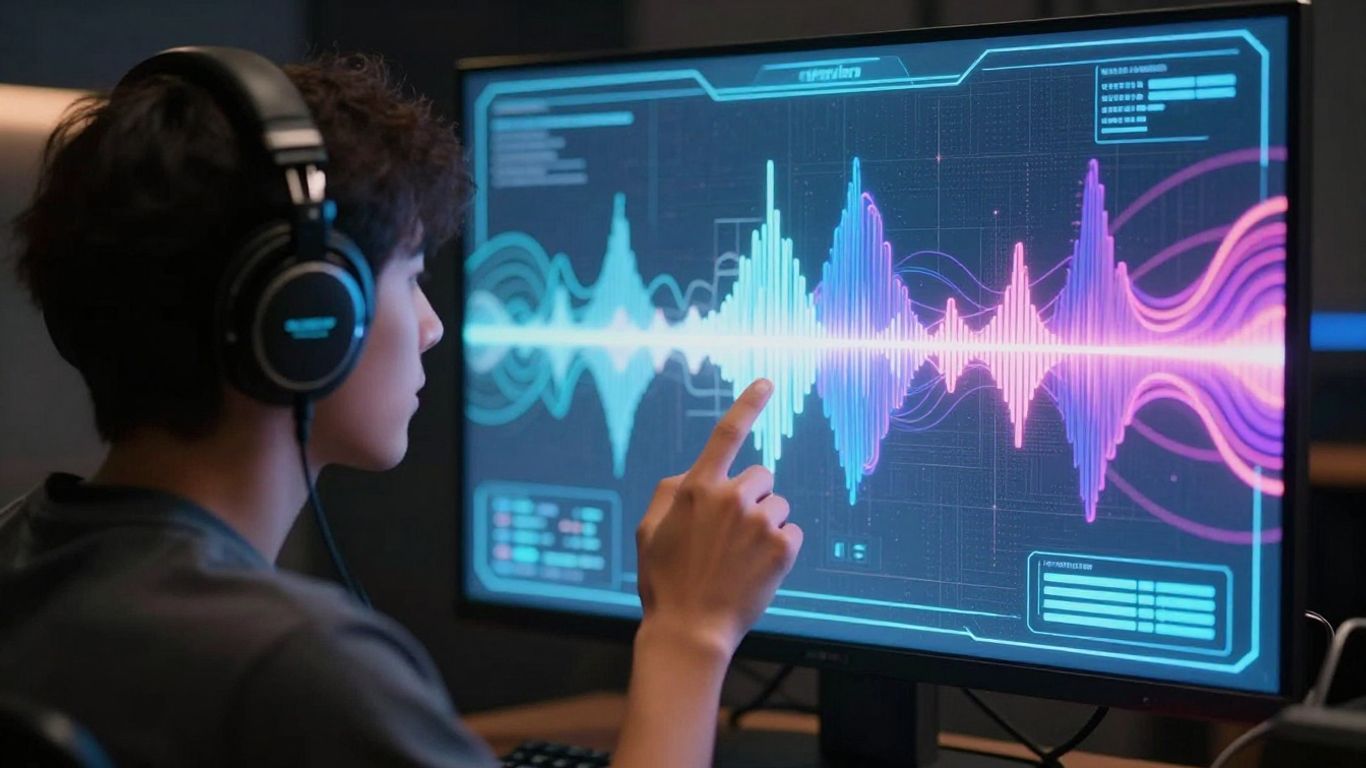
Now that you’ve got your AI vocals sounding good with your instrumental, it’s time to polish everything up and get it ready for the world. This stage is all about making sure your track sounds as professional as possible.
Editing and Mastering AI Vocal Performances
Even the best AI vocal generation might need a little tweaking. Listen closely to the AI vocals against your beat. You might find small timing issues or parts that don’t quite sit right. Most AI vocal tools allow for some level of editing, like adjusting pitch or timing on specific phrases. If your tool doesn’t offer this, you might need to export the vocals and edit them in a Digital Audio Workstation (DAW). Mastering is the final step to make your track sound loud, clear, and consistent across different playback systems. This involves adjusting overall loudness, EQ, and compression.
Exporting Stems for Further Production
Sometimes, you’ll want to do more with your AI vocals and instrumental separately. Exporting stems means getting individual audio files for each part – one for the AI vocals, one for the beat, and so on. This gives you maximum flexibility if you plan to send your project to another producer or want to do more advanced mixing later. Many AI music tools, like Moises AI Studio, allow you to export these individual tracks. This is super handy for detailed work.
Finalizing Your Complete Song
Once you’re happy with the edits and have exported your stems if needed, it’s time to put it all together. Bounce your final mix of the AI vocals and instrumental. Listen to the complete song on different devices – headphones, car speakers, phone speakers – to catch any final mix issues. Make sure the vocals are clear and present without being overpowering. You’ve now created a complete track using AI vocals!
Advanced Techniques for AI Vocal Production
Using AI for Vocal Layering and Ad-Libs
AI vocal tools can do more than just generate a lead melody. You can use them to create layered harmonies or background vocals that complement your main AI vocal. Experiment with different AI voice models or slight variations in the generated vocal performance to add depth. This technique helps fill out your track and gives it a more professional, produced feel.
Exploring Genre-Specific Vocal Styles
Many AI vocal generators allow you to specify genre or mood. This feature lets you tailor the AI’s performance to fit the style of your instrumental. For instance, you might choose a breathy, ethereal tone for an ambient track or a more aggressive delivery for a rock song. Getting the vocal style right is key to making the AI integration sound natural.
Commercial Use and Licensing of AI Vocals
Before you release your music, understand the terms of service for the AI vocal tool you used. Some tools offer royalty-free usage for commercial projects, while others might have restrictions or require specific licensing. Always check the licensing agreement to avoid any legal issues down the line. This is especially important if you plan to distribute your music on streaming platforms or sell it.
Always verify the licensing terms of any AI tool you use for music production. This ensures you have the rights to use the generated vocals commercially and avoid potential copyright conflicts.
Want to make your AI voice tracks sound super cool? We’ve got some awesome tricks up our sleeve in the "Advanced Techniques for AI Vocal Production" section. These tips will help you take your AI singing to the next level, making it sound more natural and exciting than ever before. Ready to become an AI voice pro? Check out our website for more amazing tools and guides!
Wrapping Up
So, you’ve seen how adding AI vocals to your beats or instrumentals is pretty straightforward now. Tools like Creatus.ai let you go from a simple text idea to a full song with vocals, and then even turn that into a music video, all without needing to be a studio wizard. You can upload your own beats too, and have AI lay down the singing. It’s a solid way to get your music sounding more complete, whether you’re an independent artist, a content creator, or just someone messing around with beats. Give it a try and see what you can create.
Frequently Asked Questions
What exactly are AI vocals, and how can they help my music?
AI vocals are singing voices created by artificial intelligence. Think of them like a digital singer! They can help you add a lead vocal, harmonies, or backing tracks to your beats or instrumentals without needing to hire a real singer. It’s a super fast way to make your music sound more complete and professional, especially if you’re just starting out or working on a tight budget.
Can I use any beat or instrumental with AI vocal tools?
Mostly, yes! You’ll want to make sure your beat or instrumental sounds good on its own first. Most AI vocal tools work best with clear audio files, usually in MP3 or WAV format. Some tools can even help match the AI vocals to your beat’s tempo and key, making the integration smooth.
How do I tell the AI what kind of vocals I want?
You usually do this by typing in lyrics and then choosing a vocal style. Many tools let you pick the genre, mood, or even a specific type of voice you’re aiming for. Some advanced tools might let you fine-tune things like the singer’s emotion or energy level to get the exact feel you want.
Will the AI vocals sound natural and fit my music?
The technology has gotten really good! AI vocals can sound surprisingly natural and blend well with your music. The key is choosing the right vocal style and making sure the lyrics and melody fit the vibe of your instrumental. You can often preview the vocals before you commit, so you can tweak things until you’re happy.
Can I add harmonies or background vocals using AI?
Absolutely! Many AI vocal tools don’t just create a main vocal line; they can also generate harmonies and background vocals to layer on top. This adds a lot of depth and richness to your track, making it sound like a full production with multiple vocal parts.
What if I want to use the AI vocals in my song commercially?
That’s a great question! Most AI vocal services offer different licensing options. Some have free tiers that might have restrictions, while paid plans usually grant you commercial rights, meaning you can use the generated vocals in songs you release and monetize. Always check the specific terms and conditions of the tool you’re using to be sure.