Key Takeaways
A strong release plan gives your AI music video more chances to reach the right viewers without making you repeat the same work.
- Set one clear goal for every platform and post.
- Export vertical, square, and widescreen versions before launch.
- Publish the full video on YouTube, then cut it into short clips.
- Keep audio distribution, video distribution, rights, and metadata aligned.
- Use performance data to decide what to edit, repost, or promote.
Set your distribution goals before publishing
Start with the result you want from the release. You may want new listeners, stronger fan interaction, more streams, or clicks to a store or profile. This ai music video distribution guide works best when each upload has a job instead of trying to make every post do everything.
Write the goal beside each platform before you export anything. A full video can build watch time, while a short clip may introduce the hook to people who have never heard your name. That distinction keeps your schedule focused.
Choose between discovery, engagement, and conversion goals
Discovery means reaching people who do not know you yet. Engagement means earning comments, shares, saves, and repeat views. Conversion means moving an interested viewer toward a stream, download, ticket, mailing list, or other next step.
Choose one primary goal for each asset. If you publish a chorus clip for discovery, keep the caption simple and let the music lead. If you want conversion, give the viewer one clear destination instead of several competing links.
Match each audience to the right platform
Think about how people use each platform, not just how many users it has. YouTube suits a complete visual experience, while TikTok, Instagram Reels, and YouTube Shorts are useful for quick hooks, reactions, and repeat exposure.
A platform-specific plan also makes reuse easier. The AI music video upload guide offers a useful starting point for matching full-length and short-form content to the places where people watch it.
Decide whether to release a full video, short clips, or both
For most songs, publish both. The full video gives your release a home base, while short clips create several entry points into the song. You can also use a lyric moment, a visual transition, or a character performance as a separate angle.
Do not cut every clip from the same timestamp. Pick moments with different emotional jobs, such as the opening hook, the first chorus, a surprising lyric, or a strong visual change.
Build a release schedule around the song lifecycle
Give the song more than one day of attention. A simple schedule might begin with a teaser, move to the full video, then continue with alternate edits, behind-the-scenes notes, lyric moments, and a reminder when the audio release is live.
Your timing can stay flexible. The single release video guide can help you connect multi-format exports with a single launch instead of treating the video as an isolated post.
Prepare the files and metadata for distribution
File preparation prevents avoidable quality problems. Before you publish, check the picture, audio sync, captions, thumbnail, cover art, credits, and destination links on a desktop and a phone. Keep your naming system clear so you do not upload a draft by mistake.
Creatus turns uploaded MP3 or WAV audio into a synchronized music video and exports 9:16, 1:1, and 16:9 versions. Those formats cover common short-form, square, and YouTube placements, so plan your framing before generation rather than trying to rescue a badly cropped export.
Export the right aspect ratios and resolutions
Use 9:16 for TikTok, Instagram Reels, and YouTube Shorts, 1:1 for square social placements, and 16:9 for a standard YouTube video. Check that the subject remains visible after cropping, especially when a face, character, or lyric sits near the edge.
The video format guide explains how each ratio changes framing and composition. Make a short test export before rendering the final versions, since small placement changes can affect captions and important visual details.
Create platform-ready titles, descriptions, and captions
Write titles for people, not just search engines. Put the artist name, song title, and a useful descriptor where it reads naturally. Descriptions can add credits, lyrics, links, release information, and a short explanation of the visual concept.
Keep captions shorter on short-form posts. Start with the hook, add only relevant hashtags, and make the call to action specific. One clear next step usually gives viewers less to decode.
Prepare thumbnails, cover art, lyrics, and credits
A thumbnail should remain readable at a small size and match the visual identity of the video. Cover art belongs to the audio release, so do not assume the thumbnail can replace it. Keep a clean lyric file and a complete credit sheet nearby.
If AI helped generate the audio, vocals, or visuals, record which tools were used and what rights apply. The AI music rights guide is a useful reference when you review permissions and platform rules.
Organize the master files and reusable short clips
Keep one untouched master, one upload copy, and separate versions for each aspect ratio. Store captions, thumbnails, lyrics, credits, and source audio in the same project folder. Then label short clips by hook, length, ratio, and date.
A practical folder structure keeps later promotion quick:
- Master video and clean audio
- Vertical, square, and widescreen exports
- Short clips grouped by hook or lyric
- Captions, thumbnails, lyrics, and credits
After you make those folders, open two or three files and check them manually. Organization only helps if the labels match the actual contents.
Publish the full music video on YouTube
YouTube gives the complete song room to breathe, so treat the upload as the main reference point for the release. A finished page can hold the video, lyrics, credits, streaming links, and related clips in one place. It also gives you useful viewing data after the first wave of traffic.
Creatus supports 16:9 export for standard YouTube video, along with 9:16 and 1:1 when you need additional versions. For a practical publishing checklist, see this YouTube publishing guide.
Choose between a standard video, Short, Premiere, or live event
Use a standard video when the full song and visual sequence are central to the release. Use a Short for a vertical excerpt that works without much context. A Premiere can give an already-planned launch a shared viewing moment, while a live event suits an audience that expects real-time interaction.
Choose based on your audience and production readiness. Do not force a live format onto a release that has no live element, and do not squeeze a complete narrative into a clip that cannot support it.
Optimize the title, description, tags, and thumbnail
Put the song title and artist name near the front of the title. Add a plain description with credits, lyrics if appropriate, release links, and a concise invitation to watch another related video. Tags can clarify spelling, genre, and relevant terms, but they cannot rescue a weak opening.
The thumbnail should show one strong visual idea. Avoid filling it with tiny text or unrelated images. The YouTube ranking guide can help you think about search intent, retention, and viewer satisfaction together.
Add lyrics, chapters, links, and a clear call to action
Lyrics help viewers follow the song, while chapters can make a longer visual piece easier to revisit. Add links only to destinations that support the release, such as the audio page, artist profile, mailing list, or next video.
Place the main call to action near the description opening and repeat it naturally at the end of the video. A viewer should know whether you want a stream, subscription, comment, or share.
Use YouTube Analytics to evaluate retention and discovery
Review the first 24 to 72 hours, then look again after the initial traffic settles. Watch the opening retention curve, traffic sources, average view duration, returning viewers, and clicks from the description or end screen.
Treat the numbers as editing information, not as a verdict on the song. If viewers leave before the hook, test a faster opening in the next short clip. If search brings steady traffic, refine related titles and descriptions rather than changing everything at once.
Share short-form versions on TikTok, Instagram, and YouTube Shorts
Short-form posts need their own rhythm. A full music video may take time to build interest, but a compact clip has only a few seconds to earn another moment of attention. The short-form music video guide covers the basic relationship between format, motion, and platform use.
Create several versions before launch so you can learn from the response. Keep the artist identity, colors, character, or visual language consistent, while allowing the opening and pacing to change.
Adapt the strongest hook for the first few seconds
Start with movement, a memorable lyric, a striking close-up, or the most immediate beat. Do not spend the opening seconds explaining what the viewer is about to see. Let the visual and audio make the case.
Try alternate openings for the same section of the song. One edit may begin with the vocal, another with a visual change, and a third with the lyric on screen before the beat lands.
Use the correct vertical format for each platform
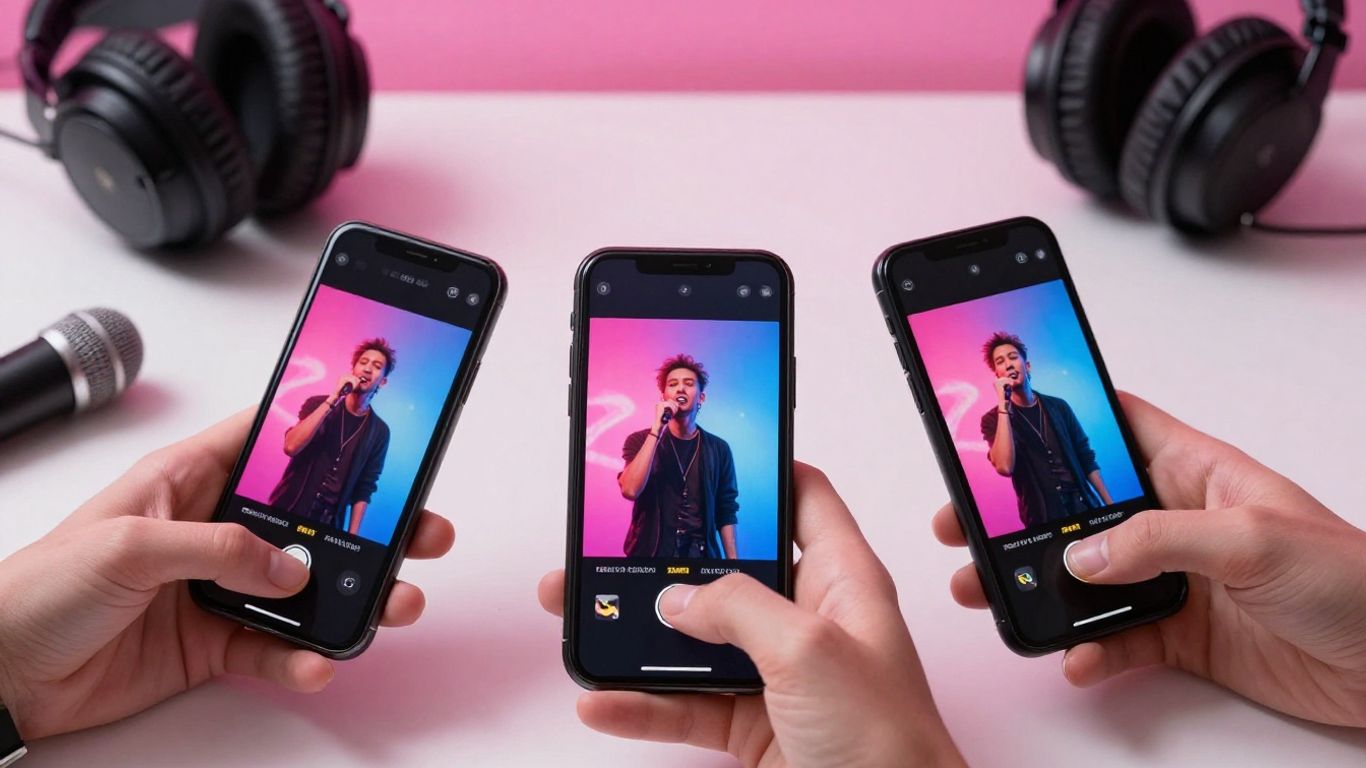
Export a true 9:16 version instead of placing a horizontal video inside a vertical frame. Keep faces, characters, and important motion near the center-safe area, and check the bottom and side regions where interface controls may cover details.
Use 1:1 when a square post fits your feed strategy, and reserve 16:9 for placements designed for widescreen viewing. Reframing is part of the edit, not a final technical chore.
Add captions, lyrics, hashtags, and native sounds where appropriate
Captions make the clip easier to follow with the sound off, while lyric text can give viewers a reason to replay a section. Keep text large, timed to the vocal, and away from areas commonly covered by interface elements.
Use a small set of relevant hashtags. If a platform offers a native sound option that fits your release and rights situation, check it before posting. Do not add labels that promise something the clip does not deliver.
Test multiple edits instead of reposting one identical clip
Change one meaningful variable at a time: the first frame, clip length, lyric section, caption, or visual order. Post enough variations to learn, but leave enough time between them for each version to collect useful data.
After a test, compare watch time, completion rate, rewatches, shares, saves, profile visits, and comments. Keep the strongest structure for the next round instead of simply reposting the same file.
Distribute the song and video through music platforms
Audio distribution and video distribution solve different problems. Streaming services need the song, artwork, artist details, credits, and release metadata, while YouTube and social platforms need video files, thumbnails, descriptions, and captions. Handle both tracks of the release from one calendar.
The audio distribution checklist is useful when you prepare a release for streaming services and review commercial-use rights. Keep the audio master and video master tied to the same song title and version name.
Separate music distribution from video distribution
Send the audio through a music distributor that accepts your material and states its rules clearly. Publish the full video through the channel or video service that fits your audience. Then connect the two with matching titles, artwork, artist names, and links.
Do not wait for the video upload to fix an unfinished audio release. Accurate credits and a stable release date matter just as much as a polished visual.
Prepare audio, artwork, artist details, and release metadata
Check the final audio for clipping, silence, wrong versions, or missing files. Confirm the artist name, songwriter and producer credits, language, genre, release date, explicit-content label, and artwork requirements before delivery.
For AI-assisted music, keep a record of the generation process and the commercial terms that apply. If a platform asks for a disclosure, answer it accurately instead of guessing.
Compare distributors and their AI music policies
Read the current terms before you choose a distributor. Look for rules covering synthetic vocals, generated compositions, samples, artist impersonation, rights documentation, takedowns, and metadata disclosures.
Policies can change, so save the relevant page and the date you checked it. The AI music distribution checklist can help you build a comparison sheet without relying on memory.
Link streaming releases to the corresponding video
Use the same spelling for the artist and song across every destination. Add the streaming link to the YouTube description and profile pages, then point short-form viewers toward one destination that is easy to reach on mobile.
If the video uses an alternate edit, label it clearly. A listener should understand whether they are opening the original track, an extended version, or a visual remix.
Extend reach through owned, community, and paid channels
Your own channels give the release a stable home outside algorithmic feeds. A website, email list, creator community, or electronic press kit can carry the full context that a short caption cannot. These channels also make future releases easier to announce.
Use paid promotion only after an organic clip shows signs of audience fit. The music promotion guide provides ideas for connecting AI-generated visuals with a broader release plan.
Embed the video on a website, landing page, or electronic press kit
Place the full video on a page with the song title, artist bio, credits, lyrics, streaming links, and a contact route. Keep the page fast and easy to read on a phone. An electronic press kit can give curators and collaborators one clean page to share.
If you work with clients or community projects, keep public-facing permissions separate from private source files. A privacy policy can also help you explain how visitor information is handled when your site collects it.
Share with email subscribers and existing communities
Email the people who already chose to hear from you before you spend money reaching strangers. Lead with the video, explain why the song matters, and ask for one action such as watching, saving, or sharing.
Give community members a useful reason to participate. You might share a lyric clip, ask which edit they prefer, or offer an early listen rather than dropping the same promotional copy everywhere.
Pitch to playlists, curators, blogs, and creator networks
Prepare a short pitch with the song link, full video, one-line description, genre, release date, credits, and a clear reason the recipient may care. Personalize the opening and respect submission rules.
Avoid claiming guaranteed reach or editorial placement. A good pitch makes the curator’s decision easier and gives them accurate information to check.
Use paid promotion to amplify proven clips
Start with a small test on a clip that already holds attention organically. Compare audiences, openings, and landing pages, then stop placements that attract views without meaningful actions.
Keep the paid version native to the platform. A direct invitation to watch or stream usually fits better than a long sales message, especially when the clip is doing the initial introduction.
Handle rights, disclosure, and performance tracking
Rights checks protect the release from preventable claims and takedowns. Keep documentation for the song, vocals, samples, portraits, characters, stock elements, and any footage you did not create yourself. Review every platform’s current policy before you submit.
For privacy-minded work, separate public links from private project material. A data and AI guide can provide broader context for governance, while your own release file should contain the specific permissions and disclosures for this song.
Confirm ownership and licensing for music, vocals, and visuals
List every input and its source. Confirm that you can distribute the audio and video commercially where needed, and check whether a generated voice or likeness has restrictions. Do not assume that owning an exported file answers every rights question.
If another person supplied lyrics, a portrait, a vocal recording, or a sample, keep their permission in writing. For specialized health or wellness imagery, avoid implying clinical claims, and seek proper review when a project touches that subject, such as peptide therapy.
Review each platform’s rules for AI-generated content
Read the rules for synthetic media, disclosure labels, impersonation, copyright claims, monetization, and misleading metadata. Rules differ by platform and can change after you publish.
Save the policy links you relied on and note the date. If a platform asks whether content is altered or generated, answer the question directly and keep your description consistent across the release.
Disclose AI use when required or relevant to audience trust
Follow the platform’s required label first. Even when a label is optional, a brief factual note can help viewers understand how the song or visuals were made. Keep the wording plain and avoid making the process sound more human than it was.
Disclosure should not replace rights review. It tells the audience about the production method, but it does not grant permission to use someone else’s voice, image, or composition.
Track views, watch time, saves, shares, and click-through rate
Build one simple report for each platform. Record views, average watch time, completion rate, saves, shares, comments, profile visits, link clicks, and streams when those figures are available. Progress pictures are a useful reminder that visual comparisons work best when you use consistent timing and conditions, a principle that also applies to release reports.
Do not judge a clip by views alone. A smaller post with strong saves and clicks may be more valuable than a large post that produces no further action.
Update the distribution plan based on performance data
Review your results after the first few days and again after several weeks. Keep the strongest hook, change weak openings, and move successful themes into the next batch of clips. If a platform consistently sends the right listeners, give it more of your schedule.
Use the data to make the next release cleaner, not to chase every fluctuation. Your goal is a repeatable process that connects the song, the visual, the audience, and the next action.
Conclusion
A successful AI music video release depends on fit, timing, file quality, rights, and steady testing. Publish a complete home for the song, adapt the strongest moments for short-form feeds, connect the video to the audio release, and let real audience behavior guide your next edit.
Make Your Next Video
When you need a song turned into a shareable visual, start creating with Creatus, which can generate a song with AI singing vocals or turn an MP3 or WAV upload into a synchronized music video with multi-format exports.
Frequently Asked Questions
Should you publish the full music video before short clips?
Publish the full video when it is ready, then use short clips to send viewers toward it. You can also release a teaser first if you need time to build interest or collect early feedback.
Which aspect ratio works best for an AI music video?
Use 9:16 for TikTok, Instagram Reels, and YouTube Shorts, 1:1 for square social placements, and 16:9 for standard YouTube viewing. Export separately when the composition changes across formats.
How long should a music video short be?
Make it long enough to deliver a hook, lyric, or visual turn, but remove any quiet setup that does not help the viewer. Test several lengths rather than assuming one duration works for every song.
What should you include in a YouTube music video description?
Include the song and artist name, credits, lyrics when appropriate, streaming links, release details, and one clear call to action. Keep the opening lines useful because they are the first part many viewers see.
Do you need separate distribution for the song and the video?
Usually, yes. Audio distributors deliver songs to streaming services, while video uploads and video distribution services handle visual files. Match the metadata and links so the two releases point to each other.
How can you disclose AI use in a music release?
Follow the platform’s required disclosure process and use a short factual note when disclosure supports audience trust. Explain whether AI was used for the song, vocals, visuals, or editing without making unsupported legal claims.
Which metrics matter most after publishing?
Watch time, completion rate, saves, shares, profile visits, click-through rate, and streams help you see whether attention led to a useful action. Compare metrics across similar posts instead of treating raw views as the only measure.