Ever thought about making a music video but got stuck because it seemed too complicated or expensive? You’re not alone. Lots of musicians and creators feel the same way. But what if you could just type in an idea and have a whole song and video pop out? That’s where the ai abstract music video generator comes in. It’s a pretty neat tool that can take your sound and turn it into wild, trippy visuals without needing any fancy skills. Let’s check out how this thing works.
Key Takeaways
- This ai abstract music video generator is a two-in-one tool that creates songs from text and then turns audio into synchronized music videos.
- You can just type in a song idea, and the AI makes the music and vocals, then turns that into a video.
- It supports common audio file uploads like MP3 and WAV, and exports videos in formats perfect for TikTok, Instagram, and YouTube.
- You don’t need any prior music production or video editing experience to use it.
- It’s a big deal because most other tools only do either song creation or video creation, not both together in one go.
Understanding the AI Abstract Music Video Generator
What is an AI Music Video Generator?
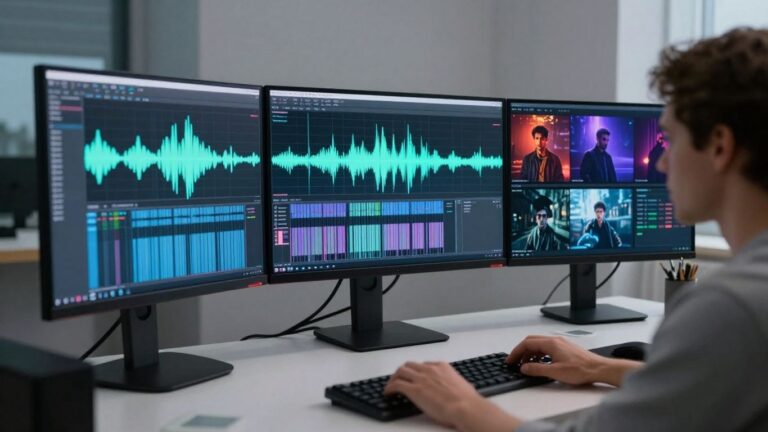
An AI music video generator is a tool that takes your audio and turns it into a video. You don’t need a camera, a crew, or any special editing skills. Just upload your song, tell the AI what kind of visuals you’re looking for, and it creates a video that moves with the music. It analyzes your track’s rhythm and mood to make sure the visuals match the energy, with cuts and effects that sync up perfectly. These tools go beyond just putting images over your song; they actually listen to what’s happening in the mix to create a video that feels alive. You can get professional-looking videos ready for any platform without needing to learn complex software. This technology is changing how musicians and creators bring their sound to life visually.
Key Features for Visual Creation
These generators offer a range of features to help you craft unique visuals. You can often describe the style you want using text prompts, which gives you a lot of control over the final look. Many also analyze your audio down to specific elements like beats, bass drops, and vocal phrases, making the visuals truly audio-reactive. This means the video can respond to the nuances of your music, creating a more engaging experience for your audience. Some tools even allow you to maintain character consistency or a specific aesthetic across your entire video, ensuring a cohesive and professional output. The goal is to translate the feeling of your music into a visual language that captivates viewers.
Core Workflow for Generating Videos
Getting started is usually straightforward. The typical process involves a few simple steps. First, you’ll likely upload your audio file, whether it’s a finished track or a demo. If the tool also generates music, you might start by providing a text prompt describing the song you want. Next, you’ll define the visual style. This could involve selecting from pre-set themes, using text prompts to guide the AI, or even uploading reference images. Finally, you initiate the generation process. The AI then works its magic, analyzing the audio and your prompts to create the video. You can then preview and download your creation, ready for sharing on platforms like YouTube or TikTok. It’s designed to be accessible, even if you’ve never made a video before.
The power of these tools lies in their ability to democratize visual content creation. What once required expensive equipment and a skilled team can now be achieved with just your audio and a few descriptive words. This opens up a world of possibilities for artists and creators who might not have the resources for traditional music video production.
Here’s a general breakdown of the workflow:
- Upload Audio: Provide your music track (e.g., MP3, WAV).
- Define Visuals: Use text prompts, select styles, or upload reference materials.
- Generate Video: Let the AI create the visual content synchronized with your audio.
- Export & Share: Download your finished video in various formats suitable for different platforms. This process makes creating stunning visuals accessible to everyone.
Generating Music and Visuals in One Workflow
Text-to-Song Creation with AI Vocals
Forget needing a studio or a band to get vocals on your track. You can type out your ideas, lyrics, or even just a mood, and the AI will compose original music with singing voices. It’s like having a virtual vocalist ready to go. This means you can get a complete song without any music production experience.
Audio-to-Music Video Synthesis
Once you have your audio, whether it’s an AI-generated song or your own track, the generator analyzes it. It looks at the tempo, the energy, and how the song is structured. Then, it creates synchronized visuals that match your audio. You can get a music video that truly feels connected to the sound, all from a single upload. This tool is great for creating synchronized music visuals.
The Advantage of a Unified Platform
What really sets this apart is having both song creation and video production in one place. You don’t need to jump between different apps or services. This streamlined process saves you time and hassle. It’s a complete workflow designed to get your music seen and heard, all within a single tool. This makes achieving perfect integration much simpler.
The biggest win here is avoiding the need to switch between multiple tools. You write, you generate audio, you generate video, and you’re done. It cuts down on complexity and lets you focus on the creative part.
Here’s a quick look at the workflow:
- Step 1: Describe your song idea or input lyrics.
- Step 2: Generate the song with AI vocals, or upload your own audio file (MP3/WAV).
- Step 3: Choose a visual style and let the AI create the music video.
- Step 4: Download your finished video, ready for any platform.
Tailoring Your Abstract Visuals
Exploring Diverse Visual Styles
You’re not limited to one look. The AI offers a range of pre-set styles, from geometric patterns to flowing, organic shapes. Think about the mood of your music. Is it energetic and chaotic, or calm and ambient? Pick a style that matches. You can even explore styles that mimic classic art movements or futuristic aesthetics. This variety lets you create a video that truly fits your sound.
Audio-Reactive Animations for Impact
Make your visuals come alive with audio reactivity. The generator can sync animations directly to your music’s rhythm, basslines, or vocals. This means the visuals pulse, shift, and transform in time with your track. It creates a much more engaging experience for the viewer. You can often fine-tune which parts of the audio control which visual elements, giving you a lot of control over the final effect. This is a great way to generate captivating audio-reactive music visualizations.
Customizing Aesthetics with Text Prompts
Beyond the pre-set styles, you can guide the AI with your own text prompts. Describe the scene, colors, or objects you want to see. For example, you could prompt for "a neon cityscape at sunset" or "floating geometric shapes in a nebula." The AI interprets these descriptions to generate unique visuals. This is where you can really inject your personal artistic vision into the video. Experiment with different prompts to see what surprising results you get. It’s like painting with words, but for video. You can even use these prompts to create visuals for platforms like Spotify Canvas.
Remember, the goal is to create visuals that complement your music, not overpower it. Start with a style or prompt that feels right, then tweak it until it clicks. Small adjustments can make a big difference in the final feel of your abstract music video.
Technical Specifications and Output
Supported Input Formats for Audio
You can bring your own audio tracks into the generator. We accept standard formats like MP3 and WAV files. This flexibility means you can use almost any audio you’ve already created or acquired.
Exporting for Multiple Platforms
Your finished music video will be ready for any platform you choose. We offer exports in vertical 9:16 for TikTok and Instagram Reels, square 1:1 for Instagram feeds, and standard 16:9 for YouTube. You get the right format without extra work.
Achieving High-Quality Renders
We automatically upscale your videos to 4K resolution. This ensures your visuals look sharp and professional, no matter the screen size. You can expect broadcast-quality results for all your exported content.
The process involves advanced stabilization techniques to ensure smooth transitions between generated frames. This helps eliminate jarring visual artifacts, making your video look polished and professional. Stabilization techniques are key to a good final product.
Here’s a quick look at what you can expect:
- Audio Input: MP3, WAV
- Video Output Resolutions: Up to 4K
- Aspect Ratios: 9:16, 1:1, 16:9
- Video Length: Up to 10 minutes
Target Audience and Use Cases
This AI abstract music video generator is built for a range of creators, from independent musicians to social media influencers. You can use it to bring your sound to life visually, no matter your technical background.
Empowering Independent Musicians
If you’re an independent musician, you know how important visuals are for getting noticed. This tool lets you create professional-looking music videos without needing a big budget or a film crew. You can generate eye-catching content that matches your music’s vibe, helping you stand out on platforms like YouTube and Spotify. Great music deserves to be seen.
Tools for Content Creators and Social Media
Content creators and social media managers can use this generator to produce engaging visuals for their posts. Whether you need a trippy background for a TikTok video, a dynamic intro for a YouTube stream, or just something cool to share, this tool makes it easy. You can quickly create audio-reactive animations that keep your audience hooked. It’s a great way to add a unique flair to your content, similar to how AI UGC creators can diversify video ads.
Applications for Producers and Beatmakers
Producers and beatmakers can also benefit greatly. You can create compelling visualizers for your tracks, even if they’re instrumental. This helps showcase your work on platforms where visual content is key. Imagine uploading your latest beat and instantly getting a synchronized, abstract video to go with it. This system uses AI to create real-time, audio-responsive visuals that are meaningful for your music.
You don’t need to be a video editing expert or a music producer to get amazing results. The workflow is designed to be intuitive, letting you focus on your creative vision rather than the technical details. It’s about making advanced visual creation accessible to everyone.
Competitive Landscape and Advantages
When you look at the AI music video scene, it’s pretty crowded. Lots of tools can make videos, but few actually get what makes a music video tick. Many platforms focus on just one part of the process, like generating a song or creating visuals. You often end up juggling multiple subscriptions and workflows. This is where an integrated system really shines.
Differentiating Features in the Market
What sets some tools apart is their ability to truly sync visuals with your audio. Some generators just slap visuals over a track, but a good one analyzes your music’s structure, tempo, and mood. The best tools offer deep audio analysis, like breaking down your song into stems to drive specific visual elements. This level of detail means your video feels like a natural extension of your music, not just a backdrop. You’ll find features like character consistency, allowing you to maintain the same look for recurring elements across different videos, which is a big plus for branding.
Benefits Over Standalone Tools
Using a single platform for both music and video creation saves you a ton of hassle. Instead of paying for separate song generators and video makers, you get it all in one place. This means less time spent switching between apps and figuring out different interfaces. It streamlines your entire creative process, letting you focus on making your art. You can even find tools that integrate with other AI services, giving you access to a whole suite of creative options without leaving the platform.
Accessibility with Free Tiers
Many of these advanced tools understand that not everyone has a big budget. That’s why you’ll find free tiers available for most of the top AI music video generators. These free options let you experiment with the core features, generate short clips, and get a feel for the workflow. It’s a great way to start creating without any financial commitment. You can test out different styles and see what works best for your music before deciding to upgrade for higher resolutions or longer video lengths. This makes professional-looking music videos accessible to almost anyone, from hobbyists to independent artists just starting out.
Wondering how we stack up against the competition? We’ve got some cool tricks up our sleeve that make us stand out. Want to see what makes us special and how we can help you create amazing things? Check out our website to learn more!
Wrapping Up
So, you’ve seen how tools like Creatus AI can take your song idea and turn it into a full track, then spin that audio into a music video. It’s pretty straightforward: type something, get a song, then get a video. No need to be a music producer or a video editor. This means you can get your music out there with visuals without a huge budget or a steep learning curve. If you’re an independent artist, a content creator, or just someone looking to add some cool visuals to your audio, this kind of tech is definitely worth checking out. It’s about making the process simpler so you can focus on the creative part.
Frequently Asked Questions
What exactly is this AI music video maker?
Think of it as a super-smart tool that turns your music into cool, moving pictures! You give it your song, and it automatically creates awesome visuals that match the beat and feel of your music. No cameras or complicated editing needed, just pure AI magic.
Can I make a song and a video all in one go?
Totally! This tool is like a two-in-one package. You can type in an idea for a song, and the AI will whip up a track with singing. Then, you can take that song (or one you already have) and turn it into a music video, all without switching between different apps. Pretty neat, right?
What kind of weird and wonderful visuals can I create?
You’ve got tons of options! You can explore all sorts of cool styles, from abstract patterns to trippy landscapes. Plus, the visuals will actually dance and change along with your music, making it super engaging. You can even describe the exact vibe you want using text prompts.
What audio files can I use, and where can I share my videos?
You can upload your songs as MP3 or WAV files. When you’re done, you can export your finished music video in different shapes and sizes – perfect for TikTok, Instagram, YouTube, and other social spots.
Who is this tool for?
It’s awesome for independent musicians who want music videos without the big costs. Also, if you’re a content creator making videos for social media, or a producer wanting to show off your beats, this tool can really help you stand out.
How is this different from other AI tools?
The biggest thing is that it does both song creation AND video generation in one place. Many other tools only do one or the other. Plus, it’s part of a bigger set of AI tools, and there’s even a free version to get you started!