So, you’re thinking about making some AI music videos? That’s cool. But before you jump in, you gotta know about the different sizes, or ‘formats,’ these videos can be. It’s not just about making something look good; it’s about making sure it plays right on whatever screen your audience is using. We’re talking about the difference between a video that looks awesome on a phone and one that’s perfect for your YouTube channel. Let’s break down what formats AI music videos support so you can get it right from the start.
Key Takeaways
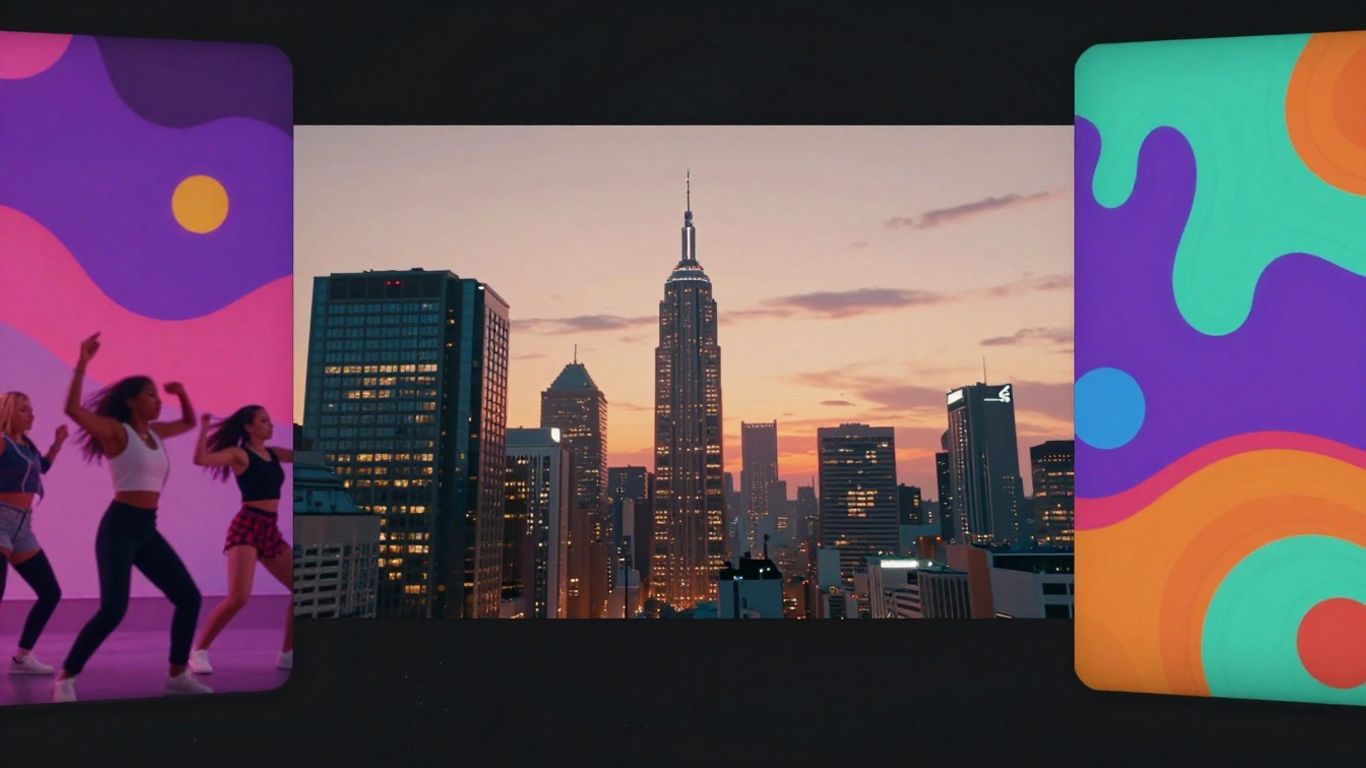
- AI music video tools can output in three main formats: 9:16 for vertical mobile viewing (like TikTok or Reels), 1:1 for square social media posts, and 16:9 for wider screens (like YouTube).
- The 9:16 format is great for filling up phone screens and grabbing attention on platforms like TikTok and Instagram Reels.
- The 1:1 square format is a good middle ground, working well on social media feeds where people might be on their phones or computers.
- The 16:9 format is the standard for longer videos, especially on YouTube, giving that classic widescreen, cinematic feel.
- Choosing the right format depends on where you plan to share your video and who you want to reach, making sure your music video looks its best on any device.
Understanding AI Music Video Formats
When you’re making an AI music video, the format you choose really matters. It’s not just about how the video looks, but how people watch it and where they see it. Think about it like picking the right size frame for a picture – you want it to fit the space perfectly.
The Importance of Aspect Ratio for Engagement
Aspect ratio is basically the shape of your video, like how wide it is compared to how tall it is. Getting this right helps keep people watching. If your video is the wrong shape for the platform, it might have black bars on the sides or top, or it might get cut off. This can make viewers scroll right past.
How Aspect Ratio Influences Viewer Experience
Different aspect ratios change how a video feels. A tall, skinny video feels different from a wide, cinematic one. The platform you’re posting to often has a preferred shape. Using the right one means your video will fill the screen, making it more immersive and engaging for the viewer.
Key Considerations When Choosing a Format
Before you start generating your video, think about where you want to share it. Is it for TikTok, YouTube, or maybe Instagram? Each platform has its own best practices. You also need to consider your audience. Are they mostly on their phones, or do they watch videos on a computer? This will guide your choice.
Vertical Video: The 9:16 Standard
Maximizing Mobile Screen Real Estate
This format is all about filling up the screen on a smartphone. When you hold your phone vertically, a 9:16 video takes up the entire display. This means your audience’s attention is locked onto your content, with fewer distractions from other apps or posts. It’s the go-to for platforms where people are constantly scrolling on their phones.
Ideal Platforms for Vertical Content
Think TikTok, Instagram Reels, and YouTube Shorts. These platforms have popularized the 9:16 aspect ratio because it works so well for short, engaging videos. If you want your music video to grab attention instantly on these platforms, 9:16 is the way to go. It’s designed for quick consumption and maximum impact.
Technical Specifications for 9:16
To get the best quality for your vertical video, aim for a resolution of 1080 pixels wide by 1920 pixels tall. This is the standard HD resolution for this format. You can also use 720 pixels wide by 1280 pixels tall if you need a slightly smaller file size, but 1080p will give you a sharper image. Always check the specific requirements of the platform you’re uploading to, but these are solid starting points.
Using the 9:16 format means you’re designing for a mobile-first experience. Your visuals and text need to be clear and impactful in a tall, narrow frame. Consider how elements will be positioned so they don’t get cut off or feel cramped.
Square Video: The Versatile 1:1 Format
Balancing Mobile and Desktop Viewing
The 1:1 square format offers a nice middle ground. It’s not as tall as vertical video, but it’s wider than a profile picture. This makes it work pretty well on both phones and computers. You get a good amount of visual space without it feeling too cramped on smaller screens.
Effective Use on Social Media Feeds
This format is a go-to for many social media feeds, especially Instagram and Facebook. It fits neatly into the scrolling experience, allowing viewers to see your video and read captions easily. Because it doesn’t take up the entire screen like some other formats, it feels less intrusive. This can help keep people engaged as they scroll.
Applications for Advertising Campaigns
Square videos are also solid choices for ads. They perform well across different platforms, making them a safe bet if you’re running a campaign. You don’t have to worry as much about your ad getting cut off or looking weird on someone’s device. It’s a reliable way to get your message seen.
- Instagram Feed Posts: Classic placement for square content.
- Facebook Ads: Effective for grabbing attention in the newsfeed.
- LinkedIn Content: Works well for professional updates and announcements.
- Pinterest Pins: A common and effective format on the platform.
When you’re unsure which format to pick for social media, 1:1 is often a safe and effective choice. It balances the needs of different platforms and viewing habits.
For high-quality square videos, aim for a resolution of 1080 x 1080 pixels. This ensures your content looks sharp and clear on most displays.
Widescreen Video: The 16:9 Foundation
Standard for Long-Form Content
The 16:9 aspect ratio is what most people think of when they picture a video. It’s the standard for television and most online platforms like YouTube. This format gives you a wide, horizontal view that feels natural for storytelling and showcasing broader scenes. It’s the go-to for anything you want to feel like traditional video content.
Optimizing for YouTube and Web Platforms
If you’re uploading to YouTube or other video-centric websites, 16:9 is usually your best bet. It fills the screen on computers and laptops, providing a familiar viewing experience. For AI music video generation, selecting this ratio means you’re aiming for that classic, wide-screen look that works well for longer pieces. You can provide more detailed background descriptions when using this format, which helps the AI create richer scenes selecting the aspect ratio before crafting prompts.
Achieving a Cinematic Feel
This widescreen format is perfect if you’re aiming for a cinematic quality. It allows for expansive shots and can make your music video feel more professional and polished. Think of movie trailers or documentaries; they often use this ratio to draw you into the scene. It’s a solid choice for creating a more immersive and traditional viewing experience for your audience.
AI Music Video Generation Capabilities
When you’re creating AI music videos, understanding the input and output formats is key. This ensures your vision translates smoothly from idea to final product.
Input Formats for Song Creation
To get started with song generation, you’ll typically use text prompts. You can describe the genre, mood, tempo, or even provide specific lyrics. Some tools also allow you to upload existing lyrics if you have them ready. This flexibility means you can start with a simple idea or a more developed concept.
Audio File Support for Video Generation
Once you have your music, you’ll need to feed it into the video generator. Most AI music video tools accept common audio formats like MP3 and WAV. The AI then analyzes your audio’s tempo, mood, and energy to create synchronized visuals. This analysis is what helps the video match the feel of your song.
Output Format Flexibility
The real power comes with the output format flexibility. You can generate your AI music video in several aspect ratios, catering to different platforms. This includes 9:16 for vertical video (like TikTok and Reels), 1:1 for square formats (ideal for social media feeds), and 16:9 for widescreen viewing (perfect for YouTube). This multi-format export means your video is ready for almost anywhere you want to share it. You can explore different aspect ratios for your projects on platforms like VideoGen Reframe.
The ability to generate music and video within a single workflow is a significant advantage. It eliminates the need to switch between multiple applications or subscriptions, streamlining the entire creative process from start to finish.
Choosing the Right Format for Your Project
Aligning Format with Target Audience
Think about who you want to see your music video. Most people watch videos on their phones these days. That means vertical 9:16 is often your best bet for grabbing attention on platforms like TikTok and Instagram Reels. If your audience is more likely to be on YouTube or watching on a desktop, then the standard 16:9 widescreen format makes more sense. It feels more traditional and works well for longer pieces.
Platform-Specific Optimization Strategies
Each social media platform has its own sweet spot for video. Instagram feeds, for example, often perform well with square 1:1 videos. They fit nicely without taking up too much space. YouTube is king for 16:9, especially for longer tracks or music videos with a story. Don’t just upload the same video everywhere; tweak it for each platform to get the best results. It shows you’ve put thought into where your fans are.
Ensuring Seamless Cross-Platform Performance
While optimizing for each platform is smart, you also want your video to look good no matter where it’s viewed. A 1:1 video can often be cropped from a 16:9 or 9:16 source without losing too much. Similarly, you can sometimes add black bars (letterboxing or pillarboxing) to a vertical video to make it fit a wider screen. Consider generating your video in a way that allows for easy repurposing across different aspect ratios. This saves you time and makes sure your music reaches as many people as possible, in the best possible way.
Here’s a quick guide:
- 9:16 (Vertical): Best for TikTok, Instagram Reels, YouTube Shorts. Designed for mobile viewing.
- 1:1 (Square): Good for Instagram feed posts, Facebook. Balances mobile and desktop.
- 16:9 (Widescreen): Ideal for YouTube, Vimeo, desktop viewing, and traditional TV. Offers a cinematic feel.
Picking the best way to set up your project is super important. It’s like choosing the right tools for a job – you want things to work smoothly! Think about what you need to get done and what will make it easiest. Ready to see how we can help you make the best choices? Visit our website today to learn more!
Wrapping Up: Your Music Video, Your Format
So, you’ve got your AI-generated song, and now you need a video to go with it. The good news is, you’re not stuck with just one option. Whether you’re aiming for the vertical scroll of TikTok and Reels (that’s 9:16), the classic square look for Instagram feeds (1:1), or the wide-screen appeal of YouTube (16:9), there’s a format for that. Most AI music video tools, like Creatus, let you pick your poison before you even start. This means you can make sure your video looks right on whatever platform you plan to share it on, without needing to be a video editing wizard. Just pick your format, let the AI do its thing, and you’re pretty much good to go.
Frequently Asked Questions
What’s an aspect ratio and why should I care about it for my AI music videos?
Think of aspect ratio as the shape of your video – like how wide or tall it is. It’s super important because different apps and websites show videos in different shapes. If you pick the wrong shape, your video might look weird with black bars or stretched out, and people might not watch it. Getting the aspect ratio right makes your video look good and keeps viewers watching.
Which video format is best for TikTok and Instagram Reels?
For TikTok and Instagram Reels, you’ll want to use the 9:16 format. This is a vertical, tall shape that fills up your phone screen perfectly. Since most people watch these videos on their phones, this format grabs their attention way better than other shapes.
What’s the best format for YouTube videos?
YouTube usually uses the 16:9 format, which is a wider, landscape shape. This is great for longer videos and gives a more traditional, cinematic feel. It works really well on computer screens and when people turn their phones sideways to watch.
When should I use the 1:1 (square) video format?
The 1:1 square format is a good middle ground. It looks good on both phones and computers, making it perfect for social media feeds like Instagram or Facebook where people might be scrolling. It’s also a solid choice for ads because it’s easy to see on different devices.
Can AI music video tools create songs and videos at the same time?
Some AI tools can do both! You can type in an idea for a song, and the AI will create the music and vocals. Then, that same tool can turn that song into a music video. This is awesome because you don’t have to switch between different apps to make your song and then your video.
What audio files can I use to make an AI music video?
Most AI music video tools let you upload common audio files like MP3 or WAV. So, if you already have a song you made or recorded, you can usually just upload it, and the AI will create a video that matches the music.