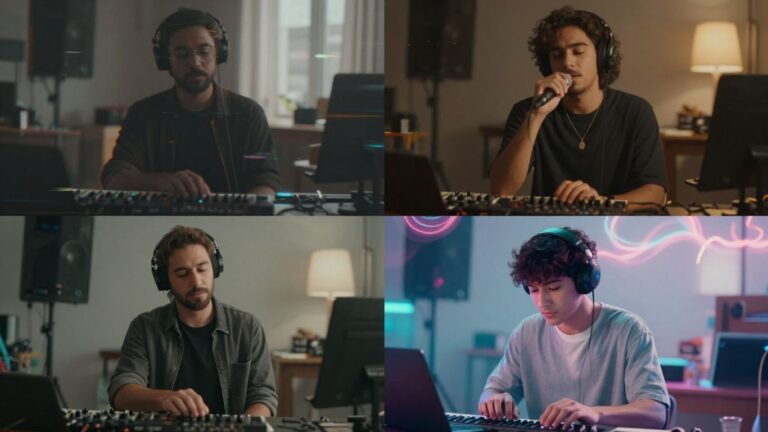
Ever wanted to make a music video with AI for free, but didn’t know where to start? You’re not alone. These days, anyone can whip up a music video just by typing out some ideas or uploading a track—no editing chops needed. There are a bunch of free AI tools out there that can handle everything from writing a song to syncing visuals, even if you’ve never touched a video editor in your life. This guide will walk you through how to make music video with AI free, step by step, so you can share your own creations on TikTok, YouTube, or wherever you hang out online.
Key Takeaways
- You don’t need fancy software or editing skills to make music video with AI free—just a song idea or audio file and an internet connection.
- Pick a tool that lets you generate both the music and the video in one place, like Creatus, so you’re not bouncing between apps.
- Write clear prompts or upload your own lyrics and tracks to get better results from the AI.
- Choose the right video shape—vertical for TikTok, square for Instagram, or horizontal for YouTube—to fit where you want to post.
- Always check for watermarks or export limits on free plans before sharing your video, and look for copyright-safe options if you want to avoid takedowns.
Choosing the Right Free AI Music Video Generator
Finding the right free AI tool to make your music video is key. You want something that’s easy to use but also gives you creative control. Many options exist, each with its own strengths and weaknesses. It’s worth spending a little time comparing them before you commit.
Comparing Features Across Popular Tools
When you look at different AI music video generators, pay attention to what they offer. Some focus on creating music from scratch, while others are better at turning your existing audio into visuals. Check if they offer features like lyric syncing, different visual styles, or the ability to upload your own images. The best tools often combine several useful features.
Here’s a quick look at what some tools might offer:
| Feature | Tool A | Tool B | Tool C |
|---|---|---|---|
| Music Generation | Yes | No | Yes |
| Video from Audio | Yes | Yes | Yes |
| Lyric Syncing | Basic | Advanced | Yes |
| Custom Image Upload | Yes | No | Yes |
| Multiple Visual Styles | Yes | Yes | Limited |
| Free Tier Limitations | Watermark | Time Limit | Credits |
Evaluating Music and Video Integration
How well does the AI connect your music to the visuals? Some tools analyze your audio’s beat and mood to automatically sync scenes. Others might require more manual input to get the timing right. You’ll want to see if the generated video feels like it truly belongs to your song. A good integration makes the whole video feel more polished and professional.
A tool that can analyze your audio’s structure and energy to create matching visuals will save you a lot of time. Look for features that promise intelligent audio-visual sync.
Considering Export Formats for Social Platforms
Think about where you plan to share your music video. Different platforms prefer different video dimensions. TikTok and Instagram Reels use vertical video (9:16), while YouTube often uses horizontal (16:9). Many free tools offer multiple export options, which is a big plus. Make sure the tool you choose can output in the formats you need, like MP4 files for easy sharing.
Preparing Your Audio and Creative Inputs
Before you can start generating visuals, you need to get your audio and creative ideas ready. This means deciding whether you’ll use an existing song or create a new one with AI, and then thinking about what you want the video to look and feel like.
Writing Effective Prompts for Song Generation
If you’re creating a song from scratch with AI, your prompt is key. Be specific about the genre, mood, tempo, and any lyrical themes you have in mind. Think of it like giving instructions to a musician. A well-crafted prompt leads to a better starting point for your music. You can even include specific instruments or vocal styles you’d like the AI to consider.
Uploading Existing Tracks and Lyrics
If you already have a song, you’ll need to upload it. Most AI tools accept common audio formats like MP3 or WAV. Make sure your audio file is clean and ready to go. If you want to include lyrics, you’ll usually have a separate field to paste them in, which helps the AI sync visuals or even generate lyric-based animations later on. You can upload your song to tools like LTX Studio to get started.
Deciding on Visual and Story Elements
What story do you want your music video to tell? Even abstract videos benefit from a general theme or mood. Consider the overall aesthetic: do you want something realistic, animated, or surreal? Think about key moments in your song that could be represented visually. This creative direction will guide your choices later when you’re selecting styles and customizing scenes.
Generating a Song with AI Vocals for Your Video
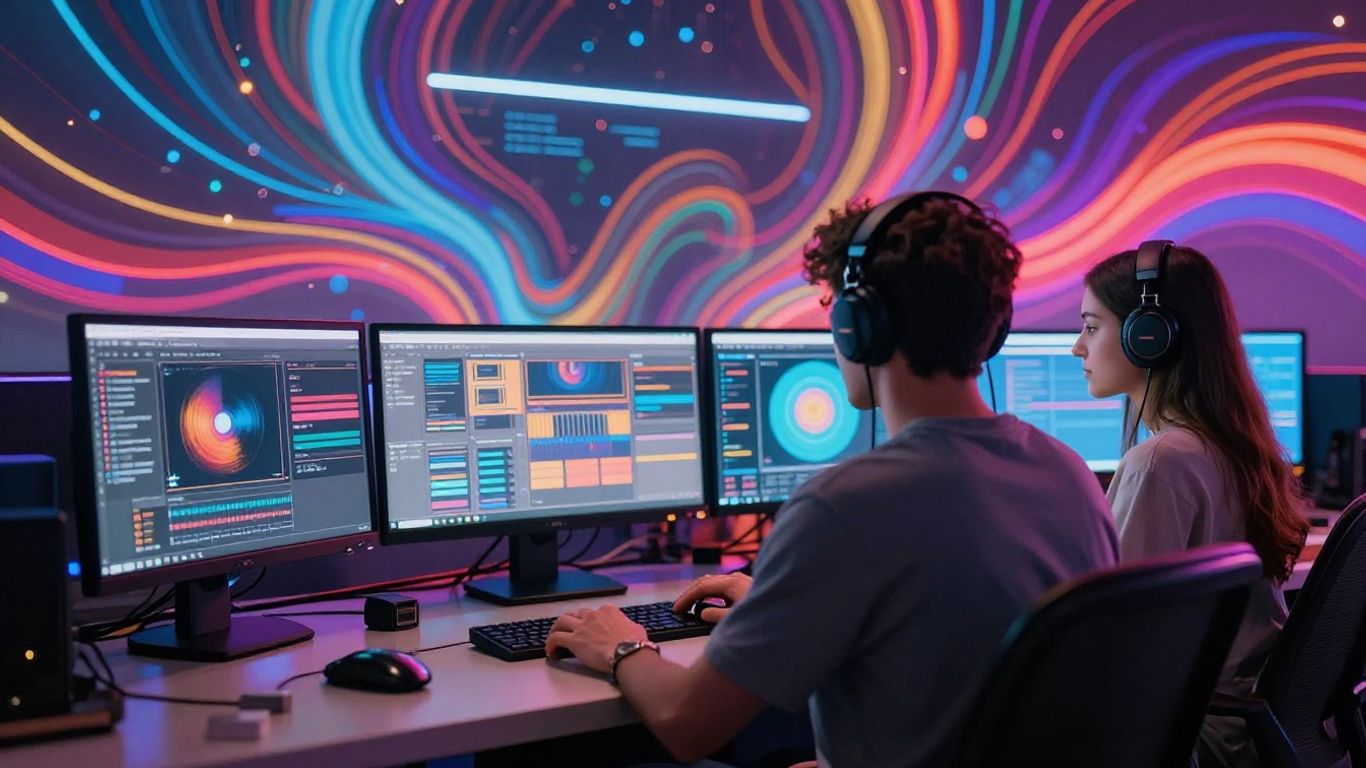
Now that you have a vision for your music video, it’s time to create the audio. Many free AI tools can generate a complete song, including vocals, from just a text description. This means you don’t need to be a musician or have any recording equipment to get started.
Creating Music from Text Descriptions
This is where the magic really begins. You can describe the song you want using simple text prompts. Think about the genre, the mood, the tempo, and even specific lyrical ideas you have. The AI will take these inputs and compose an original piece of music with AI-generated singing vocals. It’s a straightforward process that puts creative control directly into your hands. You can even upload existing lyrics if you’ve already written them.
Selecting Genre, Mood, and Vocal Style
When you’re writing your prompt, be specific about the musical elements you desire. Do you want an upbeat pop track or a melancholic ballad? Specify the genre, like rock, electronic, or folk. You can also define the mood – happy, sad, energetic, or calm. Some tools even let you choose the vocal style, such as male, female, or a specific tone. This level of detail helps the AI produce a song that truly matches your vision for the video. For example, you might describe a song as "an upbeat indie-pop track with a female vocalist, perfect for a summer montage." This gives the AI clear direction.
Handling Audio Files: Formats and Requirements
If you’re not generating a song from scratch, you’ll likely need to upload an existing audio file. Most AI music video generators accept common formats like MP3 or WAV. Make sure your audio file is clean and ready to go. If you’re using a song generated by another AI tool, ensure you have the rights to use it. Some platforms offer royalty-free music that you can use without worry. Always check the specific requirements of the AI tool you choose for audio file types and sizes.
Designing and Customizing the Visual Style
Now that you have your audio ready, it’s time to think about how your music video will look. This is where you define the aesthetic that will bring your song to life. You can go for a specific vibe or let the AI surprise you with its interpretations.
Choosing Animation, Cinematic, or Abstract Themes
Most AI tools offer a range of visual styles. You might find options like animated characters, realistic cinematic scenes, or completely abstract visualizers. Consider what best fits the mood and message of your song. A fast-paced electronic track might suit abstract visuals, while a ballad could benefit from a cinematic approach.
Think about the overall feeling you want to evoke. Do you want something playful and cartoony, serious and dramatic, or perhaps something more experimental? The style you choose sets the tone for the entire video.
Adding Logos, Images, and Lyrics
Many generators allow you to upload your own assets. You can add your artist logo to brand the video, or even incorporate personal photos or existing footage. Some tools also let you generate lyric videos automatically, which is a great way to engage your audience.
These elements help personalize the video and make it uniquely yours. It’s a good way to bridge the gap between the AI’s output and your specific artistic vision. You can explore AI music video generators that offer these customization options.
Using Style Presets and Custom Prompts
To guide the AI, you’ll often use style presets or custom text prompts. Presets offer quick ways to achieve popular looks, like "vintage film" or "neon glow." Custom prompts give you more control. You can describe specific colors, lighting, camera angles, or even artistic influences you want the AI to emulate.
Experimenting with prompts is key. Try being very descriptive, or keep it simple and see what the AI comes up with. You might be surprised by the results.
The goal is to create visuals that complement your music, not overpower it. Find a balance that feels right for your song and your artistic identity. Don’t be afraid to try different combinations of styles and prompts until you get something you’re happy with. Iteration is part of the process.
Here’s a quick look at common style categories:
- Animation: Cartoons, 2D/3D characters, motion graphics.
- Cinematic: Realistic scenes, dramatic lighting, film-like quality.
- Abstract: Geometric shapes, fluid dynamics, light patterns, visualizers.
- Performance: Stage setups, band performances, dancer simulations.
Choosing the right style can make a big difference in how your music video is perceived. Take your time with this step and have fun with it.
Syncing Audio with Automated Video Generation
Now that you have your audio ready, it’s time to let the AI work its magic on the visuals. The goal here is to have the video elements match the rhythm, mood, and structure of your song. Most AI tools are built to do this automatically, analyzing your track to create a synchronized experience.
How AI Matches Visuals to Music Structure
AI music video generators analyze your audio file for key characteristics. They look at the beats per minute (BPM), identify louder sections or ‘drops,’ and even try to understand the overall energy and mood of the song. This analysis helps the AI decide when to change scenes, how fast to cut between shots, and what kind of visuals might fit the music’s feel. It’s like having a virtual editor who listens intently to your track.
Adjusting Scene Timing and Transitions
While the AI does a lot of the heavy lifting, you often get some control over the final output. You might be able to adjust the duration of specific scenes or tweak how quickly the video transitions from one shot to the next. Some platforms allow you to set key moments, like a chorus or a bridge, and tell the AI to emphasize those parts visually. This gives you a chance to fine-tune the pacing to your liking.
Previewing and Iterating on Output
Before you commit to a final render, always preview your AI-generated video. This is your chance to catch any awkward cuts or visuals that don’t quite fit. If something feels off, don’t hesitate to regenerate parts of the video or tweak the settings. Most tools allow for multiple iterations, so you can keep refining until the visuals perfectly complement your music. It’s a process of trial and error, but the results can be quite impressive.
The AI’s ability to sync visuals with music is its core function. It takes your audio and translates its rhythm and emotion into a visual narrative. Think of it as the AI interpreting your song’s story through images and motion.
Optimizing Videos for Platforms Like TikTok, Instagram, and YouTube
Selecting Video Aspect Ratios and Format
Different social media platforms work best with specific video dimensions. You need to pick the right aspect ratio for your video to look good and perform well. TikTok and Instagram Reels thrive on vertical video.
Here’s a quick rundown:
- 9:16 Vertical: Ideal for TikTok, Instagram Reels, and YouTube Shorts. This fills the entire phone screen.
- 1:1 Square: Good for Instagram feeds and Facebook. It’s a safe bet if you’re unsure.
- 16:9 Horizontal: Standard for YouTube main videos and older TV formats. Use this if your content is more cinematic or educational.
Most AI tools let you choose this before you start generating. Make sure you select the one that matches where you plan to post first.
Ensuring Quality for Short-Form and Long-Form Content
Quality matters, whether it’s a 15-second clip or a 5-minute song. AI generators can sometimes produce lower-resolution videos, especially on free plans. Always check the export settings.
For short-form content like TikTok, fast pacing and clear visuals are key. The video needs to grab attention immediately. For longer YouTube videos, you have more room for storytelling and visual development. Ensure your chosen AI tool can handle the length and complexity you need.
Always preview your video at the intended playback size. What looks good on a large monitor might be too busy or unclear on a small phone screen. Test your video on the platform itself if possible before a big release.
Avoiding Watermarks and Export Limitations
Many free AI tools come with a catch: watermarks or limited export options. These can make your video look less professional. Some free plans also restrict the video length or resolution.
If a watermark is unavoidable on the free tier, consider if it’s acceptable for your initial posts. You might need to upgrade to a paid plan for commercial use or a cleaner look. Read the terms of service carefully to understand what you can and cannot do with the generated content.
Sharing, Downloading, and Distributing Your AI Music Video
Exporting the Final Video in Multiple Formats
Once your AI music video is ready, you’ll need to export it. Most free AI tools offer several output formats. You’ll typically see options for vertical (9:16), square (1:1), and horizontal (16:9) aspect ratios. Choosing the right format depends entirely on where you plan to share your video. Vertical is best for TikTok and Instagram Reels, while horizontal works well for YouTube. Square is a good all-around option for general social media posts.
Uploading to Social Media Without Copyright Issues
When you use a reputable AI music video generator, the content it creates is usually royalty-free. This means you can upload it to platforms like YouTube, Instagram, and TikTok without worrying about copyright strikes. Always double-check the terms of service for the specific AI tool you used. Some might have limitations on commercial use or require attribution, though many don’t.
Monitoring Engagement and Iterating for Future Videos
After you upload your video, keep an eye on how it performs. Look at likes, shares, comments, and view counts. This feedback is gold. If a certain visual style or theme gets a lot of attention, try using similar elements in your next video. Understanding what resonates with your audience helps you refine your prompts and creative choices for future AI-generated music videos.
Once your amazing AI music video is ready, it’s time to share it with the world! You can easily download your creation or send it directly to friends and family. Want to learn more about the best ways to get your music video seen? Visit our website for tips and tricks!
Conclusion
Making a music video with AI is a lot more doable than it used to be. You don’t need to know how to edit video or produce music—just bring your idea, pick a tool like Creatus or one of the other free options, and follow the steps. Most of these platforms walk you through the process, from typing out your song idea to getting a finished video you can post anywhere. It’s not always perfect on the first try, but you can tweak things or try again without much hassle. If you’re just starting out or want to experiment without spending money, the free tiers are a good way to see what works for you. Give it a shot, mess around with different styles, and you’ll probably end up with something you’re happy to share. AI won’t replace creativity, but it definitely makes the whole music video thing a lot less intimidating.
Frequently Asked Questions
Can I make a music video with AI for free?
Yes, you can! Many AI music video generators, like Creatus, offer a free plan. You get a limited number of songs or video exports each week for free. If you need more features or higher limits, you can choose a paid plan later.
Do I need any music or video editing skills to use these tools?
Nope! You don’t need to know anything about editing. The AI handles everything for you, from making the song to creating the video. Just type your idea, upload a track, or pick a style, and the AI does the rest.
What kind of files can I upload for my music video?
Most free AI music video makers let you upload MP3 or WAV files for the audio. If you use Creatus, you can also just type your song idea and the AI will generate music and vocals for you.
Can I use my AI music video on TikTok, Instagram, or YouTube?
Yes! Good AI music video tools let you export your video in different shapes and sizes, like vertical for TikTok (9:16), square for Instagram (1:1), or wide for YouTube (16:9). That way, your video looks great on any platform.
Will my video have a watermark if I use the free version?
Some free AI video tools add a watermark to your video unless you upgrade. Creatus lets you export a few videos for free without needing to pay right away, but always check the export page to see if there’s a watermark before you download.
Is it safe to use AI-generated music and videos for my own projects?
Usually, yes! Most AI music video generators make content that is copyright-safe and royalty-free. This means you can post your videos on social media or use them in your projects without worrying about copyright problems. Just double-check the platform’s rules before you share.