So, you’re wondering what platforms support AI music videos? It’s a pretty hot topic right now, with tons of tools popping up. Whether you’re an indie artist trying to get your music seen or a brand looking for quick promo content, AI can help. But not all tools are created equal. Some can make the song and the video, while others just do one or the other. Let’s break down what’s out there and what you should look for.
Key Takeaways
- Some platforms, like Creatus AI and Freebeat, let you generate both the song and the music video all in one go, which is super convenient.
- Other tools focus just on making videos from audio you already have, like TopMediai, MusicCreator.ai, Neural Frames, and Revid.ai. They analyze your music to create visuals.
- You’ve also got general AI video makers such as Vidnoz, LTX Studio, and InVideo that can be used for music videos, even if it’s not their main focus.
- When picking a tool, think about what you need: Does it sync to the beat? What video formats does it export (like 9:16 for TikTok)? Can it handle longer songs?
- Don’t get too caught up in just how cool the videos look in demos. Focus on workflow efficiency, reliable exports, and whether the tool actually fits your specific needs for social media or streaming.
Platforms Offering Integrated AI Music And Video Creation
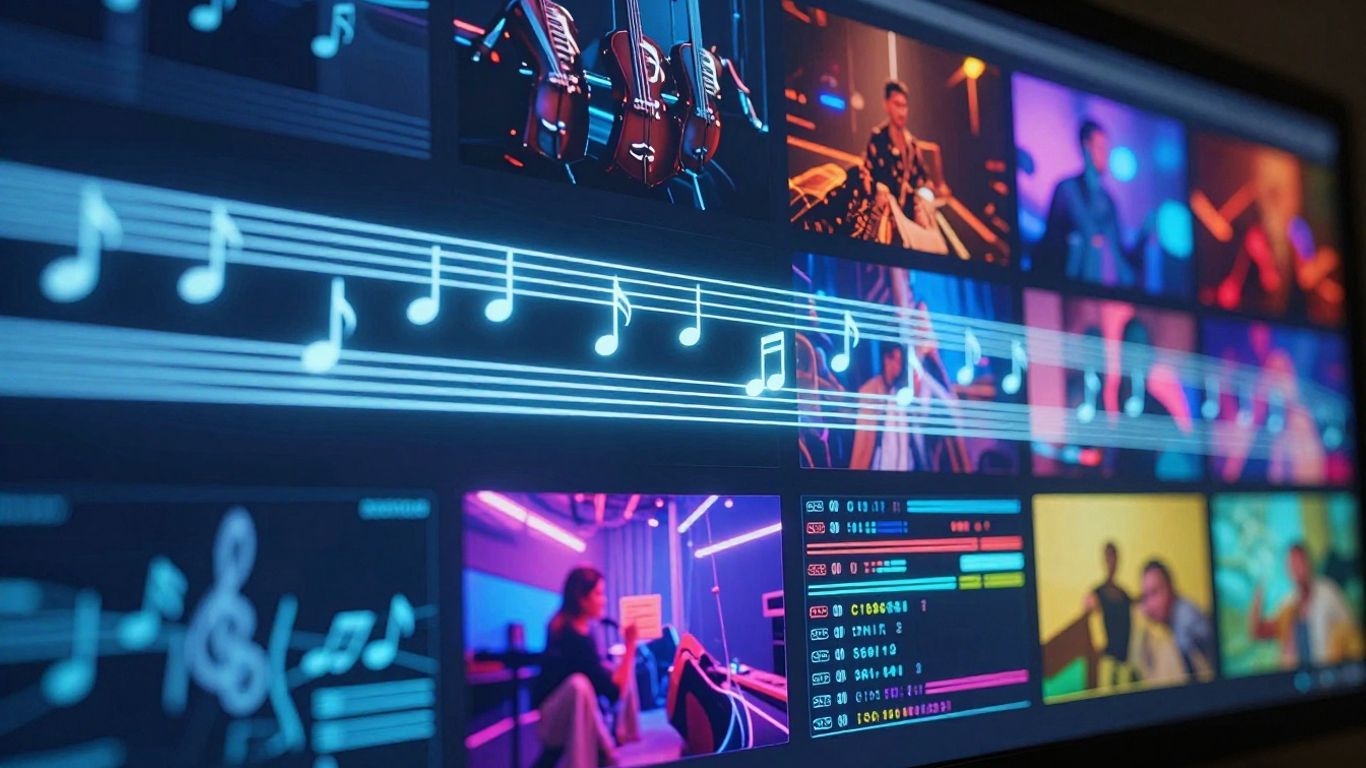
Some platforms let you create both the music and the video all in one place. This can really speed things up if you’re starting from scratch. You don’t have to jump between different apps or services.
Creatus AI: A Unified Workflow Solution
Creatus AI offers a combined tool for making songs and music videos. You can type in a description for the song you want, including genre, mood, and lyrics, and it will generate the music with AI vocals. Then, you can take that song and turn it into a music video. This single platform workflow means you don’t need separate software for music production and video editing. It supports various output formats like 9:16 for TikTok and Reels, 1:1 for Instagram, and 16:9 for YouTube.
Freebeat: Bridging Song and Visuals
Freebeat is designed to help you create music videos quickly, especially if you’re focused on beat synchronization. While it has some song generation capabilities, its main strength lies in analyzing your audio to create visuals that match the rhythm and mood. You can upload your own tracks or use AI-generated ones. The platform offers different modes like story or stage performance, and an AI director helps plan shots automatically. It’s a good option for creators who need fast, shareable music videos for social media.
MakeSong: Narrative Video Capabilities
MakeSong focuses on generating both songs and music videos, with a particular emphasis on narrative video creation. You can create songs and then use them to generate videos that include lip-syncing and dance elements. It’s a newer platform, but it aims to provide a more story-driven approach to AI music video production. This could be useful if you’re looking to tell a specific story with your music rather than just creating abstract visuals.
Specialized AI Video Generators For Existing Audio
TopMediai: Photo and Audio Integration
TopMediai is a tool that lets you create music videos using your photos and audio files. You upload your song, pick some pictures, and the AI puts them together. It offers a storyboard preview so you can see how the video might look before it’s fully generated. You can also customize themes to match your music’s vibe.
MusicCreator.ai: Visualizers and Soundwaves
MusicCreator.ai focuses on turning your audio into dynamic visuals. It’s great if you want something like a music visualizer or animated soundwaves that react to your track. You can upload images or logos to include in the video. While it’s more geared towards visualizers than narrative music videos, it offers a straightforward way to get animated content for your songs.
Neural Frames: Detailed Audio Analysis
Neural Frames goes deeper by analyzing your audio track in detail. It breaks down your song into different parts, like vocals and drums, so the video can react specifically to what’s happening in the music. This means cuts can sync with the beat, and effects can match vocal phrases or musical drops. You can even direct the video through chat and maintain a consistent style. This level of audio analysis helps create a video that truly feels connected to your music. You can export in 4K, making it ready for platforms like YouTube or Spotify Canvas.
Revid.ai: Fast Beat-Synced Content
If speed is your main concern, Revid.ai is worth checking out. This platform is designed for generating beat-synced videos quickly from your audio. It’s particularly good for creating short-form content that needs to be punchy and in time with the music. You can also get lyric captions added automatically, which is handy for social media. It’s a solid choice when you need to produce a lot of content fast.
AI Video Platforms With Music Video Functionality
Some AI video platforms aren’t built specifically for music videos, but they can still get the job done. These tools offer broader video creation capabilities, and you can adapt them for your music projects. They might require a bit more manual tweaking, but they provide flexibility.
Vidnoz: Free AI Video Generation
Vidnoz offers a free tier that lets you experiment with AI video generation. You can create short clips, and while it’s not exclusively for music, you can sync visuals to your audio. It’s a good starting point if you’re on a tight budget or just want to test the waters.
- Multiple singer and avatar options
- Style selection for visuals
- Free plan available for basic use
LTX Studio: Enterprise-Grade Video Production
LTX Studio is geared towards more professional, high-end video production. It supports standard audio formats like MP3 and OGG, and you can generate cinematic output. While it’s not tailored for music videos, its robust features can handle complex projects if you need that level of polish.
This platform is built for serious video work, so expect a steeper learning curve compared to simpler tools.
InVideo: General Video Editing Suite
InVideo is a versatile video editor that includes AI features. You can use its
Understanding AI Music Video Workflow Requirements
When you’re looking to create AI music videos, it’s not just about the final look. You need to think about how you’ll actually make it happen. This means considering the whole process, from start to finish, and what tools will best fit your needs.
Key Features for Music Video Generation
Think about what you absolutely need the AI to do. Do you need it to sync perfectly with the beat, or is a general mood enough? Beat synchronization is often the most important feature for making a music video feel professional and engaging. Also, consider if you need consistent characters or styles throughout the video, especially for longer projects or series.
- Beat and tempo synchronization: Essential for visuals that match the music’s rhythm.
- Vertical video support: Crucial for platforms like TikTok and Instagram Reels.
- Visual customization: Allows you to control the look and feel.
- Character consistency: Important for narrative or branded content.
Input and Output Format Support
Your workflow depends heavily on the formats the AI tool accepts and produces. You’ll want to upload your music in common audio files like MP3 or WAV. For output, make sure it supports the aspect ratios needed for different social media platforms. This usually means 9:16 for vertical video, 1:1 for square posts, and 16:9 for standard horizontal video.
The ability to export in multiple formats directly from the AI tool saves a lot of time and hassle later on. You don’t want to be stuck resizing or reformatting content for each platform.
Target Audience and Use Cases
Who are you making these videos for, and what’s the main goal? If you’re an independent musician, you probably need a tool that’s easy to use and budget-friendly, like those offering a free tier for basic creation. If you’re a marketing team, speed and the ability to create many variations quickly might be more important. Understanding your audience helps you choose a tool that meets specific needs, whether it’s for quick social media clips or more polished promotional content.
Evaluating AI Music Video Tools For Specific Needs
Criteria for Social Media Ready Videos
When you’re aiming for social media, speed and format are key. You need tools that can quickly produce vertical videos (9:16) for platforms like TikTok and Instagram Reels. Look for features like automated beat syncing and fast rendering. These elements help you keep up with the fast pace of social content.
Considerations for Streaming-Ready Content
For content intended for streaming platforms, focus on quality and length. You’ll want tools that support longer video generation and offer high-resolution exports. Stable encoding is also important to avoid playback issues. Think about how your video will look on a larger screen.
Assessing 4K Export Capabilities
If high visual fidelity is a priority, check for 4K export options. Not all AI video tools offer this, and the quality can vary. Test the 4K output with your own audio to see if it meets your standards. This is especially important if you plan to use the videos on platforms that support high-resolution playback or for any professional use.
Choosing the right AI music video tool often comes down to your specific goals. Don’t get swayed by flashy demos alone. Instead, focus on practical features like export formats, rendering speed, and how well the tool syncs visuals to your music’s rhythm. A tool that fits your workflow will save you time and produce better results.
Here’s a quick checklist to help you decide:
- Beat Synchronization: Does it match visuals to the music’s tempo and beats?
- Vertical Export: Can it easily create 9:16 aspect ratios for social media?
- Customization: How much control do you have over the visual style and prompts?
- Rendering Speed: How quickly can you get a usable video?
- Output Quality: Does it support high resolutions like 4K if needed?
Many independent musicians find that tools focusing on beat-synced visuals significantly improve their engagement on platforms like YouTube Shorts and TikTok. It’s about making content that feels dynamic and matches the energy of the music.
AI Music Video Generation: Key Differentiators
When you’re looking at AI tools for music videos, it’s easy to get caught up in how flashy the visuals look. But the real difference-makers aren’t always the ones with the most dramatic effects. You need to think about what actually helps you get your video made and out there.
Integrated Song and Video Creation
Some platforms let you create both the music and the video all in one place. This means you don’t have to jump between different apps or services. You can write a song idea, generate the track with vocals, and then immediately start making the video for it. This kind of unified workflow saves a lot of time and hassle.
Audio Analysis for Visual Synchronization
This is a big one. The best tools don’t just slap visuals onto your audio; they actually analyze it. They look at the tempo, the mood, and the energy of your song to make sure the video matches. You want visuals that sync up with the beat and feel connected to the music. Tools that do this well make your music video feel much more professional and engaging.
Workflow Efficiency Over Visual Hype
Ultimately, how fast and easy it is to create your video matters a lot. While stunning visuals are nice, a tool that helps you iterate quickly and export in formats ready for social media is often more practical. You might need to create multiple versions for different platforms or test out different styles. Workflow efficiency helps you produce more content without getting bogged down.
Here’s a quick look at what makes a workflow efficient:
- Fast Generation: Get multiple video variations in minutes, not hours.
- Platform-Ready Exports: Direct export options for TikTok, Instagram Reels, and YouTube Shorts.
- Repeatable Processes: Easily recreate similar styles or campaigns without starting from scratch.
Don’t get distracted by just the visual bells and whistles. Focus on tools that streamline the entire process from idea to final export. This practical approach is what separates good tools from great ones for creators and marketers alike.
Thinking about what makes AI music video tools different? It’s all about the unique features each one offers. Some are great at making super realistic scenes, while others shine when it comes to creating cool, abstract art. The best ones let you control a lot of details, giving you the power to make your vision come alive. Want to see how these differences play out? Check out our website to explore the amazing possibilities!
Wrapping Up: Your AI Music Video Toolkit
So, where does that leave you with AI music video creation? You’ve seen that platforms like Creatus, TopMediai, Vidnoz, and MakeSong are stepping up, offering ways to turn your audio into visuals without needing a film crew. Some focus on making the whole song and video in one go, which is pretty neat if you’re starting from scratch. Others are better if you already have a track and just need the video part. Remember, the best tool for you really depends on what you’re trying to do – whether it’s a quick TikTok clip or something more polished for YouTube. Don’t get too caught up in the hype; test a few out and see which one fits your workflow and budget. The technology is moving fast, so what’s cutting-edge today might be standard tomorrow, but for now, you’ve got some solid options to get your music seen.
Frequently Asked Questions
What’s the easiest way to make an AI music video for social media?
For quick social media videos, look for tools that let you upload your song and automatically create visuals that sync with the beat. Many platforms offer presets for TikTok, Instagram Reels, and YouTube Shorts, often with one-click options so you don’t need to be a video expert.
Can I use AI to make a music video if I only have the audio file?
Absolutely! Several AI tools specialize in taking your existing music track (like an MP3 or WAV file) and generating a music video. They analyze the song’s rhythm, mood, and energy to create matching visuals. Some even let you pick different styles or themes.
Are there AI tools that can create both the song and the music video?
Yes, some platforms are designed to do both! You can give them a text idea, and they’ll generate the song with AI vocals. Then, right within the same tool, you can turn that song into a music video. This saves you from switching between different apps.
Do AI music video generators support high-quality video like 4K?
Some do! While many focus on social media formats, certain advanced AI video platforms can export in 4K. This is great if you plan to use your music video on platforms like YouTube where higher quality is appreciated. Just check the specific tool’s export options.
Will my AI-generated music video get flagged for copyright on YouTube or TikTok?
Generally, the visuals themselves won’t cause copyright issues. The risk comes from the music. If your song is original or you have the rights to use it, your AI-generated video should be fine. Platforms like YouTube mainly flag content based on audio, not the AI-created pictures.
Is it hard to use these AI music video tools if I’m not a tech whiz?
Not at all! Most of these tools are built for ease of use. They often use simple text prompts or have straightforward uploading processes. Many require no prior video editing or music production experience, making them perfect for beginners and independent artists.