Ever wondered what is the best AI for making songs these days? Honestly, it’s wild how far these tools have come. You don’t need to be a music pro or even know how to play an instrument. With a few clicks and maybe a short idea, you can have a full song—sometimes with vocals, sometimes even with a video! If you want to experiment, make something for TikTok, or just mess around with new tech, there’s an AI out there for you. Here’s a look at the top 10 AIs for making songs in 2026, each with its own style and strengths.
Key Takeaways
- AI music tools now let anyone make songs, even if you have zero music experience.
- Some platforms (like Creatus) do both song and music video generation in one place, while most only do one or the other.
- You can create full tracks with vocals, not just beats or loops, using top tools like Suno and Udio.
- Most AIs offer free plans, but you’ll need a paid plan for commercial rights or extra features.
- Choosing the right AI depends on what you want: quick drafts, pro-level editing, video support, or just simple fun.
1. Creatus AI Music Video Generator
Creatus AI Music Video Generator is a unique tool because it does two things in one place: it makes songs and then turns them into music videos. You don’t need to jump between different apps or pay for separate services. This makes the whole process much smoother.
It starts with your idea. You can type in a description of the music you want, including the genre, mood, and even lyrics. The AI then composes the music and adds singing vocals. If you already have a song, you can upload your audio file instead. This dual capability sets it apart from many other AI music tools.
Once you have your audio, Creatus helps you create the video. The AI analyzes your song’s tempo and energy to generate visuals that match. You can choose from different styles like cinematic, animated, or even a simple lyric video. It’s designed so you don’t need any video editing skills.
Here’s a quick look at what you can do:
- Generate songs from text prompts with AI vocals.
- Create music videos from your own audio files.
- Export videos in formats for TikTok, Instagram, and YouTube.
- Access over 35 other AI tools within the Creatus ecosystem.
This platform is great for independent musicians, content creators, or anyone who wants to make music and videos without a big budget or technical know-how. You can even try it out with their free tier. It’s a practical way to get your music out there visually. You can explore more about AI music generation and its impact on the industry to see how tools like this fit in. For example, the AI video generator market is growing fast, showing a big demand for these kinds of creative solutions.
2. Suno
Suno is a pretty straightforward AI music generator. You give it a text prompt, and it spits out a song, complete with vocals. It’s known for its ability to create full song structures, meaning you get verses, choruses, and bridges.
This platform is a good choice when you want a song that feels complete and has a clear direction. It’s also one of the tools people turn to if they’re trying to capture a specific artist’s vibe. You can experiment quite a bit with different styles and ideas.
When it comes to using the music you create, Suno has a tiered system. The free version is great for trying things out and generating ideas. However, if you plan to use the music for anything commercial, like on a monetized YouTube channel or for a client project, you’ll need to be on a paid plan. This is important to keep in mind for licensing purposes.
Suno’s strength lies in generating complete songs with vocals from simple text prompts. While the free tier is useful for exploration, commercial use requires a paid subscription due to evolving copyright considerations.
Suno’s paid plans offer different levels of access. The Pro plan, around $8 a month, allows for commercial use of generated tracks. For more advanced features, the Premiere plan is available. It’s worth noting that while Suno has made strides in licensing, there have been past legal discussions with major labels, so keeping records of your plan and exports is a smart move if you’re using it professionally.
3. Udio
Udio is a strong contender if you like to tweak and refine your music. Think of it as a "ChatGPT for music," built by folks who used to work at Google DeepMind. You give it detailed text prompts – like the genre, the mood, or even specific lyrical ideas – and it starts building a song.
What sets Udio apart is its focus on iteration. You don’t just get one output and have to start over. You can take a track you’ve generated and keep adding new prompts to shape it. This lets you slowly guide the song closer to what you’re hearing in your head. It’s great for creators who enjoy the process of experimenting and building music step by step.
Udio encourages you to play around with your creations until they’re just right. While it’s still developing, the platform feels designed for those who want more hands-on control over the final sound. You can generate both vocals and instrumentals together, which is a big plus.
However, you might find yourself needing multiple tries to get the polish you want. It’s not always perfect on the first go. Also, there have been some discussions about ongoing litigation and copyright clarity, which is something to keep in mind for commercial use.
Here’s a quick look at what Udio offers:
- Generous Free Tier: You get a good amount of free usage to experiment with.
- Voice Style Playground: This tool is fun for mixing different voices and styles.
- Prompt-Based Control: Detailed text prompts give you significant influence over the output.
- Iterative Refinement: Easily remix and reshape existing tracks.
Udio is best for users who want to experiment and build songs gradually, rather than settling for a single generation. Its strength lies in the control it gives you over the creative process.
4. Soundverse
Soundverse positions itself as a more advanced option for AI music creation. If you’re looking for tools that go beyond simple text-to-song generation, this might be your next stop. It offers features like voice-to-instrument conversion and stem separation, which give you finer control over your tracks.
Think of it less like a basic generator and more like a digital studio. This makes it a good fit for producers or musicians who enjoy experimenting with sound. You can even train its DNA models to develop your own unique sonic identity.
However, all these advanced features come with a learning curve. Beginners might find Soundverse a bit overwhelming at first. It takes time to get the hang of its more complex tools.
Soundverse is best for creators who want deep control over their music production.
Here’s a quick look at what it offers:
- Advanced Tools: Inpainting, stem separation, voice swapping.
- Customization: DNA models for unique sound creation.
- Ecosystem: Tools for remixing, extending, and refining music.
While it offers a lot of power, be prepared to invest some time learning its capabilities. It’s not the quickest tool for a simple background track, but it rewards patience with detailed results.
5. AIVA
AIVA stands out if you’re aiming for a more classical or cinematic sound. It’s an AI composer that really digs into orchestral and film-style music. You can get over 250 different styles from it, which is pretty wild.
What’s cool is that AIVA gives you a built-in MIDI editor. This means you can actually go in and tweak the notes and arrangements the AI comes up with. It’s not just a black box; you get some hands-on control. This makes it a solid choice for film composers or anyone who appreciates detailed control over their arrangements. You can even export your work as sheet music, which is handy for further editing or sharing with musicians. Check out AIVA’s AI composer if you need soundtracks.
AIVA is great for creating copyright-clear music, which is a big plus if you plan to use your compositions commercially. It simplifies the process of getting original content out there without worrying about licensing issues.
While AIVA excels in certain genres, it might not always capture the same level of emotional depth as a human composer for very complex pieces. However, for generating professional-sounding scores quickly, it’s a powerful tool. It offers a free version, but paid plans unlock more features and ownership rights.
6. Boomy
Boomy is a straightforward platform if your main goal is to get your AI-generated music out there. It focuses heavily on distribution, letting you send your creations directly to streaming services like Spotify and TikTok. You can even earn royalties from these streams.
This makes Boomy a practical choice for artists who want to monetize their AI music without dealing with complex distribution channels. It simplifies the process of getting your songs heard by a wider audience. The platform also has a community aspect where you can share your tracks and get feedback from others.
Boomy’s strength lies in its ease of use for distribution and monetization. It’s designed to be accessible, even if you’re new to the music industry. You create a song, and then you push it out. It’s that simple.
Here’s a quick look at what Boomy offers:
- Song Creation: Generate songs using AI.
- Distribution: Send your music to major streaming platforms.
- Monetization: Earn royalties from streams.
- Community: Share and get feedback on your music.
Boomy aims to make the path from AI song creation to public listening as smooth as possible. It handles the technical side of distribution so you can focus on making music.
7. Tad AI

Tad AI is a solid choice if you’re aiming for professional-sounding music without the usual hassle. It takes your text prompts and turns them into complete songs. You don’t need to be a music theory expert to get good results here.
Tad AI handles different genres and moods well. You can even add your own lyrics or pick specific instruments. This flexibility makes it stand out for creators who want a bit more control. All your generated tracks are saved in a library, so you can easily find and reuse them later.
If you’re stuck for ideas, Tad AI offers suggestions to help you get started. This is super helpful when you’re trying something new or just need a spark. For content creators, paid plans include royalty-free music, which is great for commercial use on podcasts or videos.
Tad AI is designed to streamline the music creation process. It aims to give you professional quality tracks quickly, whether you’re a seasoned musician or just starting out. The platform focuses on making complex music production accessible through simple text commands and intuitive tools.
8. Mubert
Mubert is your go-to for background music that just works. It’s designed to be a utility, fitting smoothly into your existing content creation process. Think of it as a reliable sound source for your videos, podcasts, or streams.
This platform focuses on instrumental tracks, often in electronic, ambient, or lo-fi styles. It’s great for situations where you need music to support spoken content or gameplay without drawing too much attention. Mubert offers fast renders and short, chainable loops, making it easy to build longer pieces.
When it comes to licensing, Mubert keeps things straightforward. You choose a plan based on whether you’re using it privately or for business. Paid plans and single-track licenses provide royalty-free use for common creator needs like YouTube, social media, and ads, as long as you stick to the terms. They’ve built their model on a licensed library, so you don’t have to worry about copyright issues.
Mubert excels when you need consistent, royalty-free background audio for ongoing content. It’s less about creating a hit song and more about providing a functional, high-quality sound layer. If your project requires music that sits beneath the main focus, Mubert is a solid choice.
Here’s a quick look at how Mubert fits into different workflows:
- Podcasts/Explainers: Use Mubert for episode background music and transitions. You might bring in another tool for a distinct theme song.
- Gaming Streams: Generate endless ambient tracks to keep the mood going during gameplay.
- Video Content: Quickly add background scores to tutorials, vlogs, or promotional videos.
- Brand Content: Create consistent audio branding across various marketing materials.
Mubert’s strength lies in its efficiency and clear licensing. It’s built for creators who need a steady stream of usable music without the hassle of complex rights management or intricate song structures.
9. BandLab
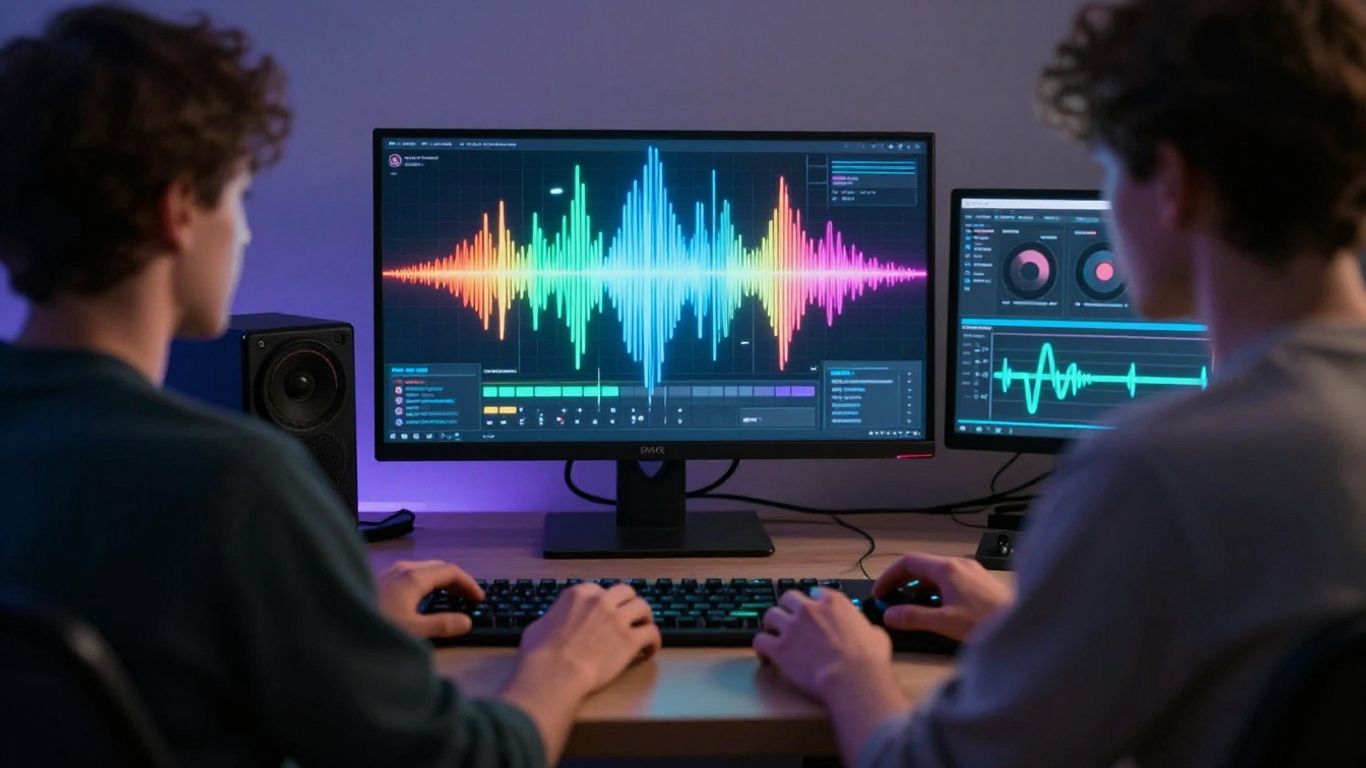
BandLab is a bit different from the other AI music tools. Think of it more as a full-blown music production studio that happens to have AI features built-in. It’s a cloud-based Digital Audio Workstation (DAW) that you can use right in your web browser or on your phone.
You get unlimited projects and free cloud storage, which is pretty sweet. Plus, there’s a huge library of loops and samples you can use. It’s a solid place to start if you want to actually produce music, not just generate it.
What really makes BandLab stand out is its social side. You can collaborate with up to 50 people on a single track. Sharing your work and getting feedback is easy. They also have AI tools like SongStarter to help you get ideas flowing, and built-in mastering presets to make your tracks sound professional without needing to be an audio engineer.
BandLab aims to be a complete music-making ecosystem, combining creation, collaboration, and community.
It’s not strictly an AI song generator in the same way as some others. The AI features are more like assistants to help you create. You can also use a tool called Splitter to isolate vocals or instruments from existing songs, which is handy for remixing or learning.
Here’s a quick look at what you get:
- Full DAW: Record, mix, and produce your music.
- Collaboration: Work with many other musicians.
- AI Assistance: Get help with song ideas and mastering.
- Community: Connect with other artists and listeners.
- Distribution: Options to get your music out there.
10. MusicGPT
MusicGPT aims to be a flexible tool, especially if you’re just starting out or need to quickly draft ideas. It offers a mobile app, which makes creating or listening to music pretty straightforward. You don’t need to be a tech wizard to use it.
What sets MusicGPT apart is its focus on integration. Its API support means you can connect music generation directly into your existing software or workflow. This is handy if you’re already using other tools and want to add music creation without a lot of hassle.
It also has features like Remix, letting you change a song’s style or lyrics, and Replace, which allows you to swap out specific parts of a track. This makes it good for experimenting with different versions of a song without starting from scratch.
However, MusicGPT isn’t really built for making fully polished, professional tracks. It’s more about getting ideas down and creating arrangements quickly. If you need deep control over sound design or complex production, you might find it a bit limited.
Here’s a quick look at its strengths:
- Easy to use, prompt-based music creation.
- Mobile app available for on-the-go use.
- Good for initial drafts and basic arrangements.
It’s a practical choice when speed and ease of use are your main concerns, and you value flexibility across different platforms.
Ever wondered how to make music with AI? Section 10, "MusicGPT," dives into this exciting topic. We explore how artificial intelligence can help you create tunes. It’s like having a digital band at your fingertips! Want to try it yourself? Visit our website to learn more and start making your own AI-powered music today!
Wrapping Up Your AI Music Journey
So, you’ve looked at the options for making songs with AI. It’s clear that tools like Creatus are making things simpler by combining song creation and video production into one place. You don’t need to jump between different apps anymore. While other tools like Suno and Udio are great for just making music, if you’re also thinking about the visual side, a combined approach makes a lot of sense. Think about what you actually need to do. If you just want to experiment with tunes, there are plenty of choices. But if you want a full package that gets your song out there with a video, you’ll want to check out platforms that handle both. Give a few a try, especially those with free options, and see what fits your workflow best. The tech is here to help you make your music, so go ahead and start creating.
Frequently Asked Questions
Can I really make a whole song and music video with just text?
Totally! Tools like Creatus AI let you type in your song idea, and it creates the music with singing vocals. Then, it can even turn that song into a music video. It’s like magic for your ideas!
Do I need to be a musician or video expert to use these tools?
Nope! Most of these AI tools are made for beginners. You don’t need any special skills. Just type what you want, and the AI does the heavy lifting for you. It’s all about making music creation easy and fun.
Are these AI music makers free to use?
Many offer a free version to get you started, which is awesome for trying things out. For more advanced features or to use your music commercially, you might need to look into their paid plans, which usually aren’t too expensive.
What’s the difference between tools like Suno and Udio, and one like Creatus?
Suno and Udio are super popular for just making songs. Creatus is a bit different because it does both song creation AND makes music videos from your audio, all in one place. It saves you from jumping between different apps.
Can I use the music I make for my own projects, like on YouTube or TikTok?
That depends on the tool and the plan you use. Many offer royalty-free music on their paid plans, meaning you can use it for your videos and content without worrying about copyright issues. Always check the specifics of the tool you choose!
How good is the music that AI makes?
It’s gotten really impressive! Many people can’t even tell the difference between AI-made music and music made by humans. The quality keeps getting better, and you can often get vocals, lyrics, and full instrumentals from these tools.