So, you want to make a music video but don’t have a film crew or a massive budget? No worries. These days, you can actually whip up a pretty cool music video using AI. It’s not as complicated as it sounds, and honestly, it’s kind of fun. We’ll walk you through how to sign up for an AI music video generator and get your first video made. Let’s get this done.
Key Takeaways
- Signing up for an AI music video generator is usually straightforward, often involving creating an account on their website.
- You can either describe your song idea to the AI or upload your own audio file to start making a music video.
- Most tools let you pick different visual styles and adjust things like aspect ratio to fit different platforms.
- Some advanced features might include AI-generated vocals or the ability to integrate with other AI tools.
- Once you’re happy, you can download your video and share it, but always check the commercial use rights.
Signing Up For An AI Music Video Generator
Getting started with an AI music video generator is usually a straightforward process. Most platforms aim to make it as simple as possible so you can begin creating right away. You’ll typically find a clear sign-up button or link on their homepage.
Accessing The Sign-Up Page
To begin, you’ll need to find the sign-up or registration page for the AI music video tool you’ve chosen. Look for buttons labeled "Sign Up," "Get Started," or "Create Account." These are usually prominent on the website’s main page. Some services might offer a free trial or a limited free tier, which is a great way to test the waters before committing.
Creating Your Account
Once you’re on the sign-up page, you’ll likely be asked to provide some basic information. This usually includes your email address and a password. You might also have the option to sign up using existing accounts like Google or Apple for quicker access. Make sure to use a strong, unique password for security.
Understanding Account Tiers
Many AI music video generators offer different account levels or tiers. These tiers often vary based on features, export quality, usage limits, and access to premium assets. You might see a free tier with basic functionality, a standard plan for individual creators, and an enterprise option for larger teams or businesses. Reviewing these options helps you pick the plan that best fits your needs and budget. For instance, some platforms offer a free plan to get you started, like Freebeat’s AI music video generator.
| Tier Name | Features | Price (Approx.) |
|---|---|---|
| Free | Basic features, limited exports, watermarks | $0 |
| Standard | More features, higher quality, no watermarks | $15-$30/month |
| Premium | All features, advanced tools, priority support | $40+/month |
Generating Your First AI Music Video
Now that you’re signed up, it’s time to bring your music to life visually. This is where the AI really shines, turning your audio into a compelling music video. You have a couple of main ways to get started, depending on whether you have a song already or just an idea.
Inputting Song Ideas
If you don’t have a finished track yet, you can start with just a concept. Describe the genre, mood, or even some lyrical snippets you have in mind. The AI can then generate a song for you, complete with vocals. This is a great way to quickly prototype ideas or create backing tracks for your visuals. This process lets you translate songs into pictures without needing to be a musician yourself.
Uploading Existing Audio
For those who already have a song, the process is straightforward. You’ll typically upload your audio file, usually in MP3 or WAV format. The AI will then analyze the track’s tempo, energy, and structure. This analysis is key for syncing the visuals accurately to your music. It’s a pretty neat way to see your existing work get a visual treatment.
Selecting Visual Styles
Once the AI has your audio, you get to choose the look and feel of your video. Most generators offer a variety of styles, from cinematic and abstract to more specific themes like lyric videos or performance styles. Think about what best fits your song’s vibe. You might want something energetic for a dance track or more atmospheric for a ballad. Exploring these options is part of the fun and helps you create AI music videos that match your sound.
Customizing Your Music Video Output
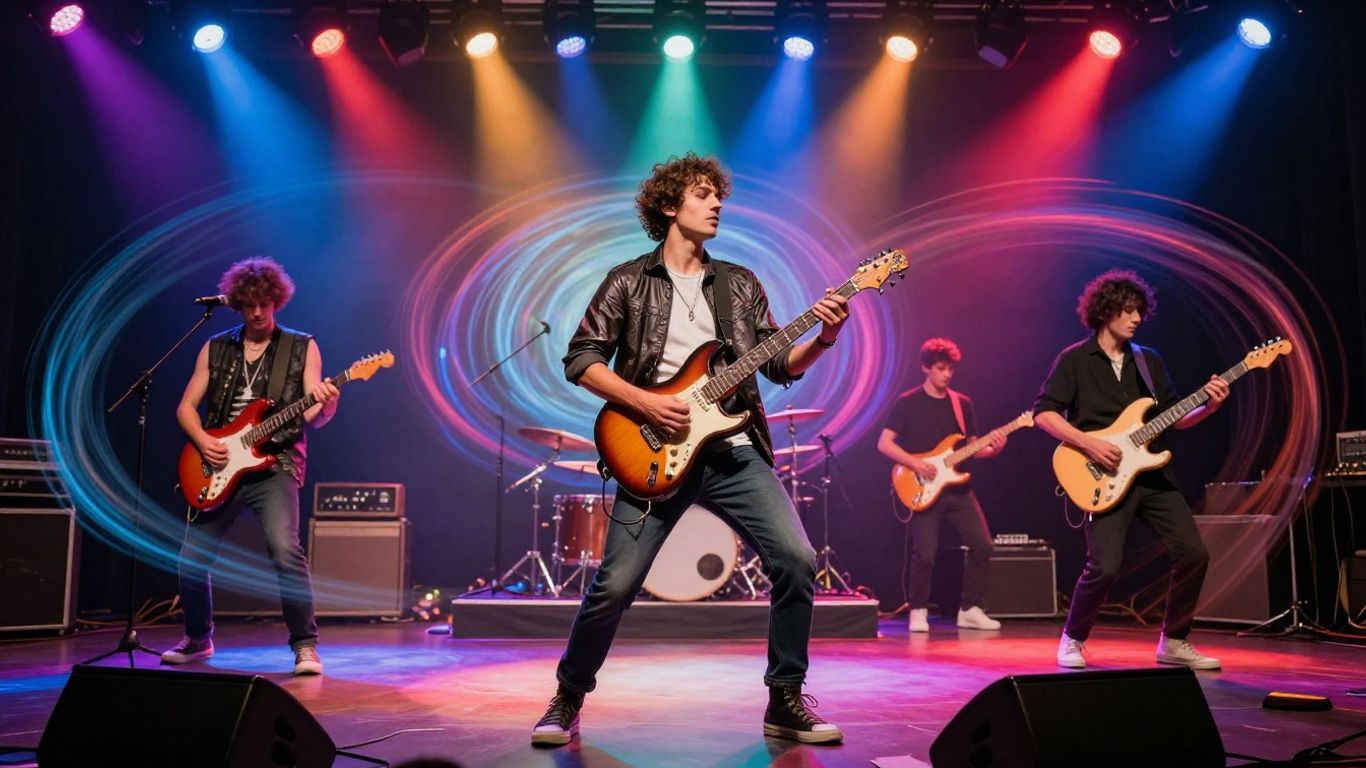
Once you have your basic AI music video generated, it’s time to fine-tune it. This is where you really make the video your own and ensure it perfectly matches your song’s vibe.
Choosing Video Aspect Ratios
Before you get too deep into editing, decide where you’ll be sharing your video. Different platforms prefer different shapes. Most AI tools let you pick your aspect ratio right at the start or during the customization phase. This saves a lot of hassle later on.
- 16:9 (Widescreen): Great for YouTube and traditional video players.
- 9:16 (Vertical): Ideal for TikTok, Instagram Reels, and YouTube Shorts.
- 1:1 (Square): Works well for Instagram feeds and other social media posts.
Refining Visual Elements
This is where the real magic happens. You can tweak the visuals to better fit your song’s mood and lyrics. Many generators allow you to adjust things like color grading, lighting, and even the overall artistic style. You might want a gritty, dark look for a rock song or something bright and colorful for pop.
Experiment with different style presets or upload reference images to guide the AI. This helps achieve a look that feels unique to your music. Don’t be afraid to iterate; try a few different settings to see what works best.
Adding Lyric Synchronization
Getting your lyrics to appear on screen at the right time can significantly boost engagement. Some AI tools automatically detect lyrics and sync them to the audio. If yours doesn’t, or if you want more control, look for a lyric synchronization feature. You can often customize the font, color, and placement of the text.
Precise lyric timing makes your music video more accessible and helps viewers connect with your message. It turns a visualizer into a story.
This level of detail ensures your audience not only hears your song but also understands and feels the words. It’s a powerful way to make your music visible and memorable.
Leveraging Advanced Features
Once you’ve got the basics down, it’s time to explore what else these AI tools can do. You can go beyond simple generation and really start to shape your music video’s identity.
Utilizing AI Singing Vocals
Some platforms let you generate not just the music, but also the vocals. This means you can create a complete song from scratch using just text prompts. You can describe the genre, mood, and even provide lyrics, and the AI will compose and sing the track for you. This is a huge time-saver if you don’t have a song ready or want to experiment with new musical ideas. It’s like having a virtual band at your fingertips.
Exploring Different Video Themes
Beyond basic styles, many generators offer thematic options. Think about what kind of story or feeling you want your video to convey. You might find options for animated characters, hyperrealistic scenes, or even abstract visualizers. Choosing a theme that matches your song’s message is key to creating a cohesive piece. Don’t be afraid to try out a few different themes to see which one fits best.
Integrating With Other AI Tools
Your AI music video generator might not be the only AI tool you use. Some platforms are part of larger creative suites. This means you could potentially use AI for other aspects of your project, like generating character portraits or even creating voiceovers. For example, you might use one tool to generate a consistent character look across all your videos, which is a big deal for branding. You can find tools that help with character consistency if that’s something you’re aiming for. This interconnectedness can streamline your entire creative process.
Exporting and Sharing Your Creation
You’ve put in the work, and now it’s time to show off your AI-generated music video. The final steps involve getting your video file and deciding where it will live online. Most platforms make this process straightforward, allowing you to download your creation in a format ready for immediate use.
Downloading Your Music Video
Once your video is rendered, you’ll typically find a download button. This will usually give you an MP4 file, which is compatible with most platforms. Some services might also offer other formats, like XML files, which can be useful if you plan to do further editing in professional software. Always check the export options to select the best format for your needs.
Sharing Across Social Platforms
Your AI music video is ready for the world. You can upload it directly to platforms like YouTube, TikTok, Instagram Reels, and others. Many creators find success by tailoring the video’s aspect ratio to each platform, ensuring it looks its best whether it’s a vertical clip for Shorts or a horizontal video for YouTube. Consider using a service that can create beat-synced MP4 videos directly from your music.
Understanding Commercial Use Rights
It’s important to know what you can do with your generated video. Most AI music video generators grant you commercial rights, meaning you can use the video for promotion, monetization on platforms like YouTube, or even license it to clients. However, always verify the terms of service. You’ll need to ensure you have the rights to the music itself, whether it’s your original work, licensed, or generated through a commercial-tier AI music tool. Some platforms, like Freebeat, focus on creating publish-ready MP4 videos from your audio files.
Troubleshooting Common Issues
Even with the best tools, sometimes things don’t go exactly as planned. Don’t worry, most issues are pretty straightforward to fix.
Resolving Audio Sync Problems
If your video and audio aren’t lining up, it’s usually a simple fix. First, double-check that you uploaded the correct audio file. Sometimes, a slightly different version of the track might have been selected by mistake. If the audio file is correct, try re-uploading it. This can clear up any temporary glitches during the initial processing. Ensure your audio file is a standard format like MP3 or WAV for best results.
If the problem persists, check the analysis of your audio. Some AI music video generators analyze the audio’s beats and energy to sync visuals. If this analysis was off, the timing will be wrong. You might need to re-run the generation process, perhaps with different settings if available, or try a different AI tool if one isn’t working for you.
Addressing Visual Inconsistencies
Visuals not matching your expectations can be frustrating. If you’re seeing odd glitches or elements that don’t fit the style you chose, try regenerating the video. Often, a second attempt will produce a cleaner result. You can also try adjusting the visual style parameters if the tool allows for it. Sometimes, a minor tweak can make a big difference.
If you’re using specific prompts for visual elements, review them for clarity. Ambiguous descriptions can lead the AI to interpret your request in unexpected ways. Try simplifying your prompts or being more direct about what you want to see. For example, instead of ‘dreamy landscape,’ try ‘rolling hills with a sunset.’
Contacting Support
When you’ve tried the usual fixes and are still stuck, reaching out to customer support is the next logical step. Most platforms have a dedicated support channel, often found in the help section or footer of their website. Be ready to provide details about your issue, including the song you used, the settings you selected, and any error messages you encountered.
Before contacting support, check if the platform has a FAQ or knowledge base. You might find that someone else has already encountered and solved your problem. This can save you time and get your video back on track quickly. Remember, good support teams want to help you succeed with their product.
Running into a snag with your AI music video creation? Don’t sweat it! Many common problems have simple fixes. If you’re stuck, check out our website for helpful tips and guides. We’re here to help you get back to making awesome music videos.
Wrap Up
So there you have it. You’ve seen how to get started with AI music video creation, and it’s really not as complicated as it might seem. You can go from a simple idea to a finished video pretty quickly. Remember, tools like Creatus combine song and video making, which is a big time saver. Don’t be afraid to experiment with different prompts and styles. The best way to learn is by doing. Give it a shot and see what you can create.
Frequently Asked Questions
What exactly is this AI music video tool?
Think of it as your personal music video studio powered by AI! It can help you create a whole song from just an idea you type in, complete with AI singing. Then, it takes that song (or any song you upload) and turns it into a music video with cool visuals that match the music. It’s like magic for making music videos without needing to be a pro.
Do I need to be a music expert or a video wizard to use this?
Nope, not at all! This tool is designed for everyone. You don’t need any experience in making music or editing videos. Just type in what you want, pick some styles, and the AI does the heavy lifting. It’s made to be super easy for beginners and busy creators.
Can I use my own songs with this tool?
Absolutely! You can upload your own music files, like MP3s or WAVs, and the AI will create a music video for them. It’s a great way to give your existing tracks a fresh, new visual life.
What kind of videos can I make?
You have lots of choices! You can create videos that are perfect for TikTok, Instagram Reels, or YouTube Shorts (that’s the tall, 9:16 format). You can also make square videos for your Instagram feed (1:1) or regular widescreen videos for YouTube (16:9). Plus, you can pick different visual styles to make your video look exactly how you imagine it.
What makes this different from other AI tools?
The coolest part is that this tool does two things in one: it can create the song *and* the music video. Many other tools only do one or the other. With this, you don’t have to jump between different apps to make your song and then your video. It’s all in one simple workflow.
Can I use the videos I make for my business or sell them?
Yes, you usually can! Depending on the plan you choose, you get the rights to use the music videos you create commercially. This means you can share them on social media, use them for promotions, or even sell them. Just check the details of the different plans to see what works best for you.