Thinking about using AI to make your next music video? It’s a hot topic, and honestly, the tech is moving fast. You might be wondering if these AI-generated clips are actually good enough to drop on your official channels. We’re going to break down what you need to know, from what the tools can actually do right now to whether they’re ready for prime time.
Key Takeaways
- Right now, AI can create decent visuals for things like lyric videos, abstract visualizers, and quick social media clips. These often look good enough for platforms like TikTok and YouTube.
- For full-on narrative music videos with a story and consistent characters, AI still struggles. You’ll likely need human directors and editors for those.
- Integrated AI tools that handle both song creation and video generation in one go can really speed things up, saving you time and the hassle of switching between different software.
- When picking an AI tool, think about how well it syncs to your music’s beat and mood. Music-first platforms tend to work better than general video generators.
- The best approach for many indie artists is often a hybrid one: use AI for quick, budget-friendly content and hire humans for your most important releases.
Assessing AI Music Video Quality for Official Release
Defining ‘Good Enough’ for the Market
So, is AI music video quality good enough for an official release? The answer really depends on what you mean by ‘good enough.’ For many indie artists, especially those on a tight budget, AI-generated videos can absolutely meet audience expectations for digital platforms. The key is understanding that ‘good enough’ doesn’t mean ‘perfect’ or ‘Hollywood-level.’ It means the video looks intentional and professional, not cheap or careless. You’re aiming for something that complements your music and looks solid on YouTube, TikTok, or Instagram.
Current AI Video Generation Capabilities
Right now, AI video generation is getting pretty impressive, especially for certain types of content. Abstract visualizers that react to music are a strong suit for AI. Think flowing colors and shapes that pulse with your track – these work great for Spotify Canvas loops or YouTube backgrounds. Lyric videos are also becoming quite functional, with some tools automatically syncing text to your song. These capabilities mean you can get a decent-looking visual without a huge budget or a lot of technical skill.
Limitations and Unmet Expectations
However, AI still has its limits. If your song needs a narrative with consistent characters and specific scenes, AI isn’t quite there yet. Text-to-video tools struggle to keep visual elements, like a person’s face, the same from one shot to the next. Realistic human footage can also look a bit off, with unnatural movements or strange-looking hands. For videos that require a story or specific actors, you’ll likely still need human direction and production. AI is a powerful tool, but it can’t replace a director’s creative vision for complex narratives.
- Visual Fidelity: How clear and sharp are the generated images?
- Style Range: Can the AI produce different looks, from anime to realistic?
- Consistency: Do elements remain the same across different scenes?
AI output is often inconsistent. It’s better to generate more clips than you think you’ll need and then pick the best ones. Most subscription services let you generate a lot without extra cost, so quantity is usually a time investment, not a monetary one. Treat it like casting: most won’t make the cut, but the few that do are worth the effort.
When you’re looking at AI video generators, consider how well they sync with your music. Tools that analyze BPM, tempo, and mood tend to outperform generic text-to-video generators. They create visuals that feel more connected to your song, rather than just random clips. A music-first approach is usually best if your starting point is a song. You can compare some of the top AI music video generators here.
Here’s a quick look at what to expect:
| Feature | Current AI Capability |
|---|---|
| Abstract Visualizers | High (audio-reactive, hypnotic) |
| Lyric Videos | Medium (functional, text sync improving) |
| Narrative Videos | Low (inconsistent characters, settings) |
| Realistic Humans | Low (uncanny valley, unnatural movement) |
| Music Sync | Medium-High (improving with music-first tools) |
| Overall Quality | Varies greatly; depends on tool and prompt complexity [a8b9] |
Remember, the goal is to create a video that looks intentional and professional for your release. AI can help you achieve this, especially for simpler visual concepts, but it’s important to be aware of its current limitations.
The Integrated AI Music and Video Workflow
Streamlining Production with All-in-One Tools
Forget juggling multiple apps. An integrated workflow means you can create both your music and its video in one place. This cuts down on wasted time switching between programs. You start with an idea and end with a finished product, all within a single platform. This approach simplifies the entire process.
Benefits of a Unified Creation Process
When everything is connected, things just flow better. You can see how your audio and visuals work together in real-time. This makes it easier to make adjustments. The biggest win is consistency; your video will naturally match the mood and rhythm of your song. It’s about making the creation process smoother and more intuitive.
Comparing Standalone vs. Integrated Solutions
Standalone tools often do one thing really well, but you still need other software to finish the job. Think of needing one app for music and another for video editing. Integrated solutions, however, combine these steps. For example, some platforms let you generate a song from text and then immediately create a video for it. This unified approach can save you significant time and effort, especially when you’re on a tight schedule. Tools like LTX Studio are pushing this integration forward.
| Feature | Standalone Tools | Integrated Solutions |
|---|---|---|
| Workflow | Fragmented, requires switching | Unified, single platform |
| Time Efficiency | Lower | Higher |
| Consistency | Can be challenging | Easier to achieve |
| Learning Curve | Multiple tools to learn | Potentially one system |
Using a single platform for both music and video creation can dramatically speed up your output. It removes the friction points that often slow down creative projects. You spend less time managing files and more time actually creating.
This integrated approach is particularly helpful for artists who need to produce content quickly. You can go from a lyrical idea to a shareable video in a fraction of the time it used to take. It’s about making the technology work for you, not the other way around. This is how you can streamline your video production effectively.
Key Factors for Release-Ready AI Music Videos
Music Synchronization and Beat Accuracy
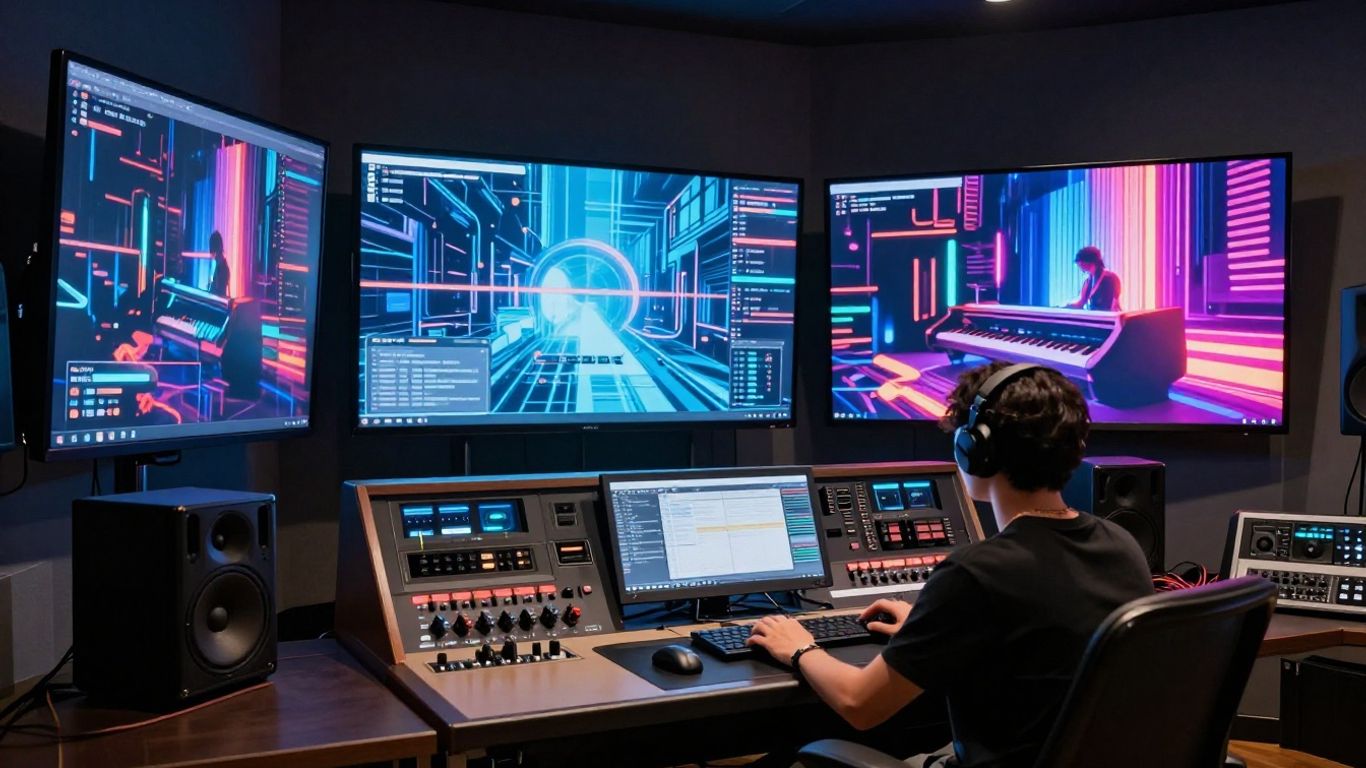
When you’re making a music video, the visuals absolutely need to match the song. If the video feels out of sync, it just looks wrong. The best AI tools will analyze your track’s BPM and rhythm to automatically align visuals with the beat. This saves you a ton of time trying to manually edit everything later. Some platforms are built specifically for music, so they understand how to sync visuals to drops and choruses. Others are more general and might require you to do the syncing yourself.
Visual Fidelity and Stylistic Cohesion
Think about how you want your video to look. Do you want it to be super realistic, or more stylized like animation or abstract art? AI can do a lot, but you need to guide it. Look for tools that offer a range of styles and let you control things like color, lighting, and camera movement. Consistency is also important; you don’t want scenes that look completely different from one another unless that’s your specific artistic choice. Generating more footage than you need and then picking the best clips can help you find visually strong moments.
Export Formats for Digital Platforms
Your video needs to be ready for wherever you plan to share it. This means having the right file formats and aspect ratios. Most platforms today need vertical video (9:16) for social media like TikTok and Reels, while YouTube still uses horizontal (16:9). Some tools can export directly in these formats, which is a huge time-saver. If you’re planning to use your video on Spotify Canvas, you’ll need short, looping visuals. Make sure the AI tool you choose can output files suitable for all your target platforms, so you don’t have to re-edit later. This is especially important if you’re distributing music, as distributors may ask about the tools used in creation [5bda].
AI Music Video Use Cases and Practical Applications
Effective Use for Lyric Videos and Visualizers
AI tools are surprisingly good at creating lyric videos. Many platforms can automatically sync text to your music, saving you a lot of time. While not always groundbreaking, the results are functional and affordable. This makes them a solid choice if you need a lyric video for every release and your budget is tight. For a truly standout lyric video, you might still consider hiring a human designer for a specific, high-priority track.
Abstract visualizers are another area where AI shines. Think flowing colors, shifting shapes, and visuals that react to the beat. These can create hypnotic effects perfect for Spotify Canvas loops or background visuals on YouTube. They work well because they don’t require narrative consistency. You can generate a lot of variations quickly to find something that fits the mood.
Social Media Clips and Promotional Content
Short clips for platforms like TikTok, Instagram Reels, and YouTube Shorts are ideal for AI generation. These short-form videos don’t need to be perfect; they just need to grab attention. AI can produce enough different options fast, so you can find something usable for each post. This speed is a major advantage for keeping your social media feeds active. You can experiment with different styles without a huge time commitment.
AI is best used for content where perfection isn’t the primary goal, but rather consistent output and speed. Think of it as a tool to fill your content calendar efficiently.
When Narrative Videos Still Require Human Direction
If your music video needs a story, characters, or specific scenes, AI is not quite there yet. Text-to-video tools struggle with consistency. A character’s face might change from one shot to the next, or the setting could shift unexpectedly. For these kinds of videos, you’ll likely need a human director or to shoot it yourself. AI can still help with specific effects or B-roll footage, but it can’t direct a full story on its own. You can explore tools like Runway for more advanced image-to-video animation, but narrative control remains a challenge.
Here’s a quick look at what AI handles well versus what still needs a human touch:
| Use Case | AI Suitability | Notes |
|---|---|---|
| Lyric Videos | High | Automatic syncing, affordable. |
| Abstract Visualizers | Very High | Reactive, mood-setting, great for short loops. |
| Social Media Clips | High | Fast generation, scroll-stopping visuals. |
| Narrative Music Videos | Low | Consistency issues, character/plot problems. |
| Realistic Human Footage | Low | Uncanny valley, unnatural movement. |
| Performance Videos | Medium | Can work with specific styles, but realism is often lacking. |
Evaluating AI Video Generation Tools
When you’re looking at AI tools for music videos, it’s easy to get lost in the marketing. Not all generators are created equal, and understanding their strengths and weaknesses is key to getting usable results. You need to figure out which tools actually help you make music videos, not just pretty animations.
Music-First Platforms vs. General AI Video
Some AI video tools are built specifically with music in mind. These platforms often analyze your track’s BPM, rhythm, and energy changes. They try to sync scene transitions with musical cues like drops and choruses. This approach means the generated visuals feel more connected to your song. You can find some of these music-focused tools that prioritize audio analysis.
On the other hand, general AI video generators start from text prompts or scripts. They are great for creating cinematic scenes or abstract concepts. However, they usually require you to manually sync the visuals to your music later. This can add a lot of extra editing time. For musicians, a tool that treats your song as the foundation, not an afterthought, is usually better.
Assessing Output Quality and Style Range
Quality in AI video isn’t just about resolution. It’s about how well the visuals match your music’s emotion and pacing. You’ll find different levels of output. Some tools offer high visual fidelity, producing cinematic or stylized scenes. Others might have a wider range of styles, from anime to realistic looks.
Think about what you need. Do you want abstract, audio-reactive loops for something like Spotify Canvas? Or are you aiming for more narrative-driven visuals?
The best AI video generators for music often analyze beats, tempo, and mood. They produce videos that feel intentional, not random. This makes a huge difference in how professional your final product looks.
Understanding the Learning Curve and Ease of Use
Most AI video tools have a subscription cost, typically ranging from $20 to $100 per month. Beyond the price, consider how much time you’ll invest. Some platforms are quite intuitive, especially template-based ones. Others, particularly those offering deep control over generation, can have a steeper learning curve.
If you’re new to this, start with tools that offer a free tier or trial. This lets you experiment without commitment. You’ll spend time generating clips and selecting the best ones. Expect to generate more footage than you actually need to find usable segments.
- Prompting: Clear, detailed prompts yield better results. Be specific about style, color, and movement.
- Reference Images: Using images to guide the AI often produces more consistent and controllable output.
- Iteration: Be prepared to generate multiple versions. Most tools charge a subscription, so generating more clips costs time, not extra money.
The Cost-Benefit Analysis of AI Music Videos
When you’re looking at AI for music videos, it really comes down to your budget and what you need to achieve. Traditional music video production can get expensive fast. We’re talking thousands, sometimes tens of thousands of dollars for a professional shoot. AI tools, on the other hand, offer a way to get visuals for a fraction of that cost. You might spend $20 to $100 a month on subscriptions, plus a few hours of your time. This is a huge difference if you’re an independent artist or just starting out.
Think about the time investment too. While AI can generate footage quickly, you’ll still spend time refining prompts, selecting the best clips, and editing them together. It’s not entirely hands-off. However, compared to coordinating a film crew, booking locations, and managing post-production, the time commitment for AI is generally much lower. This means you can potentially create more visual content for your releases without breaking the bank or needing a huge team.
Comparing AI Tool Subscriptions to Production Costs
Let’s break down the numbers. A typical AI video tool might cost you between $15 to $50 per month for decent usage. For that, you can generate a lot of raw footage. Compare this to hiring a videographer, where even a basic music video can run you $500 to $2,000. A high-end production can easily hit $5,000 to $20,000. The savings with AI are substantial, potentially reaching up to 90% in some cases. This makes visuals accessible for artists who previously couldn’t afford them.
| Service Type | Estimated Cost Range |
|---|---|
| AI Video Subscription | $15 – $100 per month |
| Basic Human Production | $500 – $2,000 per video |
| Professional Production | $5,000 – $20,000+ per video |
Time Investment for Generation and Editing
Generating usable clips with AI usually takes a few hours. You’ll spend time writing prompts, running generations, and then sifting through the results to find the best bits. Editing these clips together is where you’ll spend more time. You might need to cut short segments, add transitions, or even combine AI footage with your own shots. This process can take anywhere from half a day to a full day, depending on the complexity of your vision.
The reality is that AI video generation isn’t a one-click solution. It requires your input, your creative direction, and your editing skills to turn raw output into something polished. However, the time saved compared to traditional methods is still significant, especially for artists who need to produce visuals consistently.
The Hybrid Approach: AI and Human Collaboration
Often, the best results come from mixing AI with human elements. You can use AI to generate abstract backgrounds or visual effects, then shoot yourself performing or add your own narrative elements. This hybrid approach gives you the production value of AI without sacrificing a personal touch or specific artistic vision. It’s a way to get the best of both worlds, creating something unique that feels both modern and authentic. This strategy can significantly reduce overall production costs while still delivering a high-quality product.
Future Trends in AI Music Video Creation
Advancements in Realism and Consistency
You’re going to see AI video generation get much better. Expect more realistic textures, smoother motion, and fewer weird glitches. The goal is to make AI output indistinguishable from human-shot footage. This means AI will handle complex lighting and physics more accurately.
The Evolving Role of AI in Music Marketing
AI is becoming a standard tool for music marketing. You’ll use it for everything from quick social media clips to more complex visualizers. Think of AI as your always-on production assistant. It helps you keep up with the demand for constant content. This technology is already expanding artistic possibilities in music creation [ed8e].
Predicting the Next Generation of AI Video Tools
Future tools will likely integrate music and video creation even more tightly. You might see AI that can compose a song and generate a matching video in one go. These platforms will probably offer more control over narrative and character. The aim is to give you more creative power with less technical hassle. This new frontier offers artists unprecedented tools to visualize their works [de80].
The world of AI music videos is changing fast! Imagine making cool videos just by typing what you want. This is becoming real, and it’s going to be super exciting. Want to see how you can be part of this new wave of creativity? Check out our website to learn more and even try it yourself!
Conclusion
So, is AI music video quality good enough for an official release? For most indie artists and creators, the answer is yes—if you use the right tool and set realistic expectations. AI platforms like Creatus and a few others can turn your song into a video that looks polished enough for YouTube, TikTok, or Instagram. The key is to focus on music-first tools that actually sync visuals to your track, not just random footage. If you’re after a quick lyric video, an abstract visualizer, or something for social media, AI gets the job done fast and cheap. But if you need a story-driven video or realistic human footage, you’ll still want a human touch. In the end, AI is a practical option for most digital releases, especially when you’re working with a tight budget or short timeline. Just remember: treat AI as a tool, not a magic fix, and you’ll get results that fit your needs.
Frequently Asked Questions
Can I really make a whole song and music video with AI?
Totally! Tools like Creatus let you type in an idea for a song, and the AI makes the music with singing. Then, it can turn that song into a music video automatically. You don’t need to know how to produce music or edit videos.
Are AI music videos good enough for places like YouTube or TikTok?
Yep, for many artists, they are! AI videos can look pretty good for social media clips, lyric videos, or just cool visuals that play with your music. They’re great for keeping your content fresh without breaking the bank.
Will using AI for my music video make me look less serious as an artist?
Not if you do it right! If the video looks super cheap or messy, maybe. But if you use AI to help create something cool and edit it nicely, it can look really professional. Think of AI as a tool to help you, not replace your whole vision.
What’s the difference between AI tools that make songs and ones that make videos?
Some AI tools are just for making music (like Suno or Udio), and you’d need a separate tool for the video. Others are just for video (like Runway or Pika). But some, like Creatus, do both – they create the song *and* the video all in one go, which is super handy.
How much does it usually cost to make an AI music video?
You can often start for free or with a cheap monthly plan, maybe around $10 to $30 a month. It takes time to generate clips and pick the best ones, but it’s way cheaper than hiring a film crew. The main cost is your time to get it just right.
Can AI make a story-based music video with actors and a plot?
Right now, AI is not quite there for telling complex stories with consistent characters. It’s better at making cool abstract visuals, lyric videos, or short clips that react to the music. For a real story, you’ll likely still need a human director and camera crew.