Thinking about making a music video but don’t have a big budget or a film crew? You’re in luck. AI has totally changed the game for independent artists. You can now create cool visuals for your songs without needing fancy equipment or years of editing experience. This guide will walk you through how to make a music video with AI, from picking the right tools to getting your video out there.
Key Takeaways
- AI music video generators let you create visuals for your songs using text prompts or your audio files, cutting down on costs and time.
- Choosing the right AI tool depends on whether you need song creation and video generation in one place or if you have your own audio ready.
- A solid concept and clear prompts are key to getting the AI to generate visuals that match your music’s vibe and story.
- You’ll need to sync the AI-generated visuals with your audio and export in the right format for platforms like YouTube, TikTok, or Instagram.
- Once your video is ready, use social media and your electronic press kit to promote it effectively.
Understanding AI Music Video Generation
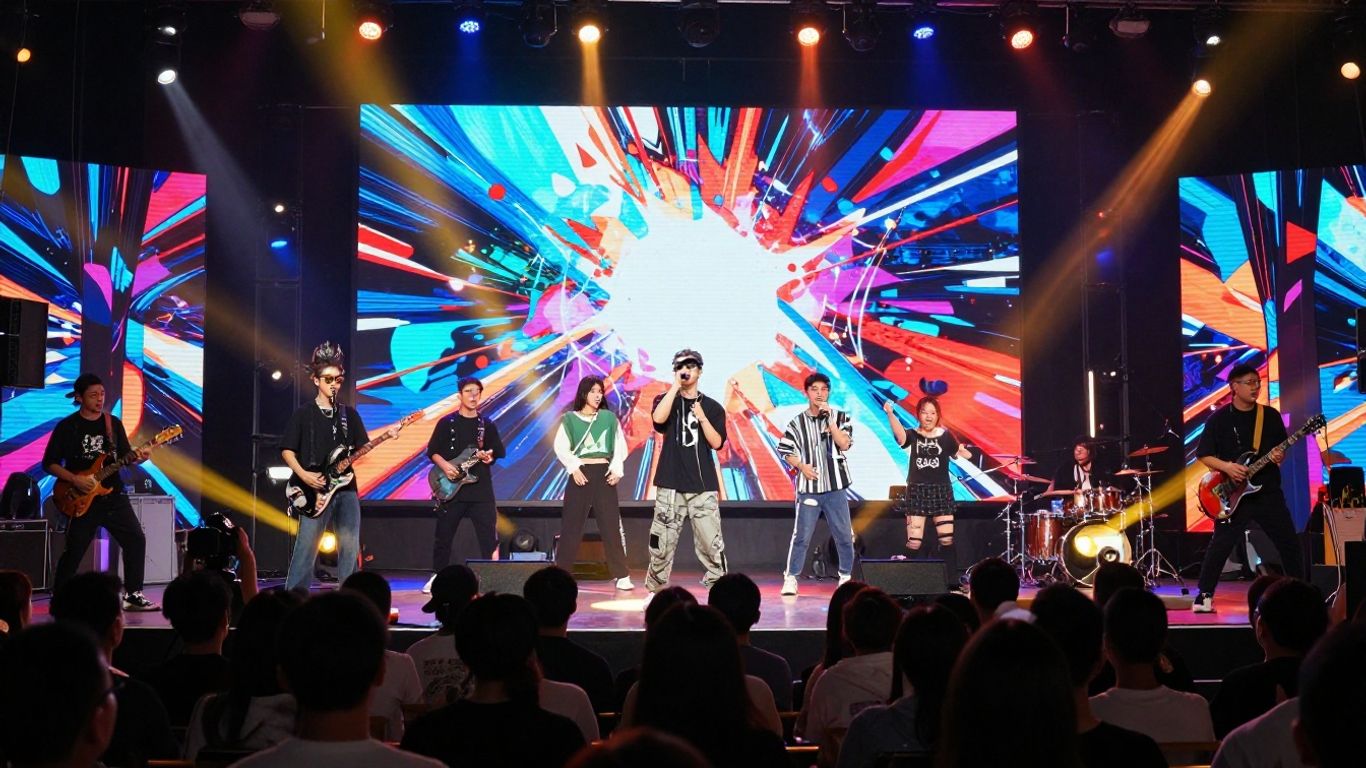
AI music video generators are tools that use artificial intelligence to create visual content for your songs. They can turn audio files or simple text descriptions into complete music videos. This process often happens without needing traditional filming or complex editing.
What is an AI Music Video Generator?
Think of an AI music video generator as a digital artist that takes your ideas and music and brings them to life visually. You provide input, like a song or a description of what you want, and the AI builds the video. It can interpret text prompts, animate still images, or even create visuals that react to the music’s beat and mood. This technology is changing how independent artists can produce visuals.
Benefits for Independent Artists
For independent artists, AI offers a way to create professional-looking music videos without a big budget or a film crew. It’s a fast and cost-effective solution. You can experiment with different visual styles and effects that might otherwise be out of reach. This accessibility helps level the playing field, allowing more artists to share their music with compelling visuals.
Key AI Prompting Methods
AI video tools work with different types of input. You’ll often use text prompts, describing the scenes, actions, and mood you envision. Some tools also allow you to upload images to guide the visuals or use your audio file directly to generate synchronized motion. Understanding these methods is key to getting the results you want.
- Text-to-Video: You write descriptions, like "a lone figure walking through a neon city," and the AI generates video clips based on that text.
- Image-to-Video: You provide a still image, and the AI animates it, adding movement and style based on your text prompts.
- Audio-Reactive Visuals: The AI analyzes your music’s rhythm, pitch, and volume to create visuals that change and move in sync with the song.
The quality of your AI-generated video heavily depends on how well you communicate your vision to the tool. Specificity in your prompts, combined with an understanding of the AI’s capabilities, will lead to better outcomes. It’s about guiding the AI effectively, not just giving it a vague idea.
Creating music videos with AI can significantly speed up your workflow. Tools like these AI platforms can help you produce visuals quickly, which is great if you release music frequently. This allows you to focus more on the music itself.
Choosing the Right AI Tool for Your Music Video
Alright, so you’ve got your song and a killer concept. Now, you need the right AI tool to bring it to life. The AI video generation landscape is growing fast, and picking the best fit for your project is key. Think about what you need most: speed, specific visual styles, or maybe a tool that handles both song and video creation.
Integrated Song and Video Platforms
Some platforms offer a complete package, letting you generate a song and then create a music video for it, all in one place. This can simplify your workflow significantly. You might type in a song idea, get an AI-generated track with vocals, and then immediately start building visuals for it. This approach is great if you’re starting from scratch or want a streamlined process. Tools like Creatus AI Music Video Generator aim to provide this all-in-one solution.
Dedicated Video Generation Tools
Other tools focus purely on video creation. You’ll upload your existing song and then use prompts or images to guide the AI in generating visuals. These often offer more advanced control over the video output and a wider range of styles. If you already have your music finalized, these dedicated tools can give you more creative freedom. Some of the best AI video creation tools are highlighted in various reviews.
Evaluating Tool Capabilities and Pricing
When you’re comparing options, look at what each tool actually does. Does it do text-to-video, image-to-video, or audio-reactive visuals? What kind of visual styles can it produce? Also, consider the pricing. Many offer free tiers or trial credits, but you’ll likely need a paid subscription for higher quality exports or commercial use. Here’s a quick look at some common features:
| Feature | Free Tier Availability | Pricing Model |
|---|---|---|
| Song Generation | Varies | Subscription/Credits |
| Video Generation | Often Available | Subscription/Credits |
| Style Variety | Moderate | Varies |
| Output Resolution | Lower | Higher (Paid) |
| Commercial Use | Limited/None | Paid Plans |
It’s a good idea to test a few different platforms with their free options before committing to a paid plan. This way, you can see firsthand which interface you prefer and which tool best matches your artistic vision.
Crafting Your Music Video Concept
Before you even think about AI tools, you need a solid idea for your music video. What story do you want to tell? What feeling should the viewer get? These questions are your starting point.
Defining Your Video’s Narrative and Mood
Think about the core message or emotion of your song. Is it a story of love, loss, rebellion, or celebration? Your video should reflect this. A clear narrative, even a simple one, makes your video more engaging. Consider the overall mood: is it energetic and bright, dark and mysterious, or something else entirely?
The best concepts often come from a deep connection to the music itself. Don’t force an idea; let the song guide you. What images or feelings does the melody evoke? What story does the lyrical content suggest?
Selecting Visual Styles
AI tools can create a vast range of visual styles. Do you want something realistic, animated, abstract, or perhaps like a classic film? Think about styles that complement your song’s genre and mood. You might even blend a few different looks.
Here are some common visual styles to consider:
- Cinematic: High-quality, film-like visuals with attention to lighting and camera work.
- Animated: Cartoony or stylized animation, great for abstract concepts or a playful vibe.
- Abstract: Non-representational visuals, focusing on color, shape, and movement.
- Retro/Vintage: Mimics the look of older film or video formats.
- Surreal: Dreamlike or bizarre imagery that defies logic.
Considering Aspect Ratios for Distribution
Where will you be sharing your video? Different platforms favor different aspect ratios. For example, TikTok and Instagram Reels use vertical 9:16, while YouTube typically uses horizontal 16:9. Square 1:1 is also common on platforms like Instagram.
| Platform | Recommended Aspect Ratio | Use Case |
|---|---|---|
| TikTok, Reels, Shorts | 9:16 (Vertical) | Short-form, mobile-first content |
| YouTube | 16:9 (Horizontal) | Standard video uploads, music videos |
| Instagram Feed | 1:1 (Square) | General posts, visual consistency |
Choosing the right aspect ratio from the start saves you from awkward cropping or letterboxing later. You can find AI video prompts that help guide the AI towards specific visual styles and compositions.
Generating Your Music Video with AI
Now that you have your concept and have chosen your AI tool, it’s time to bring your music video to life. This stage involves feeding the AI the necessary information to create visuals that match your song’s vibe and structure. It’s a process of input, generation, and refinement.
Inputting Song Ideas or Uploading Audio
Most AI video generators work in one of two ways: they can create visuals based on a text description of your song, or they can analyze an audio file you upload. If you’re starting from scratch with the visuals, you’ll provide a detailed text prompt describing the mood, theme, and any specific imagery you envision. If you already have your song ready, you’ll upload the audio file directly. This allows the AI to sync the visuals to the rhythm and energy of your track. Some platforms even offer a combined workflow, allowing you to generate a song and its video in one go, which can be a real time-saver for independent artists.
Writing Effective AI Prompts
Your prompts are the instructions you give the AI. The more specific and descriptive you are, the better the results will be. Think about the narrative you want to convey, the emotional tone, and any particular scenes or actions you want to see. Consider using cinematic terms like camera angles (e.g., "wide shot," "close-up"), lighting styles (e.g., "dramatic lighting," "soft glow"), and even editing techniques. The goal is to guide the AI precisely.
Here’s a breakdown of prompt elements:
- Subject: What or who is in the video?
- Action: What are they doing?
- Setting: Where does it take place?
- Mood/Atmosphere: What is the overall feeling?
- Style: What visual aesthetic are you aiming for (e.g., "surreal," "vintage," "futuristic")?
- Technical Details: Camera angles, lighting, color palette.
Iterating and Refining Visuals
It’s rare to get the perfect video on the first try. AI generation is an iterative process. You’ll likely generate several versions of your video, tweaking your prompts each time based on what you like and what you want to change. Don’t be afraid to experiment with different styles, keywords, and parameters. Look at the generated clips and identify what works and what doesn’t. You might find that a slight change in wording can dramatically alter the output. Keep generating and refining until the visuals truly capture the essence of your song.
AI tools are powerful, but they are still tools. Your creative direction and willingness to experiment are what will make your music video stand out. Treat the AI as a collaborator, not just an automatic video maker.
Finalizing and Exporting Your AI Music Video
You’ve got your AI music video ready. Now, let’s get it prepped for release—so everything syncs, looks crisp, and gets out to your audience without a hitch.
Syncing Visuals to Your Audio
Visuals need to match your song perfectly. Go through the full track and check for any delays or mistimed transitions. If something’s even a second off—fix it. Many AI tools have built-in editors, but sometimes a quick tweak in a basic video editor (like CapCut or iMovie) is worth it. Don’t settle for "close enough"—sync matters.
Exporting in Multiple Formats
Every platform wants a different video shape, so export your video in a few key aspect ratios:
| Aspect Ratio | Best For |
|---|---|
| 16:9 | YouTube, TVs |
| 9:16 | TikTok, Reels |
| 1:1 | Instagram feed |
Use the export options in your AI tool. Double check the quality settings—always go for the highest your platform (and your internet) can handle. If you see weird visual bugs or compression, re-export until you’re happy.
Preparing for Distribution
Before you post, take care of the basics:
- Add credits and any required copyright info.
- Attach high-res cover art if needed.
- Compress the video if file size is huge (some platforms limit upload size).
- Draft captions or descriptions that fit your release strategy.
Don’t underestimate this last step. Scrambling to fix export mistakes or missing credits after you post is a pain—get it right before you hit upload.
You’re set—your AI music video is polished and ready to turn some heads. Getting your exports clear and your details tight pays off once your song goes live.
Leveraging AI Music Videos for Promotion
Now that you’ve got your AI-generated music video, it’s time to get it out there. Think about where your audience hangs out online. Platforms like TikTok, Instagram Reels, and YouTube Shorts are prime spots for short, engaging clips.
These short-form videos get more attention these days. They’re more likely to be seen and shared than longer content. AI makes it easy to create these bite-sized promotional pieces quickly.
Consider using different parts of your video for different platforms. A 15-second clip might work perfectly for a TikTok trend, while a 30-second snippet could be great for an Instagram Story. The key is to adapt your content for each platform’s audience and format.
Here’s a quick breakdown of where to share:
- TikTok: Use trending sounds or challenges with your video clips.
- Instagram Reels: Create visually striking short videos that capture attention.
- YouTube Shorts: Repurpose your video into vertical, short-form content.
- Spotify Canvas: Add a looping visual to your tracks on Spotify.
- Electronic Press Kit (EPK): Include your AI music video as a key promotional asset.
AI tools can help you create a consistent stream of promotional content without needing a big budget or a film crew. This allows you to focus more on your music and less on the technical side of video production.
Don’t forget to prepare your video for different uses. You might need vertical versions for mobile or square versions for certain feeds. Many AI tools let you export in multiple aspect ratios, making this process simpler. This flexibility is a huge advantage for independent artists trying to maximize their reach. You can even use parts of your video to create animated graphics for your website or social media banners. This helps build a cohesive brand image across all your online presences. Check out tools that help you transform songs into videos to get started.
AI music videos can help your songs get noticed online. They make your music more fun and exciting to watch. Want to boost your music’s reach? Visit our website and see how easy it is to get started!
Wrapping Up Your AI Music Video Journey
So, you’ve gone through the steps and seen how AI can really change the game for making music videos. It’s not about replacing your creative vision, but giving you tools to bring it to life faster and cheaper. Whether you used a tool like Creatus to make a song and video all in one go, or picked a specialized video generator, you’ve got a finished product. Remember, the quality often comes down to how you guide the AI with your prompts and how you pick the right tool for your specific idea. Don’t be afraid to experiment; the more you play around with these tools, the better you’ll get at making visuals that match your music. Now go ahead and share your creation.
Frequently Asked Questions
What exactly is an AI music video maker?
Think of it like a magic paintbrush for your music! An AI music video maker is a tool that uses smart computer programs to create visuals for your song. You can give it a simple idea, some lyrics, or even your finished song, and it will whip up a video for you. It’s like having a video production team that works super fast, all inside your computer.
Can I really make a whole song AND a video with AI?
Totally! Some tools, like Creatus AI, let you do both. You can type in what kind of song you want, and the AI will create the music and even sing it for you. Then, you can take that song and turn it into a music video using the same tool. It’s a pretty neat all-in-one package, especially if you’re just starting out.
Do I need to be a tech whiz or a filmmaker to use these tools?
Nope! That’s the best part. These tools are designed to be easy to use, even if you’ve never edited a video or produced music before. You don’t need fancy cameras or editing software. You just need your song and some ideas, and the AI handles the rest. It’s made for artists like you who want cool visuals without the usual hassle.
What if I already have my song? Can AI still make a video for it?
Absolutely! Most AI video tools are great at taking your existing song file (like an MP3 or WAV) and creating visuals that match the music’s beat and mood. You just upload your track, maybe give the AI a few pointers on the style you like, and it goes to work making a video that fits your sound.
How do I tell the AI what kind of video I want?
You tell it using ‘prompts’! These are like instructions you give the AI. You can describe the scenes, the colors, the mood, or even specific actions you want to see. The more detailed and clear your prompts are, the better the AI can understand your vision and create a video you’ll love. Think of it like writing a script for the AI director.
Can I use these AI videos on platforms like TikTok or YouTube?
You bet! Most AI music video tools let you export your video in different shapes and sizes, called aspect ratios. This means you can get versions perfect for TikTok and Instagram Reels (tall and skinny), or for YouTube (wide). So, you’re all set to share your awesome new AI music video wherever you want.