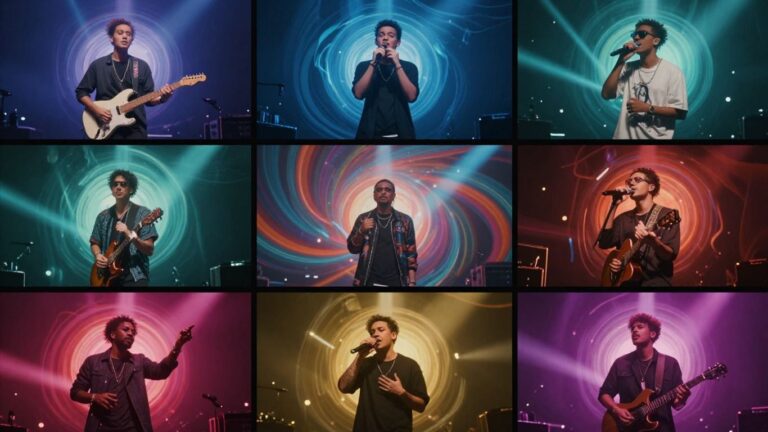
Ever wondered if you could get a computer to write and sing a whole song for you? It sounds like science fiction, but it’s totally possible now. You can actually use AI to come up with lyrics, compose the music, and even generate the vocals. It’s a pretty wild time for creativity, and it means you don’t need to be a music pro to make your own tunes. Let’s look at how to get AI to write and sing a song, and even turn it into a music video.
Key Takeaways
- You can use AI tools to generate song lyrics, compose music, and create singing vocals from scratch, making music creation accessible to everyone.
- Some AI platforms combine song generation and music video creation in one workflow, simplifying the process and saving you from switching between different tools.
- When choosing AI tools, consider their ability to generate full songs with vocals, the quality and variety of AI singing voices, and if they offer integrated video creation.
- Many AI music services offer free tiers or affordable paid plans, and it’s important to understand output formats and copyright implications before you start.
- Using AI for music production means you don’t need traditional music production or video editing skills, opening up creative possibilities for content creators and hobbyists alike.
Understanding How to Get AI to Write and Sing a Song
Defining Your Song’s Vision with AI
Before you start, think about what kind of song you want. What’s the mood? What genre are you aiming for? You can describe these ideas to an AI. The more specific you are, the better the AI can match your vision. This initial step sets the direction for everything that follows.
Leveraging AI for Lyric Generation
AI can help you write lyrics, or even generate them from scratch based on a theme. You can provide a few keywords or a general idea, and the AI will build upon it. It’s a great way to overcome writer’s block or explore different lyrical directions. Some tools even help refine existing lyrics to fit a melody.
AI’s Role in Musical Composition
AI doesn’t just write words; it can also create the music. You can describe the genre, tempo, and instrumentation you want. The AI then composes original melodies and harmonies. This means you can get a complete musical piece without needing to play an instrument yourself. You can explore different AI music generators to see what they offer.
AI can handle the heavy lifting of composition, freeing you up to focus on the creative direction and overall feel of the song. It’s like having a virtual band ready to play your ideas.
Here’s a quick look at what AI can do:
- Generate melodies and chord progressions.
- Create drum beats and basslines.
- Compose full instrumental tracks.
- Adapt music to specific moods or genres.
This process allows you to turn a simple text description into a fully formed song. You can describe your vision, and the AI will work to bring it to life. This is how you can start creating complete songs with AI tools. You can even create complete songs from text prompts that describe genre, mood, and theme.
Generating AI Vocals for Your Song
Selecting the Right AI Singing Voice
Choosing the right AI voice is your first step to making your song sound professional. Think about the mood and genre of your music. Do you need a powerful pop voice, a smooth R&B tone, or something else entirely? Many tools let you preview different voices before you commit.
Consider the characteristics of the voice. Some AI voices are designed to sound very realistic, while others have a more stylized or even robotic feel. The goal is to find a voice that complements your lyrics and the overall vibe of your track. Experimenting with different options is key to finding that perfect match.
Customizing Vocal Style and Delivery
Once you’ve picked a voice, you can often tweak its performance. This might include adjusting the pitch, tempo, or even the emotional delivery of the vocals. Some platforms allow you to control vibrato, breath sounds, and pronunciation for a more natural feel.
Think about how you want the singer to sound. Should they sound happy, sad, angry, or energetic? You can often input specific instructions or select from pre-set emotional styles. This level of control helps you shape the vocal performance to fit your song’s narrative.
Integrating AI Vocals into Your Track
After generating your AI vocals, you’ll need to bring them into your music project. Most AI vocal tools allow you to download the vocal track as an audio file, usually in MP3 or WAV format. You can then import this file into your Digital Audio Workstation (DAW) or any audio editing software.
Once imported, you can mix the AI vocals with your instrumental track. Adjust the volume, add effects like reverb or delay, and ensure the vocals sit well in the mix. This step is where your AI-generated voice becomes a real part of your song. You can even layer multiple AI vocal tracks to create harmonies or backing vocals, making your song sound fuller. Many AI tools are now designed to work smoothly with existing production workflows, making this integration simpler than ever. AI vocal tools are changing how music is made.
Creating Music Videos with AI
Transforming Audio into Music Videos
Once you have your AI-generated song, the next step is to give it some visuals. AI can now turn your audio into a complete music video. You don’t need to be a filmmaker to do this. Just upload your song, and the AI handles the rest.
These tools analyze your music’s tempo, mood, and energy. They then create visuals that match the vibe of your track. It’s a pretty straightforward process, often involving just a few clicks. You can get a basic video ready for sharing quickly. Some platforms even let you transform audio into videos with rhythm-synced visuals.
Choosing Visual Styles for Your Video
AI music video generators offer a range of visual styles. You can pick from cinematic looks, animated sequences, or abstract patterns. Some tools even create lyric videos or performance-style clips. Think about what best fits your song’s message and genre.
Consider styles that complement your music. For example, a fast-paced electronic track might suit an animated or abstract visual. A ballad could work well with cinematic or performance-style footage. You can often preview different styles before committing. This helps you find the perfect look for your song. Some platforms allow you to customize animations and camera angles to match your vision.
Exporting Videos for Social Media Platforms
Getting your music video ready for the world is the final step. AI tools typically allow you to export your video in various aspect ratios. This is important for different social media platforms. You can choose between vertical (9:16) for TikTok and Reels, square (1:1) for Instagram feeds, or horizontal (16:9) for YouTube.
Here’s a quick look at common export options:
- 9:16 Vertical: Ideal for TikTok, Instagram Reels, YouTube Shorts.
- 1:1 Square: Good for Instagram posts and Facebook.
- 16:9 Horizontal: Standard for YouTube videos and websites.
Making sure your video is in the right format means it will look good wherever you share it. This saves you from having to re-edit or crop later.
These export options make your AI-generated music video ready for any platform. You can easily share your creation across all your social channels without extra work.
Streamlining the AI Song Creation Workflow
Creating a complete song with AI doesn’t have to be a complicated process. You can actually make the whole thing, from start to finish, without jumping between a bunch of different apps. This means less hassle and more time actually making music. The real advantage comes when you use tools that handle both song generation and video creation in one place.
The Two-in-One Advantage of Integrated Tools
Think about it: most AI tools do one thing well. You might find a great AI for lyrics, another for music, and a third for vocals. Then you need a separate tool for the music video. This gets messy fast. Integrated platforms, however, let you go from a text idea to a finished song and video without switching screens. This keeps your creative flow going and saves you from managing multiple subscriptions and uploads. It’s like having a whole studio built into one program. For example, Creatus.AI offers a combined song and video generator, simplifying the entire process.
Step-by-Step Song and Video Production
Here’s a typical workflow you might follow with an integrated tool:
- Start with your idea: Type in a description of the song you want, including genre, mood, and any specific lyrical ideas.
- Generate the song: The AI creates the music and adds AI vocals based on your input.
- Create the video: Upload the generated song (or your own audio) and choose a visual style. The AI then syncs the video to your music.
- Export and share: Download your finished song and music video in formats ready for social media or other platforms.
This structured approach makes it easy to see how each step builds on the last, leading to a complete song package.
Utilizing AI for a Complete Song Package
When you use a tool that handles everything, you get a cohesive final product. You don’t have to worry about matching the mood of AI-generated music to a separately created video. The AI understands the song’s tempo and energy and uses that to inform the visuals. This results in a more polished and professional-sounding output. You can even find tools that help with creating ad soundtracks if you’re looking to use your AI song for marketing purposes. It’s about getting a full package, not just scattered pieces.
Choosing the Right AI Tools for Song Creation
Picking the right AI tools can feel like a lot, especially with so many options popping up. You want something that fits your workflow and helps you get the song done without a headache. Think about what you need most: is it help with lyrics, making the music, or maybe even the vocals?
Evaluating AI Songwriting Capabilities
When you’re looking at AI for songwriting, check what it can do for lyrics and melodies. Some tools are great at generating lyrics from a simple prompt, while others can help you build out a whole song structure. It’s smart to test a few to see which one sparks your creativity best. You might find one that’s perfect for overcoming writer’s block or another that helps you explore different genres easily.
Comparing AI Vocal Generation Platforms
AI vocal generation has come a long way. You can find platforms that offer a range of voices, from realistic human-like tones to more stylized options. Consider the flexibility you need. Can you adjust the pitch, emotion, and delivery? Some services let you clone your own voice, which is pretty wild. Look for tools that offer clear audio quality and a good selection of styles to match your song’s vibe.
Identifying Tools for Combined Song and Video Production
Some platforms are starting to combine song creation and music video generation into one package. This can save you a lot of time and hassle. Instead of exporting your song and then importing it into a separate video tool, you can do it all in one place. This integrated approach often means a smoother workflow, especially if you’re aiming for quick social media content. Check out tools that offer both text-to-song and audio-to-video features, like Creatus.AI.
You don’t need to be a music expert to use these tools. Most are designed for ease of use, letting you input text or lyrics and get a song back. The real trick is finding the one that matches your creative style and budget.
Here’s a quick look at what some tools focus on:
- Lyric Generation: Tools that help you write words, overcome writer’s block, or explore different lyrical themes.
- Music Composition: AI that creates melodies, beats, and instrumental arrangements based on your input.
- Vocal Synthesis: Platforms that generate singing voices for your tracks.
- All-in-One: Services that bundle song creation with music video generation.
When you’re comparing, think about the output formats you’ll need. Do you need standard MP3s, or are you looking for stems for further mixing? Also, consider if you need a free option to start or if you’re ready to invest in a paid service for more features. Many platforms offer free trials, so you can experiment before committing. For example, Canva’s AI music generator is a good place to start if you’re looking for simple soundtrack creation.
Practical Considerations for AI Music Production
Before you jump into creating your AI-powered hit, let’s talk about some practical stuff. You’ll want to know about the formats you’re working with and what your options are for tools, both free and paid. Plus, we’ll touch on the important topic of copyright.
Understanding Input and Output Formats
When you’re feeding information into an AI music generator, you’ll usually be working with text prompts or lyrics. For the audio output, expect standard formats like MP3 or WAV. If you’re moving into video, you’ll likely get MP4 files. Knowing these formats helps you prepare your input and use the output without conversion headaches.
Exploring Free and Paid AI Music Services
There’s a wide range of AI music tools available. Some offer free tiers with limited features, which are great for trying things out. Paid services often give you more control, higher quality output, and commercial usage rights. Think about your budget and what you need to accomplish when choosing a service. Many platforms offer different plans, so you can find one that fits your needs, whether you’re just experimenting or creating music professionally.
Ensuring Copyright-Free AI Music
This is a big one. You need to be sure the music you create is free to use. Some AI tools are trained on copyrighted material, which can lead to legal issues down the line. Always check the terms of service for any AI music generator you use. Look for platforms that explicitly state their output is copyright-free or that you own the rights to the music you create. This protects you and your work. It’s a complex area, and understanding the basics of AI music copyright is key.
The landscape of AI-generated content is still evolving. It’s wise to stay informed about the latest regulations and best practices regarding ownership and usage rights. Always prioritize tools that offer clear guidelines on intellectual property.
Thinking about using AI for your music? It’s a cool new tool, but there are a few things to keep in mind. Making music with AI can be super fun and open up new creative doors. You might wonder about the best ways to get started or what tools are out there. For more tips and to see how AI can help you make amazing music, check out our website!
Wrapping It Up
So, you’ve seen how AI can take your song idea from a simple text prompt all the way to a finished track with vocals, and then even turn that into a music video. It’s pretty straightforward, really. You type what you want, the AI makes the song, and then you can make a video to go with it. No need to be a music producer or a video editor to get something decent. Tools like Creatus AI are built for this, letting you do both parts in one place. Give it a try with your next idea; you might be surprised at what you can create without a huge learning curve or a big budget.
Frequently Asked Questions
Can I really make a whole song with AI?
Totally! You can use AI to help write the lyrics, come up with the music, and even create the singing voice. Think of it like having a digital band and songwriter all in one.
How do I get the AI to sing my song?
You’ll typically type in your lyrics and choose a voice style you like. The AI then takes that and sings it for you. Some tools let you pick different voices, like male or female, and adjust the mood.
What if I want a music video too?
Good news! Some AI tools can take your song and automatically create a music video to go with it. You just tell it what kind of visuals you’re going for, and it makes a video that matches the music.
Do I need to be a music expert to use these tools?
Nope! These tools are designed for everyone, even if you’ve never made music before. You don’t need to know how to play an instrument or edit video. Just give the AI your ideas, and it does the heavy lifting.
Are the songs I make with AI free to use?
Many AI music tools offer copyright-free music, especially if you use their paid plans. This means you can use the songs you create for your own projects, like videos or social media, without worrying about copyright issues.
What’s the easiest way to make a song and video together?
Look for tools that do both song creation and video making in one place. This way, you don’t have to jump between different apps. You can write your song idea, have the AI create the music and vocals, and then turn that into a video, all in one smooth process.