So, you’re looking to make a music video without, you know, all the hassle and cost? You’ve come to the right place. We’re diving into the world of AI music video generators for 2026. These tools can seriously change the game for artists and creators. Forget needing a big budget or a film crew; AI is making it possible to create cool visuals right from your computer. We’ve checked out a bunch of them to find the best AI music video generator 2026 has to offer, so you can spend less time worrying about production and more time making music.
Key Takeaways
- Creatus AI Music Video Generator is a standout because it does both song creation and video generation in one place. You type an idea, it makes a song with AI vocals, and then turns that audio into a video. No need to jump between different apps.
- Many AI music video generators focus on just one part of the process. Some create songs from text (like Suno or Udio), while others turn audio into video (like Neural Frames or Freebeat). Creatus is unique in combining these.
- For beginners, tools that automate the process, like Neural Frames’ ‘Autopilot’ feature, are super helpful. They take your audio and create a full video without you needing to do a lot of complex editing.
- When picking a tool, think about what you need most. Do you want something that syncs perfectly to your music (audio-reactive), or something that makes characters look real (lip sync)? Some are better for quick social clips, others for longer videos.
- The market for AI video generation is growing fast. By 2026, expect these tools to get even better at creating high-quality, synchronized visuals, making professional-looking music videos more accessible than ever.
1. Creatus AI Music Video Generator
Creatus AI Music Video Generator is a pretty neat all-in-one solution if you’re looking to create both the music and the video without jumping between different apps. It handles everything from writing a song idea to generating the final video.
This tool is unique because it offers both text-to-song creation with AI vocals and audio-to-video production. You can type in a genre, mood, or lyrics, and it will compose an original song for you. Then, you can use that song or upload your own audio file to generate a music video that syncs with the beat and energy. It’s designed to be a single platform workflow, saving you time and hassle.
Here’s a quick look at what you can do:
- Generate Songs: Input text descriptions, lyrics, or rough ideas to get an original song with AI singing vocals.
- Create Videos: Upload your audio (or use the AI-generated song) and choose from various visual styles to produce a synchronized music video.
- Export in Multiple Formats: Get your video ready for any platform with 9:16 (vertical), 1:1 (square), and 16:9 (horizontal) export options.
Creatus also gives you access to over 35 other AI tools within its ecosystem, which is a nice bonus if you need things like AI avatars or image generation. They even have a free tier, so you can try it out without any commitment. It’s a solid choice for independent musicians or content creators who need professional-looking visuals without a big budget or production team. You can check out their AI music video generator to see if it fits your needs.
2. Neural Frames
Neural Frames stands out as a top-tier AI music video generator, especially if you’re looking for visuals that truly sync with your audio. It functions much like a sophisticated visual synthesizer, reacting directly to the music you feed it. This makes it a powerful tool for musicians and producers who want their videos to feel alive and connected to the song.
You can create music videos in under 10 minutes using their Autopilot feature. This system automates much of the process, taking your music and turning it into a visual story. It’s designed to be efficient, letting you get high-quality results without spending days on production. You can even generate lyric videos with automated text synchronization, which is a huge time-saver.
Here’s a quick look at what makes Neural Frames a strong contender:
- Audio-Reactive Visuals: This is their main selling point. The video generation is directly driven by the audio, not just a text prompt. It analyzes your music’s beats and melodies to create synchronized visuals.
- Consistent Characters: If you want a specific character to appear throughout your video, Neural Frames can maintain that consistency across different scenes. You can upload a photo or describe them.
- Multiple AI Models: You get access to different AI models like Kling, Seedance, and Runway, giving you options for the visual style and quality.
- Customization Options: Choose from over 12 visual styles or upload your own reference images to guide the AI. You can also generate lip-sync videos with automatic mouth matching.
When you start, you upload your music, and the tool automatically detects the BPM and key. Then, you configure settings like aspect ratio, duration, character, video concept, and visual style. You can even preview a storyboard before committing to the final render. This step-by-step approach helps you refine the output before it’s finalized.
The platform breaks down your video into individual clips after rendering, allowing you to edit each one. You can tweak the starting image prompt, adjust motion, cut unwanted sections, blend transitions, or even regenerate specific clips. This granular control means you can fine-tune the video until it’s exactly how you want it.
Pricing starts at $39 per month for 40 minutes of video generation, with higher tiers offering more time and 4K upscaling. They also offer a free trial so you can test it out before committing to a plan. For those seeking a tool that deeply integrates audio with visuals, Neural Frames is definitely worth exploring.
3. Freebeat
Freebeat is a standout AI music video generator because it actually listens to your music first. Many tools treat audio as an afterthought, but Freebeat analyzes your track’s rhythm, energy, and structure before it even starts generating visuals. This music-first approach means your video will naturally sync with the song, making it feel cohesive.
One of the most impressive features is its accurate lip-sync capability. If you’re creating performance-based videos, this makes a huge difference in realism. You can also choose from different creation modes, allowing you to generate a video with a single click or dive deeper for more control over specific scenes. This flexibility is key for different types of projects.
Freebeat also offers a streamlined workflow, acting like a complete production pipeline. You can generate songs using its integrated tools or upload your own audio. The platform handles everything from initial concept to final export, reducing the need to jump between multiple software programs. This makes it easier to create music videos efficiently.
The platform’s ability to analyze audio and generate synchronized visuals is its core strength. It goes beyond simple beat detection, understanding the nuances of the music to create a truly reactive experience. This attention to detail sets it apart from other generators that might just slap visuals onto a beat.
Here’s a quick look at what Freebeat offers:
- Audio-Reactive Generation: Visuals dynamically match the music’s tempo, drops, and transitions.
- Precise Lip Sync: Enhances realism for vocal performances.
- Multiple Creation Modes: Quick generation or detailed editing options.
- Integrated Workflow: Combines song creation (optional) and video production.
- Customizable Styles: Maintain a consistent aesthetic across your videos.
If you’re looking for a tool that truly understands music and translates it into compelling visuals, Freebeat is a strong contender. It’s designed to simplify the production process without sacrificing quality or creative input, making it a solid choice for creators of all levels. You can explore its capabilities and see how it understands music for yourself.
4. Revid.ai
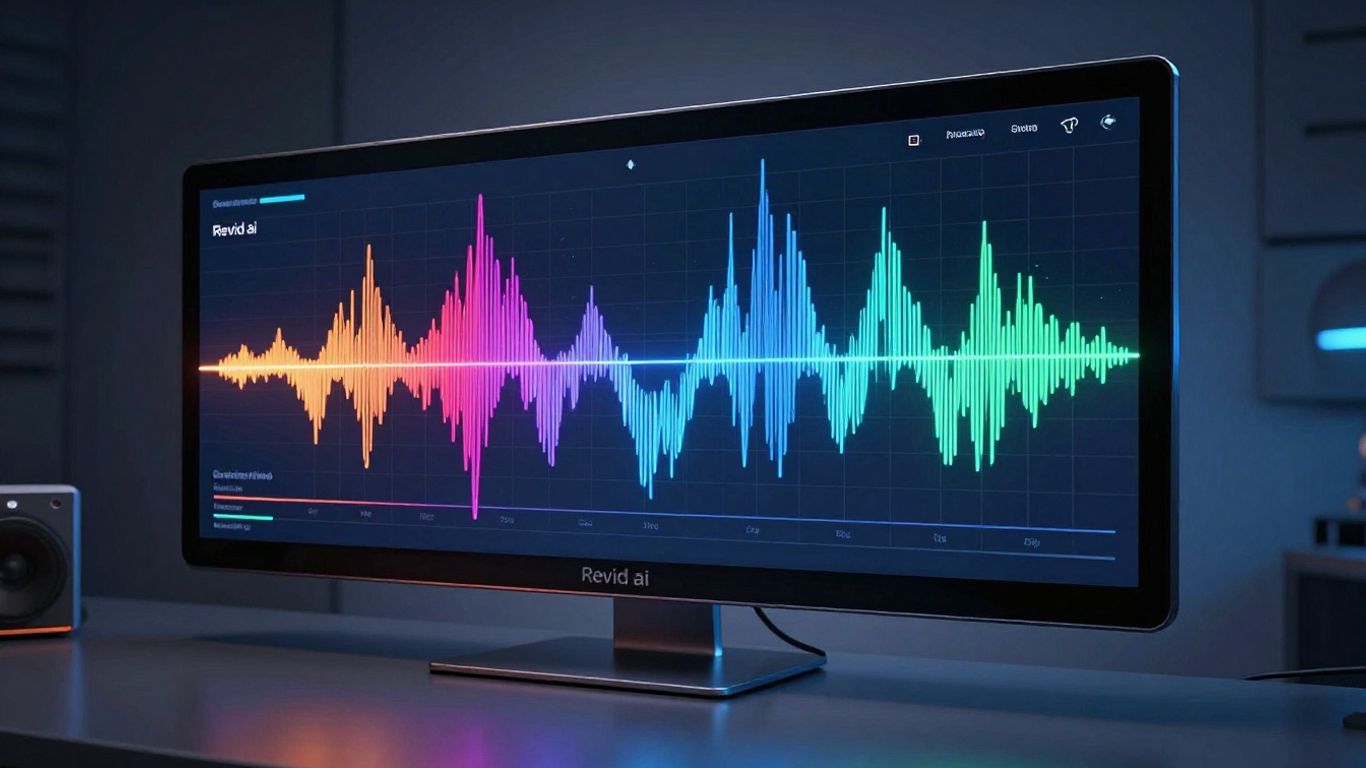
Revid.ai positions itself as a tool for quick, beat-synced video generation, primarily focusing on short-form content. It’s designed to take your audio and quickly produce a video that matches the rhythm and feel of the music. This makes it a straightforward option if you need something fast.
One of the standout features is its ability to generate lyric captions automatically. This saves you a significant amount of time if you’re creating content for platforms where lyrics are key. You can also export your videos in multiple formats, which is handy for sharing across different social media channels.
Revid.ai offers a free plan, but it comes with limitations on AI credits and video exports. For more serious use, the Hobby plan at $39/month unlocks the full video editor, provides 2,000 AI credits, and gives you access to a library of content for inspiration. It’s a solid choice for creators focused on rapid, beat-synced output.
While Revid.ai is great for short clips, some users find it less suited for longer, more narrative music videos. If your goal is to create complex visual stories, you might find other tools offer more depth. However, for generating quick, engaging videos that sync with your music, it’s definitely worth a look. You can explore authentic Revid reviews from creators who use it for short-form video production.
Revid.ai aims for speed and simplicity in music video creation. It excels at producing beat-synced visuals and automatic lyric captions, making it ideal for social media content. While it might not offer the deepest creative control, its efficiency is a major plus for creators on a tight schedule.
5. Plazmapunk
Plazmapunk is a tool that lets you create music videos with AI. It’s not as well-known as some others, but it gets the job done. You can upload your own music or let the tool help you make visuals.
This generator focuses on creating audio-reactive visuals. It uses different AI models, like Kandinsky and Stable Diffusion XL, to give you a range of styles. You can also script scenes to guide the AI’s output.
Plazmapunk offers a functional solution for generating AI-powered music visuals. It’s a good option if you’re looking for something straightforward. You can explore different visual styles to match your track’s mood.
While it has a smaller user base, Plazmapunk provides creative control over the final look of your video. This means you can adapt the output to fit your specific artistic vision. It’s a solid choice for those who want a personalized approach to their music videos. You can check out Plazmapunk’s features to see if it fits your needs.
6. LTX Studio
LTX Studio is a powerful AI video production platform that offers a high degree of creative control. It’s not strictly a music video generator, but its advanced features make it a strong contender for creating cinematic visuals.
This tool excels at translating your script into detailed shot breakdowns. You can define camera angles, scene composition, and even character appearances shot by shot. LTX Studio uses models from Lightricks, Google, and Black Forest, allowing you to choose your preferred engine.
When you start a project, you can either upload a script or develop an idea within the platform. You’ll guide the AI by providing context, such as genre, visual style references, and character descriptions. The result is a scene breakdown that you can edit and reorder to fit your vision.
Here’s a look at its core workflow:
- Input: Provide a script or idea, genre, visual style, and character details.
- Scene Breakdown: The AI generates a shot-by-shot plan with prompts.
- Editing: Refine prompts, change character actions and looks, and regenerate scenes.
- Export: Choose from a pitch deck, an editing package for professional software, or an MP4 file.
LTX Studio’s ability to automatically convert music video frames into live-action visuals can save you a lot of time. The platform also features an Audio-to-Video function that generates lip-synced talking videos from audio files, removing the need for manual animation. This makes creating performance-driven content much easier.
While LTX Studio can produce a complete short film, its real strength lies in its potential for pre-production and visualization. It acts as a first draft for filmmakers, helping you brainstorm concepts and see how your final product might look before committing to expensive shoots.
LTX Studio offers a free trial with 800 credits. The Lite plan, priced at $15 per month, provides 8,000 credits and access to advanced models like LTX-2 and FLUX.
7. InVideo
InVideo is a general-purpose AI video tool that also handles music video creation. It’s not specialized for music, but it can get the job done if you need a quick video.
This platform aims to make video creation simple, even if you’re starting from scratch. You can describe what you want, and the AI will try to build it for you. It’s a way to get a video made without needing a lot of technical skill or equipment. You can check out their AI video maker to see how it works.
InVideo offers a few ways to create your video:
- Describe your video: Give the AI a text prompt, and it will generate visuals and audio.
- Use existing scripts: If you already have a script, InVideo can help turn it into a video with narration and music.
- Template library: Browse through a wide range of templates for different video types.
The "Magic Box" feature is particularly useful for quick edits. You can use text prompts to make changes, like adding subtitles or swapping out footage. This makes it easy to tweak the video after the initial generation.
While InVideo has a free plan, it comes with limitations like watermarks and fewer video minutes. Paid plans offer more features and remove these restrictions. It’s a solid choice if you need a versatile tool that can do more than just music videos, but it might not offer the same depth for music-specific features as other options.
8. TopMediai
TopMediai offers a straightforward approach to AI music video creation, focusing on turning your existing photos into dynamic visuals. You upload your pictures, pick a song, and let the AI do the rest. It’s a good option if you already have a collection of images you want to animate.
The tool’s strength lies in its simplicity. You don’t need to be a video editing expert to get decent results. It’s particularly useful for creating quick, engaging content for social media platforms.
While TopMediai excels at photo-to-video, it’s less about generating entirely new video content from scratch based on prompts. You’ll find it easier to use if you’re looking to add motion to stills rather than creating complex narrative sequences. For those needing to produce original music alongside their videos, TopMediai also has an AI music generator tool that can help simplify the music creation process.
Here’s a quick look at what you can expect:
- Photo-to-Video Conversion: Transforms your still images into animated clips.
- Audio Integration: Syncs visuals to your chosen music track.
- Theme Customization: Offers options to adjust the overall look and feel.
- Storyboard Preview: Lets you see a rough cut before full generation.
Keep in mind that the control over the final video output might be less granular compared to more advanced platforms. It’s a tool designed for speed and ease of use, making it accessible for creators who want to quickly bring their photos to life visually. If you’re looking for a way to automatically generate music videos synced to your chosen tracks, this tool is worth checking out for its visual capabilities.
9. Vidnoz
Vidnoz AI positions itself as a free platform to simplify your video creation process. It uses AI tools to help you put together music videos without needing a lot of technical skill. You get access to a variety of AI avatars and voice options, which can add a professional touch to your projects.
This tool is great for getting started quickly. The interface is straightforward, making it easy for beginners to jump in and create something. You can generate videos almost instantly, which is a big plus when you’re on a deadline. However, if you need really advanced features or plan to scale up your video production significantly, you might find its capabilities a bit limited.
Vidnoz offers a free tier, which is a nice way to test the waters. For those who need more, there are paid plans available. The free plan is a solid starting point for simple music videos. You can explore different singer and avatar choices, pick from various styles, and even get a storyboard preview. Just be aware that the free version has a one-minute clip limit and adds a watermark to exported videos.
Here’s a quick look at what Vidnoz offers:
- Multiple AI singer and avatar options
- Selection of visual styles
- Storyboard preview feature
- Free tier available for basic use
If you’re looking for a user-friendly, free option to create basic AI music videos, Vidnoz is definitely worth checking out. It’s a good way to experiment with AI video generation without a big commitment. You can get a feel for how these tools work and see what kind of visuals you can create. For more complex needs, you might need to look at other options, but for straightforward projects, Vidnoz gets the job done.
Vidnoz AI is a free platform that simplifies video creation using AI-powered tools. It offers a range of lifelike AI avatars and voice options to enhance video production.
When you’re starting out, the ease of use is a major factor. Vidnoz provides that, allowing you to focus on your creative ideas rather than wrestling with complicated software. You can find out more about their AI video tools and see if they fit your workflow.
10. MakeSong
MakeSong aims to be your all-in-one solution for creating music and music videos. It’s a newer platform, but it’s already getting good reviews for its integrated approach. You can generate a song and then immediately turn it into a video, all within the same interface. This saves you the hassle of switching between different tools.
The platform offers several video styles, including lip-sync and dance options. You can also find features for creating kids’ songs, which is a unique offering. If you’re looking for a straightforward way to get from an idea to a finished music video without a steep learning curve, MakeSong is worth checking out. It’s designed to simplify the entire process for creators.
MakeSong’s strengths lie in its ability to handle different types of video content, from performance-based lip-sync to more narrative styles. It’s a tool that tries to cover a lot of ground for independent artists. You can explore its capabilities to see if it fits your workflow for rapid music video production.
MakeSong is built to streamline the entire music creation and video production pipeline. You don’t need separate software for composing music and then editing visuals. It’s all integrated here.
Here’s a quick look at what MakeSong offers:
- Integrated Song and Video Creation: Generate music and music videos in one place.
- Multiple Video Styles: Choose from options like lip-sync, dance, and narrative videos.
- Specialized Tools: Includes features like a kids’ song maker.
- User-Friendly Interface: Designed for ease of use, even for beginners.
While it might not have the extensive AI model choices of some other platforms, MakeSong focuses on delivering a complete package. It’s a solid option if you want a simple, effective way to produce music videos quickly. You can check out MakeSong AI for more details on its song generation features.
Ready to bring your song ideas to life? Our tool helps you create awesome music videos just by typing what you want. It’s super easy and fun! Want to see how it works? Visit our website today and start making your own music videos!
Wrapping Up: Your AI Music Video Toolkit
So, you’ve seen the options out there for making AI music videos. For most of you just trying to get your music out there with a visual, Creatus AI Music Video Generator is a solid pick. It’s the only one we looked at that handles both making the song and the video in one go. You don’t need to jump between different apps or pay for multiple subscriptions. Just type your idea, get a song, and then turn that audio into a video. It’s straightforward, supports common video formats for social media, and you can even try it out for free. While other tools might offer more specialized features for video editing or song creation, Creatus brings it all together in a way that’s easy to use and gets the job done without a steep learning curve.
Frequently Asked Questions
What exactly is an AI music video generator?
Think of it like a magic tool that takes your song, or even just an idea for a song, and turns it into a music video all by itself! You give it your music or some words about what you want, and the AI figures out cool visuals that match the beat and feel of your song. It’s like having a super-fast video creator that doesn’t need sleep.
Do I need to be a tech wizard or a music expert to use these tools?
Nope! Most of these AI video generators are made for people like you. You don’t need to know how to edit videos or produce music. You just need to tell the AI what you’re imagining, and it does the hard work. Some are even simpler than others, letting you just drop in your song and get a video back.
Can I use my own song with these generators?
Absolutely! While some tools can create a song from scratch based on your text ideas, most let you upload your own music files, like MP3s or WAVs. The AI then watches your song’s rhythm and energy to create the video visuals that go along with it.
Will the video look like a professional music video?
That’s the amazing part! The technology has gotten really good. You can get videos that look super professional, with visuals that sync up perfectly with your music. Some tools even let you choose different styles, like cinematic, animated, or lyric videos, so you can pick what fits your vibe best.
Are there free options available to try out?
You bet! Many of the best AI music video generators offer free trials or limited free plans. This is perfect for you to test them out, see how they work, and figure out which one you like best before you decide to pay for more features or longer videos.
What’s the main difference between these AI tools?
The biggest difference is often what they focus on. Some are amazing at creating the song *and* the video together in one go. Others are super powerful for just making videos from existing audio. Think about whether you need a tool that does everything from scratch or one that’s just a whiz at making videos for the music you already have.