Thinking about making a music video but don’t know where to start? You’re in the right place. We’re going to look at some cool tools that can help you turn your songs into videos using AI. It’s pretty wild how much you can do now without needing a whole film crew or fancy editing software. Let’s check out some of the best AI song to video generator options out there and see how they work.
Key Takeaways
- Creatus AI offers a unique two-in-one workflow, generating both the song and the music video from your text prompts, which is a big time-saver.
- Many tools focus on either song creation or video generation, meaning you might need to combine different services for a complete music video.
- Some platforms, like Vidnoz, offer free tiers, making it easier to experiment with creating AI music videos without upfront costs.
- The quality and style of AI-generated videos can vary a lot, so it’s good to test a few options to find one that matches your vision.
- Understanding the specific features, like export formats and customization options, helps you pick the best ai song to video generator for your needs.
1. Creatus AI Music Video Generator
Creatus AI Music Video Generator offers a unique two-in-one solution for creators. You can generate a complete song with AI vocals from a simple text description, or upload your own audio file. This means you don’t need separate tools for music creation and video production.
After you have your audio, Creatus analyzes its tempo, mood, and structure to create a synchronized music video. You can choose from several visual styles, and the platform handles the rest. It’s designed to be straightforward, even if you have no prior experience in music or video editing.
The biggest advantage is the integrated workflow. You write a song idea, generate the music, then generate the video, all within the same platform. This saves you time and the hassle of switching between different applications and subscriptions.
Here’s a quick look at the workflow:
- Step 1: Describe your song idea or lyrics.
- Step 2: Generate the song (or upload your own audio).
- Step 3: Pick a visual style and let the AI create the video.
- Step 4: Download your finished music video.
Creatus also provides output in multiple formats, including 9:16 for TikTok and Instagram Reels, 1:1 for Instagram feeds, and 16:9 for YouTube. This makes it easy to share your creations across all major platforms without extra resizing work.
2. Freebeat
Freebeat is built around the idea of making music videos directly from your songs. It automatically analyzes your track’s rhythm, tempo, and overall mood to sync visuals with the music. You can upload your song or paste a link, and Freebeat generates a music video with very little effort on your part.
This tool is particularly good for independent musicians and social media creators who need quick visual content without a lot of editing. It focuses on audio-driven video generation, which makes it a strong choice for music-focused content. You can even get videos optimized for platforms like TikTok and YouTube.
Freebeat’s workflow feels more like directing than editing. You provide the song, along with your intent through prompts and style directions. The AI then creates a unified visual sequence that follows the song’s structure, rather than just a collection of random clips. This approach helps maintain a consistent mood and pacing throughout the entire video.
Here’s how you can use it:
- Upload your song or paste a link.
- Provide prompts or select a style.
- Let Freebeat generate the music video.
- Download your finished video.
Freebeat shines when you want a cinematic, mood-based music video with emotional consistency. It’s ideal if you care about beat-synced pacing across the whole track, not just quick cuts. The platform prioritizes a workflow that starts with the music and your intent, then builds the visuals around them. This makes it a great option for creating polished video teasers with captions, helping you maintain brand consistency. See how it works.
Freebeat’s strength lies in its ability to create a coherent visual arc that matches the song’s emotional flow. It’s designed to feel directed, not just triggered by beats.
3. Neural Frames
Neural Frames focuses specifically on turning your audio into video. It’s not about generating music, but about creating the visuals that go with it. You upload your song, and the tool gets to work.
This platform offers frame-by-frame editing and timeline control. This means you can really sync up the visuals with the exact moments in your music. It supports popular AI visual models like Kling and Runway, giving you flexibility in the style of video you create. You can also add audio-reactive effects to make the visuals pulse with your track.
Neural Frames is a solid choice when you already have your music and need a compelling visual to match. It handles the video generation side of things, letting you fine-tune the output. You can export in 4K, which is great for high-quality projects. There’s a free tier to try it out, with paid options for more advanced features and longer videos.
4. Revid.ai
Revid.ai focuses on generating videos that sync with your audio. It’s a straightforward tool if you already have the music and just need visuals to match.
This platform is good for creating quick, beat-synced content. You upload your audio file, and Revid.ai does the heavy lifting to produce a video. It’s designed to be fast, which is a big plus when you’re trying to get content out quickly.
Key features include:
- Automatic beat synchronization
- Lyric caption generation
- Support for multiple video export formats
Revid.ai is particularly useful for short-form content. While it doesn’t create the music itself, it excels at turning your existing tracks into engaging visual pieces. It’s a solid choice for making music videos without needing complex editing skills.
The platform aims to simplify the process of matching visuals to audio. You don’t need to worry about manually timing cuts to the music; the AI handles that for you. This makes it accessible even if you’re new to video production.
5. Vidnoz
Vidnoz positions itself as a free AI music video generator, which is a pretty good starting point if you’re on a tight budget. It offers a decent selection of avatars and styles to play with, letting you customize the look of your video.
You get a free tier that’s accessible, but be aware of the limitations. The main one is a 1-minute clip limit, and you’ll also find a watermark on any videos you export for free. It’s a solid option for quick experiments or short social media clips, but for longer projects, you’ll need to consider their paid plans.
Here’s a quick look at what Vidnoz offers:
- Multiple singer and avatar choices
- Various style selections for your video
- A free tier for basic use
While it’s great for getting started, the 1-minute limit on the free plan means you’ll need to plan your content accordingly. If you’re looking to create longer music videos, you might find yourself hitting a wall quickly. However, for short, punchy content, it’s a tool worth checking out.
Vidnoz is a good entry point for those new to AI music video creation, especially if you want to test the waters without spending money. Just keep those limitations in mind before you get too deep into a project.
6. TopMediai
TopMediai offers a straightforward way to turn your photos and audio into a music video. You upload your images and select your music, and the AI does the rest. It’s a good option if you have visual assets ready and just need them animated to a track.
One of the standout features is the storyboard preview. This lets you get a feel for the video’s flow before committing to the full generation. You can also customize themes to match the mood of your song. It’s particularly strong for photo-to-video transformations.
While TopMediai makes the process simple, you might find it has less granular control over the final video output compared to more complex tools. It’s best suited for creators who want a quick and easy way to generate a music video without a steep learning curve. You can explore their AI music video generator to see if it fits your needs.
7. MakeSong
MakeSong is a platform that lets you create songs and then turn them into music videos. It’s designed to be straightforward, even if you don’t have experience in music or video production. You can generate original songs with AI vocals or upload your own audio to create a video.
This tool focuses on making the process simple. You can create lip-syncing videos, dance clips, or even simple narrative videos. It’s a good option if you want a quick way to get a music video without a lot of technical hassle.
MakeSong aims to combine song creation and video production into one easy workflow. This means you don’t have to jump between different software to get your project done. It’s still a newer platform, so it might not have all the advanced features of more established tools, but it’s worth checking out for its simplicity.
Here’s a quick look at what you can do:
- Generate songs with AI vocals.
- Create music videos with lip-syncing and dance animations.
- Make videos for kids’ songs.
- Produce simple narrative music videos.
- Upload your own audio to create a video.
The platform’s strength lies in its integrated approach. You can go from an idea to a finished music video without needing to be an expert in either field. It’s a practical solution for creators who need content fast.
8. MusicCreator.ai
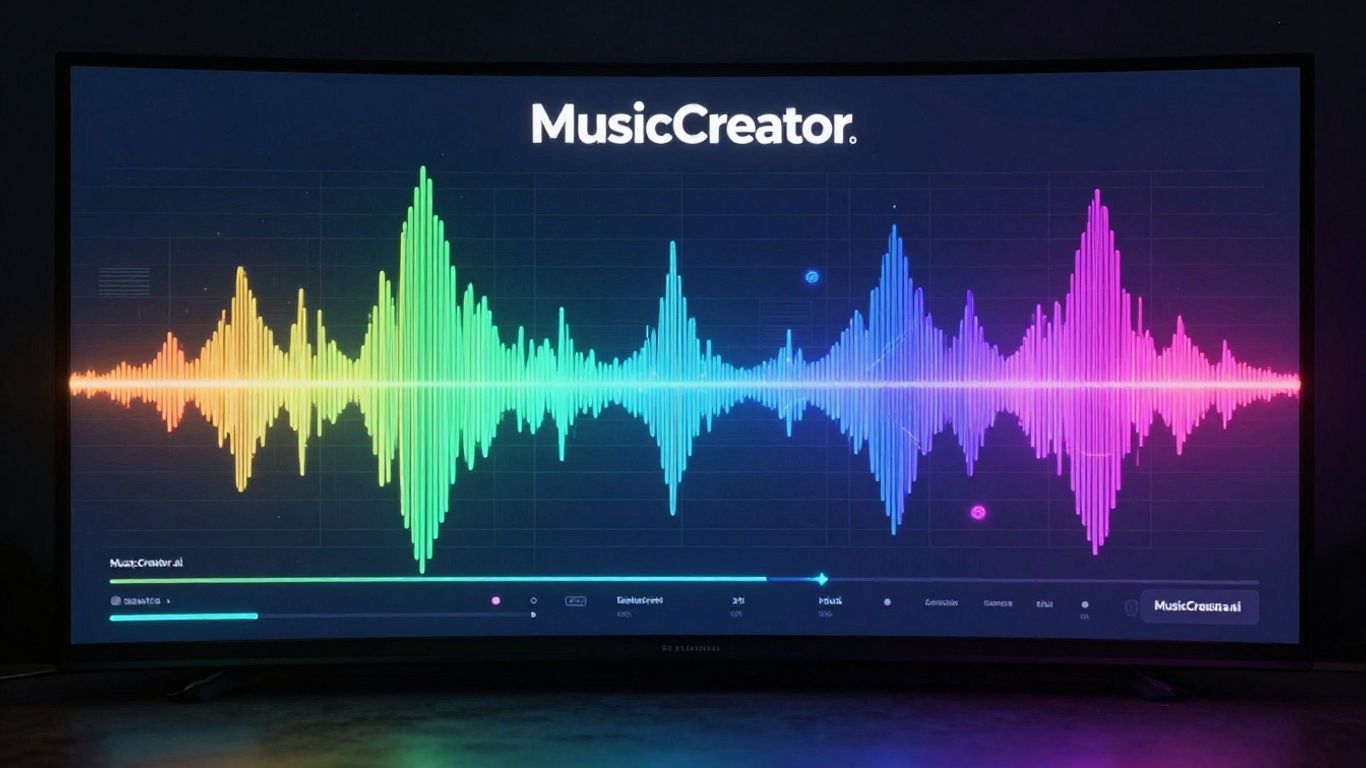
MusicCreator.ai positions itself as a tool for turning your audio into visuals. It’s less about crafting a narrative and more about creating dynamic visualizers that sync with your music.
You upload your audio file, whether it’s a track you’ve made or one generated elsewhere. The AI then analyzes the sound, picking up on tempo, mood, and energy. Based on this analysis, it generates synchronized video content.
This platform is particularly good if you want to quickly produce visuals for platforms like YouTube or social media without needing complex editing skills. It supports uploading your own logo for watermarking, which is a nice touch for branding. You can also opt for sound wave visuals if that fits your aesthetic.
It’s a solid choice when your primary goal is a music visualizer rather than a story-driven music video.
Key features include:
- Audio file upload (MP3, WAV)
- Customizable sound wave visuals
- Logo watermarking for branding
- Automatic synchronization with audio
While it doesn’t offer the same level of creative control over narrative as some other tools, MusicCreator.ai excels at providing a functional and straightforward way to get your music paired with engaging visuals.
9. Plazmapunk
Plazmapunk offers a unique approach to AI video generation, focusing on creating audio-reactive visual experiences. It supports multiple AI models, including Kandinsky and Stable Diffusion XL, giving you flexibility in your visual style. The platform also includes a scene scripting feature, allowing for more detailed control over your video’s narrative and flow.
You can generate cool videos or animated visuals with Plazmapunk. It’s a solid choice if you’re looking for something beyond standard templates. The tool also has its own AI music generation capabilities, which can be handy if you need a complete package.
Plazmapunk’s strength lies in its ability to sync visuals directly with your audio. This makes it great for music videos where the imagery needs to pulse and move with the beat. You can explore different AI models to find the perfect aesthetic for your project. The scene editor provides a good level of customization for those who want to script their visuals.
While Plazmapunk might have a smaller user base compared to some giants, its specialized focus on audio-reactive visuals and integration of multiple AI models makes it a powerful tool for niche projects. It’s worth checking out if you want to create something truly dynamic and responsive to sound.
Consider Plazmapunk if you’re aiming for visually striking, audio-driven content. You can experiment with its Scene Editor for detailed visual control. It’s a platform that encourages creative exploration in the audio-visual space.
10. LTX Studio

LTX Studio offers a robust platform for creating AI-generated videos, giving you a lot of control over the final output. It’s designed to help you visualize your ideas from script to screen, acting like a digital storyboard and production assistant.
When you start a project, you can either upload a script or brainstorm an idea. The tool guides you through setting the scene, choosing a genre, and even defining character traits with simple instructions. This planning stage results in a detailed scene breakdown that you can edit and rearrange.
The real magic happens when each scene is broken down shot by shot. You get to see prompts for every single shot and can edit them to change content, character actions, or looks. Want your character in a tuxedo one minute and swimming trunks the next? LTX Studio lets you do that, regenerating the video with each change. Be prepared to iterate; finding the perfect result takes time.
LTX Studio provides several export options, including a pitch deck, an editing package for professional software, or a simple MP4 file. It’s particularly useful if you’re seeking funding for a project, helping you visualize the final product during the brainstorming phase. You can explore an efficient AI video workflow within this single platform, streamlining the entire production process.
LTX Studio offers a free trial with 800 credits. Their Lite plan costs $15 per month and includes 8,000 credits, plus access to their LTX-2 and FLUX models.
Dive into the exciting world of LTX Studio! This section is your gateway to creating amazing AI music videos just by typing text. It’s super easy to get started and explore your creativity. Want to see what you can make? Visit our website today and start your free trial!
Wrapping Up: Your AI Music Video Toolkit
So, you’ve seen the tools out there for turning your music ideas into videos. It’s pretty wild how far this tech has come. For a lot of creators, especially those working solo or with small teams, tools like Creatus AI are a game-changer because they handle both the song and the video in one go. No more jumping between five different apps. You type, it sings, it makes a video. Simple. Of course, other tools focus more on the video side, like Freebeat or Vidnoz, and they’re great if you already have your track. The main thing is to pick what fits your workflow. Don’t get bogged down in the hype; just try a few out. Most have free tiers, so you can see what works best for you without spending a dime. The goal is to get your music seen and heard, and these AI generators are definitely making that easier.
Frequently Asked Questions
What exactly is an AI song-to-video generator?
Think of it like a magic wand for your music! These tools take your song, whether you wrote it or an AI helped you, and automatically create a music video to go with it. You don’t need to be a video pro; the AI figures out cool visuals that match the beat and feel of your song.
Do I need to know how to make music or edit videos to use these tools?
Nope! That’s the best part. Most of these generators are designed for beginners. You can often just type in what kind of song you want, and the AI makes it. Then, it turns that song into a video without you needing any fancy skills.
Can I use these AI-generated videos for my social media?
Absolutely! Many of these tools let you export your videos in different sizes, perfect for platforms like TikTok, Instagram Reels, and YouTube Shorts. It’s a super easy way to get eye-catching content out there.
Are there free options available?
You bet! Several of these AI tools offer free plans or trials. This means you can try them out and see what you like without spending any money upfront. Just keep in mind that free versions might have some limits, like watermarks or shorter video lengths.
What’s the difference between tools that make songs and tools that make videos?
Some AI tools are specialists – they’re awesome at creating just the song from text, like Suno or Udio. Others are great at making videos from audio you already have, like Neural Frames. But the really cool ones, like Creatus, can do both in one go, saving you the hassle of switching between different apps.
How do I pick the best tool for me?
Consider what you need most. If you want to create both the song and the video from scratch, look for a two-in-one tool. If you already have a song, focus on generators that excel at turning audio into visuals. Check out their features, pricing, and see if they offer a free trial to test them out!