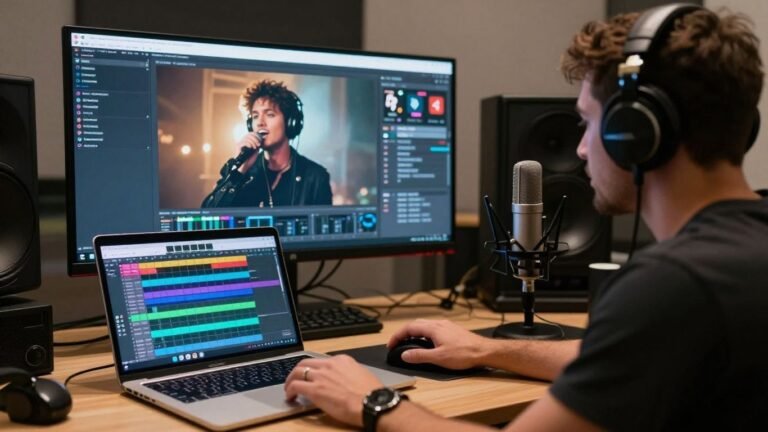
Making an AI music video with subtitles used to sound like science fiction, but now it’s totally doable. You can whip up a whole music video, complete with lyrics and captions, without needing to be a video editing whiz. This guide is all about showing you how to get started, what tools to look at, and how to make your music video pop online. It’s pretty wild how fast you can go from a song idea to a finished video these days.
Key Takeaways
- You can now create a full AI music video with lyrics and subtitles using simple tools, often from just text or audio.
- Many AI tools combine song creation and video generation in one workflow, simplifying the process for artists.
- Adding subtitles and captions to your AI music video is super important for social media reach and viewer engagement.
- When picking an AI tool, think about its features like automatic captioning, supported file types, and export options.
- AI music videos offer a much faster and cheaper way to promote your music compared to traditional methods, especially for short-form content.
Creating AI Music Videos With Subtitles: A Practical Guide
Getting started with AI music videos and subtitles might seem complex, but it’s more straightforward than you think. You’ll be working with tools that automate much of the heavy lifting. This guide breaks down the process so you can create engaging content efficiently.
Understanding the AI Music Video Workflow
The typical workflow involves a few key stages. First, you’ll generate your music, often from text prompts or existing audio. Then, you’ll create or select visuals, which could be anything from photos to AI-generated scenes. Finally, the AI synchronizes everything, adding lyrics and subtitles automatically. This integrated approach saves a lot of time compared to traditional methods.
Key Features of AI Music Video Generators
Modern AI tools offer a range of features to simplify video creation. Many can turn a single photo into a singing avatar with realistic lip-sync. They also provide automatic caption generation, which is vital for social media. Some platforms even let you write lyrics and generate a song directly within the video creation tool. This means you can go from an idea to a finished video without switching between multiple applications.
Choosing the Right AI Tool for Your Needs
When selecting a tool, consider what’s most important for your project. Do you need a platform that generates both music and video, or are you just looking for video creation from existing audio? Look for features like automatic captioning and lip-sync accuracy. Some tools are better suited for short-form social content, while others offer more flexibility for longer projects. It’s worth exploring options like Soundverse for their music generation capabilities.
The best AI music video generators for social platforms combine automatic captioning, fast editing, and export-ready formats. Tools built around music structure, not just speech, usually produce cleaner results. Look for beat-aware timing and easy manual corrections.
Generating Music and Video in One Seamless Process
From Text Prompt to Full Song
Forget juggling multiple apps. You can now start with just a text prompt and end up with a complete song. Describe the genre, mood, or even just a lyrical idea. The AI then composes the music and adds singing vocals, all within the same platform. This means no music production experience is needed to get a full track.
Automated Video Synchronization
Once you have your audio, the next step is video. AI tools can automatically sync visuals to your music. They analyze the tempo, energy, and structure of the song. This process makes sure your video clips match the beat and feel of the music. It’s a big time-saver compared to manual editing.
Integrated Song and Video Creation Platforms
Some platforms offer a truly integrated workflow. You write a song idea, generate the audio, and then create the music video, all without switching tools. This unified approach simplifies the entire production process. You can go from a simple text idea to a shareable music video in just a few steps. This is a game-changer for independent artists and content creators looking to produce content quickly.
The biggest advantage of these integrated platforms is the elimination of separate workflows. You don’t need one tool for music and another for video. Everything happens in one place, cutting down on complexity and saving you time. This allows you to focus more on the creative aspects rather than the technical hurdles.
Here’s a look at how the process typically works:
- Input: Start with a text prompt for the song, or upload your own audio file.
- Generation: The AI creates the music and vocals, or processes your uploaded audio.
- Video Creation: AI then generates synchronized video clips based on the audio.
- Export: Download your finished music video in various formats ready for social media.
This streamlined process means you can get your music out there faster. It removes many of the traditional barriers to music video production. You can even get automatic caption generation as part of the package.
Leveraging AI for Lyric Videos and Captions
The Importance of Lyric Captions on Social Media
Lyric captions are more than just an accessibility option these days. On platforms like TikTok and Instagram, they directly impact how long people watch your videos and whether they get discovered. Most people scroll through their feeds with the sound off or very low, making on-screen lyrics a necessity for music content. Clear lyric captions help viewers connect with your song, even without audio.
AI-Powered Automatic Caption Generation
Creating lyric videos used to take hours of manual work. Now, AI tools can generate synchronized captions automatically. You upload your song, and the AI analyzes the audio to place lyrics on screen. This process saves you a ton of time, letting you focus on other aspects of your music promotion. Many platforms offer this feature, making it easier than ever to get your lyrics out there. You can find tools that help you create engaging lyric videos quickly.
Ensuring Caption Readability and Timing
Even with AI, you’ll want to check the captions. Sometimes AI can miss the beat or put too many words on one line. You should review the captions to make sure they are easy to read and sync up well with the music. Aim for one to two beats per line; this usually works well across most music genres. Good captions feel natural and don’t distract from the song. If you’re making videos for social media, look for tools that can generate professional lyric videos with synchronized captions.
Poorly timed or unreadable captions can actually hurt your video’s performance. Viewers might scroll away if they can’t follow along. Always proofread and adjust as needed.
Here’s a quick look at common caption issues and how to fix them:
- Too many words per line: Break longer phrases into shorter lines.
- Lagging behind the beat: Manually adjust the timing for specific lines or words.
- Hard-to-read fonts or colors: Choose high-contrast options that stand out against your background.
- Inconsistent formatting: Ensure capitalization and punctuation are uniform.
Technical Aspects of AI Music Video Production
Supported Audio and Image File Formats
When you’re ready to create your AI music video, you’ll need to know what file types the generator accepts. Most tools work with common audio formats like MP3, WAV, and AAC. For images, you’ll typically upload JPEGs or PNGs. Always check the specific requirements of your chosen platform. Some might have limitations on file size or resolution, so prepare your assets accordingly.
Video Export Options and Aspect Ratios
After your video is generated, you’ll want to export it in a format suitable for your target platform. Common export options include MP4 and MOV. Aspect ratios are also key; you’ll usually choose between 16:9 (standard widescreen), 1:1 (square, good for Instagram feeds), and 9:16 (vertical, perfect for TikTok and Reels). Picking the right aspect ratio means your video will look good without awkward cropping or black bars. Many AI tools offer these options directly, simplifying the process.
Understanding AI Lipsync Technology
AI lipsync technology is what makes your generated video look like the singer is actually performing the song. These engines analyze your audio track, breaking down the phonemes and timing of the vocals. Then, they apply that data to an avatar or image, creating synchronized mouth movements. This process works for singing, rap, and even spoken word, making your visuals feel more alive. The goal is to achieve natural-looking motion that matches the rhythm and phrasing of your music, making photos sing.
The effectiveness of AI lipsync relies heavily on the quality of the input audio and the chosen visual model. A clear vocal track and a well-defined image or avatar will yield the best results. While the technology is advanced, minor imperfections can still occur, especially with complex vocalizations or rapid speech. Most platforms aim for a performance feel, adding subtle head and body movements to complement the lip-sync.
Here’s a quick look at what AI lipsync engines typically handle:
- Phoneme Matching: Aligning specific sounds with mouth shapes.
- Rhythm and Timing: Syncing movements to the beat and lyrical flow.
- Expression: Adding subtle facial cues to match the song’s mood.
- Avatar Animation: Applying these movements to a 2D or 3D character.
This technology is what allows you to transform lyrics into songs and videos without needing to animate frame by frame.
Competitive Landscape of AI Music Video Tools
Dedicated AI Music Video Generators
When you’re looking for tools that focus solely on turning audio into video, you’ll find a few key players. These platforms often excel at creating visuals that react directly to your music. They might offer advanced editing features or unique visual styles. Some are built around audio-reactive visuals, letting you fine-tune how every beat and melody translates to the screen. You’ll need to check if they also handle lyric generation or if that’s a separate step.
Platforms Offering Both Song and Video Creation
Other tools aim to simplify your workflow by handling both music and video production. This means you can go from a text prompt to a finished song and then directly into video creation, all within the same interface. This integrated approach can save you time and prevent the hassle of switching between different software. It’s a good option if you want a streamlined process from start to finish.
Comparison with Traditional Video Editing
Compared to traditional video editing, AI tools are much faster for generating initial content. You can create a music video in minutes or hours, not days. However, traditional software still offers more granular control over every single frame and effect. AI excels at rapid iteration and generating content based on prompts, while manual editing gives you ultimate precision. You’ll find that AI tools are great for getting started quickly, especially for social media content. For highly specific artistic visions, you might still need to combine AI generation with manual touch-ups. Many creators find that using an AI video generator is a good starting point, and then they use other tools for final tweaks. For example, you can use a tool like Freebeat to generate the core video and then edit it further in a more traditional editor if needed.
Practical Applications and Use Cases
AI music video tools open up a lot of possibilities for creators. You don’t need a big budget or a film crew anymore. These tools let you focus on your music and getting it out there.
Short-Form Content for Social Media
Short-form video is king on platforms like TikTok, Instagram Reels, and YouTube Shorts. AI tools make it easy to turn your song and lyrics into eye-catching clips. You can quickly generate videos that are ready to post, helping you stay consistent and visible. This is perfect for independent artists trying to build a following.
Independent Artist Music Promotion
As an independent artist, promoting your music can be tough. AI music video generators offer a cost-effective way to create visuals for your tracks. You can produce multiple videos for different songs or even create variations for specific platforms. This helps you reach a wider audience without breaking the bank. You can even use a virtual singer if you prefer not to be on camera [1da6].
Commercial Projects and Branding
Beyond music promotion, these tools are useful for commercial projects. Businesses can create branded content with custom music and visuals. Think about short ads, social media campaigns, or even internal company videos. The ability to generate content quickly and affordably makes AI a smart choice for marketing needs. Many platforms allow commercial use, provided you own the rights to your content [31d1].
Here’s a quick look at how AI video generation fits different needs:
| Use Case | Primary Benefit |
|---|---|
| Social Media Clips | Speed and platform-specific formats (9:16) |
| Artist Promotion | Cost-effectiveness and visual variety |
| Branding & Marketing | Quick content creation for campaigns |
| Lyric Videos | Integrated captioning and visual sync |
| Virtual Performances | Anonymity and consistent character visuals |
Optimizing Your AI Music Video for Reach
Platform-Specific Video Requirements
Different platforms have different needs. You’ll want to tailor your video’s aspect ratio and length. For instance, TikTok and Instagram Reels favor vertical 9:16. YouTube Shorts also uses this format. Longer videos might work better on standard YouTube or Facebook. Always check the recommended specs for each platform before you export.
The Role of Captions in Discoverability
Captions are more than just for accessibility. They help people who watch with the sound off, which is common on social media. Good captions can also help algorithms understand your content better. This means your music video might get shown to more people. Tools like happy scribe can help you generate these captions automatically.
Copyright and Usage Rights Considerations
Be mindful of the music and visuals you use. If you generated the song and video using AI tools, check their terms of service. Understand who owns the rights to the output. This prevents future headaches. You want to be able to share your work freely without legal issues. For more on this, you can look into AI music SEO strategies.
When you create content with AI, always review the platform’s terms regarding commercial use and ownership. This ensures you can promote your music without unexpected restrictions.
Want more people to see your AI music video? Making it easy for others to find and share is key. Think about using popular tags and sharing it on different social media spots. The better you make it for sharing, the more eyes will be on your awesome creation. Ready to make your next AI music video a hit? Visit our website to learn more and get started!
Wrapping Up
So, you’ve seen how AI can take your song idea and turn it into a full track with vocals, and then spin that into a music video, complete with lyrics and subtitles. It’s not about replacing human creativity, but giving you a faster way to get your music out there visually. Tools like these mean you don’t need to be a video editing wizard or a music producer to get a decent-looking video for social media. You can focus on the song itself, and let the AI handle a lot of the heavy lifting for the visuals. Give it a try and see what you can create.
Frequently Asked Questions
How do I make an AI music video with lyrics?
It’s pretty simple! You can use tools that let you type in your song idea, and they’ll create the music and vocals. Then, you can turn that song into a music video, often using just one picture and your lyrics. Many tools can even add captions automatically so your viewers can sing along.
Can I create a music video if I only have lyrics?
Absolutely! Some AI tools let you start with just your lyrics. They can help you turn those lyrics into a full song with singing, and then use that song to create a music video. You don’t need a finished song to begin.
What’s the difference between AI song makers and AI music video makers?
Think of it this way: AI song makers focus on creating the music and vocals from your text. AI music video makers take your audio (like a song) and turn it into a video. Some newer tools can do both steps together, which is super convenient!
How long can these AI music videos be?
Most AI music video generators are designed for short videos, usually up to 60 seconds. This is perfect for platforms like TikTok, Instagram Reels, and YouTube Shorts, where short, catchy content does really well.
Do I need special software or skills to use these tools?
Not at all! These AI tools are made for beginners. You don’t need to be a music producer or a video editing expert. You just need to follow the steps, provide your text or audio, and the AI does the heavy lifting.
Are there free AI tools for making music videos?
Yes, there are! Many AI music video tools offer a free version or a free trial. This lets you try them out and create some videos without paying. Just keep in mind that free plans might have limitations, like watermarks or shorter video lengths.