Creating a music video used to be a huge hassle, right? You’d need a big budget, a film crew, and a ton of editing time. But now, things have totally changed. AI music video generator apps are here to help you make cool visuals for your songs without all the usual drama. Whether you’re on your phone or your desktop, there are some awesome tools out there that can turn your audio into something you can share with the world. Let’s check out some of the best ai music video generator app options you can try.
Key Takeaways
- Creatus AI Music Video Generator is unique because it lets you create a song from text and then turn that audio into a music video, all in one place.
- Neural Frames is great for making full-length music videos that sync really well with your audio, especially if you want something that looks professional.
- Kaiber offers a lot of creative styles and is good for making artistic loops, plus it’s easy to use on your phone.
- RunwayML is powerful for creating cinematic clips, but it might need a bit more editing work afterward.
- Pika is a solid choice for making quick, animated videos, especially if you want to create something like a lip-sync video for social media.
1. Creatus AI Music Video Generator
Creatus AI Music Video Generator offers a unique two-in-one approach for creating music videos. It lets you generate a song from text prompts and then immediately turn that audio into a music video, all within the same platform. This streamlined workflow means you don’t need to jump between different apps to get your song and visuals ready.
If you’re looking to create a full song with AI vocals or upload your own audio tracks, Creatus handles it. You can simply input your idea, and the AI composes the music and adds singing. This makes it accessible even if you have no music production background. The platform is designed to take your concept from idea to a finished music video in just minutes.
Creatus supports various input formats, including text prompts and lyrics for song generation, and MP3 or WAV files for video production. When it comes to output, you can export your music video in multiple formats: 9:16 for TikTok and Reels, 1:1 for Instagram feeds, and 16:9 for YouTube. This flexibility ensures your video is ready for any platform you choose.
Creatus aims to simplify the entire music video creation process. It’s built for independent musicians, producers, and content creators who need professional-looking visuals without the high costs and complexities of traditional production. The platform also integrates with a wider suite of over 35 AI tools within the Creatus.AI ecosystem, offering even more creative possibilities.
While a free tier is available, you can access premium features for a monthly fee. This makes it a practical option for trying out AI music video generation without a big upfront commitment. You can explore Creatus AI Music Video Generator to see how it fits into your creative process.
2. Neural Frames
Neural Frames stands out as a dedicated AI music video generator that truly syncs visuals with your audio. It’s designed to make your music come alive on screen, reacting to every beat and nuance. If you’re a musician or producer looking for a tool that understands your sound, this is worth checking out.
This platform is unique because it’s the only one that offers genuinely audio-reactive AI video generation. You can upload your track, and Neural Frames will break it down into parts like vocals and drums. Then, you can link these elements to your visuals, controlling how strongly they react and fine-tuning the timing to match the music. It’s like having a visualizer that’s perfectly in tune with your song.
Here’s a quick look at how you can use it:
- Start with a prompt or image: You can either type a description of what you want to see or upload an existing image to guide the AI.
- Add your music: Upload your song, and the tool will separate its components for visual syncing.
- Edit and refine: Use the editor to make adjustments, ensuring the visuals perfectly match your music’s rhythm and mood.
- Generate and export: Once you’re happy, create your video and export it in various formats suitable for different platforms.
Neural Frames offers different plans to fit your needs, starting with a free trial so you can test its capabilities. You can explore creating music videos from text prompts on their website.
The pricing structure is quite flexible, with options ranging from a basic plan for individuals to more comprehensive packages for professionals. While the higher tiers can get a bit pricey, the entry-level plan is quite affordable, making it accessible for many creators. You get a lot of control over how the visuals interact with your audio, which is a big plus.
They also offer features like automated lyric video creation and consistent character generation, which can save you a lot of time. If you need professional-looking music videos without the hassle of complex editing software, Neural Frames is a solid choice.
3. Freebeat
Freebeat is a solid choice if you’re looking to turn your audio into visuals without a lot of fuss. It’s built specifically for music, meaning it understands song structure and beats. This helps it create videos that actually sync up with your music, not just random clips.
You can upload your own tracks or even link to songs from platforms like YouTube or TikTok. The AI then analyzes the music to map out the rhythm and overall structure. This is key for making sure the visuals feel connected to the sound. You don’t need any prior video editing skills to get started.
Freebeat offers a few different modes to try out:
- Story Video: This mode focuses on creating a narrative within your music video.
- Stage Performance: Ideal for a more direct performance feel, like a live concert.
- Lyric Video: Automatically syncs lyrics to your song, which is great for engagement.
It’s pretty straightforward to use. You upload your song, pick a style and mode, and then let the AI generate the video. You can then refine the results if needed. They also have a free plan so you can test it out before committing to a paid subscription. This makes it accessible for anyone wanting to experiment with AI music videos.
4. Kaiber
Kaiber offers a creative canvas where you can blend AI generation with your own artistic vision. It’s designed for creators who want more control over the process, letting you experiment with different AI models and visual styles.
You can start with an image or a video and then customize it using various tools. Kaiber provides access to several top-tier AI models, including options for video like Luma and Runway, and for images like Flux and Stability. This means you’re not limited to just one AI’s output; you can mix and match to achieve a unique look.
One of Kaiber’s standout features is its "Beat Sync" mode. This tool automatically aligns video transitions with the rhythm of your music. You can choose presets like "High Energy" for fast cuts or "Cinematic" for a more dramatic feel, all without manually adjusting every single frame. If you need more precise control, Kaiber also includes a traditional timeline editor for frame-by-frame adjustments.
Kaiber’s Superstudio acts as an all-in-one hub, letting you organize your entire project, from initial ideas to final videos, within a single, expansive workspace. This makes it easier to manage complex projects and keep your creative flow going.
Kaiber also allows you to train custom AI models. This is a powerful feature if you have a specific artistic style you want to maintain across multiple projects. You can essentially teach the AI to replicate your unique aesthetic, ensuring consistency in your work. For those looking to create professional-looking music videos, Kaiber provides a robust set of tools to bring your ideas to life. You can explore different visual effects and even remix logos or map visuals onto various surfaces. The platform offers both subscription plans and credit packs, starting at $15 per month, making it accessible for various budgets. You can check out their AI music video generator options to see how it fits your needs.
5. RunwayML
RunwayML is a powerful AI video platform that leans into creative control and cinematic expression. It’s less about perfect physical realism and more about giving you the tools to craft a specific visual mood and motion.
Think of it as a director’s toolkit. You can generate scenes with consistent characters and objects, which is a big deal for telling a story. The camera movement options are particularly strong, allowing for smooth pans, tracks, and orbits that feel intentional. This makes it great for prototyping shots and exploring visual ideas.
While RunwayML doesn’t directly sync video to audio, you can generate your clips and then edit them together with your music in separate software. This workflow gives you a lot of creative freedom.
Here’s a quick look at what you can do:
- Generate consistent characters and environments across multiple scenes.
- Experiment with advanced camera controls for dynamic shots.
- Create visually cohesive mood boards and concept art.
- Integrate with other AI tools on the platform for a fuller workflow.
RunwayML offers different plans, including a free tier to get you started. Higher-tier plans unlock more advanced features like Gen-4.5, which offers more control over motion and detail.
6. Pika
Pika is a tool that lets you create AI-generated videos quickly. You can make animations, add effects, and create transitions without needing to be an editing pro. The platform keeps adding new features to make video creation easier for everyone.
Pika offers a range of specialized tools for different creative tasks. These include Pika Frames for morphing between images, Pika Effects for surreal visuals, and Pika Scenes to build entire scenes from prompts and elements. You can also use Pika Additions to put yourself into existing videos or Pika Swaps to change characters while keeping the animation. Pika Twists lets you edit specific objects within a video.
While Pika doesn’t generate audio itself, it excels at creating visually engaging content. It’s great for social media loops, playful creative projects, and rapid idea generation. You can even set your video’s aspect ratio to match popular social media platforms.
Pika is best thought of as a creative playground. It’s fast and fun for making eye-catching visuals, but it’s not really built for serious video production where realism and narrative depth are key.
Using Pika is pretty straightforward. You pick the tool you need, upload your images or videos, or describe what you want. Then, you let Pika’s AI do its thing and generate your video. You can download and share your creation right after. Pika also has a free plan, though it’s limited in resolution. You can explore Pika AI to see what it can do.
7. TopMediai
TopMediai is a solid choice if you’re looking to turn your photos into music videos. It focuses on this specific feature, letting you upload images and pair them with audio to create a visual story. You can also preview your storyboard before generating the final video.
This tool offers some customization for themes, which is nice. However, it gives you less direct control over the final video output compared to some other options. It’s a straightforward way to get a music video from stills, especially if you’re not aiming for complex animation. You can explore this option if your main goal is photo-to-video conversion for your music.
8. Vidnoz
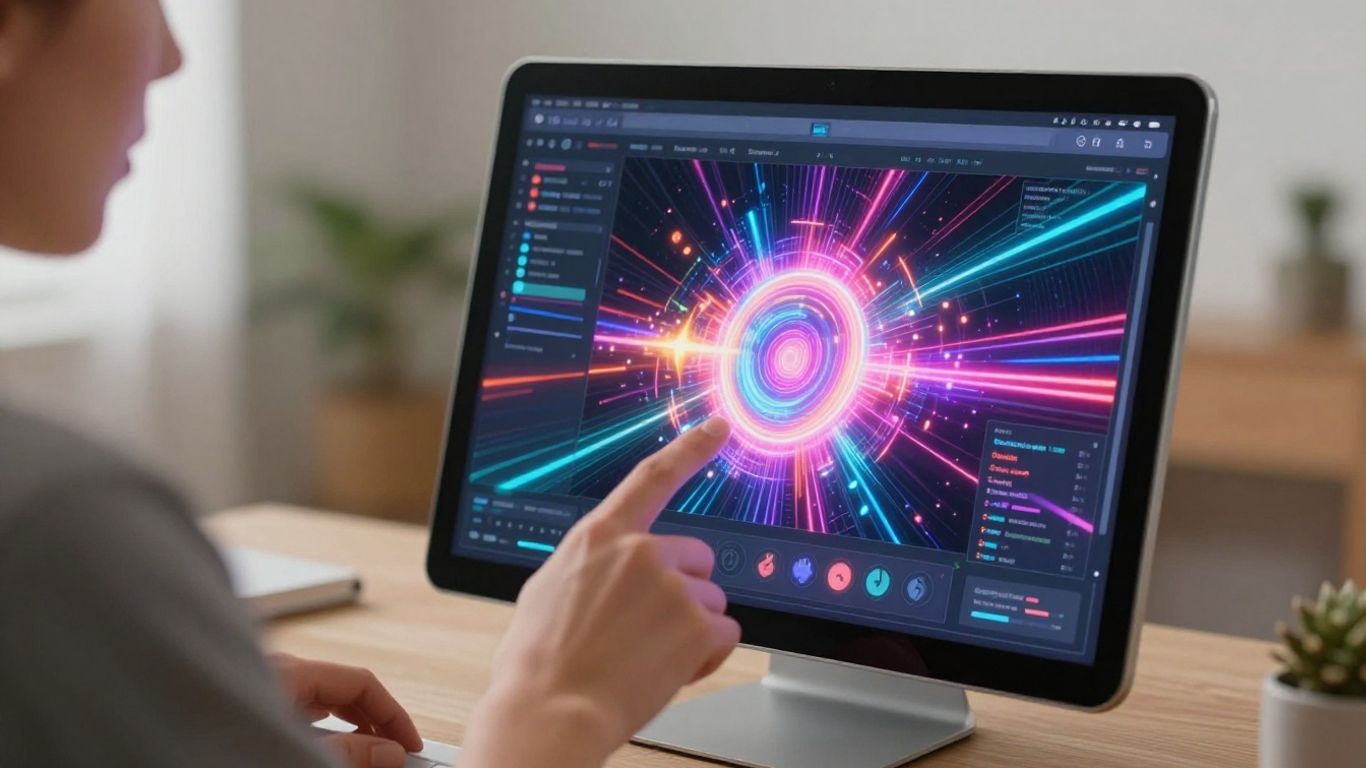
Vidnoz offers a free AI music video generator that’s pretty straightforward to use. You can pick from different avatars and styles to create your video. It’s a good option if you’re just starting out or want to make something quickly without a big investment.
The free tier lets you create videos, but there’s a one-minute limit and a watermark on the final export. If you need longer clips or want to remove the watermark, you’ll have to look at their paid plans. They also have a separate tool for AI sound effects, which could be useful.
Vidnoz is best for:
- Quickly generating short music videos.
- Experimenting with different avatar and style combinations.
- Users who need a free option to start with.
While it’s accessible, don’t expect the same level of control or polish as some of the more advanced tools out there. It’s more about ease of use and getting a basic music video made.
9. Revid.ai
Revid.ai offers a straightforward approach to creating music videos, focusing on syncing visuals to your audio. You upload your track, and the AI generates a video that matches the beat and rhythm. It’s a practical tool if you need quick, synchronized visuals without a lot of fuss.
One of its standout features is the automatic generation of lyric captions. This can save you a lot of time if you want to include lyrics in your video. The platform also supports multiple export formats, so you can easily get your video ready for different social media platforms like TikTok, Instagram, or YouTube.
While Revid.ai doesn’t create the music itself, it excels at turning your existing audio into engaging video content. It’s particularly good for short-form content where beat synchronization is key. If you’re looking for a tool that prioritizes speed and direct audio-to-video conversion, Revid.ai is worth checking out. You can explore their AI music video generator here.
Here’s a quick look at what you can expect:
- Beat-Synced Visuals: The AI analyzes your audio to create dynamic video sequences.
- Lyric Captions: Automatically generated captions to display lyrics.
- Multi-Format Export: Options for 9:16, 1:1, and 16:9 aspect ratios.
- Fast Generation: Designed for quick video creation.
Revid.ai is a solid choice when your primary goal is to get a beat-synced video out quickly. It handles the synchronization well, making it a functional option for musicians and creators who already have their music ready.
10. MakeSong
MakeSong is a newer player in the AI music video scene, but it’s packing some interesting features. It aims to be an all-in-one solution, not just for video but also for song creation. This means you can potentially generate both your music and its accompanying visuals within the same platform.
One of its standout features is the ability to create lip-sync videos. This is great if you want your generated characters to actually sing along to your track. They also offer options for dance videos and narrative styles, giving you a few different creative paths to explore. It’s a practical tool if you’re looking to quickly produce a music video without needing separate software for audio and video.
MakeSong also has a ‘kids song maker’ mode, which is a bit unique. If you’re creating content for a younger audience or just want something fun and different, this could be a good option. The platform is still developing, so it might not have all the bells and whistles of more established tools, but it’s worth checking out for its integrated approach to music and video creation. You can explore their AI song creation capabilities to see if it fits your workflow.
Ready to bring your song ideas to life? Section 10, ‘MakeSong,’ is your gateway to creating awesome music videos just by typing. It’s super easy and fun! Want to see how it works? Visit our website today and start making your own music videos!
Wrapping Up Your AI Music Video Journey
So, you’ve looked at the tools out there for making AI music videos. It’s pretty clear that this tech is making it way easier for anyone to create visuals for their music, whether you’re just starting out or have been making tunes for a while. You don’t need a big budget or a film crew anymore. Tools like Creatus offer a neat all-in-one package, handling both the song creation and the video part. Others focus more on the video side, giving you different ways to sync visuals to your audio. Think about what you need most – is it generating a song from scratch, making a video from an existing track, or maybe both? Pick the app that fits your workflow and budget. Give a few a try, especially the ones with free tiers, and see what works best for you. You might be surprised at what you can create.
Frequently Asked Questions
What exactly is an AI music video generator?
Think of it like a magic wand for your music! An AI music video generator takes your song, or even just an idea for a song, and creates a cool video to go with it. Some can even make the song itself from text you type. They use smart computer programs to match the video’s visuals to the beat and mood of your music, so you get a professional-looking video without needing fancy cameras or editing skills.
Do I need to be a tech whiz to use these apps?
Nope! Most of these apps are made for everyone, even if you’ve never edited a video before. You usually just upload your song, maybe pick a style you like, and the AI does the heavy lifting. Some let you type in what you want the video to look like, like ‘a futuristic city’ or ‘a forest scene,’ and the AI brings it to life. It’s designed to be super easy to get started.
Can I make a video for any kind of music?
Absolutely! Whether you make rock, pop, hip-hop, or electronic music, these tools can handle it. They analyze your song’s rhythm, energy, and overall feel to create visuals that fit. Some even let you choose different styles, so you can get exactly the vibe you’re going for, from energetic and fast-paced to calm and dreamy.
Are there free options to try out?
You’re in luck! Many of the best AI music video generators offer free trials or free versions. This lets you test them out and see which one you like best before you commit to paying. You can usually make short clips or a limited number of videos for free, which is perfect for getting a feel for how they work.
What if I want the video to tell a story?
Some AI video generators are better at storytelling than others. While many focus on making visuals that sync with the music’s beat, you can often guide the AI by providing text prompts that describe scenes or characters. Some tools also allow you to create videos with lip-syncing or performance styles, which can help tell a story through a virtual performer.
Can I use these videos on social media?
Definitely! These apps are designed with social media in mind. They often let you export your videos in different shapes and sizes – like vertical for TikTok and Instagram Reels, square for Instagram posts, or wide for YouTube. This means you can easily share your awesome new music video across all your favorite platforms without any extra work.