Thinking about making a music video but don’t have a big budget or a film crew? You’re in luck! Artificial intelligence has totally changed the game. Now, you can whip up cool music videos right from your computer. We’re talking about turning your song ideas or even just a simple text prompt into a visual story that matches your music. It’s way more accessible than it used to be, and honestly, pretty fun to play around with. Let’s check out some ai music video examples and see what you can actually create.
Key Takeaways
- AI music video tools can generate both songs and visuals from text prompts, streamlining the creative process.
- You can upload existing audio files (like MP3s or WAVs) to have AI create synchronized music videos.
- Effective prompts are specific and detail the desired mood, style, and visuals to get the best results.
- AI music video generators offer various export formats, making content suitable for platforms like TikTok, Instagram, and YouTube.
- Platforms like Creatus AI combine song and video generation in one workflow, unlike many competitors who specialize in just one aspect.
Creating AI Music Videos: A Practical Overview
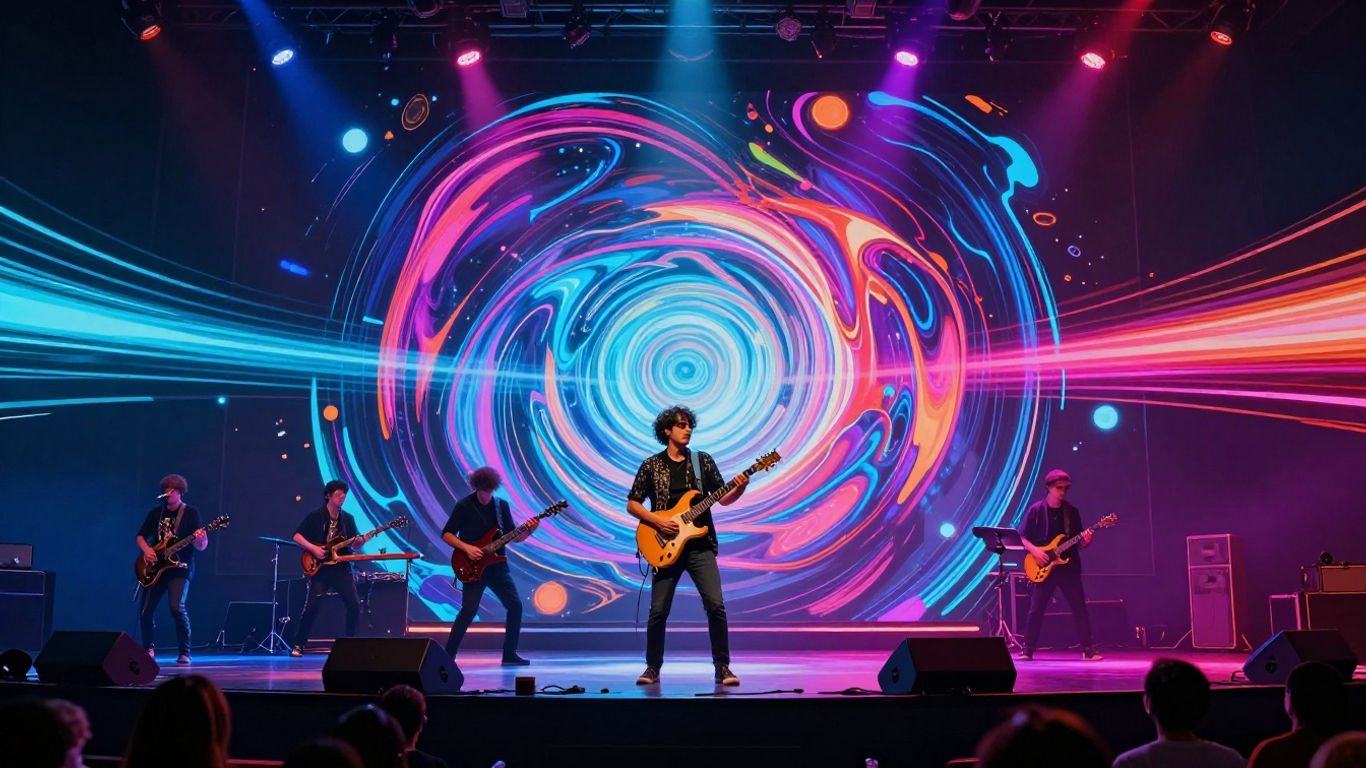
Making a music video used to require a big budget, a film crew, and a lot of equipment. Now, artificial intelligence changes that. You can create visuals for your music without needing a camera or a studio.
This shift means more artists can bring their songs to life visually. It’s about translating your sound into compelling imagery. The process is more accessible than ever before, opening doors for independent creators. You’ll find that the core idea is to match your audio with fitting visuals.
Understanding the AI Music Video Workflow
The workflow for AI music videos is pretty straightforward. It starts with your song and your vision for the video. You’ll then use AI tools to generate the visuals that sync up with your music. The key is to have a clear concept before you start generating.
Think of it like this: you provide the raw material (your song) and the instructions (your prompts), and the AI builds the video. This approach cuts down on the traditional production steps significantly. It allows for rapid iteration and experimentation.
Key Features of AI Music Video Generators
These tools often combine song creation with video generation, or focus on turning existing audio into video. Many offer different visual styles, from cinematic to animated. Some even analyze your audio to automatically sync visuals to the beat and mood. You can often choose output formats suitable for platforms like TikTok, Instagram, or YouTube. This flexibility is a major advantage for creators.
Choosing the Right AI Tool for Your Project
Your choice depends on what you need. Do you want to generate both the song and the video, or just the video from an existing track? Some tools are more specialized, while others offer a broader suite of AI features. Look for platforms that support your desired output formats and offer the visual styles you like. Consider trying out a free tier if available to test the waters before committing. Exploring options like Neural Frames can give you a good starting point.
Generating Your Song and Visuals Seamlessly
Creating a music video often feels like a two-part puzzle: first, you need the music, and then you need the visuals to match. AI tools are changing this by bringing both parts together into a single, streamlined process. You can start with just an idea and end up with a complete song and video.
Many platforms now let you generate an entire song from a simple text prompt. You describe the genre, mood, or even provide lyrics, and the AI composes original music with vocals. This means you don’t need to be a musician to have a unique track for your video. It’s a fast way to get the audio foundation for your project.
Once you have your audio, the next step is transforming it into a synchronized video. AI analyzes your song’s rhythm, energy, and structure. It then generates visuals that move in time with the music, making sure every beat and transition feels intentional. This audio-to-video conversion is where the magic happens, bringing your music to life visually.
Some tools offer an integrated workflow, handling both song creation and video generation within the same interface. This eliminates the need to switch between different applications, saving you time and effort. You can iterate on your song and video simultaneously, making adjustments as you go. This unified approach makes the entire production process much more efficient for creators.
The goal is to simplify complex production tasks. You can go from a basic concept to a finished music video without needing extensive technical skills or a large budget. This accessibility opens up creative possibilities for everyone.
Here’s a look at how the process typically flows:
- Input: Start with a text prompt for your song, or upload an existing audio file.
- Generation: The AI creates the music (if needed) and then generates video clips synchronized to the audio.
- Refinement: You can adjust styles, camera angles, and add specific prompts for different scenes.
- Export: Download your final music video in various formats ready for sharing.
This integrated approach means you can focus more on your creative vision and less on the technical hurdles. Tools like LTX Studio are designed to make this entire journey smooth, from the initial idea to the final export.
Crafting Effective Prompts for AI Video
Your prompt is the blueprint for your AI music video. The more detail you give the AI, the closer the final product will be to what you imagine. Think of it as giving directions to a very talented, but literal, artist.
The Anatomy of a Powerful Music Video Prompt
A strong prompt includes several key elements. You need to tell the AI what kind of video you want, the mood, and any specific visual cues. Clarity and specificity are your best friends here.
Here’s a breakdown of what to include:
- Video Type & Duration: State if it’s a brand video, a story, or something else, and how long it should be.
- Genre & Mood: Describe the overall feeling and pace. Is it energetic, calm, melancholic?
- Visual Direction: Detail the setting, lighting, and overall style. Think about colors and textures.
- Audio Elements: Mention instruments, vocal style, or tempo if you have preferences.
- Brand Elements: If it’s for a brand, include colors, logos, or specific messaging.
- Platform: Where will the video be shown? This affects aspect ratio and pacing.
Specific Prompting for Different Styles
Tailor your prompts to the specific style you’re aiming for. For a brand video, focus on visual identity and message. For a nursery rhyme, emphasize bright colors and simple animation. A meditation video needs calm tones and slow transitions.
Consider these prompt types:
- Basic: Essential info like video type, duration, and genre. Good for quick concepts.
- Specific: Adds more creative direction, like mood, instruments, and vocal style. This gives the AI more to work with.
- Referencing: Use a known artist or song style as inspiration. This gives the AI a clear benchmark.
Avoiding Common Prompting Pitfalls
It’s easy to make mistakes when writing prompts. One common issue is being too vague. If you just say "make a cool video," the AI has too much freedom and might produce something generic. Another pitfall is giving contradictory instructions, which confuses the AI.
Always review your prompt before generating. Make sure it’s focused and doesn’t ask for too many conflicting things. If you’re unsure, start with a simpler prompt and add complexity later. This iterative process helps you learn prompt engineering and refine your results.
Don’t forget to consider the platform where the video will be published. A prompt that works for TikTok might not be ideal for YouTube. Specifying the platform helps the AI optimize the video’s format and pacing. This attention to detail makes a big difference in the final output.
Exploring Diverse AI Music Video Examples
AI music video generators open up a world of creative possibilities, letting you produce visuals that match your sound. You don’t need a big budget or a film crew anymore. Let’s look at how different creators are using these tools.
Independent Artist Music Videos
Independent artists often face budget constraints, making AI a game-changer. You can now create professional-looking music videos without the traditional costs. Think about generating visuals that perfectly capture the mood of your latest track, from abstract animations to narrative scenes. This allows you to put out content consistently and professionally, even with limited resources. Many artists are finding that AI tools help them visualize emotion and performance, making each release feel more polished and ready for sharing.
Content Creator Shorts and Reels
For social media, short-form video is king. AI tools make it easy to generate eye-catching clips for platforms like TikTok, Instagram Reels, and YouTube Shorts. You can quickly turn a snippet of your song into a dynamic visual that grabs attention. These tools are great for creating promotional content, behind-the-scenes looks, or even just fun, experimental visuals that align with your music’s vibe. The ability to sync visuals tightly with the tempo makes these clips feel energetic and engaging for viewers.
Brand and Marketing Campaign Videos
Brands are also tapping into AI for music video creation, especially for marketing campaigns. Imagine generating a sleek video for a product launch or a campaign anthem. You can use AI to create visuals that are both artistic and on-brand, often with just a few descriptive lines. This approach offers a cost-effective way to produce high-quality marketing content that stands out. AI can transform simple prompts into cinematic visuals for any product. For example, a luxury car brand might generate a video showing a car drifting dramatically under moody lighting, all created with AI. This allows for rapid iteration and customization to fit specific campaign needs.
Technical Aspects of AI Music Video Creation
Supported Input and Output Formats
When you create AI music videos, you’ll work with various file types. Most tools accept common audio formats like MP3, WAV, and AAC for your music. For video, you’ll typically input images or existing video clips in formats such as MP4, MOV, or JPG.
The output formats are just as important. You’ll usually export your finished music video as an MP4 file, which is widely compatible. Some platforms might also offer options like MOV or AVI, depending on your needs. Always check the specific requirements of the AI tool you’re using.
Understanding Video Resolution and Export Options
Video resolution determines the clarity and detail of your final video. Common resolutions include 720p (HD), 1080p (Full HD), and 4K (Ultra HD). Higher resolutions mean sharper images but also larger file sizes and longer export times.
When exporting, you’ll often have choices for frame rate (e.g., 24fps, 30fps, 60fps) and aspect ratio (e.g., 16:9 for YouTube, 9:16 for TikTok). Selecting the right settings ensures your video looks good on its intended platform. Many AI music video generators offer presets for popular social media sites.
Editing and Post-Production with AI Tools
While AI handles much of the heavy lifting, you might still need to fine-tune your video. Some AI platforms include built-in editing features for basic adjustments. You can often tweak pacing, add text overlays, or adjust color grading directly within the tool.
For more advanced edits, you can export your AI-generated video and import it into traditional video editing software like Adobe Premiere Pro or DaVinci Resolve. This allows for detailed control over transitions, effects, and sound mixing. You can even use AI tools to help with specific post-production tasks, like upscaling footage or removing background noise.
AI Music Video Tools: Features and Comparisons
When you’re looking to create AI music videos, you’ll find a range of tools available. These platforms vary in what they offer, from generating both the song and the video to focusing solely on visual creation from existing audio. Understanding these differences helps you pick the right one for your project.
All-in-One Song and Video Generators
Some tools aim to be your complete solution, handling everything from initial song concept to the final music video. These platforms often let you describe your desired song using text prompts, and the AI composes the music and vocals. Then, you can directly generate synchronized visuals for that track. This integrated workflow saves you time by eliminating the need to switch between multiple applications.
Platforms like CREATUS.AI offer this dual capability. You can write a song idea, have the AI generate the music and vocals, and then immediately produce a music video that matches the audio’s mood and tempo. This approach is great if you’re starting from scratch and want a streamlined process.
Specialized Audio-to-Video Platforms
Other tools focus specifically on transforming your existing audio into compelling visuals. You upload your song, and the AI analyzes its rhythm, energy, and structure to create synchronized video content. These are perfect if you already have your music finalized and just need the visual component.
Tools such as Neural Frames or Freebeat excel here. They analyze your uploaded track and generate visuals that sync with the beat and mood. You can often customize styles, camera angles, and even character consistency to match your artistic vision. This allows for a high degree of control over the final look and feel of your music video.
Comparing AI Songwriting and Video Creation Tools
When comparing options, consider what you need most. Do you need help writing the song, or is your music already complete? Look at the input formats supported – can it handle your audio files? Check the output options too; you’ll want formats suitable for your target platforms like TikTok, YouTube, or Instagram.
Here’s a quick look at some features:
- Song Generation: Some tools create music from text prompts, while others require you to upload your own tracks.
- Visual Styles: Options range from photorealistic to animated, abstract, or lyric-focused visuals.
- Synchronization: How well does the video sync with the audio’s beat and mood? This is key for a professional look.
- Customization: Can you adjust camera angles, character appearance, or overall style?
The landscape of AI music video tools is rapidly evolving. What’s cutting-edge today might be standard tomorrow. It’s wise to test a few free tiers or trials to see which interface and output style best suits your creative process and project goals. Don’t get bogged down in the technical details; focus on which tool helps you realize your vision most effectively.
For example, if you’re an independent artist with a finished track, a specialized audio-to-video platform might be your best bet. If you’re just starting and need both music and visuals, an all-in-one solution could be more efficient. Many platforms offer free tiers to get you started, so you can experiment without upfront commitment.
Making cool music videos with AI is now super easy! Our section, "AI Music Video Tools: Features and Comparisons," breaks down all the awesome things these tools can do. You’ll learn how they work and see how they stack up against each other. Ready to see what you can create? Visit our website to explore the latest in AI video magic!
Wrapping Up Your AI Music Video Journey
So, you’ve seen what’s possible. Creating a music video used to be a big deal, requiring studios and lots of cash. Now, you can actually make decent-looking videos right from your computer. Tools like Creatus, and others we’ve looked at, let you go from a song idea to a finished video without needing to be a pro editor or musician. It’s not about replacing human creativity, but giving you new ways to get your music out there. Give it a try, play around with the prompts, and see what you can come up with. The barrier to entry is lower than ever, so start making.
Frequently Asked Questions
What exactly is an AI music video generator?
Think of it like a super-smart assistant that can help you create a music video without needing a big crew or fancy cameras. You give it some ideas, maybe the song itself, and it uses artificial intelligence to create cool visuals that go along with the music. It’s like magic for making videos!
Can I really make a whole song and video with AI?
Yep! Some tools let you type in what you want your song to be about, and the AI writes and even sings it for you. Then, you can take that song (or one you already have) and have the AI make a video that matches the music’s vibe and beat. It’s a pretty neat all-in-one package.
Do I need to be a tech whiz or a pro artist to use these tools?
Not at all! These tools are designed to be easy to use, even if you’re just starting out. You don’t need to know how to edit videos like a pro or produce music. Just give the AI clear instructions, and it’ll do the heavy lifting.
What kind of videos can I make?
You can create all sorts of videos! Whether you want something short and catchy for TikTok or Reels, a more classic video for YouTube, or even just cool visuals to go with your song on streaming platforms, AI can help. You can get animated styles, cinematic looks, or even videos with lyrics.
How do I tell the AI what I want my video to look like?
You’ll use something called ‘prompts.’ These are just written descriptions of what you imagine. The more detailed you are about the mood, colors, actions, or style you want, the better the AI can bring your vision to life. It’s like giving directions to a very creative artist.
Are there free ways to try making AI music videos?
Definitely! Many AI music video tools offer a free version or a free trial so you can experiment and see what they can do. It’s a great way to get started and make some awesome videos without spending any money upfront.