Ever watch a music video and feel like the visuals just *hit* differently? Chances are, it was synced to the beat. Now, you can get that same professional feel for your own videos without needing a huge budget or a degree in video editing. AI beat-sync video tools are changing the game, making it super easy to match your visuals to your music’s rhythm. Let’s check out how this cool tech works and how you can use it.
Key Takeaways
- AI beat-sync video tech uses smart algorithms to automatically match video cuts and effects to the rhythm and tempo of your audio, making production faster and easier.
- These tools analyze your music’s beats, energy, and structure, then apply visual synchronization, meaning you don’t need manual editing skills.
- You can create full songs and synchronized music videos all in one go with some AI platforms, which is a big step up from needing separate tools.
- When making your ai beat sync video, pay attention to transitions and pacing, and avoid over-syncing to keep your video engaging, not overwhelming.
- Different platforms like TikTok and YouTube have different vibes, so adjust your video’s pacing and aspect ratio to fit where you’re posting.
Understanding AI Beat-Synced Video
What is AI Beat-Sync Technology?
AI beat-sync technology is a way to automatically match your video clips to the rhythm of your music. It uses smart computer programs to listen to your song and figure out where the beats and important musical moments happen. Then, it lines up your video cuts and effects to hit those exact spots. This makes your video feel alive and connected to the music. It’s like the visuals are dancing along with the sound.
How AI Tools Automate Beat-Syncing
These AI tools do the heavy lifting for you. They analyze the audio file, looking for things like drum hits and bass lines. Some advanced tools even understand the song’s structure, like verses and choruses. Based on this analysis, the AI creates markers on a timeline. Your video clips are then placed or edited to align with these markers, creating a professional, synchronized look without you needing to manually count beats. This process can turn hours of tedious editing into just a few minutes. You can find tools that help with automatic beat synchronization for your projects.
The Importance of Rhythm in Engagement
When your video’s visuals move in time with the music, it grabs people’s attention much better. Think about it: a video that feels choppy or out of sync is distracting. But one where the cuts land perfectly on the beat feels energetic and keeps viewers watching longer. This connection between audio and visual rhythm is key for keeping audiences hooked, especially on fast-paced social media platforms. It makes the whole experience more enjoyable and memorable for the viewer.
The AI Beat Sync Video Workflow
Audio Analysis and Beat Detection
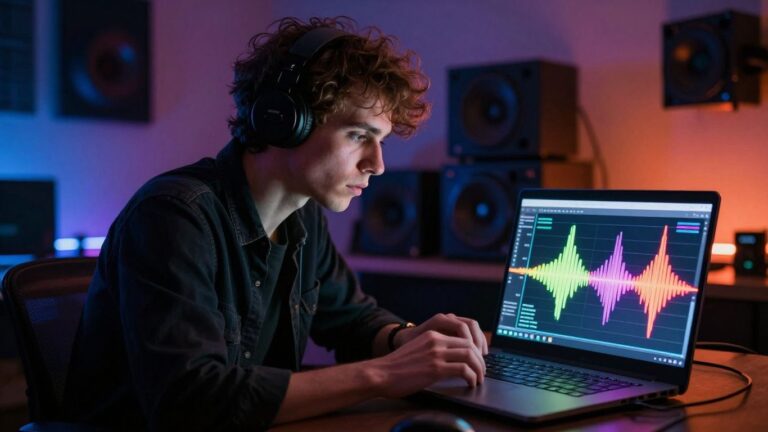
This is where the magic starts. AI tools analyze your audio track to find the rhythm. They look for percussive hits, basslines, and other key elements that define the beat. This process uses complex algorithms to map out the song’s structure.
The AI identifies the exact moments where beats occur, often with impressive accuracy. This allows for precise synchronization later on. You can even adjust the sensitivity if the AI is missing beats or picking up too many false positives. This step is critical for getting the timing right.
Visual Alignment and Rendering
Once the beats are mapped, the AI aligns your video clips to them. It can automatically place cuts, transitions, and effects at these precise points. This creates a dynamic video that feels perfectly in sync with the music. You can then refine these automatic edits.
Most tools allow you to preview the synchronized video. You can then make manual adjustments if needed. After that, the AI renders the final video. This whole process can take just a few minutes, a huge time saver compared to manual editing. You can get a 60-second video rendered in high definition in under a minute. Automated beat sync technology makes this fast.
Input and Output Formats
AI beat-sync tools support various file types for both your audio and video. You’ll typically upload common audio formats like MP3 or WAV. For video, most tools accept standard formats like MP4 or MOV. The output options are also flexible.
You can usually export your finished video in different aspect ratios. This includes vertical 9:16 for social media like TikTok and Reels, square 1:1 for Instagram feeds, and horizontal 16:9 for YouTube. This ensures your video looks great on any platform. Some tools even offer precise lip-sync accuracy by letting you drag and drop your music track onto a dedicated area. Enhance lip-sync accuracy this way.
Leveraging AI for Music Video Creation
From Song Idea to Synchronized Video
Creating a music video used to mean a lot of planning, shooting, and editing. Now, you can start with just an idea or a finished track and let AI do the heavy lifting. You simply input your song, and the AI analyzes its rhythm, tempo, and energy. It then generates visuals that perfectly match the beat, making the whole process much faster. This means you can go from a song idea to a finished, synchronized video in a fraction of the time it used to take.
Generating Music and Visuals in One Platform
Some AI tools offer a complete package, allowing you to generate both the music and the video within the same platform. You can describe the kind of song you want, and the AI will compose it, complete with vocals. Then, you can take that generated track and immediately create a beat-synced video for it. This integrated approach simplifies your workflow significantly, as you don’t need to switch between different software for music and video production. It’s a streamlined way to bring your musical ideas to life visually.
No Production Skills Required
Forget about needing to be a video editing expert or a music producer. AI tools are designed for creators of all skill levels. You don’t need to know how to operate complex cameras or editing software. The AI handles the technical aspects of syncing visuals to the music, including cuts, motion, and transitions. This accessibility means anyone can produce professional-looking music videos, regardless of their prior experience. You can focus on your music and your vision, while the AI takes care of the visual execution. This is a game-changer for independent artists and creators looking to make a mark without a big budget. For example, tools can transform audio into captivating music videos automatically.
The speed at which AI can now generate music videos is remarkable. What once took days or weeks of manual editing can now be accomplished in minutes. This rapid turnaround is especially beneficial for social media content where timing is everything. You can quickly adapt to trends or release new visuals to match your latest track without significant delays.
Here’s a look at what you can expect:
- Input: Upload your existing audio file (MP3, WAV) or generate a song from a text prompt.
- AI Analysis: The system detects tempo, mood, and energy levels in your audio.
- Visual Generation: AI creates synchronized visuals, matching cuts and motion to the music’s beat.
- Output: Download your video in various formats suitable for different platforms like TikTok, Instagram, or YouTube.
This process makes creating dynamic music videos accessible to everyone. You can even use tools that instantly detect the rhythm and beat of a song to create a visual framework.
Optimizing Your AI Beat-Synced Videos
Strategic Use of Transitions and Effects
Don’t just let the AI do all the work. Think about how transitions and effects can add another layer to your video. Simple cuts are often best, but sometimes a dissolve or a quick zoom can really hit home on a specific beat. Many AI tools will suggest transitions, but you can always tweak them. Consider animating text or graphics to sync up too. A title that fades in on a strong beat feels more intentional. This makes the whole video feel more polished.
Refining Your Edits for Impact
After the AI does its thing, watch your video. A lot. Ideally, use headphones so you can catch any tiny timing issues. Even a few frames off can make a cut feel weird. Does the pacing feel right? Sometimes, if every single beat has a cut, it can feel a bit much, almost robotic. It’s okay to let a few beats pass without a cut. This builds anticipation before hitting the next beat hard. Try exporting a draft and watching it on your phone, or wherever it’ll be seen. Videos often feel different on a small screen.
Common Mistakes to Avoid
Even with smart AI, you can still mess up your beat-synced videos. The biggest mistake is probably over-syncing. This means every single beat gets a cut or a transition. It makes the video feel frantic and tiring to watch. Music has its own rhythm, with ups and downs. Your editing should match that. Let some beats breathe. Another common error is ignoring what’s actually happening in the video just to match a beat. If someone is in the middle of talking or doing something important, cutting on the beat might just feel awkward. Always prioritize what makes sense for the content first. You can use AI beat-sync tools to automatically synchronize video edits and transitions with music beats, saving you a lot of time.
The best beat-synced videos feel energetic without being exhausting. They use rhythm to emphasize key moments and create a dynamic flow that keeps viewers hooked. It’s about finding that sweet spot between musicality and visual storytelling.
Choosing the Right AI Beat Sync Tool
With so many AI tools out there, picking the right one can feel overwhelming. You need a tool that fits your skill level and what you want to create. Think about whether you need a simple way to sync existing footage or a platform that can generate both music and video from scratch.
Integrated Song and Video Generation
If you’re starting with just an idea, a tool that handles both song creation and video generation is a huge time-saver. These platforms let you write lyrics or describe a song, and the AI builds the music and visuals. This means you don’t need to switch between different apps or hire separate musicians and editors. It’s a complete workflow in one place, making the whole process much smoother. For example, Freebeat offers this kind of integrated experience.
Specialized Beat-Reactive Visualizers
Some tools focus specifically on making your existing audio come alive with visuals. They excel at analyzing your music and creating dynamic, beat-synced animations or effects. These are great if you already have your music ready and just need the visual component. You’ll find options that offer different levels of control, from automatic syncing to more hands-on timeline editing. Rotor Videos is known for providing quick, musician-friendly results in this area.
Browser-Based Editing Solutions
Many AI beat-sync tools operate directly in your web browser. This means no software downloads are needed, and you can work from any computer. These solutions often have user-friendly interfaces, making them accessible even if you’re new to video editing. They typically offer features like drag-and-drop editing and one-click syncing. You can often find free tiers or trials to test them out before committing to a paid plan.
When selecting a tool, consider the types of music you typically work with. Some AI algorithms perform better with genres that have very clear, consistent beats, like pop or electronic music. If you work with more complex or subtle rhythms, you might need a tool that offers more manual control or has been trained on a wider variety of music.
Here’s a quick look at what some tools offer:
| Feature | Integrated Song/Video | Specialized Visualizer | Browser-Based |
|---|---|---|---|
| Song Generation | Yes | No | Varies |
| Video Generation | Yes | Yes | Yes |
| Ease of Use | Varies | Varies | High |
| Control Over Edits | Varies | High | Varies |
| Cost | Varies | Varies | Varies |
Ultimately, the best tool for you depends on your specific needs. Do you need to create a song and video from scratch, or do you have audio you want to visualize? Testing a few different options is the best way to find your perfect fit.
Platform-Specific Beat Sync Strategies
Different platforms have different vibes, and your beat-synced videos should match. What works for a quick TikTok might not fly on YouTube. You need to think about the platform’s audience and how they consume content.
Vertical Video for Social Feeds
Platforms like TikTok, Instagram Reels, and YouTube Shorts thrive on vertical 9:16 video. This format feels more personal and fast-paced. Aggressive beat-syncing with quick cuts works really well here. The narrow frame keeps viewers focused, making rapid edits feel energetic rather than chaotic. The first three seconds are critical for stopping the scroll. Make sure your beat sync is strong right from the start. Tools like OpusClip can help you automatically reframe your content for these platforms, but always check how the beat sync translates after reframing.
Horizontal Video for Longer Content
For platforms like YouTube, you’ll often use horizontal 16:9 video. This wider frame allows for more visual space. While a fast-paced intro can still grab attention, the same rapid cutting pace used for vertical video might feel too rushed here. You have more room to breathe. Consider syncing major transitions to musical changes rather than cutting to every single beat. This can create a more cinematic feel that suits longer-form content. You can also sync major points or statistics to beats instead of just rapid cuts. This approach helps your message stand out without overwhelming the viewer.
Adapting Pacing for Different Audiences
Think about who you’re trying to reach on each platform. LinkedIn, for example, often requires a more polished, less flashy approach. Music with a moderate tempo and beat-sync that emphasizes key moments rather than every beat is usually a better fit. Facebook and Twitter fall somewhere in the middle. You’ll need to test different pacing strategies and watch your analytics to see what performs best. What holds attention on one platform might not work on another. It’s all about finding that sweet spot for each audience. You can create shareable music videos quickly using AI tools like Freebeat that help with this process.
Getting music and visuals to line up perfectly can be tricky, especially when you’re working with different devices. We’ve put together some smart ways to make sure your beats and your visuals are always in sync, no matter what platform you’re using. Want to learn more about making your music videos shine? Visit our website today for all the tips and tricks!
Wrapping Up: Your Music, Your Visuals, Your Rhythm
So, you’ve seen how AI can take your music and make it look good, matching visuals to the beat without you needing to be a video pro. It’s about getting your sound out there with a visual punch, whether you’re dropping a new track or just making content for social media. Tools that handle both the music creation and the video syncing in one go, like Creatus, really simplify things. You can spend less time wrestling with software and more time making music and connecting with your audience. Give it a try; you might be surprised at what you can create.
Frequently Asked Questions
What exactly is AI beat-sync video?
Think of AI beat-sync video as your music getting its own visual dance partner! It’s a cool technology where smart computer programs (AI) listen to your song and automatically make the video clips change, move, or do effects right on the beat. It’s like the video is perfectly dancing to the music’s rhythm, making everything feel super connected and exciting.
Do I need to be a video editing expert to use this?
Nope! That’s the best part. These AI tools are designed to do the heavy lifting for you. You don’t need to spend hours figuring out complicated software. Just upload your song and video clips, and the AI does the syncing. It’s made to be easy, even if you’ve never edited a video before.
Can AI beat-sync work with any type of music?
It works best with music that has a clear beat, like pop, hip-hop, or electronic music. Songs with a steady rhythm are easier for the AI to follow. While it can try with other genres, super complex or super slow music might not sync up as perfectly. But for most popular music, you’ll get awesome results!
How long does it take to create a beat-synced video?
It’s super fast! What used to take hours or even days of manual editing can now be done in just a few minutes with AI. Some tools can even create a short video in less than a minute after analyzing your song. This means you can get your music video out there much quicker.
What’s the difference between AI song makers and AI video makers?
Some AI tools can only create the music, while others can only make the video sync to music you already have. The really neat thing is that some newer tools, like Creatus AI, can actually do BOTH in one place! You can type in an idea, get an AI-generated song with vocals, and then turn that song into a beat-synced video, all without switching apps.
Why is beat-syncing important for my videos?
When your video visuals perfectly match the rhythm of your music, it grabs people’s attention way more. It makes your video feel more energetic and professional. Viewers tend to watch longer, share more, and remember your content better when it has that tight connection between sight and sound. It just makes your music video way more engaging!