Key Takeaways
A convincing AI singing character starts with a clear identity, not a random visual prompt. You will get better results when the character, song, voice, and video all follow the same creative brief.
- Define the character’s personality, audience, visual traits, and vocal boundaries first.
- Give the song generator clear direction about lyrics, genre, tempo, and structure.
- Review several vocal generations for pronunciation, timing, pitch, and emotion.
- Use the audio as the foundation for a consistent character-led video.
- Export separate versions for vertical, square, and horizontal publishing.
Define the character before generating the song
Your AI singing character needs a role before it needs a face. Decide what the character does, who should care about them, and what emotional promise they make in every performance. A small creative brief can prevent disconnected lyrics, vocals, and visuals later.
A useful reference for the vocal side is this guide to AI singing vocals, which explains how prompts and vocal direction affect generated performances.
Choose the character’s role, personality, and audience
Start with a simple identity statement: “A flirtatious space-radio host sings late-night synth pop for adult sci-fi fans.” That sentence gives you a role, attitude, audience, and setting without forcing every later decision.
Give the character three or four stable traits, such as playful, self-assured, secretive, or warm. Then list traits to avoid, because a consistent boundary keeps the character from changing personality between songs.
Set the vocal identity without imitating a real person
Describe the voice by qualities rather than by naming a singer. You can specify a low or bright register, breathy or clean delivery, restrained or dramatic vibrato, and a relaxed or urgent rhythm.
Avoid prompts that ask for a real person’s exact voice. A distinct fictional vocal identity is safer, easier to repeat, and more useful for building a recognizable character over time.
Establish the genre, mood, tempo, and lyrical themes
Choose one primary genre and add only a few supporting details. “Dark electro-pop, 108 BPM, intimate verses, wide chorus, lyrics about dangerous attraction” gives a model a clearer target than a long list of unrelated influences.
Keep the emotional range aligned with the character. A reserved detective may suit clipped phrases and minor-key tension, while a playful host may need brighter hooks and conversational lines.
Create visual references for consistent character design
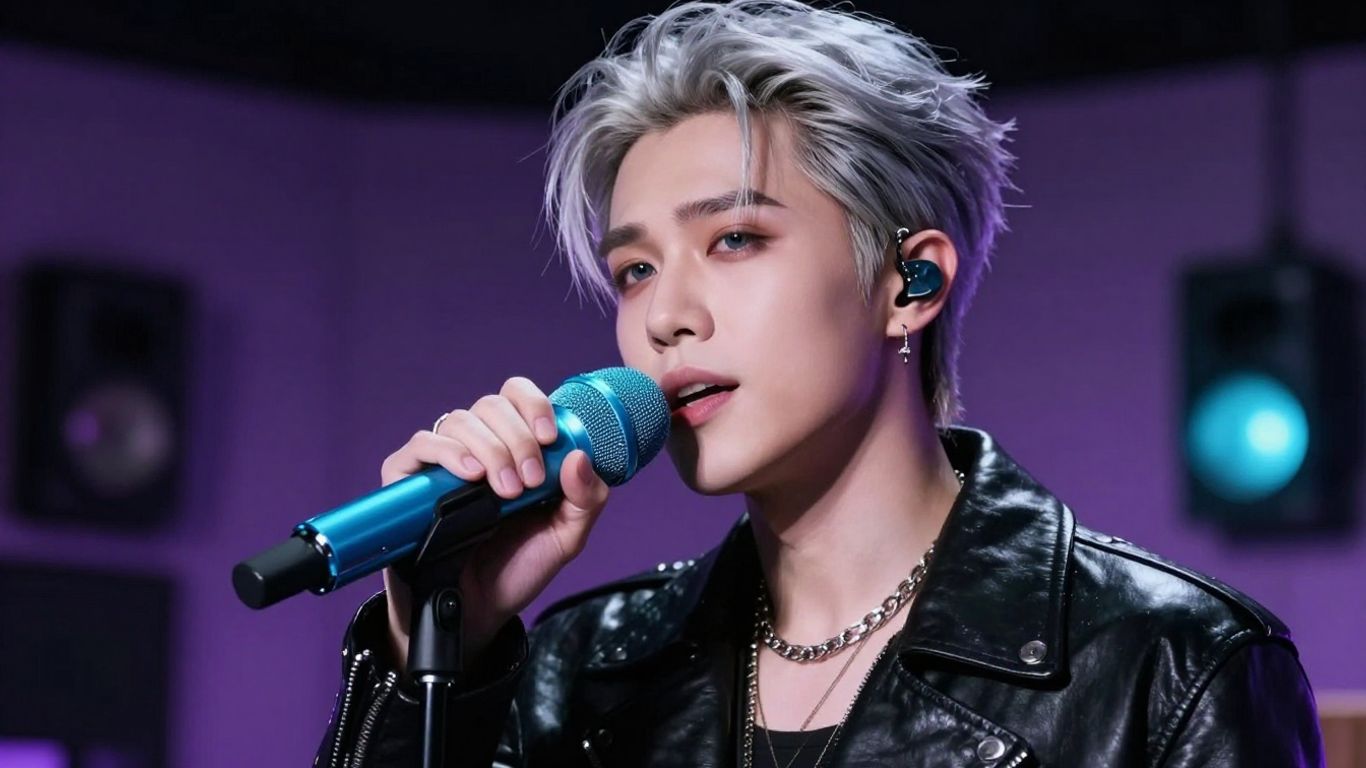
Write down the details that should remain fixed: face shape, hair, skin tone, body type, clothing palette, accessories, and any signature feature. Keep those details in a reusable reference prompt and pair it with one approved portrait.
The reference does not need to be elaborate. A front-facing image with clear lighting and a simple background usually gives you a better starting point than a busy scene with dramatic shadows.
Write an effective song prompt
A song prompt should tell the generator what to sing, how the arrangement should feel, and how the character should perform it. Separate those jobs instead of hiding them in one vague paragraph. You can also review this guide on making AI sing your lyrics before revising your first prompt.
Your goal is not to describe every second of the track. Give the model a strong direction, then leave enough room for musical variation.
Combine lyrics, musical direction, and vocal instructions
Use labeled parts when possible: lyrics, genre, tempo, instruments, vocal tone, and structure. This makes changes easier because you can adjust one part without rewriting the whole request.
A practical prompt might ask for a smoky alto, restrained verses, a melodic chorus, analog bass, crisp drums, and lyrics with short lines about forbidden desire. Specific direction improves repeatability without making the result feel rigid.
Use genre-specific details that influence the arrangement
Name details that a musician would understand. For house, mention a steady four-on-the-floor kick and a repeating bass pattern; for pop-punk, ask for live-sounding drums, distorted guitars, and a fast lift into the chorus.
Mood words work best when you connect them to sound. Replace “make it passionate” with “use a rising pre-chorus, fuller harmonies, and a stronger vocal attack on the final chorus.”
Structure verses, choruses, bridges, and repeated hooks
Give the song a basic map before generation. A verse can introduce the character’s situation, the chorus can repeat the central promise, and the bridge can change the perspective before the final hook.
Keep the hook easy to pronounce and short enough to remember. Repetition helps both the listener and the later video edit, since you can return to the same visual motif whenever the chorus returns.
Revise prompts when the AI singing style misses the brief
Change one or two variables at a time. If the character sounds too theatrical, reduce the vocal intensity; if the words blur together, shorten the lines and use more direct phrasing.
Keep notes on each generation so you know which change helped. A complete AI singing guide can help you compare vocal control, lyric clarity, and performance quality instead of judging only the instrumental.
Generate the character’s singing performance
The first generation is a test, not a final decision. Listen with the character brief beside you and check whether the voice sounds like the same person you described. A strong melody cannot fully rescue a performance that breaks the character’s identity.
When you need a combined path from text-to-song to audio-to-video, CREATUS.AI documents both capabilities in one product. Keep the song files and prompt versions together so you can retrace the result you prefer.
Decide between original vocals, uploaded audio, and voice models
You can start with newly generated vocals, an uploaded performance, or a permitted voice model. Original vocals offer a clean fictional identity, while uploaded audio may give you more control over phrasing and melody.
Treat a voice model as a rights decision as well as a creative one. You should know where the training material came from, who approved its use, and what kinds of publication the license permits.
Review pronunciation, timing, pitch, and emotional delivery
Listen once for the words, once for rhythm, and once for feeling. Mark unclear consonants, rushed syllables, flat notes, breaths in the wrong places, and emotional changes that do not match the lyric.
Do not judge the vocal only through headphones. Check it against the instrumental at a normal listening level, because a clear isolated voice may disappear once drums, bass, and effects enter.
Compare multiple generations before choosing a final take
Generate several versions with the same brief, then compare them on a short list of criteria. You may prefer one take for its chorus and another for its verse, but combining them can create timing or tone changes that sound obvious.
Use a simple rating system to avoid choosing based on novelty alone. Save the prompt, audio file, and reason for approval for every version that makes the shortlist.
Check ownership and permission requirements for voices and lyrics
Use lyrics you wrote, licensed, or have permission to reproduce. The same rule applies to reference vocals, sampled performances, character likenesses, and any recognizable voice identity.
Terms can vary by tool and plan, so read them before commercial release. A voice that is acceptable for a private test may not be cleared for advertising, paid downloads, or client work.
Turn the song into a character-led music video
The video should make the character feel present, not simply place a still image over audio. Give the performer actions, locations, camera movement, and recurring visual details that fit the song’s emotional path.
Prepare the final audio first, then build scenes around its structure. This approach gives your visuals a reason to change instead of producing a sequence of attractive but unrelated shots.
Upload an MP3 or WAV file for audio-to-video generation
Export a clean MP3 or WAV with the vocal and instrumental balanced before uploading it. Trim silence at the beginning and end, and check that the file plays correctly from start to finish.
For an audio-to-video workflow, CREATUS.AI can accept an MP3 or WAV file as the source for video generation. That keeps the audio reference stable while you test visual treatments.
Match visual styles to the character’s story and music
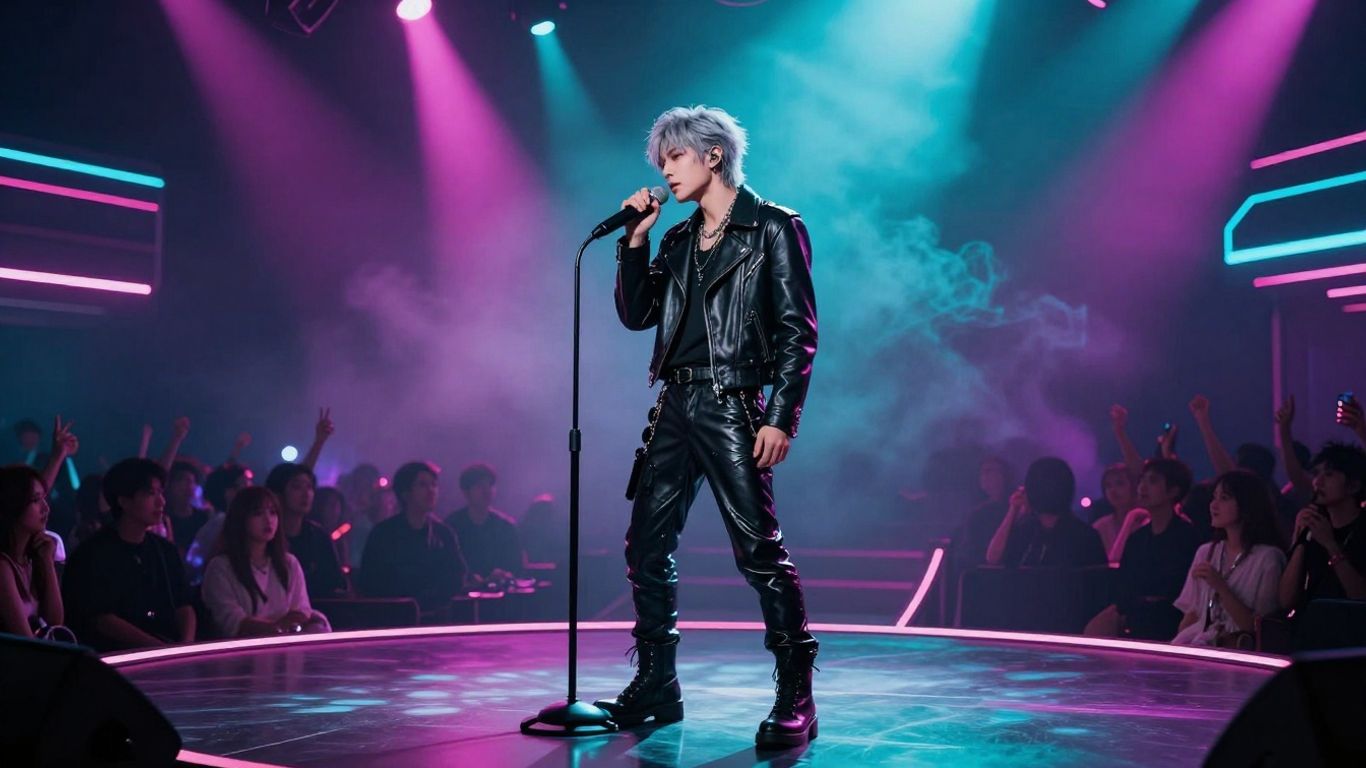
A club singer may suit saturated lights, reflective floors, and moving camera shots. A lonely android may need empty architecture, cool lighting, and slower compositions that leave space around the body.
Write the visual style as a short set of physical choices: lighting, color, location, lens feel, wardrobe, and movement. Avoid abstract instructions that do not tell the generator what should appear on screen.
Use performance, animated, cinematic, or lyric-video treatments
Choose the treatment based on what the song needs. A performance treatment keeps attention on the singer, an animated approach can support a stylized persona, and a lyric video helps when the words carry the main message.
You can also mix treatments by section. Keep the chorus performance-led, use narrative shots in the verse, and return to a lyric treatment for a line that needs to be read clearly.
Keep the character recognizable across scenes
Repeat the same reference image, wardrobe anchors, color palette, and facial description whenever the tool allows it. Limit major changes to moments that serve the story, such as a costume shift before the final chorus.
Watch for small identity breaks: different eye color, changing jewelry, altered hair length, or a face that becomes generic in wide shots. Fix those before you spend time polishing transitions.
Format the video for each publishing platform
Choose the frame before you build the shot list. A vertical video needs a different body position and background layout from a horizontal one, so cropping a finished master can remove the character’s face or important movement.
Keep a clean master whenever possible, then create platform versions from it. The same song can support several edits if each version has its own opening moment and readable composition.
Use 9:16 for TikTok, Reels, and Shorts
Place the character’s face and hands inside the central safe area, with enough room for interface overlays. Use a strong visual or lyric moment in the first seconds rather than a long establishing shot.
Vertical framing works well for close performance shots, dance movement, and direct eye contact. Test captions on a phone before posting, since small text can become unreadable quickly.
Use 1:1 for square social posts and feeds
Square framing gives you more balance between the performer and the surrounding set. Keep the character large enough to read in a scrolling feed, but leave space for captions if the post needs them.
A centered performance, symmetrical room, or repeated chorus pose can work especially well in this format. Avoid placing the face at the extreme top or bottom, where feed controls may cover it.
Use 16:9 for YouTube and standard video players
Horizontal video gives you room for wider scenes, movement between characters, and story details at the edges. It suits a full music video, especially when the setting is part of the character’s identity.
Use the extra width deliberately. A wide frame should add context, not make the singer too small to recognize.
Adapt framing, captions, and hooks to each platform
Create a short opening for discovery feeds and a longer version for viewers who choose the full track. Captions should follow the vocal timing, use strong contrast, and avoid covering the character’s mouth.
For quick production, the documented output options of CREATUS.AI include 9:16, 1:1, and 16:9. Still, review every export manually because a correct aspect ratio does not guarantee a good crop.
Improve quality before publishing
Quality control catches problems that are easy to miss while you are focused on the song. Watch the full video with sound, then watch it muted to assess whether the visual story still has a clear rhythm.
Make a short review list and use it on every version. Consistency matters more than adding another effect.
Sync visual changes with the song’s structure and energy
Cut or change scenes at meaningful musical points: the first downbeat, the chorus entrance, a drum break, or a lyrical turn. Let quieter sections breathe instead of changing shots at the same speed as the chorus.
If the video feels flat, compare its visual rhythm with the waveform and lyric structure. The problem may be timing rather than the selected visual style.
Fix distracting artifacts, inconsistent details, and awkward cuts
Look for hands, teeth, jewelry, backgrounds, and faces that change between shots. Remove a scene if fixing it would take longer than replacing it with a simpler composition.
Pay attention to cuts that interrupt a word or movement. A clean two-second shot usually feels better than a technically detailed shot that ends at an awkward point.
Balance character design with readable lyrics and branding
Your character should remain the visual anchor, while lyrics and logos support the message. Use a limited type style, strong contrast, and consistent placement so the viewer knows where to look.
Do not cover the face with oversized captions. If a lyric needs emphasis, change its timing or color rather than shrinking the character until the frame feels crowded.
Export test versions before creating final deliverables
Render a low-cost test with the intended frame, captions, and audio mix. Watch it on a phone, laptop, and larger screen before committing to the final export.
Check the opening, chorus, final frame, and audio sync first. These moments affect whether someone keeps watching and whether the file feels ready to share.
Choose a practical AI singing character workflow
The best workflow is the one you can repeat without losing track of assets or permissions. Decide where you want speed and where you need control, then keep the process small enough to finish consistently.
An all-in-one workflow can reduce file handoffs, while separate tools may give you more room to revise each stage. Either way, define the handoff points before you generate a full song and video.
Use an all-in-one tool when speed matters
An all-in-one product can suit a short promotional clip, a social series, or a first character test. It lets you move from a song idea to vocals and then to a video without rebuilding the project in several places.
CREATUS.AI documents text-to-song generation with AI singing vocals and audio-to-music-video production in the same product. Use that kind of workflow when a fast first version matters more than detailed manual editing.
Combine dedicated song and video tools when control matters
Separate stages can help when you need to edit lyrics, replace a vocal passage, adjust the mix, or build a detailed storyboard. Save a clean audio master before moving into video so later changes do not force you to start from nothing.
A practical split is song generation first, vocal review second, and video generation third. Keep the character reference unchanged unless the visual concept itself has changed.
Compare free plans, export limits, watermarks, and paid tiers
A free plan is useful for testing the workflow, but check its credit rules and export conditions before planning a campaign. Compare the points that affect your actual use:
| Check | Why it matters | What to record |
|---|---|---|
| Free credits | Tells you how many tests you can run | Credit amount and renewal rules |
| Export formats | Determines where the video can be published | Vertical, square, and horizontal options |
| Watermarks | Affects client and public presentation | Free and paid export conditions |
| Commercial terms | Clarifies whether paid work is allowed | License language and plan level |
That comparison prevents a cheap test from becoming an expensive rework later. Read the current terms and pricing for the exact plan you intend to use.
Organize prompts, source files, and approved character assets
Use folders for prompts, lyric drafts, audio generations, visual references, exports, and approvals. Name files with the character, song, version, date, and format so you can find the approved take quickly.
A small asset register helps when you publish a series. Keep the approved portrait, wardrobe notes, vocal description, lyric license, and final export settings together.
Bring the character to life
An AI singing character works when every layer supports the same identity. Define the persona, write a focused song prompt, review the vocal carefully, then build visuals that follow the music instead of competing with it.
If you want to test a fast song-to-video workflow, try Creatus with a short original idea and one approved character reference. Start small, review the result honestly, and expand the format only after the character feels consistent.
Conclusion
You can create a convincing AI singing character without a studio or a large production team, but you still need clear decisions at each stage. Give the character a stable identity, direct the song with usable details, check the performance, and export video versions that respect each platform’s frame.
Frequently Asked Questions
What is an AI singing character?
An AI singing character is a fictional persona presented through generated vocals, lyrics, visuals, or a combination of all three. The character may be realistic, animated, stylized, or entirely fantastical.
How do you make an AI character sing?
Start with lyrics or a song idea, define the vocal qualities, choose musical direction, and generate several performances. Review pronunciation, rhythm, pitch, and emotional delivery before selecting a take.
Can you use your own lyrics for an AI song?
Yes, you can use lyrics you wrote or have permission to use. Check the tool’s terms and keep proof of permission if the song will be published or monetized.
Should an AI singing character imitate a real singer?
No. Describe vocal qualities such as register, tone, phrasing, vibrato, and intensity instead of requesting an exact imitation of a real person.
What file formats work for turning a song into a video?
MP3 and WAV are common source formats for audio-to-video generation. Use a clean, complete file with minimal silence and a balanced mix.
Which video format is best for an AI singing character?
Use 9:16 for TikTok, Reels, and Shorts, 1:1 for square social feeds, and 16:9 for YouTube or standard players. Make separate exports when the crop changes the character’s visibility.
How do you keep the character consistent across scenes?
Reuse an approved reference image and repeat stable details such as hair, clothing, palette, accessories, and facial features. Review every scene for identity changes before final export.