Key Takeaways
YouTube SEO works best when your music, metadata, and audience expectation all point in the same direction.
- Match each video to one clear search intent.
- Choose specific keywords instead of repeating broad phrases.
- Make the opening seconds earn continued attention.
- Reuse each full video across Shorts and other platforms.
- Study retention and traffic data before changing your strategy.
Understand how YouTube ranks AI music videos
YouTube has to decide which video best answers a viewer’s query and keeps that viewer satisfied. Keywords help establish relevance, but they do not rescue a video that loses attention immediately. For an AI music video, the song, visuals, title, and thumbnail should promise the same experience.
Match the video to a clear search intent
Start by asking what the viewer wants when they search. Someone looking for an AI music video generator may want a demonstration, while someone searching for an AI-generated metal music video may want a finished song to watch. Your title and opening should make that purpose obvious.
Keep the topic narrow enough that the right viewer recognizes it quickly. A tutorial, a finished music video, and a behind-the-scenes workflow can share a genre, but they should not compete for the same primary promise.
A broad topic can still work when you give it a clear angle. For example, an audio-to-video workflow has a different audience expectation from a lyric video or a character performance.
Balance watch time, retention, and viewer satisfaction
Watch time matters because it shows how much viewing your video earns, but the raw total can mislead you. A long video with a weak opening may receive less useful attention than a shorter video that people finish and replay. Read retention alongside average view duration, likes, comments, and returning viewers.
Make the first visual and musical moment count. If your title promises a beat-synced performance, do not spend the opening on a slow logo animation. Give viewers the reason they clicked before asking them to wait.
Use engagement signals without chasing empty clicks
A high click-through rate is helpful only when the video fulfills the thumbnail and title promise. Misleading curiosity can produce clicks, then sharp exits, negative feedback, and weaker future recommendations. Honest packaging earns longer attention because the viewer knows what they are getting.
Invite a useful response rather than asking for generic engagement. Ask which visual matched the chorus, which genre should come next, or whether viewers prefer a full video or a lyric version. Those questions give you information you can use.
Build topic authority around a consistent music niche
A channel becomes easier to understand when its uploads share a recognizable subject. You might focus on AI-generated pop videos, cinematic instrumental visuals, animated character performances, or music tutorials. Consistency helps viewers know why they should watch another upload.
Keep related videos connected through playlists and end screens. A viewer who finishes one song should have an obvious next choice, especially when the videos share a genre, character, or visual style.
Choose keywords your audience actually searches
Keyword research gives your creative idea a route to the right audience. Begin with phrases that describe the format, then add genre, source audio, mood, or platform details. The goal is not to repeat a phrase everywhere; it is to understand the words people use when they want this kind of video.
Start with “AI music video” and related commercial terms
The phrase “AI music video” is a useful starting point, but related terms can reveal stronger intent. Search data in this category includes phrases such as “AI music video generator,” “AI music video maker,” and “AI music video generator from audio.” These terms suggest that some viewers want a tool, not only entertainment.
Use commercial phrases when your video teaches a workflow or demonstrates a generator. Use finished-song language when the upload is meant to be watched as a performance. A clear distinction keeps your audience and your metadata aligned.
Find long-tail keywords for specific genres and formats
Long-tail phrases often describe a more defined viewer need. Add terms such as “from lyrics,” “from MP3,” “for YouTube Shorts,” “cinematic,” “rap,” or “metal” only when the video genuinely includes that feature or style.
A simple research grid helps you compare opportunities without losing the creative thread:
| Keyword angle | Example phrase | Best video type | Viewer expectation |
|---|---|---|---|
| Tool intent | AI music video generator | Demo or tutorial | See how the tool works |
| Audio source | AI music video from audio | Workflow or case example | Watch audio become visuals |
| Genre intent | AI music video metal | Finished performance | Hear and see a metal track |
| Format intent | AI music video for Shorts | Short-form tutorial or teaser | Learn or watch vertically |
Use the most specific phrase that accurately describes the upload. A smaller but better-matched audience is more useful than broad traffic that leaves after a few seconds.
Map one primary keyword to each video
Choose one primary phrase before you write the title. Then assign supporting terms to the description, spoken narration, subtitles, chapters, and related uploads. This prevents a single video from trying to rank for every version of “AI music video.”
You can also review YouTube keyword data to find phrases your channel already reaches. Existing visibility may reveal a practical next topic or a title that needs clearer wording.
Turn search questions into video topics and titles
Questions make useful starting points because they reveal the viewer’s problem. “How do I turn a song into a music video?” could become a tutorial, while “Can AI make a full music video?” could become a test with a clear result.
Keep the answer visible in the video itself. If your title promises a step-by-step workflow, show the steps. If it promises a finished genre experiment, let the song arrive quickly rather than burying it under setup.
Optimize your YouTube video metadata
Metadata helps YouTube classify your upload and helps people decide whether to click. It should sound like a helpful description of the actual video, not a pile of search phrases. Write for a person first, then check that the important terms appear in natural places.
The YouTube publishing guide is a useful companion when you are checking titles, descriptions, tags, thumbnails, and AI-content policies together.
Write titles that combine keywords with a clear hook
Put the main subject near the beginning when it reads naturally. A title such as “AI Music Video From Audio: Darkwave Track With Synchronized Visuals” tells viewers the format, source, genre, and payoff without sounding vague.
Keep the hook concrete. Mention a transformation, a test, a song concept, or a visual approach. Avoid promising a result the video does not show, even if that promise might produce an initial click.
Create descriptions that explain the song and video naturally
Use the opening lines to identify the song, artist or channel, genre, and visual concept. Then explain the process, list relevant credits, and point viewers toward a related playlist or next video. Place important information before the fold because many viewers will not expand the full description.
You can review another YouTube SEO guide for ideas about music and lyric-video descriptions, then rewrite the structure in your own voice. Do not copy generic keyword blocks into the field.
Add relevant tags, hashtags, and song details
Tags have a supporting role, so keep them close to the actual subject. Include alternate spellings, the song title, artist name, genre, video format, and one or two relevant discovery hashtags. Do not add unrelated trending terms just to widen reach.
Song details also help human viewers. Add lyrics when appropriate, identify whether the upload is an official video, lyric video, visualizer, or demo, and state any relevant production or AI disclosure information clearly.
Use chapters, subtitles, and translated metadata when relevant
Chapters make longer uploads easier to scan, especially when you include an intro, verses, chorus sections, visual transitions, or a making-of segment. Subtitles help viewers follow lyrics and spoken explanations, while translated titles and descriptions can support audiences who search in another language.
Check every transcript for errors before publishing. Incorrect lyrics can hurt the viewing experience and make a carefully planned upload feel careless.
Improve the video itself for search and retention
Search can bring someone to the page, but the video has to keep the promise. Strong visuals, clean audio, and a clear progression matter more than adding another keyword to the description. Treat each upload as a viewing experience rather than a static file surrounded by metadata.
Hook viewers during the opening seconds
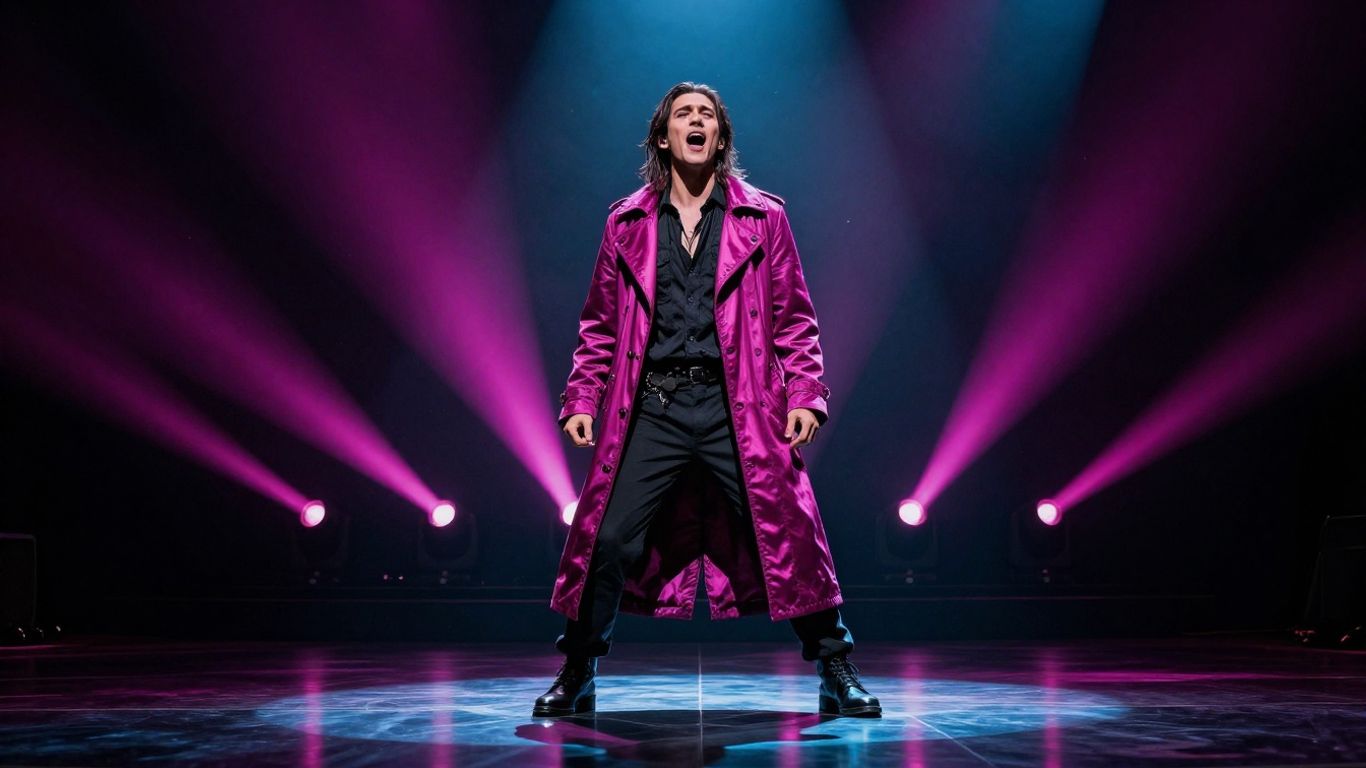
Open with the most compelling musical or visual moment you can deliver. A strong chorus, a striking character close-up, or a rapid visual change may work better than a title card. If context is necessary, keep it brief and place it over motion or music.
Review the first 30 seconds on a phone with sound on and off. The sequence should still communicate the mood visually, while the audio should make the song’s identity clear.
Align visuals with the song’s rhythm, lyrics, and mood
Visual changes should have a relationship with the track. Fast cuts can suit a dense beat, while slower movement may fit an ambient section. Lyrics can guide settings, gestures, color, and character action when the video has a narrative component.
Do not force constant motion. A calmer passage can give the viewer a needed pause before the next musical lift. Variation feels intentional when it follows the song rather than random scene changes.
Structure music videos for repeat viewing
Give the video a beginning, middle, and end even when it is primarily performance-based. Recurring visual motifs, a changing setting, or a small narrative question can give viewers a reason to watch again. Loops work especially well for short clips when the final frame connects naturally to the first.
You can also place a visual detail or lyrical callback late in the video. Repeat viewers may notice it, and that kind of detail often creates more useful discussion than a generic request to subscribe.
Create strong thumbnails for full-length videos and Shorts
A thumbnail should show one clear subject at a readable scale. Use a face, character, instrument, or dramatic scene with strong contrast, and keep any text short enough to read on a phone. The thumbnail should add information rather than repeat every word in the title.
Make separate versions for full-length uploads and Shorts when the framing changes. A vertical close-up may work in a feed, while a wider scene may better describe a 16:9 music video.
Build an AI music video workflow that supports SEO
SEO becomes easier when the production process starts with a defined viewer and a defined release format. Decide the genre, mood, song length, visual idea, and destination before you generate assets. This reduces last-minute changes that can weaken synchronization or branding.
Generate the song around a defined audience and genre
Write a short brief that names the genre, tempo, emotional direction, lyrical subject, and intended listener. The brief should also tell you whether the final upload is a performance, visualizer, lyric video, or tutorial. That choice affects both the visuals and the search terms.
CREATUS.AI combines text-to-song generation with AI singing vocals and audio-to-music-video production. If you use a workflow with those two stages together, keep the original prompt and audio notes so you can later explain the process accurately in your description.
Turn audio into visuals that reinforce the video concept
Choose a visual concept that gives the track a memorable identity. A singer character, a narrative sequence, or beat-responsive scenes can all work when they fit the sound. Check lip movement, repeated objects, transitions, and scene continuity before you publish.
For a practical production reference, audio-to-video planning covers ways to generate visuals from audio and adapt a project for YouTube, Shorts, TikTok, and Instagram. Treat those format changes as part of the plan, not as an afterthought.
Export the correct format for YouTube videos and Shorts
Use 16:9 for a standard YouTube music video and 9:16 for Shorts. A 1:1 version can suit some social placements, but do not upload a cropped file without checking faces, subtitles, and important action near the edges.
Before publishing, watch the exported file from start to finish. The YouTube export checklist covers the 16:9 format, MP4 output, synchronization, and final quality checks.
Keep branding and visual themes consistent across uploads
Repeat a small set of choices across your channel: color treatment, character design, title pattern, thumbnail framing, and intro length. Consistency lets a viewer recognize your work before reading the channel name.
Document those choices in a simple release sheet. Include the primary keyword, supporting phrases, format, thumbnail idea, playlist, and the next upload you want viewers to watch.
Promote AI music videos beyond YouTube
A full-length upload can supply weeks of smaller content. Short clips let you test hooks, scenes, and chorus sections in feeds where music discovery happens quickly. Each clip should still point toward a specific next action, such as watching the full song or visiting a playlist.
Create Shorts that lead viewers to the full song
Select a section with a clear payoff rather than cutting the first 30 seconds at random. Add concise on-screen context, use a vertical crop, and end with a simple path to the full video. The Short should work on its own while leaving a reason to continue.
Test more than one moment from the same song. A chorus may earn broad attention, while a visual reveal or unusual lyric may bring stronger intent.
Repurpose clips for TikTok and Instagram Reels
Export each clip for the platform instead of stretching one file everywhere. Check safe areas, captions, cover frames, audio levels, and the first visual. The short-form music workflow offers a useful reference for adapting aspect ratios and syncing clips to the beat.
Keep the caption specific to the clip. A short description of the song’s mood or visual idea gives people a better reason to respond than a row of generic hashtags.
Use playlists, end screens, and pinned comments to increase session time
Connect each upload to the next one. A playlist can group songs by genre, character, or release series, while an end screen can send viewers to the next full video. A pinned comment can answer a common question and point to the same next step.
Use a small sequence rather than sending viewers in five directions. One strong recommendation is easier to follow and easier to measure.
Collaborate with creators and niche music communities
Share a finished clip with communities that already discuss your genre or format. Offer something specific, such as a visual for a producer’s track, a remix prompt, or a joint reaction. Respect each community’s posting rules and disclose how the music or visuals were made.
A focused collaboration can bring fewer viewers than a broad post but produce better comments, repeat visits, and future ideas.
Measure performance and improve future uploads
Analytics turns each upload into evidence for the next one. Check the numbers after enough impressions have accumulated to reveal a pattern, then change one meaningful variable at a time. Avoid treating a single weak upload as proof that the whole channel direction failed.
Track impressions, click-through rate, and watch time
Impressions show how often YouTube presents the thumbnail, while click-through rate shows how often people choose it. Watch time and average view duration show what happens after the click. Read all three together rather than chasing one number.
A useful review table keeps the diagnosis clear:
| Signal | What it may indicate | First question to ask |
|---|---|---|
| Low impressions | Weak topic fit or limited audience history | Is the query specific enough? |
| High impressions, low CTR | Packaging needs work | Does the title and thumbnail match? |
| Good CTR, early exits | Opening or delivery problem | Does the video start quickly? |
| Strong retention, low reach | Topic or distribution limit | Which related query fits next? |
This prevents you from changing the thumbnail when the real issue is a slow opening, or rewriting the title when the topic itself has little demand.
Identify retention drops in the first 30 seconds
Open the retention graph and mark every sharp fall. Then watch that exact moment without guessing. Common causes include a long intro, a mismatch between title and opening, a sudden audio change, or visuals that do not match the promised mood.
For the next upload, remove or shorten one suspected cause. Compare the new graph with the old one instead of relying on memory.
Compare traffic sources and keyword performance
Search traffic tells you whether your metadata and topic match active queries. Suggested traffic, Browse features, external links, and Shorts feed traffic tell a different story. Each source may require a different title, thumbnail, or opening structure.
Use traffic source analysis to think beyond rankings and review how titles, tags, retention, playlists, and transcripts work together. You can also compare search terms that bring viewers who watch longer, not only terms that bring the most clicks.
Test thumbnails, titles, and formats systematically
Change one element and record the date, audience, impressions, CTR, average view duration, and retention shape. Test a different thumbnail before changing the song itself. When you have enough data, compare full videos, lyric versions, visualizers, and Shorts as separate formats.
A simple test plan might include these steps:
- Keep the video and audience constant while testing the thumbnail.
- Change the title only after the thumbnail result has settled.
- Compare the first 30 seconds across related uploads.
- Reuse winning visual themes in a new song, not a duplicate upload.
The point is to learn which promise and format attract the right viewers. A test has value even when the result is negative because it narrows your next decision.
Review copyright, disclosure, and audience-retention issues before scaling
Check the rights for your music, voices, samples, characters, and source images before you publish or monetize. Disclose AI involvement when relevant to the platform and your audience, and keep records of the assets and permissions used in the project.
Also review whether the video adds clear original value beyond raw generation. AI content policy guidance can help you think through disclosure, visual quality, synchronization, and audience expectations before you publish at a larger volume.
Conclusion
To rank with AI music video SEO how to rank on youtube, match a specific query with an honest title, a fast opening, coherent visuals, and a release plan you can repeat. Review the data, improve one part at a time, and start creating when you have a song idea that deserves a visual home.
Frequently Asked Questions
What is AI music video SEO?
AI music video SEO is the process of matching an AI-assisted music upload to relevant searches while improving its title, description, thumbnail, retention, and viewer experience.
How do you choose a keyword for an AI music video?
Choose one phrase that accurately describes the video’s main format or purpose, then add supporting details such as genre, audio source, mood, or platform only when they appear in the video.
Does YouTube rank music videos based only on keywords?
No. Keywords help YouTube understand relevance, but clicks, watch time, retention, satisfaction, and viewer behavior also influence how a video performs.
Should you put “AI” in the title?
Include “AI” when it describes a meaningful part of the video or answers the viewer’s search intent. Do not add it if the upload does not discuss or visibly use AI.
How long should an AI music video be?
Use the length the song and concept need. A complete song can support a longer upload, while a strong chorus or visual moment may work better as a Short.
Are Shorts useful for promoting a full AI music video?
Yes. A Short can introduce the strongest musical or visual moment and direct interested viewers to the full upload, provided the clip works well in a vertical feed.
What should you check before publishing an AI music video?
Check the audio, synchronization, aspect ratio, thumbnail, title, description, subtitles, rights, disclosure details, and the first 30 seconds. Watch the exported file from start to finish before publishing.