Ever want to make a music video for TikTok but feel totally lost with editing software? Yeah, same here. Good news: with an AI music video generator for TikTok, you can skip all the complicated stuff. Just type in your song idea or upload your track, pick a style, and let the AI do everything. No need to learn fancy tools or spend hours syncing visuals to your beat. It’s actually kind of fun, and you’ll have a TikTok-ready video in no time.
Key Takeaways
- You don’t need to know anything about music production or video editing to make a music video for TikTok.
- AI music video generators can turn your text ideas or audio files into full songs and matching videos in just a few steps.
- You can easily export your videos in vertical, square, or horizontal formats, so they’re ready for TikTok, Instagram, or YouTube.
- There are tons of visual styles to try—cinematic, animated, lyric videos, and more—so your video can match your vibe.
- Most platforms offer a free tier, so you can start making videos right away and see if it works for your music or content.
Streamline Your Music Video Creation Process
Understand the All-in-One Workflow
Forget juggling multiple apps and complex software. This process brings everything together in one place. You can go from a simple idea to a finished music video without switching between different tools. This unified workflow saves you time and keeps your creative energy focused. It’s designed to make the entire journey smooth and straightforward.
Eliminate the Need for Technical Skills
You don’t need to be a video editing expert to make professional-looking music videos. The AI handles the heavy lifting, analyzing your audio and generating visuals that sync up. This means you can skip the steep learning curves associated with traditional video production. Focus on your music, not on mastering complicated software.
Leverage AI for Rapid Content Generation
AI is the engine that drives speed in this process. It analyzes your song and creates synchronized visuals in minutes, not hours or days. This rapid generation allows you to produce content much faster than before. You can experiment with different visual ideas and get results quickly. This speed is a game-changer for staying active on platforms like TikTok.
Generate Original Music and Visuals Seamlessly
Forget needing a studio or a band to get your ideas out. You can now create entirely new songs and their accompanying music videos right from your computer. This means you can go from a simple idea to a finished track with vocals, and then immediately turn that into a visual piece.
Transform Text Ideas into Full Songs
Start with just a few words. Describe the genre, mood, or even some lyrics you have in mind. The AI takes your text and builds a complete song, including AI-generated singing vocals. It’s like having a songwriter and a vocalist on demand, ready to bring your concepts to life without any musical training on your part. This makes song creation accessible to everyone.
Create Music Videos from Audio Uploads
Once you have your audio, turning it into a video is just as straightforward. You can upload an existing song or use the one you just generated. The system then analyzes your music – its tempo, energy, and structure. It uses this information to build a video that visually matches your track.
Achieve Beat-Synced Visuals Automatically
No more manually timing video clips to your music. The AI handles the synchronization for you, ensuring that the visuals move in time with the beat and the overall rhythm of your song. This automatic syncing creates a professional feel, making your music videos look polished and intentional, even if you’ve never edited video before. You get dynamic visuals that feel connected to the audio, ready for sharing.
Optimize Videos for TikTok and Beyond
Export in Vertical 9:16 Format
TikTok, Instagram Reels, and YouTube Shorts all favor vertical video. You’ll want to export your music video in the 9:16 aspect ratio to fill the screen on these platforms. This format is designed for mobile viewing, making your content more engaging for viewers scrolling through their feeds. It’s the standard for short-form vertical video content.
Select Square and Horizontal Aspect Ratios
While vertical is king for short-form, other platforms and placements might need different formats. You can also export your video in a 1:1 square format, which works well for Instagram feeds and other social media posts. A 16:9 horizontal format is still useful for YouTube main channel uploads or embedding videos on websites. Having these options means your video can work across more places.
Publish Directly to Social Platforms
Once your video is ready, you’ll want to get it out there. The goal is to make publishing as simple as possible. You can download your finished video and upload it manually to your chosen social media accounts. This gives you full control over captions, hashtags, and timing. Getting your music video out quickly is key to keeping your audience engaged and growing your reach.
Explore Diverse Visual Styles and Options
Choose from Cinematic to Animated Styles
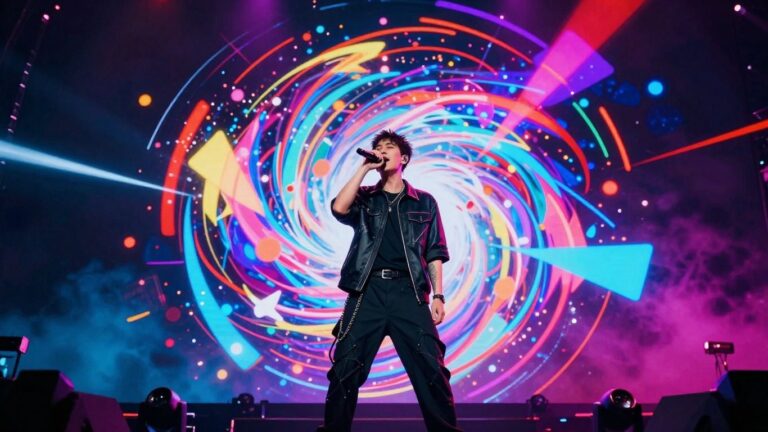
You’re not limited to one look. The AI can generate videos in a range of styles, from realistic cinematic scenes to vibrant animated sequences. This means you can match the visuals precisely to the mood and genre of your music. Experiment with different presets to find the perfect aesthetic for your track.
Incorporate Lyric Videos Effortlessly
Adding lyrics to your music videos is straightforward. The AI automatically syncs text to your audio, making it easy to create professional-looking lyric videos. You can then customize the timing and style of the text to fit your vision. This feature helps your audience connect with your message.
Experiment with Performance and Abstract Visuals
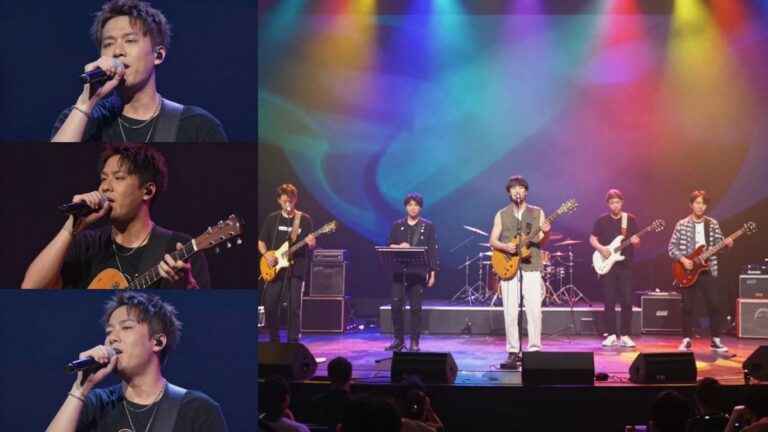
Beyond standard styles, you can also explore performance-based visuals or more abstract, artistic interpretations. Think about creating dynamic scenes that mimic a live performance or generating visuals that react purely to the music’s energy. This flexibility allows for truly unique content creation. You can even use the tool to transform text ideas into full songs that can then be visualized.
The AI analyzes your music’s rhythm, mood, and energy to create visuals that feel connected. You can choose from various styles, including cinematic, animated, and abstract. This ensures your video matches your song’s vibe. You can also generate lyric videos with automatically synced text. It’s all about giving you control over the final look and feel.
Integrate AI Music Video Generation into Your Workflow
Utilize a Free Tier to Start
You can start experimenting with AI music video creation right away without any upfront cost. Many platforms offer a free tier, letting you test the waters and see what’s possible. This is a great way to get a feel for the tools and understand how they can fit into your creative process. You don’t need to commit financially to begin producing content.
Access a Suite of Over 35 AI Tools
Think of this as your all-in-one creative hub. Beyond just music videos, you gain access to a wide array of AI-powered tools. This means you can generate original music, create visuals, edit images, and even produce AI avatars, all within the same system. It simplifies your workflow by keeping everything connected. You can explore different creative avenues without jumping between multiple applications.
Benefit from a Unified Creative Studio
This integrated approach means you go from a simple text idea to a finished music video without ever leaving the platform. You can write a song, generate the audio, and then immediately start creating the visuals. The entire process is designed to be fluid and efficient. This unified studio environment cuts down on the time you spend managing different software and file transfers. It lets you focus more on the creative output and less on the technical setup.
Empower Independent Artists and Creators
Produce Professional Videos Without Budgets
Making a music video used to mean big costs. You needed a crew, equipment, and a studio. Now, you can skip all that. This AI tool lets you create polished videos right from your computer. You get professional-looking visuals without needing a production team or a huge budget. It’s about making your music look as good as it sounds, easily.
Accelerate Content Output for Social Media
Consistency is key on platforms like TikTok and Instagram. You need to post regularly to keep your audience engaged. This AI helps you churn out videos much faster than traditional methods. You can go from a finished song to a shareable video in minutes, not days or weeks. This means more content for your fans, more often.
Focus on Music Creation, Not Production
Your main job is making music. Spending hours on video editing can take away from that. This tool handles the visual side so you don’t have to. You can spend more time writing, recording, and perfecting your sound. Let the AI take care of the video production, freeing you up to do what you do best.
We believe in giving artists the tools they need to shine. Our platform is built to help you bring your creative visions to life without limits. Ready to make your mark? Visit our website today and start creating!
Wrap Up
So there you have it. You can now whip up AI music videos for TikTok pretty quickly. It’s not about replacing your whole creative process, but it’s a solid way to get visuals out there without a huge hassle. You type in an idea, the AI makes a song, then turns that song into a video. Boom. You can get something ready for TikTok, Reels, or Shorts in minutes, not days. Give it a shot and see what you can make.
Frequently Asked Questions
What exactly can this tool do for my music videos?
Think of it as a super helpful assistant! You can type in an idea for a song, and the AI will actually create the music and sing it for you. Then, it takes that song (or one you upload) and makes a music video that perfectly matches the beat and mood. It’s like having a whole music production and video team in one place, but way easier.
Do I need to be a tech whiz or a music expert to use this?
Nope! You don’t need any fancy skills. If you can type and have an idea, you can use this tool. It’s designed so anyone can make cool music videos without knowing complicated software or music theory. It handles all the technical stuff for you.
How quickly can I get a video ready for TikTok?
Really fast! Since it does everything from making the song to creating the video, you can go from an idea to a finished video in just minutes. It’s perfect for when you want to post something new on TikTok or other social media without waiting forever.
What if I want my video to look a certain way?
You’ve got options! You can choose from different visual styles, like cinematic looks or animated ones. You can even make lyric videos that show the words as they’re sung. It lets you play around with the look and feel to match your music.
Can I use this for videos on platforms other than TikTok?
Absolutely! You can export your videos in different shapes and sizes. There’s the tall 9:16 format perfect for TikTok, Reels, and Shorts, but also square (1:1) for Instagram posts and the regular wide (16:9) for YouTube. It’s ready for wherever you want to share.
Is this going to cost a lot of money?
You can start trying it out for free! There’s a free option so you can see how it works and make some cool stuff. If you decide you love it and want more features, there are affordable paid plans too. It’s a great way for independent artists to make professional-looking videos without a big budget.