Key Takeaways
Finding the right tool depends on your specific needs for audio quality, vocal performance, and video integration. Here are five crucial points to consider when searching for the tools that fit your creative flow:
- Vocal realism has significantly improved, allowing AI to mimic natural singing inflections.
- Integration between text-to-song and video creation saves hours of production time.
- Different platforms prioritize unique features like lyrical control, genre versatility, or orchestral arrangements.
- Commercial rights and high-quality export options are vital for serious content creators.
- Start with free tiers to test vocal stability before committing to a paid subscription.
1. Creatus AI
When you need an all-in-one platform, Creatus AI serves as a specialized tool for generating songs with vocals while simultaneously producing a synchronized music video. You simply provide a prompt or your own audio, and the system handles the composition and visual rendering. It is particularly helpful if you want to bypass the typical struggle of switching between multiple music and video software titles.
Because the platform connects text-to-song generation with visual performance, you can create a character video without needing traditional animation skills. The AI song generators with best vocal quality often lack this dedicated visual capability, making it a unique bridge for social media creators who need to upload content on a schedule.
You gain access to 35 genres and can easily export your results in common aspect ratios like 9:16 or 16:9. This workflow removes the friction of importing raw audio into separate editing tools, letting you focus on the creative idea instead of formatting technicalities.
2. Suno
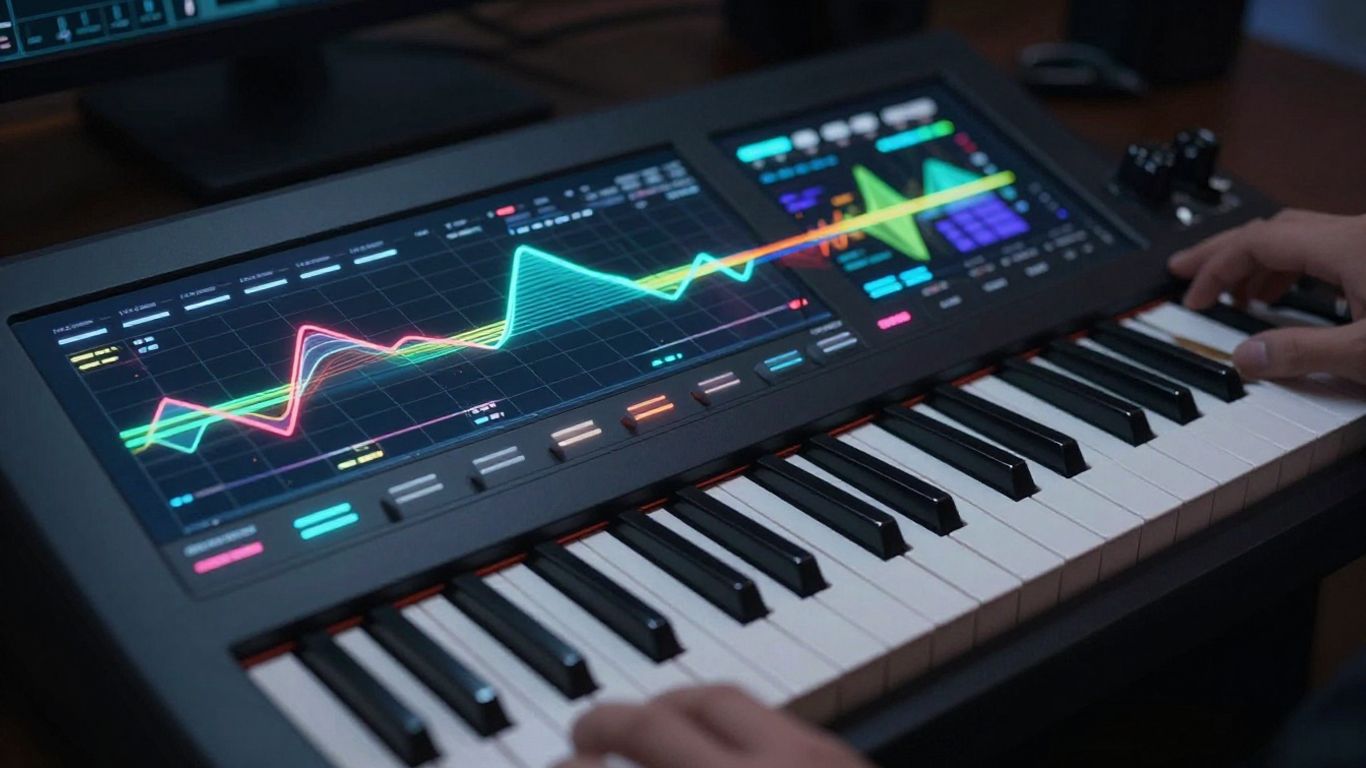
Suno stands as a primary market leader for users who prioritize raw vocal clarity and speed. By processing simple text prompts, the model produces full-length songs that feature highly natural singing voices, making it a top contender for anyone conducting a serious sonic experiment. You will often find the phrasing and breath control mimic human singers with surprising accuracy.
Many music producers prefer this service because it manages complex song structures and genre rules without requiring manual MIDI programming. You get an immediate result that feels finished, whether you want an upbeat pop track or a mellow ballad. The platform effectively balances technical sophistication with an interface that caters to beginners and experts alike.
Since this tool is widely recognized for generating studio-quality compositions, you can rely on it to provide the base audio for your future projects. While it stays focused on audio, it remains the gold standard for those who evaluate AI-generated vocals based on emotional consistency and fidelity. It works perfectly when paired with other visualizers for a complete production pipeline.
3. Udio
Udio offers a deep layer of control that appeals to musicians who want to fine-tune their vocal outputs. You can iterate through different sections of a song, allowing for a more deliberate process rather than settling for the first result that comes out of the generator. This level of granular control helps you achieve specific artistic intentions that other models might overlook.
The vocal output here is consistently crisp, providing a high-fidelity experience that works well in diverse musical settings. You will notice that the model handles complex vocal runs and transitions with ease, ensuring that the performance feels polished and intentional. Users often appreciate features that let them guide the AI’s behavior through specific structural and stylistic adjustments.
If you need a platform that listens to your feedback during the generation process, this is an excellent choice. The balance between ease of use and advanced parameter control captures a significant segment of the market focused on professional-grade sound. It remains a powerful option for your collection of production tools.
4. Soundverse
Soundverse tailors its approach specifically toward content creators who need music that is safe and ready for distribution. When you work with this platform, you benefit from a system that emphasizes copyright safety while maintaining impressive vocal quality. This focus is beneficial when you are building content for YouTube or TikTok where licensing issues are a common headache.
The platform provides a clear pathway for producers to request specific vocal styles without getting lost in overly complicated technical menus. You can trust the output to hit the requirements for your target genre, whether you are making a quick background track or a lead vocal piece. It streamlines your workflow by eliminating common licensing barriers that often slow down indie creators.
When evaluating different apps, consider the following technical comparison of how these services handle your audio needs.
| Platform | Primary Strength | Best For |
|---|---|---|
| Suno | Vocal Realism | Quick Songs |
| Udio | Structural Control | Advanced Producers |
| Soundverse | Copyright Safety | Content Creators |
| Creatus | Video Integration | Social Media Ads |
This breakdown helps you distinguish between platforms based on your current production requirements.
5. AIVA
AIVA takes a different route, focusing largely on orchestral and soundtrack-oriented music rather than modern pop vocals. If your project demands cinematic scores or complex instrumental backgrounds, it performs exceptionally well. You will find that it excels in building mood and atmosphere for projects where a lead vocal track would feel out of place.
Use this tool when you need high-quality composed music that mirrors traditional arrangement techniques. It is one of the more specialized platforms, making it ideal for filmmakers or game developers who require recurring musical themes. The control you get over the arrangement is precise and keeps your production quality high across long-running projects.
Since it was designed for composer-level tasks, you retain quite a bit of influence over the final score’s composition. Once your arrangement is complete, you can use these stems in a wider variety of ways than a standard loop-based generator would allow. It remains a staple for those who value compositional depth over sheer speed.
6. Boomy
Boomy offers a remarkably simple path to creating and distributing tracks globally. When you are looking to get your music onto streaming platforms, this tool reduces the barriers to entry by handling the heavy lifting of composition. You essentially choose your style, and the AI generates a coherent structure that is ready for public release.
Many users appreciate the integration with streaming services because it solves the logistics of digital distribution alongside the creative act of songwriting. Even if you lack professional audio experience, the results are formatted to sound legitimate and well-paced. The focus here is clearly on the output being usable and ready for your audience.
To make the most of this process, consider these simple steps to ensure success with your new track:
- Define your musical intent clearly within the prompt interface.
- Choose instruments that fit the mood of your specific genre.
- Review your track for pacing before exporting it for distribution.
- Save your best project files as masters for high-quality future editing.
Following these steps ensures that you are consistently producing work that resonates with listeners.
7. TopMediai
TopMediai provides a wide range of options for those who want to experiment with different visual and audio styles. You can quickly turn static photos into video content, which pairs well with the audio generation tools provided on the platform. It is a flexible choice if you want to test various aesthetic directions for a single music project.
Because it offers robust theme customization, you can often reach a unique look that feels distinct from standard stock footage. When you create AI song generators with best vocal quality content, the ease of applying styles to your visual asset is just as critical as the music’s polish. This tool brings those two requirements under one digital roof effectively.
It handles a variety of genre requests and allows for some experimentation that stays outside the typical pop formula. You can use it as a testing ground for newer ideas before moving them into more advanced production software. It remains a reliable partner for creators who value variety and rapid iteration.
8. Vidnoz
Vidnoz stands out by offering a highly visual-centric approach to AI-generated music. You can use various avatars and singers to represent your music, which adds a personal touch to your final video content. For many creator-focused projects, this persona-based approach makes the audio feel grounded in a specific, relatable performance.
This service creates a bridge between your audio input and a visual face, which is perfect for social media channels that rely on human-like connection. You will find that the vocal quality is balanced well with the lip-syncing capabilities of the platform. It removes the need for you to hunt for stock videos that match the mood of your track.
When you use these features together, you are effectively creating a complete package for platforms like Instagram Reels or TikTok. The ability to select different styles ensures your content does not feel repetitive over months of posting. It is an efficient way to keep your aesthetic consistent while keeping your production time low.
9. MakeSong
MakeSong combines AI song creation with narrative video-making, including helpful features like lip-syncing. If your goal is to produce kid-friendly songs or storytelling music, the tools offered here are specifically optimized for those use cases. It makes the technical process of aligning audio to visual gestures feel manageable for any creator.
You benefit from a platform that listens to the demand for narrative content, offering dance video capabilities that most other generators lack. It is a playful, creative environment where you can try out ideas that are more unconventional than standard pop compositions. The speed of the generation allows for a rapid creative workflow when you have many ideas to test at once.
Whether you are producing high-energy tracks or more relaxed, storytelling videos, the model provides a high degree of predictability. It allows you to focus on the story you want to tell rather than the software architecture behind the audio. Consider this a great starting point for niche music projects that require visual accompaniment.
10. MusicCreator.ai
MusicCreator.ai provides a focus on audio-to-video conversion with highly customizable prompt options. You can upload images to generate visuals that fit your audio profile, which gives you complete control over the final presentation of your project. This approach works best if you are creating unique visualizers that require a specific brand look.
The system produces sound wave visuals and aesthetic scenes that align well with digital music culture. If your work requires a professional, minimalist look for your tracks, this platform helps you achieve that with minimal effort. It is quite useful for artists who already have high-quality audio files but need a visual wrapper to showcase them to followers.
Even with its visual focus, the audio output remains clear and adaptable for most digital platforms. You get a cohesive experience where the visual output does not clash with your specific genre choices. It is a solid, focused tool for creators who need to prepare their music for digital sharing and release quickly.
Conclusion
Choosing the best AI tool for your project comes down to whether you prioritize raw audio fidelity, granular control over song structure, or the convenience of an integrated visual pipeline. By leveraging these platforms, you can transform a simple text idea into a professional, shareable performance, with many services providing free tiers to help you test different vocal models and genre outputs. Whether you need a quick instrumental background or a full-blown singing production complete with custom visuals, the diversity of current AI technology ensures you have the right solution to match your specific creative goals.
Frequently Asked Questions
How does AI generate realistic singing voices without a human performer?
AI models are trained on vast datasets of recorded human singing, learning the complex patterns of pitch, tone, breath, and vibrato. By mapping these patterns, the software can synthesize vocal layers that mimic natural performance when a user provides lyrics or text prompts.
Can I use AI-generated music commercially?
Many AI music platforms offer commercial rights, but the terms vary significantly between services and their specific subscription plans. Always review the platform’s terms of service and license agreements to confirm whether the tracks you generate are cleared for use in ads, games, or monetized social content.
Do the best tools for AI vocals differ by genre?
Yes, certain platforms perform better for specific genres due to their training focus and the style of their synthesis engines. Some are optimized for high-energy electronic and pop, while others excel in classical arrangements, orchestral scores, or lo-fi background beats.
Is it possible to use my own voice with these generators?
Some advanced platforms allow for voice cloning or model training if you provide existing recordings of your own voice. This helps you maintain a consistent vocal identity across a full discography while leveraging the AI to handle the composition and performance complexities.
What should I look for in an AI tool for music production?
Prioritize vocal clarity, the ability to control song structure, genre variety, and the availability of export formats like WAV or high-bitrate MP3. If you intend to use the audio for video, look for tools that offer integrated visual generation to save time in post-production.
How do I get better results from my text prompts?
Use specific descriptors such as BPM, mood, instruments, and vocal styles to guide the AI toward your vision. Avoid overly vague prompts, and iterate on your results by adjusting the lyrics and stylistic constraints until the model aligns with your intended auditory profile.
Are there free AI song generators suitable for beginners?
Many platforms provide generous free tiers that offer enough credits to generate full-length songs with vocals. These versions are excellent for beginners who want to explore different models and learn how prompting affects acoustic output without making a financial commitment upfront.