Making a music video used to cost a ton and take forever, right? Well, things have changed. Now, you can whip up cool visuals for your songs using AI, and guess what? Many of these tools are free and online. This guide is all about checking out the best free online ai music video generator options out there, so you can spend less time editing and more time creating.
Key Takeaways
- You can now create music videos with AI without needing fancy equipment or big budgets, and many tools are available for free online.
- Tools like Creatus AI combine song creation and video generation in one step, simplifying your workflow.
- Vidnoz and TopMediai offer accessible ways to make music videos, though free versions might have limits like watermarks or clip length.
- Consider what you need most: ease of use, creative freedom, or specific features like audio syncing when choosing an ai music video generator free online.
- Always check the free tier limitations and consider if a paid plan makes sense for your project’s needs and future growth.
Understanding AI Music Video Generators
What Constitutes An AI Music Video Generator?
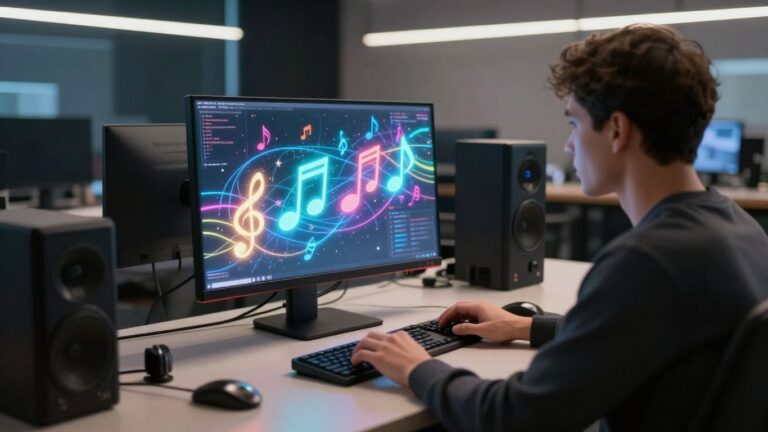
An AI music video generator is a tool that uses artificial intelligence to create visual content for your music. You typically provide a song, and the AI analyzes its rhythm, beats, and mood. It then automatically generates video clips and edits them together to match the music. Some tools also let you input text prompts to guide the visual style or theme.
Key Benefits For Creators
These generators significantly cut down on the time and cost of making music videos. You can get a finished video in minutes, not days or weeks. The AI handles the tricky parts like syncing visuals to the beat, which means you don’t need advanced editing skills. This makes professional-looking videos accessible even if you’re on a tight budget or working solo.
- Reduced Production Costs: Avoids hiring expensive crews.
- Speed: Generate videos much faster than traditional methods.
- Accessibility: No prior video editing experience needed.
- Creative Exploration: Easily try different styles and concepts.
Core Functionality Explained
At its heart, an AI music video generator takes your audio file and turns it into a visual experience. You might upload your track and then select a style or theme. The AI then processes the audio, identifying key moments like the chorus or beat drops. It matches these moments with generated or selected video footage, applying effects and transitions automatically. The goal is to create a cohesive visual narrative that complements your song, like the ones you can explore at [820b].
The process aims to automate much of the manual work involved in video editing, allowing creators to focus more on the music itself and less on the technical aspects of visual production. It’s about making video creation more direct and less of a hurdle.
Evaluating Top Free Online AI Music Video Generators
When you’re looking to create a music video without a big budget or a production crew, AI tools are a game-changer. These platforms analyze your music and generate visuals, often syncing them to the beat. We’ll look at a few of the top free options available right now.
Creatus AI: Integrated Song and Video Creation
Creatus AI stands out because it lets you do two things in one place: make a song and then turn it into a video. You can type in what kind of song you want – genre, mood, lyrics – and the AI will compose it with vocals. This means you don’t need separate software for music creation and video production. It’s a pretty neat way to keep your workflow simple.
Vidnoz: Accessible Free Music Video Generation
Vidnoz offers a straightforward way to generate music videos for free. It’s designed to be easy to use, even if you’re new to this. You can pick different avatar styles and even choose from various singers. The free tier is a great starting point for quick projects. Just be aware that free exports come with a watermark and are limited to one minute.
TopMediai: Photo-Centric Video Synthesis
TopMediai focuses on turning your photos into music videos. You upload your images, provide your audio track, and the AI creates the visuals. It offers some control over themes and storyboards, giving you a preview before the final render. While it’s good for photo-based videos, you might find it has less control over the final video output compared to other tools. This is a good option if you have a collection of images you want to animate to your music.
Exploring Specialized AI Music Video Tools
Beyond the all-in-one platforms, several specialized AI tools focus on specific aspects of music video creation. These can be incredibly useful if you have a particular vision or need for your project.
Freebeat: Performance and Story-Driven Videos
Freebeat aims to help artists visualize emotion, lyrics, and performance. It’s designed for creating videos that feel intentional and polished, ready for sharing. The tool can generate videos where motion naturally follows the beat and musical structure, making it great for dancers or choreographers.
It also offers modes for story and stage performances, with an AI director that plans shots and pacing automatically. This can streamline the process for independent musicians and content creators looking to produce content for platforms like TikTok and YouTube.
Neural Frames: Audio-Reactive Visual Experiences
Neural Frames focuses on creating visuals that react directly to your audio. It offers frame-by-frame editing and timeline control, giving you more say in the final output. You can expect audio-synced AI visuals and beat-based animations.
This tool supports multiple AI models and allows for high customization. If you’re looking for dynamic, music-driven visuals that evolve with the sound, Neural Frames is worth checking out. They even offer up to 4K export for a professional finish.
MusicCreator.ai: Prompt-Based Visualizers
MusicCreator.ai leans towards creating visualizers rather than full narrative music videos. You can upload images and use custom prompts to guide the AI. It’s a good option if you want to generate dynamic visuals that sync with your music, perhaps for looping album art or background content.
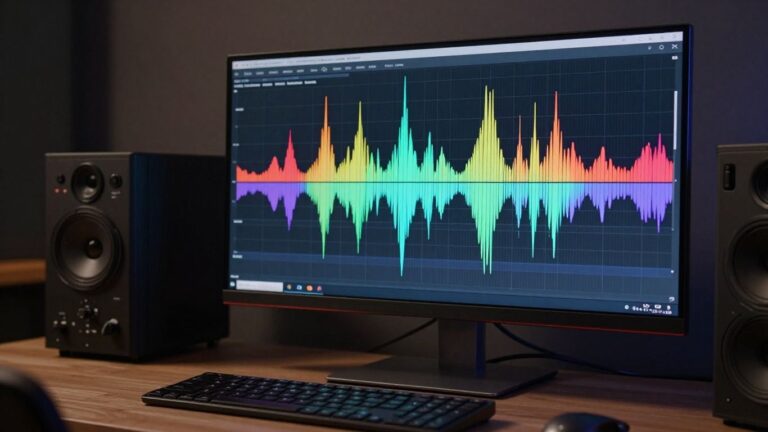
The platform can also generate sound wave visuals, adding another layer to its audio-reactive capabilities. While it might not produce a full cinematic music video, it excels at creating engaging, abstract visualizers based on your audio input. You can explore AI music video generators to see how different tools approach this.
Key Features To Consider
When you’re picking an AI music video generator, think about what really matters for your project. Not all tools are built the same, and some will fit your workflow better than others. It’s about finding the right balance of power and simplicity.
Ease of Use and Workflow
Some generators are super straightforward. You upload your music, maybe add a simple text prompt, and the AI does the rest. This is great if you’re new to video editing or just want to get something done fast. Others offer more complex editing options, letting you tweak scenes, add specific effects, or even choose from different AI models. Consider how much control you actually want and need. A simpler workflow means less time learning and more time creating.
Customization and Creative Control
Do you want the AI to take the reins, or do you want to steer the ship? Some tools let you define specific styles, characters, or even storyboard elements. Others are more hands-off, relying on their algorithms to interpret your music. If you have a very specific vision, look for platforms that allow for detailed prompt engineering or scene-by-scene customization. If you’re happy to experiment, a more automated approach might be perfect.
Output Quality and Format Options
What resolution do you need? Most free tools will offer standard definition or 1080p. If you need higher quality for professional use, you might need to look at paid plans or tools that specifically mention 4K output. Also, think about where you’ll be sharing your video. Does the generator support different aspect ratios like 16:9 for YouTube, 9:16 for TikTok, or 1:1 for Instagram? Getting the right format from the start saves you editing time later.
Audio Synchronization Capabilities
This is a big one for music videos. How well does the generated video sync with the beat and mood of your song? Some AI generators are specifically designed for audio reactivity, analyzing your music to match visuals to the rhythm. Others might be more general-purpose and require manual adjustments to get the timing right. Look for features like beat-syncing, lyric synchronization, or even AI choreography if you’re making a performance-style video. Accurate sync makes a huge difference in how professional your music video looks.
Don’t get bogged down by every single feature. Focus on the core capabilities that will directly impact your final video and how easy it is for you to achieve your vision.
Comparing Pricing and Accessibility
When you’re looking at AI music video generators, the cost and how easy they are to access are big factors. Free options are great for starting out, but they often come with limitations. Paid plans usually offer more features and better quality, but you need to figure out if the price is worth it for your project.
Free Tier Limitations and Watermarks
Many tools offer a free tier to let you try them out. This is a good way to test the waters without spending money. However, these free versions typically have restrictions. You might get a limited number of video credits, shorter clip lengths, or lower resolution outputs. Watermarks are also a common feature on free exports, which might not be ideal for professional use.
Understanding Paid Plan Structures
Paid plans vary a lot. Some use a subscription model, charging a monthly or annual fee for access to all features. Others operate on a credit system, where you buy credits to generate videos, with costs depending on video length and quality. For example, some plans might offer around 1,000 credits for about $20 a month, while higher tiers provide significantly more for a larger investment [b913]. It’s important to check what each plan includes, like maximum video length, resolution options, and the number of exports you can make.
Value Proposition of Integrated Platforms
Some platforms stand out because they combine multiple functions. For instance, Creatus AI offers both song creation and video generation in one workflow. This means you don’t need separate tools or subscriptions for making the music and then creating the video for it. This integrated approach can save you time and money, especially if you’re working on a tight budget or prefer a streamlined process. You get access to over 35 AI tools within their ecosystem, making it a versatile option for creators.
Making The Right Choice For Your Project
Choosing the right AI music video generator depends entirely on what you want to achieve. Think about your project’s specific needs before you start. Do you need a tool that handles everything from song creation to video, or are you just looking to visualize existing audio?
Matching Tools to Project Needs
Consider the core functionality you require. Some platforms excel at generating entire songs with vocals from text prompts, while others focus solely on creating visuals from your audio files. If you’re an independent musician needing a complete package, a tool like Creatus AI, which offers both song and video generation in one workflow, might be ideal. For those with existing music, platforms like Vidnoz or TopMediai can turn your tracks into videos using photos or other assets.
Considering Future Scalability
Think about where your creative journey might take you. Will you need more advanced editing features down the line, or perhaps integration with other AI tools? Some platforms, like LTX Studio, offer more professional-grade output and editing capabilities, which could be beneficial if you plan to scale up your productions. Others are simpler and best suited for quick, straightforward projects.
Leveraging Free Trials Effectively
Most of these tools offer free tiers or trials, which is a great way to test them out. Use these free periods to experiment with different features and see which interface feels most intuitive to you. Don’t just generate one video; try creating several with different settings and audio files. This hands-on experience will give you a much clearer picture of each tool’s strengths and weaknesses for your specific workflow. You can find a good starting point for music video creation with these free AI tools.
Picking the best option for your project can feel tricky. We’re here to help you make that decision with ease. Ready to see how we can help? Visit our website today to learn more!
Wrapping Up: Your AI Music Video Toolkit
So, you’ve looked at a bunch of these AI music video tools. It’s clear there’s no single ‘best’ one for everyone. If you need a full song and a video from scratch, something like Creatus AI is pretty neat because it does both without you jumping between apps. For just making videos from existing audio, tools like Neural Frames or Freebeat offer different takes on syncing visuals to your track. Some are simpler, some give you more control. Most have free options to try, which is great. You’ll probably end up using a couple of different tools depending on what you’re trying to achieve. Just remember to check the export options and any watermarks on the free plans before you commit.
Frequently Asked Questions
What exactly is an AI music video generator?
Think of it as a super smart tool that takes your music and turns it into a video, all by itself! You give it your song, and it uses artificial intelligence to create cool visuals that match the beat and mood. It’s like having a video director and editor who works instantly.
Can I really make a music video for free?
You bet! Many of these tools offer free versions. You might find some limitations, like a short video length or a small watermark on the final video, but they’re great for trying things out or for smaller projects.
Do I need to be a video expert to use these?
Nope! That’s the best part. These generators are designed to be easy to use, even if you’ve never edited a video before. You usually just upload your song, maybe pick a style, and let the AI do the heavy lifting.
How good are the videos these AI tools make?
The quality can be surprisingly good! Some tools create really polished, cinematic videos that look professional. Others might be a bit more abstract or focused on specific effects. It really depends on the tool and how much you can customize it.
What if I want to make my own song too?
Some tools are amazing because they can actually create the song *and* the music video. You can give them an idea or some lyrics, and they’ll generate both the music and the visuals for it. It’s a pretty neat all-in-one package.
How do I pick the right tool for me?
Think about what you need. Do you have a song already? Or do you want the AI to make one too? How much control do you want over the look and feel? Check out the free versions of a few different tools to see which one feels best for your project and your style.