So, you’re looking to make a music video with AI, and you want to avoid that annoying watermark? I get it. Nobody wants their cool new creation plastered with a logo. Luckily, there are some pretty sweet tools out there that let you generate awesome AI music videos without any watermarks, or at least with easy ways to remove them. We’ve checked out a bunch of them to find the ones that actually work and give you good results. Let’s see what we found.
Key Takeaways
- Creatus AI Music Video Generator is a standout because it handles both song creation and video generation in one go, meaning no switching between different tools.
- Freebeat offers a storyboard editor and an AI director to help plan your shots, making video creation more structured.
- Neural Frames focuses purely on turning audio into video, giving you detailed control over the visuals and supporting various AI models.
- Revid.ai is known for its quick beat-synced video generation and easy-to-add lyric captions, perfect for fast social content.
- Kaiber is a top pick for generative art, turning text prompts into unique, animated footage ideal for official music videos.
1. Creatus AI Music Video Generator
Creatus AI offers a unique approach by combining song creation with video generation in one place. You can start with a text prompt, describing the genre, mood, and even lyrics you want. The AI then composes an original song, complete with AI-generated singing vocals.
Once you have your track, you can immediately move on to creating the music video. This integrated workflow means you don’t have to switch between different tools or pay for separate subscriptions. It’s designed to take you from a simple idea all the way to a finished music video without needing any prior music production or video editing experience.
Creatus AI is the only platform that merges AI song generation with singing vocals and audio-to-music-video production in a single workflow. This makes it a straightforward option if you’re looking to produce visuals for your music quickly. You can export your final video in multiple formats, ready for platforms like TikTok, Instagram, or YouTube.
Here’s a quick look at what you can do:
- Generate original songs with AI vocals from text prompts.
- Create music videos directly from your generated audio.
- Export in various aspect ratios (9:16, 1:1, 16:9) for different social media platforms.
- Access a wider ecosystem of over 35 AI tools for other creative needs.
You can start creating with Creatus AI without any cost. This free tier lets you experiment with both song and video generation, removing the initial barrier to entry for musicians and content creators alike. It’s a practical way to see if the tool fits your workflow before committing to a paid plan.
2. Freebeat
Freebeat is a tool that lets you create music videos without needing a lot of technical skill. It focuses on making videos that sync up with your music automatically. You can even get the AI to generate singing for your tracks, which is pretty neat.
This platform offers different modes, like a "story" mode or a "stage performance" mode. It also has an "AI director" that helps plan out shots and pacing for you. It’s designed to simplify the video creation process from start to finish.
While Freebeat can generate songs, its main strength is in video production. If you’re looking for a tool that handles both music and video creation in one place, it’s worth checking out. You can explore its features for AI music video creation and see if it fits your workflow.
3. Neural Frames
Neural Frames focuses specifically on turning your audio into video. It doesn’t generate the music itself, but it excels at making visuals that sync perfectly with what you’ve already got. This tool is great if you’ve already produced your track and just need a compelling visual to go with it.
One of its standout features is the frame-by-frame editor, giving you more control than many other generators. You can also work with a timeline, which helps in fine-tuning the video’s pacing to match your song’s structure. Neural Frames supports multiple AI models, including popular ones like Kling and Runway, allowing for diverse visual styles.
Here’s a quick look at what makes it useful:
- Audio-reactive visuals: The AI analyzes your audio to create dynamic effects and movements that match the beat and mood.
- Timeline control: You get a more hands-on approach to editing, ensuring the visuals align precisely with key moments in your song.
- 4K export: For a professional finish, Neural Frames allows you to export your music videos in high resolution.
While it has a free tier to get you started, you’ll likely want to explore their paid plans for full access to features and higher export resolutions. It might take a bit more effort to learn than simpler tools, but the results can be quite impressive for musicians looking for detailed control over their AI music video output.
4. Revid.ai
Revid.ai focuses on generating music videos that sync with your audio. It’s a straightforward tool if you already have your music ready and just need visuals to match.
This platform is good for creating short-form content quickly. You can upload your audio file, and Revid.ai will produce a video that moves to the beat. It also offers features like lyric captions, which can be helpful for making your music accessible.
Revid.ai is best for beat-synced video generation from existing audio. While it doesn’t create the music itself, it excels at turning your tracks into visual experiences. You’ll find it useful for generating content for platforms like TikTok or Instagram Reels.
Here’s a quick look at what it offers:
- Beat Synchronization: Videos are timed precisely to your audio’s rhythm.
- Lyric Captions: Automatically adds text overlays for lyrics.
- Multi-Format Export: Supports various aspect ratios for different social media platforms.
Revid.ai is a practical choice when your music is already done and you need a fast way to get a synchronized video. It streamlines the process for content creators focused on audio-driven visuals.
5. Plazmapunk
Plazmapunk focuses on creating audio-reactive visual experiences. It’s a solid choice if you want visuals that move and change with your music.
This tool uses multiple AI models, including Kandinsky and Stable Diffusion XL. You can also script scenes, which gives you a bit more control over the final output. They even have AI music generation built-in, making it a potential all-in-one solution.
Plazmapunk stands out for its audio-reactive capabilities and scene scripting. It’s a bit more niche, so you might find a smaller community compared to other platforms. However, for those looking for dynamic visuals tied directly to sound, it’s worth checking out.
Here’s a quick look at what it offers:
- AI Models: Supports Kandinsky, Stable Diffusion XL, and others.
- Scene Scripting: Allows for more structured video creation.
- Audio Reactivity: Visuals sync with your music’s beat and rhythm.
- AI Music Generation: Can create original music tracks.
While Plazmapunk offers advanced features like scene scripting and multiple AI model support, it’s important to note that its user base is smaller. This means you might need to experiment more to get the exact results you want, and community support might be less readily available than on larger platforms.
6. TopMediai
TopMediai is a tool that lets you create AI music videos, primarily from photos and audio you provide. It’s a solid option if you’re looking to quickly turn existing assets into a visual representation of your music.
One of its main features is the photo-to-video capability. You can upload your pictures, and the AI will animate them to match your song. It also offers a storyboard preview, which is helpful for planning the flow of your video before you commit to the final output. You can customize themes to give your video a specific look and feel.
However, TopMediai gives you less direct control over the final video output compared to some other platforms. While it’s good at generating a video based on your inputs, you might find it challenging to make very specific edits or achieve a precise artistic vision. It’s more about letting the AI interpret your music and photos.
While TopMediai is good for generating videos from photos and audio, it’s not the best choice if you need fine-grained control over every single frame or visual element. It’s designed for speed and ease of use, not intricate editing.
Here’s a quick look at what it offers:
- Photo-to-video animation
- Storyboard preview
- Theme customization
- Audio integration
It’s a practical tool for creators who want a straightforward way to produce music videos without a steep learning curve.
7. MakeSong
MakeSong is a newer platform that combines AI song creation with music video generation. It’s designed to help you produce a complete package, from the audio to the visuals, all in one place. This tool aims to simplify the process for creators who want to get their music out there without needing separate software for each step.
One of the standout features is its ability to generate lip-syncing and dance videos. You can also create narrative-style videos or even a specific "kids song maker" mode. MakeSong focuses on making the entire music video creation process accessible, even if you’re just starting out.
While it’s a newer player in the AI music video space, MakeSong offers a unique approach by integrating song generation directly into the video workflow. This means you can potentially create a song and its accompanying video without ever leaving the platform. It’s a practical option if you’re looking for an all-in-one solution for your music projects.
MakeSong is built for creators who want a streamlined experience. It handles both the audio and visual elements, aiming to reduce the complexity of music video production. You can explore different video styles, including lip-syncing and animated sequences, all within their interface.
8. MusicCreator.ai
MusicCreator.ai is a tool that lets you turn your audio files into music videos. It’s pretty straightforward: you upload your song, and the AI generates visuals to go along with it. This isn’t about creating a whole new song from scratch, but rather focusing on the video aspect once you have your track ready.
One of the cool things it offers is the ability to upload an image or even your logo to be incorporated into the video. It also provides sound wave visuals, which can be a neat way to represent the music’s energy. If you’re looking for something that primarily syncs visuals to your existing audio, MusicCreator.ai is worth a look.
It’s important to know that MusicCreator.ai leans more towards being a visualizer tool. While it can create music videos, it’s not designed for complex narrative storytelling or generating entirely new footage from text prompts like some other platforms. Think of it as a way to give your audio a dynamic visual presence.
MusicCreator.ai focuses on audio-to-video conversion, making it a solid choice if you already have your music and need a visualizer or a simple video to accompany it. It’s less about generating original video content and more about enhancing your existing audio with synchronized visuals.
9. LTX Studio
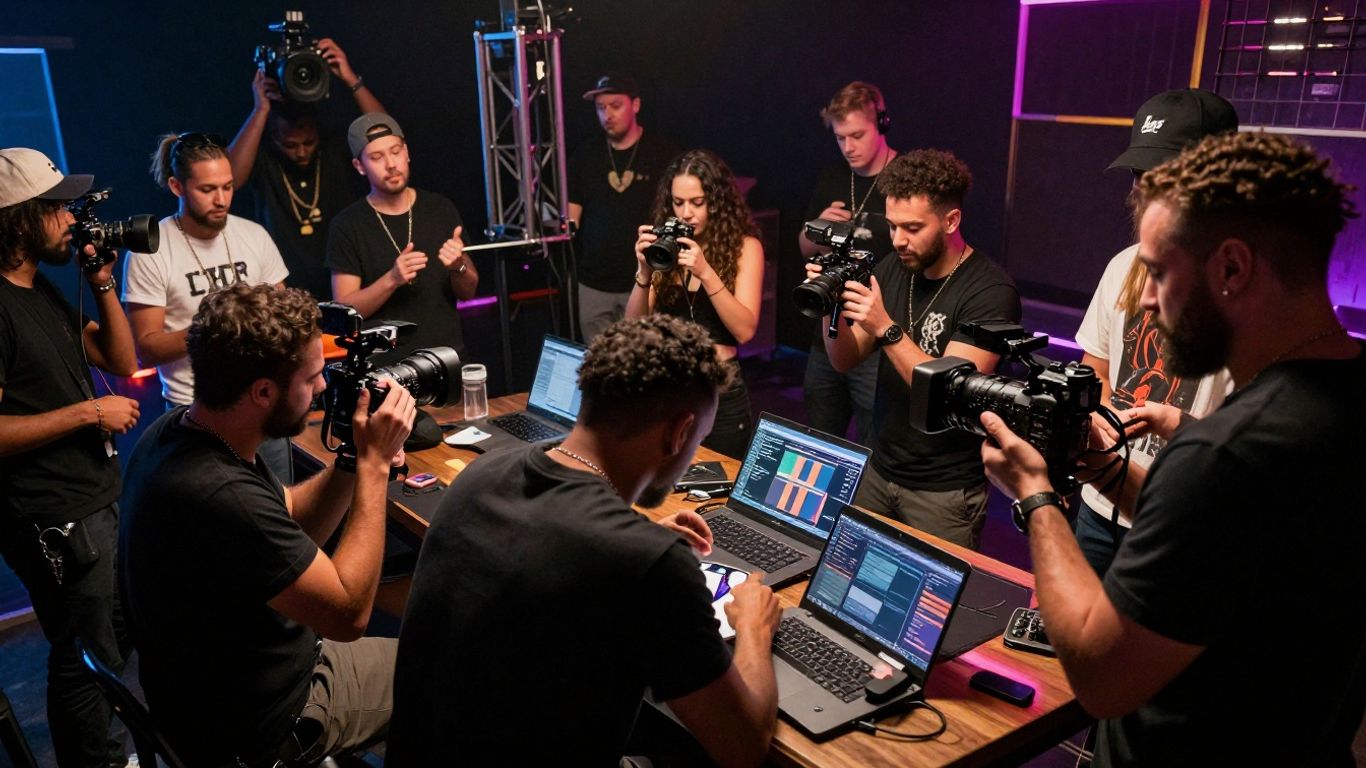
LTX Studio gives you a lot of control over how your music video turns out. You can plan out scenes shot by shot, deciding on camera angles and what happens in each frame. This means you can really make sure the final video matches what you had in mind from the start.
It uses models from Lightricks, Google, and Black Forest, and you get to pick which one powers your creation. When you begin, you can either upload a script or just start with an idea. The tool guides you through setting up the context for the AI, letting you choose a genre, upload a style image, or define character traits. After this planning phase, you get a scene breakdown that you can rearrange or add to.
The real power comes when each scene is broken down into individual shots, each with its own prompt and instructions. You can generate previews for these shots and tweak the text to change what happens. If you’ve set up characters, you can change their outfits or actions between scenes. Be prepared to generate many versions as you refine the look and feel; it takes time to get it just right.
LTX Studio offers different ways to export your work. You can get a pitch deck, an editing package for professional software, or a simple MP4 file. It’s great for visualizing a film concept or getting funding. You can also use it as a first draft for brainstorming locations and cast. Try out the free trial to get 800 credits, or check out the Lite plan for more monthly credits and access to advanced models like LTX-2 and FLUX.
10. Kaiber
Kaiber is a solid choice if you’re aiming for visually striking, frame-by-frame animated music videos. It really shines with its style transfer capabilities, letting you make your video look like a watercolor painting or any other artistic style you can imagine. Plus, the audio reactivity means the visuals will pulse and move with your music’s beat.
This tool is great for creating full-length videos directly from text prompts. You can experiment with different styles and see how they transform your footage. Kaiber is used by major artists like Linkin Park and Kid Cudi for their official music visuals, which speaks to its quality.
Here’s a quick look at what Kaiber offers:
- Text-to-Video: Generate animated videos from simple text descriptions.
- Style Transfer: Apply artistic styles like painting or drawing to your video.
- Audio Reactivity: Sync visual elements to the rhythm and beat of your music.
- Frame-by-Frame Animation: Creates detailed, cohesive animations.
While Kaiber produces impressive results, be aware that rendering longer songs can take time. You might also need to spend some time experimenting with prompts to get exactly the look you want. It’s a powerful tool for artists who want a unique, generative art approach to their music videos, especially when you need that beat-synced motion. You can explore more about creating AI-generated music videos from text prompts on this resource.
Rendering can sometimes be slow, and the credit system might add up if you’re working on full tracks. However, for unique, artistic music videos that sync with your audio, Kaiber is definitely worth checking out.
Kaiber is a cool tool that lets you make awesome music videos using just words. Imagine typing a description and watching a video come to life! It’s like magic for your music. Want to see what you can create? Visit our website to try it out for free and start making your own unique videos today!
Wrapping Up Your AI Music Video Journey
So, you’ve looked at the options for AI music video generators that won’t slap a watermark on your work. It’s pretty clear that tools like Creatus AI are making it easier than ever to get a song and a video out there without needing a huge team or a massive budget. You can go from a simple idea to a finished track with vocals, and then turn that into a video, all in one place. Remember to check out the free tiers first to get a feel for what works best for your specific needs. Whether you’re making content for social media or just want to bring your music to life visually, there’s a tool out there that can help you do it without the annoying watermarks.
Frequently Asked Questions
What exactly are AI music video generators?
Think of them as super-smart tools that can create music videos for you. You give them some ideas, maybe a song you’ve made or just a description, and they whip up a video to go with it. Some can even create the music *and* the video from just a text prompt!
Do I need to be a video expert to use these?
Nope! That’s the cool part. These tools are designed for everyone, even if you’ve never edited a video before. You don’t need fancy skills. Just type what you want, upload your song, and let the AI do the heavy lifting.
Can I really make a music video without any watermarks?
You sure can! Many of these tools offer options to export your videos without those annoying watermarks. Sometimes this is available on free plans, or you might need to upgrade to a paid version to get that clean, professional look.
What kind of videos can these AI tools create?
They can make all sorts of videos! Some are great at creating totally new, animated scenes from your imagination. Others are awesome at making visuals that dance and pulse along with your music, or they can create videos that focus on lyrics. You can even upload photos and have the AI animate them.
How do I pick the best AI music video generator for me?
It really depends on what you need! If you want to create both the song and the video in one go, look for tools like Creatus. If you already have a song and just need a video, check out options like Neural Frames or Freebeat. Many offer free trials, so you can test them out before committing.
Are these tools expensive?
Not necessarily! A lot of these AI music video generators have free plans or offer free credits to get you started. If you need more features or want to remove watermarks, paid plans usually start at a pretty reasonable price, often just a few dollars a month.