Ever wondered if you, as a beginner, can actually make cool AI music videos? The answer is a big yes! Gone are the days when you needed a film crew and a huge budget. Now, with the help of some smart AI tools, you can turn your songs or even just song ideas into music videos. It might sound complicated, but it’s actually more accessible than you think. Let’s explore how you can get started and make your own AI music videos.
Key Takeaways
- You can absolutely make AI music videos, even if you’re just starting out.
- AI tools can create both the music and the video, or just the video from your existing audio.
- You don’t need any special skills in music production or video editing to use these tools.
- Many platforms offer free options, making it easy to try out AI music video creation without spending money.
- These tools simplify the whole process, letting you focus on your creative ideas instead of technical stuff.
Understanding AI Music Video Creation For Beginners
What Is An AI Music Video Generator?
An AI music video generator is a tool that uses artificial intelligence to create visuals for your music. You give it your song, and it produces a video that matches the rhythm and mood. Think of it as a digital director that understands music. It takes the technical work out of making a music video.
How AI Translates Audio Into Visuals
These tools analyze your audio file. They look at things like the beat, tempo, and overall feeling of the song. Then, AI algorithms generate images, animations, or scenes that fit these characteristics. It’s like the AI listens to your music and decides what kind of pictures would go best with it. Some platforms even analyze lyrics to match visuals to the story.
The Core Workflow For Creating Videos
Getting started is simpler than you might think. First, you’ll usually upload your audio file or even just provide a text description for the AI to create a song. Next, you pick a visual style or theme you like. Finally, you let the AI generate the video. You can then refine it a bit before exporting. It’s a straightforward process designed for ease of use, allowing you to create a music video in minutes rather than days. Many platforms offer a free trial to get you started.
Getting Started With AI Music Video Tools
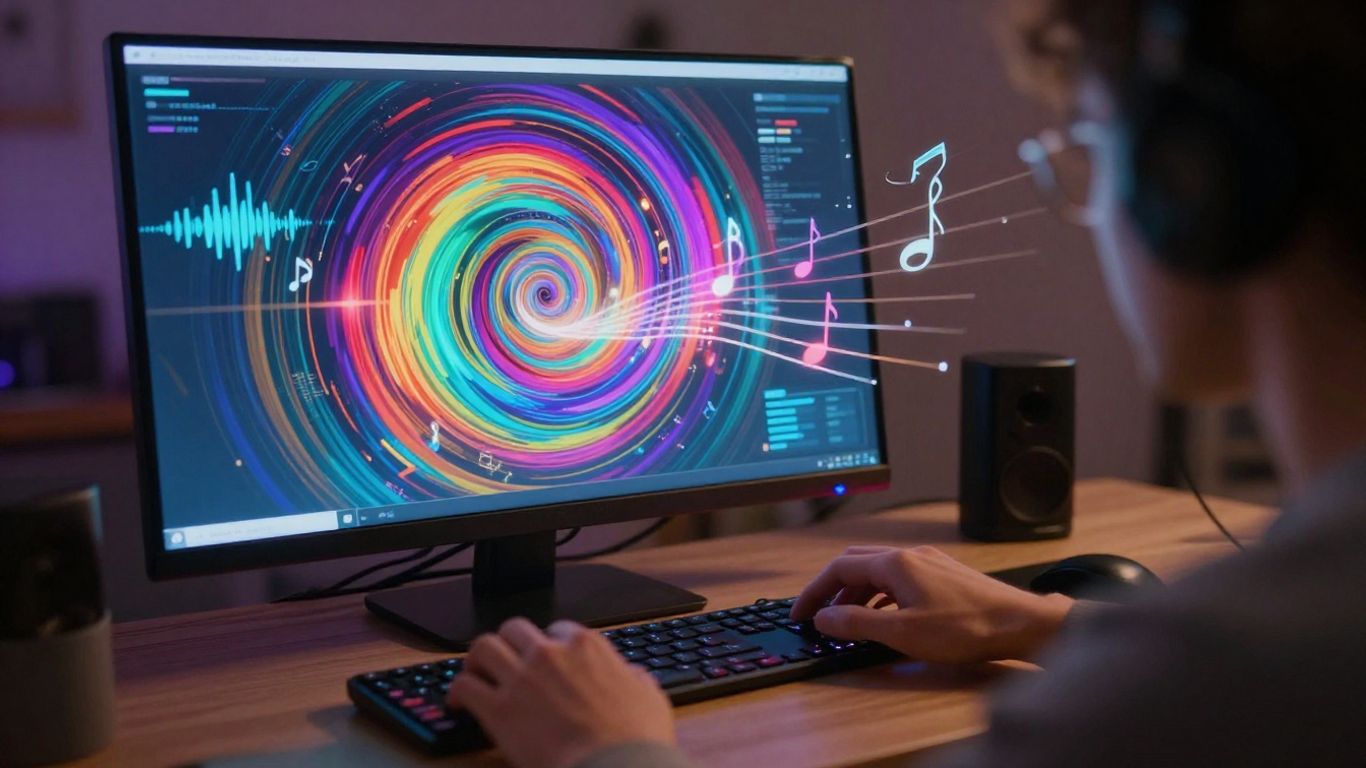
Jumping into AI music video creation is straightforward—no advanced knowledge needed. The right platform can turn your song or idea into a finished video with just a few clicks. Here’s how you can start without getting overwhelmed.
Choosing The Right AI Platform
Pick a platform that matches your needs, budget, and style goals. Some tools like BeatViz AI provide all-in-one solutions where you can create both the song and the video in one place, saving you from juggling multiple apps. Others, like LTX Studio, excel at shaping cinematic visuals but might need you to bring your own audio track. Keep an eye out for these points:
- Does the tool offer song and video creation or just one?
- Are multiple video style options available?
- Do they provide export formats that work for TikTok, YouTube, or Instagram?
Inputting Your Song Or Idea
You’ll usually get two options: upload an audio file (MP3, WAV) or let the AI generate a song from your lyrics or description. If creating from scratch feels daunting, start with a simple idea or rough melody. Most beginner platforms walk you through each step and won’t ask for music theory skills or technical know-how.
| Option | What You Provide | Output Result |
|---|---|---|
| Audio Upload | MP3 or WAV file | Synchronized visuals |
| Text Prompt | Lyrics/description/genre | AI-generated song & video |
Selecting Visual Styles And Themes
Visual theme selection is where you set the tone of your video. Platforms let you pick from animated, abstract, performance, or story-driven visuals—often just by clicking a template or entering a short prompt. Play with mood settings and see what fits your music.
- Choose a style that matches your song’s energy or message
- Adjust colors, animation pace, or even character roles (if available)
- Preview changes as you tweak, so you see results instantly
Don’t worry about making a perfect pick on your first try. Most tools make it easy to experiment and swap visuals, so you can find what feels right before sharing anything.
Getting comfortable with these early steps will make the rest of your AI music video process much easier. Pick your platform, input your audio or idea, play with styles, and you’re already halfway to finishing your project.
Generating Your First AI Music Video
AI Song Generation Versus Audio Upload
You have two main paths to get your music into the AI video generator. You can either let the AI create a song for you from scratch, or you can upload your own pre-recorded track. If you’re starting with nothing, using the AI’s song generation feature is a great way to go. Just give it a prompt describing the genre, mood, and maybe some lyrics, and it will compose a unique song with vocals for you. This means you don’t need any musical background to get started.
Alternatively, if you already have a song you’ve recorded or produced, you can simply upload the audio file. Most platforms accept common formats like MP3 or WAV. This is perfect for musicians who want to create a video for an existing track. The AI will then analyze your uploaded audio to create visuals that match its rhythm and feel. Freebeat’s AI music video generator can handle both scenarios smoothly.
Refining Visuals and Storytelling
Once the AI has generated a first pass of your video, it’s time to make it truly yours. You’ll likely want to tweak the visuals to better match the story or emotion of your song. Many tools allow you to regenerate specific scenes or adjust the overall style. Think about the narrative you want to convey. Does the AI’s interpretation align with your vision?
You can often refine the AI’s output by providing more specific prompts or selecting different visual themes. Some platforms even offer a storyboard view, letting you rearrange scenes or change camera angles before the final render. This iterative process is key to achieving a result you’re happy with. Don’t be afraid to experiment with different settings until the visuals click.
The goal is to create a video that not only looks good but also enhances the listening experience of your music. It’s about finding that sweet spot where the visuals and audio work together perfectly.
Exporting for Any Platform
After you’ve refined your video to your satisfaction, the final step is exporting it. The best AI music video tools understand that you’ll want to share your creation on various social media platforms. Therefore, they offer multiple export formats to suit different needs.
Common options include:
- 16:9 (Widescreen): Ideal for YouTube and traditional video players.
- 9:16 (Vertical): Perfect for TikTok, Instagram Reels, and YouTube Shorts.
- 1:1 (Square): Great for Instagram feeds and other social media posts.
Choosing the right format ensures your video looks its best wherever you decide to share it. This flexibility makes it easy to get your music video out to the world without any extra conversion steps. Create professional music videos with ease, ready for any platform.
Key Features For Beginner Success
Creating AI music videos doesn’t require a background in film or music production. The tools are designed with you in mind, simplifying complex processes. You can focus on your creative vision without getting bogged down in technicalities.
Integrated Song And Video Creation
Some platforms let you create both the music and the video all in one place. This means you can go from a simple idea or lyrics to a finished music video without switching between different applications. It streamlines the entire process, making it much faster and easier to get your project done.
No Prior Editing Or Production Skills Needed
Forget about learning complicated editing software or music production techniques. AI tools handle the heavy lifting. You simply provide your song or a concept, and the AI generates the visuals. This is a game-changer for anyone who wants to make music videos but lacks the technical skills. You can find platforms that automate beat synchronization, which helps produce platform-ready content quickly [7fc7].
Multi-Format Export Options
Once your video is ready, you’ll want to share it everywhere. Good AI music video tools offer multiple export options. This means you can easily get your video in the right format for different platforms, whether it’s vertical for TikTok and Instagram Reels, square for your Instagram feed, or standard widescreen for YouTube. You get your video out to the world without extra conversion steps.
The goal of these tools is to remove barriers. You should be able to express your musical ideas visually without needing a degree in filmmaking or audio engineering. It’s about making the creative process accessible to everyone.
Leveraging AI For Music Video Production
AI As A Creative Partner
Think of AI not just as a tool, but as a collaborator. It can take your initial ideas and expand on them in ways you might not have considered. This partnership can help you break through creative blocks and discover new visual directions for your music. The AI analyzes your audio and suggests visual concepts that fit its mood and rhythm.
Streamlining Your Production Process
AI significantly cuts down the time and effort needed to make a music video. Instead of spending days editing, you can generate a video in minutes. This speed allows you to produce more content and experiment with different styles without a huge time commitment. AI video generators can significantly improve content creation by saving time [0813].
Exploring Different Visual Aesthetics
AI platforms offer a wide range of visual styles, from realistic to abstract. You can easily switch between these styles to see what best represents your song. This flexibility lets you explore various looks and feels for your music videos, helping you find the perfect aesthetic for each track.
- Cinematic realism: For a polished, movie-like feel.
- Animated styles: To add a playful or stylized look.
- Abstract visuals: For experimental or mood-driven pieces.
- Performance-based: Mimicking live stage or studio settings.
AI handles the technical heavy lifting, freeing you to focus on the artistic vision. This means you can iterate on ideas quickly and see them come to life without needing to master complex software.
Many tools now offer multi-format export options, meaning you can get your video ready for platforms like TikTok, Instagram, and YouTube with just a few clicks. This makes sharing your work much simpler. You can get videos in formats like 9:16 for TikTok and Instagram Reels, 1:1 for Instagram feeds, and 16:9 for YouTube [72fa].
Making AI Music Videos Accessible
Creating a music video doesn’t have to be a huge undertaking anymore. You can now make professional-looking videos without needing a big budget or a film crew. AI tools are making this process surprisingly simple for everyone.
Free Tier Options For Beginners
Many AI music video platforms offer free plans. These are perfect for trying out the technology and seeing what you can create. You might find limitations on export quality or features, but they let you get started without any cost. It’s a great way to experiment before committing to a paid subscription. Some tools even offer free trials that remove watermarks for a limited time, giving you a taste of the full experience.
Understanding Platform Differentiators
Not all AI video generators are the same. Some focus on creating music from scratch, while others excel at turning your existing audio into visuals. You’ll find platforms that offer a wide range of visual styles, from realistic to animated. Others might focus on specific features like beat synchronization or lyric integration. Choosing a platform that matches your specific needs is key.
Here’s a quick look at what some platforms offer:
| Feature | Platform A (Example) | Platform B (Example) |
|---|---|---|
| Song Generation | Yes | No |
| Audio-to-Video | Yes | Yes |
| Free Tier | Limited | Basic |
| Visual Style Variety | High | Medium |
| Beat Synchronization | Automatic | Manual Adjustment |
The Value Of An All-In-One Workflow
Some AI tools combine song creation and video generation into a single platform. This means you don’t have to switch between different apps or pay for separate services. You can write your song idea, generate the music, and then create the video, all in one place. This streamlined process saves time and simplifies your creative workflow significantly. It’s a game-changer for beginners who want to focus on their art, not the technical details. You can find these integrated solutions among the top AI music video generators available today.
Making AI music videos is now easier than ever! You don’t need to be a tech wizard to bring your musical ideas to life visually. Our tools let you create amazing videos just by typing what you want to see. Ready to see your music in a whole new light? Visit our website today and start creating!
So, Can You Make AI Music Videos as a Beginner?
Absolutely. You’ve seen how tools like Creatus AI can take your song idea, turn it into a track with vocals, and then build a music video around it, all without needing to be a music producer or video editor. It’s a straightforward process: type your idea, generate the song, then generate the video. You can upload your own audio too. The output formats work for pretty much any social platform you use. So yeah, if you’ve got a song concept, you can definitely make a music video for it now. Give it a try.
Frequently Asked Questions
Can I really make a music video using just AI, even if I’m new to this?
Absolutely! You can totally create a music video with AI, even if you’ve never edited a video before. These tools are designed to be super easy to use. They look at your music’s rhythm and mood and then automatically create cool visuals that match. It’s a great way for anyone, whether you’re a musician or just want to make something fun, to get a professional-looking video without a lot of work.
Do I need to pay to make an AI music video, or are there free options?
There are definitely free ways to start! Many AI music video tools offer a free version or a trial period. This lets you try them out and see if you like them before you commit to paying. Some might add a small watermark on the free versions, but you can often find ways to create videos without one, especially when you’re just starting out.
How does an AI know what kind of video to make for my song?
Think of the AI like a super-smart assistant. When you give it your song, it listens closely to things like the beat (how fast or slow it is) and the overall feeling or mood of the music. It can also look at your lyrics if you provide them. Based on all this information, it picks visuals and animations that fit the song’s vibe, making sure everything flows together nicely.
What’s the difference between AI tools that make songs and those that make videos?
That’s a good question! Some AI tools are really good at creating the music itself, like writing lyrics and singing. Others are experts at taking existing audio and turning it into a video. The coolest part is that some newer tools, like Creatus, can do both! They let you create the song from scratch and then turn it into a video, all in one place, so you don’t have to jump between different apps.
Can I use the AI-generated music videos on platforms like TikTok or YouTube?
Yes, you sure can! Most AI music video tools let you export your finished video in different sizes. This means you can easily get videos ready for TikTok and Instagram Reels (which are tall and skinny), or for YouTube (which is wider). They make it simple to share your creations wherever you want.
What if I have an idea for a music video but don’t know how to describe it to the AI?
Don’t worry about being a professional director! You can usually start with just a simple idea. For example, you could say ‘a futuristic city scene’ or ‘a happy, upbeat vibe.’ The AI will take your basic description and run with it. You can also often choose from different visual styles or themes to help guide the AI. It’s more about giving it a starting point than writing a detailed script.