Ever thought about making your own music and a music video to go with it, but felt like you didn’t have the skills or the budget? Well, things have changed. You can actually make a whole song with AI and then turn that song into a video, all without needing to be a music producer or a video editor. It sounds pretty wild, but it’s totally doable now. Let’s walk through how you can do just that.
Key Takeaways
- You can create a complete song, including vocals, just by giving an AI a text idea.
- After you have your song, AI tools can automatically make a music video that matches the beat and mood of your audio.
- Many tools let you upload your own music if you prefer, and then they’ll create a video for it.
- You don’t need fancy editing software or music production skills to get started; the AI handles most of the heavy lifting.
- You can export your finished song and video in different sizes, ready to share on platforms like TikTok, Instagram, or YouTube.
Generating Your AI Song
Ready to create some original music? AI makes it surprisingly simple to get a song down, even if you’ve never written a note before. You’ll start by giving the AI a clear idea of what you want.
Crafting Your Song Idea with Text Prompts
Think of this as giving directions to a very talented, but very literal, composer. You’ll type in details about the genre, mood, tempo, and even specific lyrics you have in mind. The more descriptive you are, the closer the AI will get to your vision. Be specific about the feeling you want the song to evoke. For example, instead of "sad song," try "a melancholic acoustic ballad about lost love, slow tempo, with a hint of hope in the chorus."
Understanding AI Song Composition and Vocals
AI music generators work by analyzing vast amounts of existing music. They learn patterns in melody, harmony, rhythm, and structure. When you provide a prompt, the AI uses this knowledge to construct a new piece. Many tools can also generate vocals, often mimicking specific singing styles or creating unique AI voices. You can often choose the vocal style or even input your own lyrics for the AI to sing.
Choosing the Right AI Music Generation Tool
There are several tools available, each with its own strengths. Some focus purely on instrumental tracks, while others excel at creating full songs with vocals. Consider what’s most important for your project. Do you need a catchy pop tune, a complex orchestral piece, or something else entirely? Researching different platforms can help you find the best fit for your creative needs. For instance, tools like Suno and Udio are known for their text-to-song capabilities, producing complete tracks with vocals from simple text descriptions. Suno is a popular choice for generating full songs with AI vocals directly from text prompts.
Transforming Audio into Music Videos

Once you have your AI-generated song, the next step is to bring it to life visually. This section covers how to take your audio and turn it into a compelling music video.
Uploading Your AI-Generated or Existing Audio
Most AI music video tools let you upload your song directly. You can use the track you just created or any existing audio file you have. Make sure your audio file is in a common format like MP3 or WAV for best results. Some platforms even let you paste a link from streaming services, simplifying the process even further.
Analyzing Audio for Visual Synchronization
The AI analyzes your audio to understand its rhythm, tempo, and energy. It detects beats, drops, and changes in the music to sync visuals accordingly. This analysis is what makes the video feel connected to the song. The goal is to have every visual element pulse with your music.
Selecting Visual Styles for Your Music Video
AI tools offer various visual styles to match your song’s mood. You might find options like:
- Stock Footage: Uses pre-existing video clips that the AI matches to your music.
- AI-Generated Clips: Creates entirely new visuals based on prompts or the audio itself.
- Animated Images: Brings still images to life with motion.
- Lyric Videos: Focuses on displaying synchronized lyrics.
Choose a style that best represents the feeling and message of your song. Some tools allow you to blend these styles or customize them further. You can explore different options to see what works best for your track. For instance, a fast-paced electronic track might benefit from dynamic AI-generated clips, while a ballad could suit a more cinematic stock footage approach.
The beauty of these tools is their flexibility. You’re not locked into one look. Experimenting with different visual styles is part of the creative process and can lead to unexpected, engaging results. Don’t be afraid to try a few options before settling on the final video.
Workflow and Output Options
The Integrated Song and Video Creation Process
Creating a song and its music video doesn’t have to be a two-step process anymore. Many AI tools now combine song generation with video creation into a single workflow. You start by describing your song idea, and the AI handles both the music composition and the visual generation. This integrated approach means you don’t need to switch between different software for audio and video. It streamlines the entire creative process, from initial concept to final output. This unified workflow saves you time and effort.
Supported Audio and Video File Formats
When you’re ready to generate your video, you’ll need to know what file types the AI tool accepts. Most platforms support common audio formats like MP3, WAV, and AAC. For video output, you’ll typically find options for MP4, MOV, and sometimes AVI. It’s always a good idea to check the specific requirements of the tool you’re using. Using high-quality source files will generally lead to better results in your final video. You can often convert files if needed, but starting with the right format is best.
Exporting for Various Social Media Platforms
Once your music video is ready, you’ll want to share it. AI tools often provide export options tailored for different social media platforms. You can usually choose from aspect ratios like 16:9 for YouTube, 9:16 for TikTok and Instagram Reels, or 1:1 for Instagram feeds. This ensures your video looks good no matter where you post it. Some tools even offer direct export options or presets for specific platforms. This makes getting your content out there much simpler. You can get your video ready for any social media platform with just a few clicks.
Leveraging AI for Music Video Production
Key Advantages of AI Music Video Generators
AI tools can seriously speed up how you make music videos. Instead of spending days editing, you can get a video generated in minutes. This means you can publish more often and try out different visual ideas without a huge time commitment. It really frees you up to focus on the music itself.
These generators analyze your audio, finding the beats and mood to create matching visuals. You get synchronized scenes and effects automatically. This takes the technical burden off your shoulders, making video creation accessible even if you’re not an editing pro. It’s about getting professional-looking results with less hassle.
Understanding the AI Video Generation Process
Most AI video tools work in a few simple steps. First, you give them your audio file or a link to your song. Then, you might pick a visual style or theme you like. The AI analyzes the music, detects the rhythm and structure, and then generates video clips that sync up. You can often refine the output afterward.
Some tools offer different visual styles. You might choose between stock footage, fully AI-generated scenes, or animated still images. Each option has its own feel and speed of generation. Think about what best fits your song’s vibe and your priorities for the video.
The core idea is to automate the complex parts of video creation, letting the AI handle tasks like beat matching and scene transitions. This allows for rapid iteration and experimentation with visual concepts.
Choosing Between Different AI Video Styles
When you use an AI music video generator, you’ll often have choices for the visual style. You might see options like "cinematic," "animated," or "lyric video." Some tools offer stock footage that the AI matches to your music, which is usually fast. Others create entirely new, custom visuals based on your song’s content.
Another common style is animating still images or using AI-generated images that move. This can give you unique visuals without needing to film anything. Consider what kind of story or feeling you want to convey. The style you pick directly impacts the final look and feel of your music video. You can explore different options to see what works best for your track. For a good overview of what’s out there, check out this guide to AI music video generators.
Navigating the Competitive Landscape
When you’re looking at AI tools for music and video, you’ll see a lot of options. It helps to know what’s out there and how different tools stack up. This section breaks down the landscape so you can pick what works best for you.
AI Music Video Generators vs. Standalone Tools
Many tools focus on just one part of the process. Some AI music generators create songs but don’t touch video. Others take your audio and make visuals but can’t compose the music itself. You’ll find platforms like Suno or Udio that are top-tier for song creation, but you’ll need a separate tool for the video part. This means switching between different software and potentially paying for multiple subscriptions.
On the other hand, some platforms aim to do both. These integrated tools let you generate a song and then immediately create a video from it, all in one place. This streamlined workflow can save you time and hassle. For example, a tool like CREATUS.AI offers a combined text-to-song and audio-to-video process.
Key Differentiators in AI Music Video Creation
What makes one AI video tool different from another? Look at the features that matter most to your project. Some excel at lip-syncing for performance videos, while others focus on abstract, beat-synced visuals. The ability to customize styles, control camera angles, and export in various formats are also important.
Consider the output quality and the ease of use. Some tools offer more advanced editing capabilities, like frame-by-frame control or timeline adjustments. Others are designed for quick, one-click generation. The best choice depends on how much control you want and how polished you need the final product to be.
Evaluating AI Song Generation Competitors
When it comes to AI song generation, the quality and originality of the music are key. You’ll want to compare how well different tools handle various genres, moods, and lyrical content. Some platforms are better at producing full songs with vocals, while others might focus more on instrumental tracks.
Think about the licensing and commercial use rights. Can you use the generated music for your projects without issues? Some services offer commercial rights on paid plans, which is vital if you plan to monetize your work. It’s also worth checking reviews and comparisons, like those that rank platforms based on music quality and ethical considerations, to get a sense of the leaders in the field, such as Soundverse.
Here’s a quick look at how some tools compare:
| Feature | Tool A (Integrated) | Tool B (Song Only) | Tool C (Video Only) |
|---|---|---|---|
| Song Generation | Yes | Yes | No |
| Video Generation | Yes | No | Yes |
| Workflow | Single Platform | Separate Tools | Separate Tools |
| Ease of Use | High | Medium | Medium |
| Customization | Moderate | High | High |
Remember that the AI music industry is evolving rapidly. What’s cutting-edge today might be standard tomorrow. Keep an eye on new features and updates from your chosen tools.
Practical Considerations for Creators
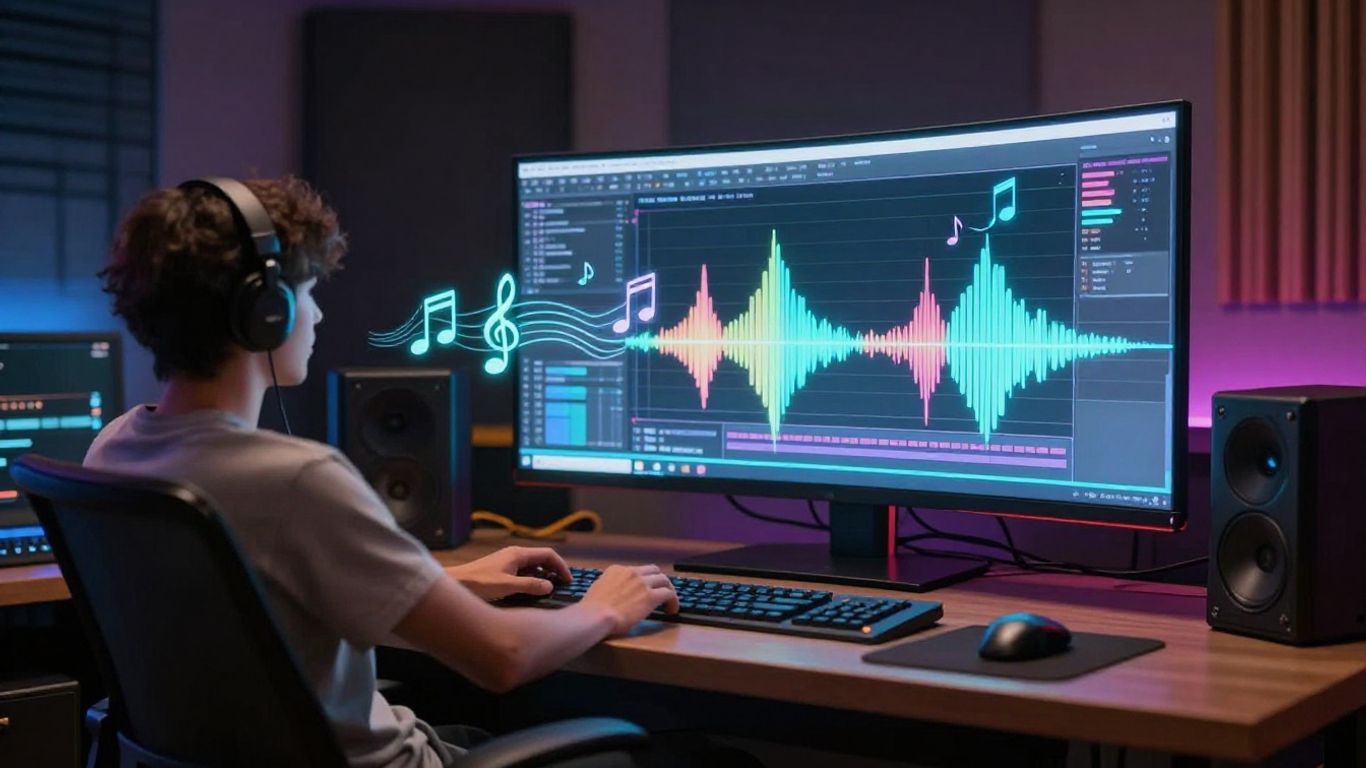
Before you jump into making your AI-powered music video, let’s talk about a few things you should keep in mind. These aren’t the flashy creative parts, but they’re important for making sure your work is usable and reaches your audience.
Who Benefits from AI Music Video Tools
These tools are great for a lot of people. Independent musicians can finally create professional-looking videos without a big budget. Content creators making short-form videos for platforms like TikTok and Instagram Reels can speed up their workflow significantly. Producers and beatmakers can easily add visuals to their tracks for streaming services. Even small teams or solo artists can produce high-quality content at scale.
Commercial Use and Monetization of AI Videos
Generally, you own the commercial rights to the videos you create with AI, especially if you’re directing the process. This means you can use them for promotion, sell them, or put them on platforms that allow monetization. Just be sure to check the specific terms of service for the AI tool you’re using. Most platforms are fine with AI-generated content as long as it reflects your creative input. You can use these tools to produce music efficiently and then monetize the resulting videos.
Always check the terms of service for any AI tool you use. While most allow commercial use, specific restrictions can apply.
Copyright and AI-Generated Content
Copyright for AI-generated content is still a developing area. However, the visuals themselves usually don’t cause copyright issues. The main concern is the music. If your AI-generated song is clean and doesn’t infringe on existing copyrights, your video should be fine on platforms like YouTube and TikTok. They have systems to flag music, not typically the visuals. If you’re unsure about your music, consider using AI music generation tools that focus on creating copyright-safe tracks. Remember to always perform a final human edit to add your unique touch, as this helps solidify your creative ownership. Refining AI output is key.
Thinking about making your own cool videos with AI? It’s easier than you might think! We’ve put together some helpful tips to get you started. Ready to see what you can create? Visit our website to learn more and start making awesome AI music videos today!
Wrapping Up Your AI Music Video Project
So, you’ve gone from a simple idea to a full song with vocals, and then turned that into a music video. It’s pretty straightforward when you use a tool that handles both parts, like Creatus AI Music Video Generator. You don’t need to be a music producer or a video editor to get something decent out of it. Just type in your song idea, let the AI do its thing, and then turn that audio into a video. You can export it in different sizes for whatever platform you plan to use. It’s a practical way to get your music out there visually without a huge hassle or cost.
Frequently Asked Questions
How do I start making a song with AI?
It’s super easy! You just need to type in your idea for a song. Think about the kind of music you want, like the style, the mood, or even some lyrics. The AI will take your text and create a whole song, complete with singing vocals, just for you. No need to know how to play an instrument or anything!
Can I really turn my AI song into a music video?
Absolutely! Once you have your AI-generated song, or even if you have an audio file you already like, you can upload it. The AI will then look at your music and create a video that matches the beat and feeling. You can pick different visual styles to make it look just right.
Do I need special software or skills to make music videos?
Nope! That’s the best part. You don’t need to be a pro at music production or video editing. These AI tools are designed to be user-friendly. You just provide your song, pick your visuals, and the AI does the heavy lifting to put it all together.
What if I already have a song, can I still make a video?
Yes, you can! If you’ve got an audio file in formats like MP3 or WAV, you can upload that directly. The AI will analyze your existing music and create a music video that syncs up perfectly with it. It’s a great way to give your current tracks a fresh visual.
Can I use these AI-made songs and videos for my own projects?
Generally, yes! Many AI tools offer commercial use options, especially if you’re on a paid plan. You’ll want to check the specific terms for the tool you use, but it’s usually fine for things like social media or even selling your music. Just make sure you understand the rules about copyright for the music itself.
Are there different video styles I can choose from?
You bet! Most AI music video tools offer a variety of visual styles. You might find options ranging from cool animated scenes and abstract visuals to more realistic footage or even lyric videos. You can usually preview these styles to see which one best fits the vibe of your song.