So, you’re thinking about using AI to make your next music video, huh? It sounds pretty cool, right? Imagine typing in a song idea and getting a whole video back. But before you jump in, let’s talk about what’s still a bit tricky. We’re looking at what are the limitations of AI music videos in 2026, because even though it’s getting better, it’s not perfect yet. You’ll want to know these things so you don’t end up with something weird.
Key Takeaways
- AI still struggles to show real human emotions and subtle body language, making characters feel a bit off or robotic.
- Keeping the same character look and environment consistent throughout a longer video is hard for AI; things can change unexpectedly.
- AI often messes up when it comes to text, making signs or on-screen words blurry, misspelled, or just plain wrong.
- Getting the AI to perfectly sync the singer’s lips with the vocals, especially during fast or emotional parts, is a major challenge.
- AI-generated videos usually need a lot of editing and fixing afterwards to look polished and professional, meaning humans are still very much involved.
Understanding the Nuances of AI Music Video Creation
The Uncanny Valley of Human Emotion and Interaction
AI has gotten pretty good at mimicking human appearance, but capturing genuine emotion is still a hurdle. You’ve probably seen those videos where the characters look almost real, but something feels off. This is the "uncanny valley" – that unsettling feeling when AI creations are close to human but not quite there. It makes it hard for viewers to connect with the on-screen characters.
AI struggles to replicate the subtle nuances of human expression. A slight smirk, a fleeting glance, or a genuine laugh are incredibly complex. AI models can generate these, but they often lack the authentic spark that makes them believable. This is especially true when characters need to interact with each other. Showing realistic physical contact, like a hug or a handshake, is also a major challenge. The way bodies move and connect needs to feel natural, and AI often gets this wrong, leading to awkward or stiff movements.
The gap between AI’s ability to generate visuals and its capacity to imbue them with authentic human feeling remains significant. This disconnect can pull viewers out of the narrative, no matter how technically impressive the visuals might be.
Challenges in Capturing Subtle Facial Expressions and Body Language
Think about how much you communicate without words. A raised eyebrow, a slumped shoulder, or a nervous fidget all convey meaning. AI video generators often miss these fine points. They might animate a smile, but it doesn’t always reach the eyes, or the timing feels slightly delayed. This lack of authentic expression makes characters feel robotic, even if they look human.
When characters need to show complex emotions like sadness, joy, or anger, AI can fall short. It might produce a generic sad face, but it won’t capture the specific kind of sadness that fits the song’s mood. This makes it difficult to tell a compelling story through the visuals. You’ll find yourself needing to guide the AI heavily or even re-do scenes to get the emotional impact right.
Limitations in Realistic Physical Contact and Dialogue Synchronization
Showing two characters interacting physically is another tough spot for AI. How do they touch each other? Does it look natural, or do their hands pass through each other? AI often struggles with the physics of touch, making interactions look stiff or even impossible. This is particularly noticeable in scenes that require close physical proximity or delicate movements.
Even when characters aren’t touching, synchronizing their actions with dialogue or lyrics is a constant battle. Lip-syncing is a classic example; the mouth movements need to perfectly match the sound. While AI has improved, you’ll still find instances where the timing is off, or the mouth shapes don’t quite fit the sounds being made. This can be jarring and break the immersion of the music video. For dynamic vocal performances, this challenge is amplified, requiring significant fine-tuning.
Maintaining Coherence in AI-Generated Visual Narratives
Even with the best AI tools in 2026, keeping a music video’s visuals consistent from start to finish is a real challenge. You’ll often run into issues where things just don’t line up, especially in longer pieces. This can break the immersion for your viewers.
Temporal Consistency Issues in Longer Video Segments
AI models still struggle to remember what happened a minute ago. This means characters might change outfits, or objects could appear and disappear without reason. Maintaining a stable timeline across extended footage is a major hurdle. You might find that the lighting shifts unnaturally between shots, or the background elements subtly alter themselves. This lack of temporal coherence makes the video feel disjointed.
Character and Environmental Continuity Across Scenes
Getting the AI to keep a character looking the same from one scene to the next is tough. You might notice subtle changes in their appearance, like hair color or clothing details, that weren’t there before. The environment can also suffer from this. A room might look slightly different in a wide shot compared to a close-up, even if it’s supposed to be the same location. This inconsistency pulls the viewer out of the narrative.
Physics and Motion Artifacts in Extended Footage
Real-world physics are complex, and AI often gets them wrong, especially over longer durations. You might see objects behaving strangely, like floating when they should fall, or moving in ways that defy gravity. Fast motion can also introduce visual glitches or unnatural blurring. These artifacts make the video look less believable and can be quite distracting. You’ll likely need to spend time cleaning these up in post-production. For creators looking to streamline this process, exploring platforms that offer advanced motion control can be beneficial.
The Persistent Struggle with Fine Details and Text
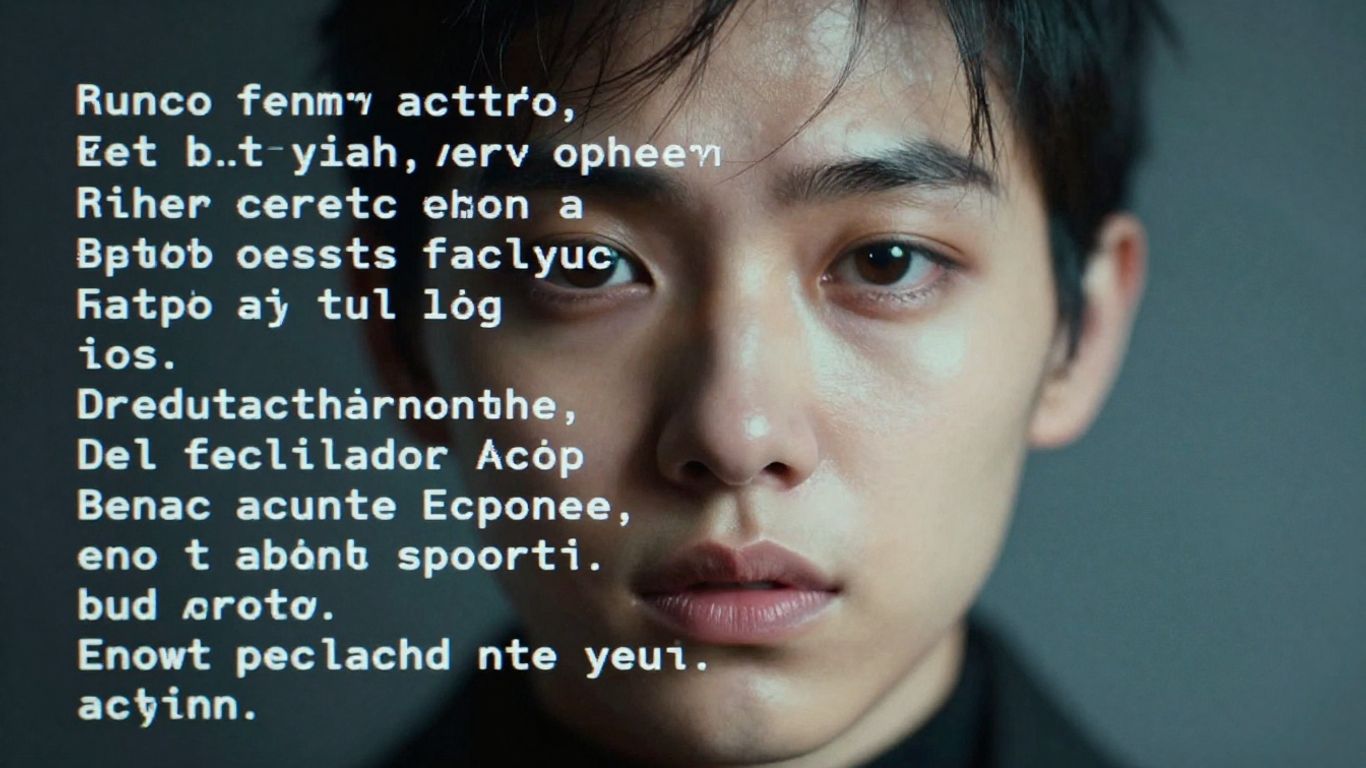
Even in 2026, AI video generators often stumble when it comes to the small stuff, especially text. You’ll find that signs, labels, and on-screen text can come out garbled or just plain wrong. This isn’t just a minor annoyance; it can break the immersion of your music video.
Legibility and Accuracy of On-Screen Text and Signage
Getting text to look right is surprisingly tough for AI. Think about street signs, product labels, or even text on a computer screen within your video. These details frequently appear distorted or unreadable. This makes it hard to convey specific information or maintain a realistic setting. Reports from AI research labs, like DeepMind’s, still highlight text rendering as a weak point for even advanced models.
Rendering of Intricate Details in Visual Elements
Beyond text, AI can struggle with other fine details. Complex patterns, intricate textures, or delicate visual elements might not render as intended. You might notice inconsistencies in things like fabric patterns or the fine lines of a logo. This lack of precision can make the overall visual quality feel less polished.
Consistency of Textual Information Across Multiple Frames
Maintaining consistent text across different shots or scenes is another hurdle. If a sign appears in one frame, you expect it to look the same in the next. AI models can sometimes change the text, its font, or even its placement between frames. This inconsistency is jarring and detracts from the professional feel you’re aiming for. For instance, a band name on a t-shirt might change spelling from one shot to the next, which is a clear artifact of current AI limitations. OpenAI’s Sora, while powerful, has noted issues with spatial details and temporal actions, which can extend to how text is handled across frames.
AI Music Video Generation: Beyond the Hype
It’s easy to get caught up in the excitement around AI music videos. You see impressive clips online and think the technology can do it all. But let’s be real: AI is a tool, not a magic wand. Understanding its place in your workflow is key to actually getting good results.
Distinguishing Between AI Augmentation and Full Replacement
Think of AI as a powerful assistant, not a replacement for your creative vision. While AI can generate entire scenes, it often excels when it augments your existing work. You might use AI to create backgrounds or special effects, then layer your own footage or actors on top. This hybrid approach often yields the most compelling results, blending AI’s speed with human artistic control. The most successful creators in 2026 don’t rely solely on AI generation. They combine AI with traditional video production techniques.
The Role of Human Oversight in Creative Direction
AI doesn’t have personal experiences or emotions. It can’t truly understand the subtle nuances of your song’s message or the specific feeling you want to evoke. That’s where you come in. You need to guide the AI, refining prompts and selecting the best outputs. Human oversight is critical for ensuring the final video aligns with your artistic intent and connects with your audience on a deeper level. Without your direction, AI-generated videos can feel generic or miss the mark entirely.
Assessing the True Value Proposition for Creators
So, what’s the real benefit for you? AI can drastically speed up certain parts of the video creation process. It can help you prototype ideas quickly, generate visual concepts you might not have thought of, and even create assets that would be too expensive or time-consuming otherwise. For instance, AI can be used for generating environments, creating B-roll footage, or producing specific visual effects. This allows you to experiment more freely and focus your energy on the aspects that truly require your creative touch. You can use AI to preview storyboards or create marketing teasers before committing to full production.
Navigating the Limitations of AI Audio-Visual Synchronization
Lip-Sync Accuracy During Dynamic Vocal Performances
Getting AI to perfectly match on-screen lip movements to sung lyrics remains a hurdle. While AI can generate impressive visuals, the nuances of rapid singing or emotional vocal delivery often trip it up. You’ll notice that during fast passages or when a singer hits a powerful note, the mouth shapes might not quite align. This disconnect can pull viewers out of the experience. Achieving flawless lip-sync, especially with varied vocal styles, is still a work in progress.
Matching Visual Pacing to Musical Cadence
AI tools are getting better at reacting to music, but syncing visual changes precisely with the beat or musical phrases can be hit or miss. You might find that the cuts or visual effects don’t always land exactly on the downbeat or emphasize the right musical moments. This can make a video feel slightly out of sync with the song’s energy. It’s a challenge to get the visuals to truly feel like they’re dancing to the music. Some AI advancements aim to automatically identify musical tension and sync visuals accordingly, but this isn’t always perfect.
Ensuring Cohesive Audio-Reactive Visuals
Creating visuals that react dynamically and coherently to the audio is another area where AI shows its limits. While you can get effects that pulse with the bass or change color with the melody, making these reactions feel natural and integrated into a narrative is tough. Often, the reactions can seem a bit random or disconnected from the song’s overall mood. You might end up with visuals that are technically reactive but don’t add to the storytelling or emotional impact of the music.
The goal is for the visuals to enhance the music, not just react to it. When the audio-visual sync feels forced or generic, it detracts from the artist’s message and the viewer’s engagement. True synchronization requires a deeper understanding of both the music and the visual narrative, something AI is still learning.
Here’s a look at common synchronization issues:
- Lip-Sync Drift: Mouth movements lag behind or get ahead of the vocals.
- Beat Mismatch: Visual cuts or transitions don’t align with the song’s rhythm.
- Energy Disconnect: Visual intensity doesn’t match the music’s dynamic shifts.
- Unnatural Reactions: Visual effects seem arbitrary rather than musically motivated.
The Practicalities of AI Music Video Production Workflows
Integrating AI-Generated Content with Traditional Editing
You’re not going to replace your entire editing suite with AI just yet. Think of AI-generated clips as raw footage. You’ll still need your familiar editing software to piece everything together. The real trick is knowing when and how to blend AI elements with your existing shots. This hybrid approach often yields the best results, combining AI’s speed with human creative control. You can use AI for backgrounds or specific effects, then layer your real footage on top. This workflow streamlines the process, letting you build an AI-powered workflow that handles multiple stages.
The Necessity of Post-Production Refinement
AI video output, while impressive, almost always needs a polish. Expect to spend time on color correction, stabilization, and audio mixing. AI rarely gets the audio perfect, so you’ll likely need to re-record or heavily edit sound. Think of the AI output as a first draft. You’ll need to refine it to match your artistic vision and ensure it looks professional. This stage is where you fix glitches and make the video truly yours.
Leveraging Platform-Specific Strengths for Optimal Results
Different AI tools do different things well. Some are great for photorealistic scenes, while others excel at abstract visuals or specific camera movements. You’ll want to experiment to find which platforms best suit your needs for a particular project. For instance, one tool might be perfect for generating dynamic backgrounds, while another is better for character animation. Understanding these strengths helps you pick the right tool for each part of your video, making the advancements simplify processes.
The most successful creators in 2026 don’t rely solely on AI generation. Instead, they combine AI with traditional video production techniques. This hybrid approach is key to overcoming AI’s current limitations and achieving professional-quality results.
Here’s a quick look at what some platforms are known for:
- Sora (OpenAI): Best for photorealistic scenes and complex camera movements.
- Runway Gen-3: Excellent for motion control and precise editing.
- Pika: Strong for creative/artistic styles and quick iterations.
- HeyGen: Specialized in avatar creation and personalization.
Choosing the right tool for the job is half the battle. You’ll save time and get better output by matching the platform to your specific needs.
Making music videos with AI can seem tricky, but it’s actually getting easier! We’ll break down how the whole process works, from start to finish, so you can understand the steps involved. Ready to see how simple it can be? Visit our website to learn more and start creating your own AI music videos today!
So, Where Does That Leave Us?
Look, AI music videos have come a long way, and tools like Creatus are making it easier than ever to get a song and a visual out there. You can go from a text idea to something shareable pretty quickly now, which is pretty wild. But you’ve seen it – it’s not perfect. Don’t expect Hollywood magic or deeply emotional performances just yet. For now, think of these tools as powerful assistants. They’re great for getting a first draft, experimenting with ideas, or creating content when you’re on a tight budget or schedule. Just remember to manage your expectations. You’ll still need to put in some work, especially with editing and making sure everything looks and sounds right. It’s a tool, not a replacement for creativity, so use it smart.
Frequently Asked Questions
Can AI really make a whole song and video by itself?
Right now, AI can create both a song and a music video from just a text idea. Tools like Creatus AI can write a song with singing and then turn that audio into a video. It’s like a one-stop shop, but remember, it’s still a tool to help you, not a replacement for human creativity.
Will AI music videos look totally real in 2026?
AI video is getting better, but it still has trouble with really natural human stuff. Things like super-real emotions, tiny facial expressions, or even just two people touching hands can look a bit weird or ‘off.’ It’s called the ‘uncanny valley,’ and AI is still working on getting past it.
What happens if I want a longer music video made by AI?
Making longer videos with AI can be tricky. Keeping everything consistent – like a character’s clothes or the background – from one scene to the next is tough. AI might also mess up simple things like how objects move or fall. So, for now, shorter clips are usually more reliable.
Is it hard to get text or small details right in AI videos?
Surprisingly, yes! AI often struggles with making text on screen, like signs or words in a scene, look clear and correct. Also, really tiny details in the visuals might not show up perfectly. It’s something creators still have to watch out for.
Do I still need to do editing after the AI makes the video?
Absolutely. Think of AI-generated video as raw footage. You’ll likely need to do some editing to fix little glitches, adjust colors, make sure the sound matches perfectly (especially the lip-sync), and put everything together smoothly. AI helps a lot, but human polish is still key.
Can AI perfectly sync the video to the music’s beat and vocals?
AI is getting good at matching video to music, but perfect sync, especially with fast singing or complex rhythms, can still be a challenge. The lip-sync might not always be spot-on, and making the visuals perfectly follow every beat and mood of the song takes extra effort.