So, you’re curious about the Creatus AI Music Video Generator, huh? It’s one of those tools that sounds almost too good to be true – making music and videos with AI. I’ve been poking around it, and let me tell you, it’s pretty interesting. If you’re an artist, a content creator, or just someone who likes messing around with new tech, this creatus ai music video review might be just what you need to see if it’s worth your time. It aims to simplify a lot of the creative process, which is always a good thing.
Key Takeaways
- Creatus AI can make a whole song from just your text ideas, complete with AI singing vocals, and then turn that song into a music video.
- You can also upload your own music files (like MP3s or WAVs) and have the AI create a video that matches the beat and mood.
- It’s designed for ease of use, meaning you don’t need to be a professional musician or video editor to get decent results.
- The videos can be exported in different sizes, perfect for sharing on platforms like TikTok, Instagram, and YouTube.
- What really sets Creatus apart is that it does both song generation and video creation in one place, unlike many other tools that only do one or the other.
Understanding The Creatus AI Music Video Generator
Core Functionality: Song and Video Creation
Creatus AI Music Video Generator is a bit of a two-in-one deal. It lets you create a song from just a text description, complete with AI-generated singing vocals. After you have your track, you can then use the same platform to generate a music video that matches the audio. This integrated approach means you don’t have to jump between different software to get your song and visuals ready.
Integrated Workflow: From Text To Music Video
The process starts with your idea. You type in what you want your song to be about, its genre, mood, or even just some lyrics. The AI then composes the music and adds vocals. Once the song is ready, or if you have your own audio file, you can move on to the video creation. The AI analyzes your audio to create visuals that sync up with the rhythm and feel of the music.
This workflow is designed to be straightforward. You go from a simple text prompt to a finished music video without needing to be a music producer or a video editor. It’s about making the whole process more accessible.
Key Differentiators In The Market
What sets Creatus apart is that it handles both song creation and video production in one place. Many other tools focus on just one aspect – either making music or making videos from existing audio. Creatus offers a complete package, from generating AI vocals to producing synchronized visuals. This means you can create a full music video without needing separate subscriptions or switching between different applications. You can even explore fantasy adventure video concepts if your music leans that way.
Getting Started With Creatus AI
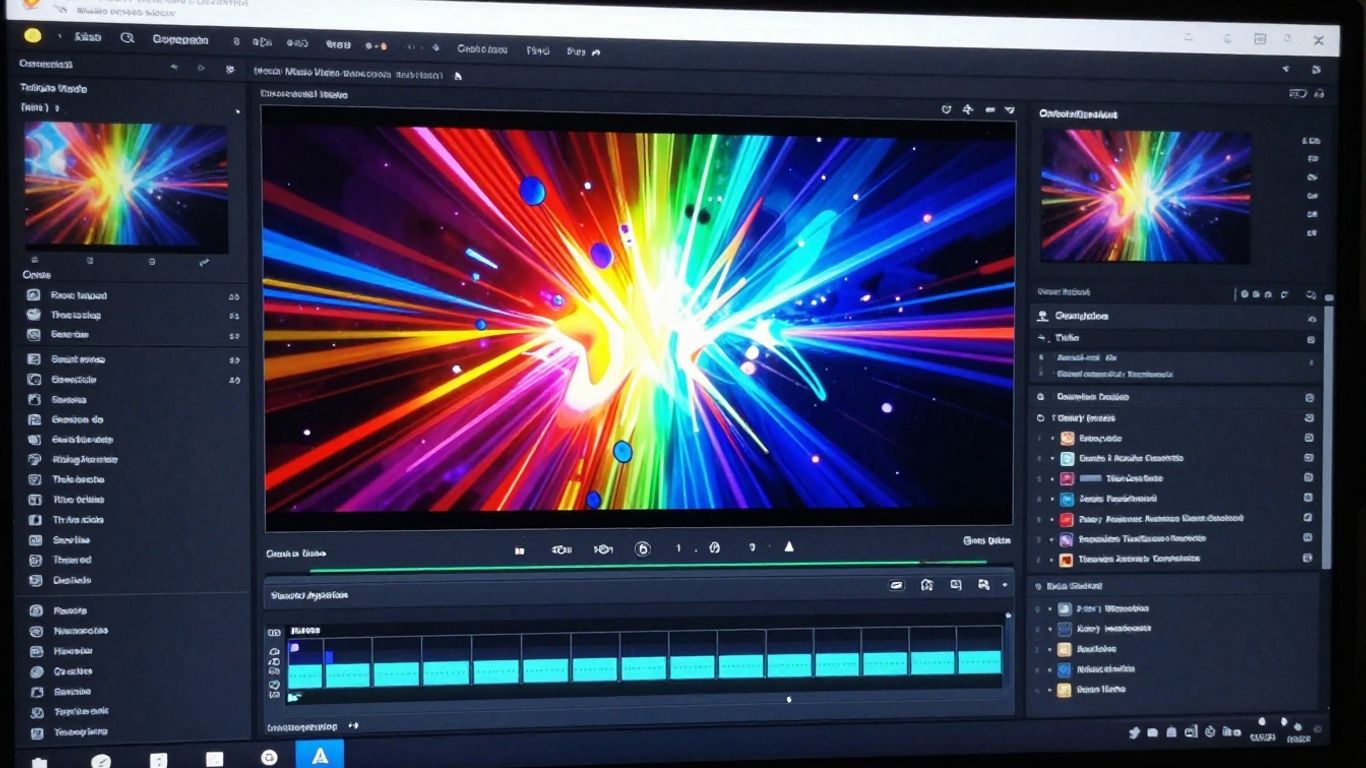
Jumping into Creatus AI is pretty straightforward. The platform is designed to be user-friendly, even if you’re new to AI tools. You’ll find the process is broken down into simple steps, whether you’re creating a song from scratch or turning an existing audio file into a music video.
Input Options For Song Generation
If you want to generate a song, you’ve got a couple of ways to go. You can simply type in a description of what you’re looking for. This could be the genre, the mood, the tempo, or even just a general idea for the song. The AI takes your text and builds an original track with AI-generated singing vocals. It’s a quick way to get a complete song without needing any musical background.
Uploading Audio For Video Production
For the video part, you can either use a song you’ve just generated within Creatus or upload your own audio file. The system supports common audio formats, so you shouldn’t have trouble there. Once you upload your audio, the AI analyzes its tempo, mood, and energy to create visuals that match the music. This makes sure your video feels connected to the song.
Supported File Formats For Input
Creatus AI keeps things simple with its input formats. For song generation, you’ll be working with text prompts or lyrics. When it comes to video production, you can upload your audio files in either MP3 or WAV format. These are standard formats, so most of your existing audio files should work without any conversion needed. This flexibility helps you integrate your own music easily into the video creation process. You can explore more about AI music video creation to see how different tools handle inputs.
The platform aims to streamline the entire process, from initial idea to final video, minimizing the need for technical expertise in either music or video production. This integrated approach is a key feature for creators looking to save time and resources.
Output Capabilities And Customization
Once your music video is generated, Creatus AI gives you options for how to get it out into the world. You can export your final video in several common formats, making it easy to share across different platforms. The tool supports multiple aspect ratios, so your video will look good whether it’s for TikTok, Instagram, or YouTube.
Music Video Export Formats
Creatus AI understands that different platforms need different video dimensions. You can export your music video in three main aspect ratios:
- 9:16 Vertical: Perfect for short-form content like Instagram Reels, TikTok, and YouTube Shorts.
- 1:1 Square: Ideal for Instagram feeds and other social media posts where a square format works best.
- 16:9 Horizontal: The standard for platforms like YouTube and general video playback.
This flexibility means you don’t have to worry about your video being cropped awkwardly or looking out of place on your chosen channel. You get the right format for the job, straight from the generator. This is a big plus if you’re trying to create engaging social media content.
Visual Style Options
While the AI handles the heavy lifting of generating visuals, you still get a say in the overall look and feel. Creatus AI offers a range of visual styles to match your music’s mood and your artistic vision. You can choose from options that lean towards:
- Cinematic looks
- Animated graphics
- Abstract patterns
- Lyric-focused displays
- Performance-style visuals
These styles help set the tone for your video, ensuring it complements the music you’ve created or uploaded. It’s about finding that visual match without needing complex editing skills.
Video Resolution and Aspect Ratios
When you export your video, you’ll want it to look sharp and clear. Creatus AI allows you to choose the resolution for your final output. While specific resolution numbers like 1080p or 4K aren’t always explicitly stated in the tool’s interface, the system aims to produce high-quality video suitable for online sharing. The focus is on providing clear visuals that match the audio.
The platform prioritizes ease of use, meaning you get good-looking results without needing to understand technical video specifications. It’s designed to get your music video ready for viewing quickly.
Remember, the aspect ratios mentioned earlier (9:16, 1:1, 16:9) are key to how your video will be displayed. Selecting the correct one ensures your content fits perfectly on platforms like TikTok or YouTube, making it easy for viewers to enjoy your AI-powered videos.
Who Is Creatus AI For?
Creatus AI Music Video Generator is built for a few different types of users, whether you’re just starting out or you’ve been creating for a while. It aims to simplify the process of making music videos, especially if you don’t have a big budget or a team.
Independent Musicians and Producers
If you’re an independent artist or producer, you know how expensive music videos can be. Creatus AI lets you generate a song and then turn it into a music video without needing a film crew or a studio. You can get visuals that match your music quickly, which is great for releasing new tracks on platforms like YouTube or Spotify. This tool helps you get your music out there with professional-looking visuals, even on a tight budget. It’s a way to create content that stands out from the competition.
Content Creators for Social Media
For those of you making content for TikTok, Instagram Reels, or YouTube Shorts, Creatus AI is a real time-saver. You can generate original songs and then immediately create short, engaging videos to go with them. The platform supports multiple export formats, including vertical 9:16, which is perfect for these platforms. You don’t need any video editing skills to get started, making it easy to produce a lot of content fast. This system utilizes AI technology to create a user-friendly interface for creators, simplifying the process of generating music videos.
Beginners and Hobbyists
If you’re new to music creation or video production, Creatus AI is designed to be accessible. You don’t need prior experience in music production or video editing. The workflow is straightforward: type your idea, generate a song, and then create a video. It’s a good way to experiment with creating your own music and visuals without a steep learning curve. You can explore your creative ideas and see them come to life easily. The AI motion transfer feature also allows for adjustments to movements and expressions, offering a dynamic way to manipulate and apply motion data across different forms, which can be fun for beginners to play with visualizing changes in real-time.
Creatus AI Within The Broader Ecosystem
Creatus AI isn’t just a standalone tool for making music videos. It’s part of a larger AI workspace designed to help creators and businesses. Think of it as a central hub where you can access a variety of AI-powered tools.
Part Of A Larger AI Workspace
Creatus offers over 35 different AI tools. This means you can go from generating song ideas to creating visuals, and then maybe even using an AI avatar for promotion, all within the same platform. It’s built to streamline your workflow, so you don’t have to jump between multiple applications. This integrated approach helps you create a more engaging visual ecosystem for your music.
Access To Additional AI Tools
Beyond the music video generator, you get access to features like text-to-video, AI avatars, image generation, and even voice cloning. If you need to create promotional images or add a talking avatar to your content, these tools are readily available. This makes Creatus a versatile platform for all sorts of content creation needs.
Enterprise Integration Options
For larger teams or businesses, Creatus provides options for custom AI integrations. They offer API access and SDKs, allowing you to build the AI capabilities directly into your existing systems. This means you can tailor the technology to fit specific business requirements, making it a scalable solution. This kind of integration is becoming increasingly important in the evolving AI video feeds landscape.
Pricing And Accessibility
Free Tier Availability
You can start using Creatus AI Music Video Generator without spending any money. The platform offers a free tier that gives you access to its core features. This is a great way to test the waters and see if the tool fits your creative process before committing to a paid plan. You get a certain number of credits to experiment with song and video generation.
Paid Plan Structure
If you find yourself needing more power or faster generation times, Creatus AI provides several paid plans. These plans are structured to offer more credits, advanced features, and potentially higher export resolutions. They typically operate on a credit system or a monthly subscription model, allowing you to choose what works best for your usage.
For example, one option might give you a set number of video generations per month, while another could be based on a pay-as-you-go credit system. This flexibility means you’re not locked into a subscription if your needs fluctuate. You can explore different tiers to find the right balance of cost and capability for your projects. Some plans might even include access to additional AI tools within the broader Creatus ecosystem.
Cost-Effectiveness For Creators
Creatus AI aims to be an accessible tool for independent musicians and content creators. By offering a free tier and flexible paid options, it lowers the barrier to entry for producing professional-looking music videos. You avoid the high costs associated with traditional music video production, like hiring crews or renting studios. This makes it a practical choice for those on a budget. The ability to generate both the song and the video in one place also saves you time and money compared to using separate services. It’s a smart way to get more creative output for less investment.
Wondering about the cost and how to get started? We’ve made sure our tools are easy to use and won’t break the bank. You can explore all the options and see what fits your needs best. Ready to see what you can create? Visit our website today to learn more!
So, What’s the Verdict on Creatus AI Music Video Generator?
Alright, let’s wrap this up. If you’re looking to get a song and a music video made without needing a music degree or a film school background, Creatus AI Music Video Generator is definitely worth a look. It handles both parts – making the song and then turning it into a video – all in one spot. This means you’re not jumping between different apps, which is a big time saver. You can start with just a text idea and end up with something ready to share on TikTok, YouTube, or wherever. It’s not going to replace a professional studio, but for independent artists, content creators, or anyone wanting to visualize their music without a huge budget, it’s a practical tool that gets the job done. Give the free tier a spin and see if it fits your workflow.
Frequently Asked Questions
What exactly is the Creatus AI Music Video Generator?
Think of it as your all-in-one creative buddy! It’s a tool that lets you type in an idea, and it can actually create a whole song with singing vocals. Then, you can take that song, or any audio you have, and turn it into a music video that matches the music’s beat and mood. It’s like having a music studio and a video production team rolled into one, powered by AI.
Do I need to be a musician or video expert to use this?
Nope, not at all! Creatus AI is made for everyone, even if you’ve never made music or edited a video before. You don’t need any special skills. Just give the AI some clear instructions with your words, and it handles all the technical stuff to create the song and video for you.
How do I tell the AI what kind of song or video I want?
You use something called ‘prompts,’ which are just written descriptions. For a song, you can describe the style, mood, or even write lyrics. For the video, you can explain the vibe, colors, or what you want to see happening. The more details you give, the better the AI can match your vision. It’s like telling a super-talented artist exactly what you’re dreaming up.
Can I use my own music with Creatus AI?
Absolutely! While Creatus AI can create songs from scratch, you can also upload your own audio files, like MP3s or WAVs, to have it generate a music video for them. This is perfect if you’ve already recorded your track and just need the visuals.
What kind of videos can I make, and where can I share them?
You can create videos in different shapes and sizes! Creatus AI lets you export in formats perfect for TikTok, Instagram Reels, and YouTube Shorts (vertical 9:16), square posts for Instagram (1:1), and standard widescreen for YouTube (16:9). So, you’re all set to share your creations on pretty much any platform.
Is there a way to try it out without paying?
Yes, there is! Creatus AI offers a free version so you can get started and experiment with creating songs and videos without any cost. If you love it and need more features, they have paid plans that are pretty affordable, starting at just $9 a month.