So, you want to make sure your music video looks awesome on Instagram Reels? It’s not super complicated, but you do need to get a few things right. We’re talking about the music video dimensions for Reels, which basically means the size and shape of your video. Get this wrong, and your awesome video might look all weird and stretched, or have black bars everywhere. Let’s figure out how to make your music pop on the platform.
Key Takeaways
- For the best look on Instagram Reels, aim for a video resolution of 1080 by 1920 pixels. This gives you that full-screen, vertical vibe that works best on phones.
- The ideal aspect ratio for Reels is 9:16. This means your video is taller than it is wide, filling up the screen without awkward cropping.
- Stick to MP4 or MOV file formats for your music videos. These are the ones Instagram likes and handles well, keeping your quality up.
- Keep important stuff like text or key visuals away from the very edges of the screen. Instagram puts some of its own buttons and text there, so you don’t want your message to get cut off.
- While Reels can be up to 3 minutes, shorter videos (around 15-30 seconds) often get more attention. Think about making a punchy clip that grabs people fast.
Understanding Instagram Reels Dimensions
When you’re making videos for Instagram Reels, getting the size right is pretty important. It affects how your video looks on people’s phones and how well it fits into the app’s design. Think of it like fitting a puzzle piece – it needs to be the right shape to look good.
Optimal Resolution for Reels
The best resolution for your Reels is 1080 pixels wide by 1920 pixels tall. This is a standard vertical format that fills up a mobile screen nicely. While Instagram might accept lower resolutions, sticking to 1080×1920 ensures your video looks sharp and clear, not blurry or pixelated. It’s the sweet spot for quality.
Recommended Aspect Ratio for Full-Screen Viewing
For Reels, you’ll want to use a 9:16 aspect ratio. This ratio is what allows your video to take up the entire screen when someone is watching it in the Reels feed. If your video has a different aspect ratio, like a square or a wider rectangle, it will either have black bars or won’t fill the screen properly, which can be a bit jarring for viewers.
File Format and Size Considerations
Instagram generally prefers MP4 or MOV file formats for Reels. These formats are good at keeping video quality high without making the file size too massive. While Instagram allows larger files, keeping your video under 4GB is a good idea. Smaller files upload faster and use less data for your viewers. You’ll also want to consider the codec; H.264 is a common and reliable choice for good quality.
Remember that Instagram often compresses videos. Exporting at 1080p yourself gives you more control over the final look than letting the platform do it.
Here’s a quick rundown of the technical specs:
- Resolution: 1080 x 1920 pixels
- Aspect Ratio: 9:16
- File Formats: MP4, MOV
- Max File Size: 4GB (though smaller is better for uploads)
- Recommended Codec: H.264
Creating Music Videos for Reels
AI Music Video Generation Workflow
Making a music video for Reels doesn’t have to be complicated. You can use AI tools to help you create a song and then turn it into a video. This process often starts with a simple text prompt where you describe the kind of music you want – think genre, mood, or even specific lyrics. The AI then generates the music, complete with vocals.
Once you have your audio, the next step is generating the video. You’ll typically select a visual style that fits your song’s vibe. The AI then analyzes your audio, matching visuals to its tempo, energy, and structure. This workflow lets you go from an idea to a finished music video quickly, without needing a big budget or a film crew.
Audio-to-Video Synchronization
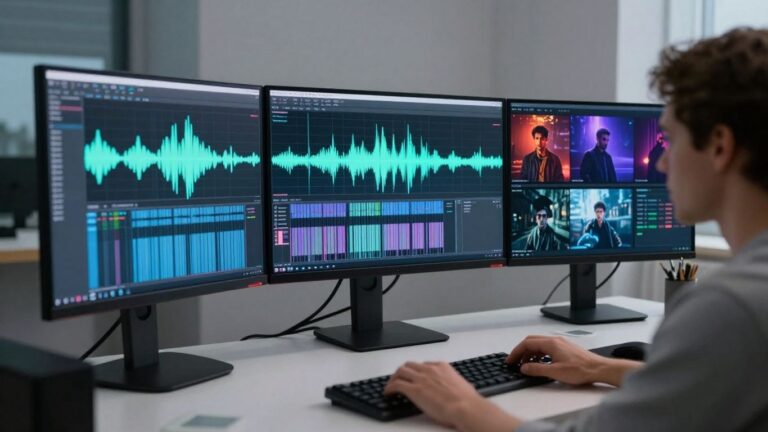
Getting your visuals to match your music is key for a good music video. AI tools can help sync your video clips to the beat and mood of your song. You provide your audio file, whether it’s an AI-generated track or something you already have. The AI then works to create visuals that flow with the music.
This means the pacing of the video, the movement of the visuals, and even the overall feel will align with the audio. It’s about making sure the video complements the song, not just plays alongside it. This synchronization makes the viewing experience much more engaging for your audience.
Exporting for Social Media Platforms
After you’ve created your music video, you need to export it in the right format for Instagram Reels. Most AI tools offer multiple export options. You’ll want to choose the 9:16 vertical aspect ratio for Reels, as this fills the entire screen on mobile devices.
Here are the common export options you’ll find:
- 9:16 Vertical: Ideal for Instagram Reels, TikTok, and YouTube Shorts. This is the standard for short-form vertical video.
- 1:1 Square: Good for integrating into your Instagram feed or other square-focused platforms. It’s a safe bet if you’re unsure.
- 16:9 Horizontal: Best for broader reach on platforms like YouTube or for embedding on websites. It offers a more traditional viewing experience.
Make sure to select the correct format before exporting to avoid any issues when you upload your video.
Technical Specifications for Reels Content
Pixel Dimensions for Vertical Video
Instagram Reels are designed for vertical viewing, meaning your video should fill the screen on a mobile device. The standard aspect ratio for Reels is 9:16. This allows your content to take up the full screen when users are scrolling through their feed or watching Reels directly. Aim for a resolution of 1080 x 1920 pixels for the sharpest possible image. While Instagram accepts lower resolutions, sticking to 1080p ensures your video looks clear and professional.
Frame Rate and Bitrate Recommendations
For smooth playback, target a frame rate of 30 frames per second (fps). This is a common standard that works well for most types of video content. When it comes to bitrate, Instagram recommends a maximum of 3,500 kbps for 1080p video. Higher bitrates can lead to larger file sizes without a significant visual improvement, and Instagram may compress them anyway. Keeping your bitrate within this range helps balance quality and upload efficiency.
Video Length Limits for Reels
Instagram Reels can be up to 90 seconds long. However, shorter videos often perform better and capture attention more effectively. Consider the content you’re sharing; a 15-30 second clip might be more engaging than a full 90 seconds. If you have longer footage, you can use tools to extract shorter, impactful segments suitable for Reels. This helps you stay within the optimal length for viewer retention.
When planning your video, remember that parts of the screen might be obscured depending on where the Reel is viewed. Text and key visuals should be kept towards the center of the frame to avoid being cut off, especially in the 4:5 safe zone that appears in the feed.
Here’s a quick look at the key specs:
- Aspect Ratio: 9:16
- Resolution: 1080 x 1920 pixels
- Frame Rate: 30 fps
- Max Bitrate: 3,500 kbps
- Max Length: 90 seconds
- File Formats: MP4 or MOV
Optimizing Your Music Video for Instagram
Making your music video look good on Instagram Reels means paying attention to a few key details. You want your video to be clear and engaging, no matter where someone sees it on the app. Think about how the video will appear in different places, like the main feed or full-screen. This helps you avoid common mistakes and make sure your work gets seen the way you intended.
Safe Zones for Text and Key Visuals
When you add text or important graphics to your Reel, remember that Instagram hides some areas. The bottom part of the screen often shows the caption, and other areas might be covered by icons. Keep your main text and crucial visual elements centered to make sure they’re visible to everyone. A good rule of thumb is to stay within the 4:5 aspect ratio for text, as this area is usually safe across different views.
Cover Image and Thumbnail Best Practices
The thumbnail is the first thing people see before they play your video. For Reels, this often appears as a 1:1 square in your profile grid. Choose a frame from your video that is eye-catching and clearly represents your music. You might need to adjust your video’s start or end points, or even create a custom thumbnail, to make sure it looks great in the square format. A strong thumbnail can make a big difference in getting someone to click play.
Balancing Quality and File Size
Instagram has limits on how large your video files can be, but you also want your video to look sharp. Aim for a resolution of 1080 by 1920 pixels for Reels. Use formats like MP4 or MOV. While you want high quality, avoid excessively large file sizes that could lead to longer upload times or lower playback quality for viewers with slower internet. Finding that sweet spot between a clear picture and a manageable file size is key for a smooth viewing experience.
Choosing the Right Video Output
When you’re making music videos for Instagram, you’ve got a few options for how your video will look. The best choice depends on where you want people to see it and how you want them to experience it.
9:16 Vertical for Reels and Shorts
This is the standard for short-form vertical video. It fills the entire phone screen, giving viewers an immersive experience. This is the format you’ll want for most Instagram Reels and YouTube Shorts. It’s designed for mobile-first viewing, so make sure your main action and text are centered.
1:1 Square for Feed Integration
A square video works well if you want your content to show up nicely in the main Instagram feed or on your profile grid. It’s a classic format that fits well without being cropped awkwardly. While it doesn’t fill the whole screen like 9:16, it’s a safe bet for broad visibility.
16:9 Horizontal for Broader Reach
This is your traditional landscape video format, like what you’d see on YouTube or TV. While Reels are primarily vertical, you can still upload horizontal videos. Instagram will typically add black bars to make them fit the vertical frame, or you might encourage viewers to turn their phones. Use this if your primary audience is on platforms that favor horizontal content.
Here’s a quick look at how these formats appear:
| Format | Aspect Ratio | Best For |
|---|---|---|
| Vertical | 9:16 | Instagram Reels, TikTok, YouTube Shorts |
| Square | 1:1 | Instagram Feed, Profile Grid |
| Horizontal | 16:9 | YouTube, Traditional Video Platforms |
Remember that even when using a vertical 9:16 aspect ratio, important elements like text should stay within the central 4:5 area. This ensures they are visible even when the Reel is previewed in the feed, which crops the top and bottom.
Choosing the right output format means your music video will look its best, no matter where someone is watching it on Instagram or other platforms. Think about your main goal for the video and pick the format that supports it.
Picking the best video output can seem tricky, but it doesn’t have to be! Think about what you want your video to look like and where you’ll share it. For more tips and to see what’s possible, check out our website.
Wrapping Up Your Reels
So, you’ve got the dimensions down for Instagram Reels – 1080 by 1920 pixels with a 9:16 aspect ratio. That’s the key to making sure your videos look good on phones. Whether you’re shooting footage yourself or using a tool to generate a music video, keeping these specs in mind means your content won’t get cut off or look weird. Stick to these guidelines, and you’ll be putting out polished videos that grab attention. It’s pretty straightforward once you know the numbers.
Frequently Asked Questions
What’s the best size for my music videos on Instagram Reels?
You’ll want to make your videos 1080 pixels wide and 1920 pixels tall. This is called a 9:16 aspect ratio, and it makes your video fill up the whole phone screen, which is awesome for viewers!
Can I upload any video file type to Reels?
Instagram likes MP4 or MOV files best. These formats help keep your video looking good and upload smoothly. Just make sure your video isn’t bigger than 4GB, though!
How long can my music videos be on Reels?
You can make your Reels up to 3 minutes long. But honestly, shorter videos, like 15 to 30 seconds, often get more views. Think about making a cool, quick clip!
What if my video isn’t vertical? Can I still use it for Reels?
Reels are made for vertical viewing. If you have a horizontal video, you can either trim it down or add a border to make it fit a vertical frame. You could even ask viewers to turn their phones!
Do I need to worry about text or important images being cut off?
Yeah, you do! Instagram shows parts of your video differently on the main feed versus in full-screen mode. It’s smart to keep any text or key visuals in the middle part of the screen, kind of like a safe zone, so everyone can see it.
Can I use AI to make both the song and the video for my Reel?
Totally! Tools like Creatus AI let you type in a song idea, and it creates the music with singing vocals. Then, it can turn that song into a music video automatically. It’s a super easy way to get a song and video done without needing to be a music producer or video editor.