Thinking about making some chill content for your online channels? You’ve probably seen those super relaxing lo-fi music videos and wondered how they’re made. Well, guess what? You can now create your own ai lo-fi music video without needing to be a music producer or a video editing wizard. These new tools basically do all the heavy lifting for you, turning simple ideas into ready-to-go videos. Let’s see how you can get started.
Key Takeaways
- An AI lo-fi music video generator is a tool that creates both the music and the visuals for a lo-fi video from text prompts or audio.
- These generators simplify the creation process, allowing users to define a vibe, select styles, and generate content without needing technical skills.
- The technology handles aspects like audio synchronization and visualizers, offering various output formats suitable for different platforms.
- AI lo-fi music videos are great for study streams, background content, and social media, and can be monetized depending on the platform’s terms.
- Integrated platforms that handle both music and video generation in one workflow offer a streamlined experience compared to using separate tools.
Understanding AI Lo-Fi Music Video Generation
What is an AI Lo-Fi Music Video Generator?
An AI Lo-Fi Music Video Generator is a tool that creates complete lo-fi music videos automatically. It uses artificial intelligence to both compose chill music and generate matching visuals. Think of it as a one-stop shop for creating relaxing content without needing separate music and video software. These tools are great for anyone looking to make content for study streams, background music channels, or social media loops.
Core Functionality: Music and Visuals Combined
These generators work by taking your input, like a text prompt describing a mood or style, and then producing both an audio track and accompanying video. Some tools focus on instrumental beats, while others can incorporate lyrics. The AI analyzes your request to create music with typical lo-fi characteristics: slow tempos, soft drums, and warm textures. Simultaneously, it generates visuals that fit this mood, often featuring subtle animations or atmospheric scenes. This integrated approach means you don’t have to worry about syncing music and video yourself.
The Advantage of an Integrated Workflow
The biggest benefit is the streamlined process. Instead of juggling multiple applications for music creation, video editing, and animation, you can do it all in one place. This saves a significant amount of time and effort. For example, you can describe a "chill rainy night" vibe, and the AI will generate a fitting track and visuals, ready to go. This unified workflow makes producing consistent, high-quality lo-fi content much more accessible, even if you’re not a technical expert. It’s a powerful way to get your ideas into videos quickly.
Creating Your First AI Lo-Fi Music Video
Getting started with AI lo-fi music video generation is simpler than you might think. You don’t need to be a music producer or a video editing wizard. The tools are designed to guide you through the process, making it accessible for anyone.
Defining Your Vibe: Text Prompts and Lyrics
Your first step is to tell the AI what kind of mood or atmosphere you’re going for. Think about the feeling you want your music and visuals to evoke. You can describe this using text prompts. For example, try prompts like "chill rainy night," "nostalgic study beats," or "cozy evening vibes."
If you have lyrics, you can input them directly. Most tools allow you to use tags like [verse] or [chorus] to help structure the song. If you’re aiming for an instrumental track, just focus on describing the musical style and mood in your prompt.
Selecting Visual Aesthetics and Styles
Once you have your audio concept, it’s time to pick the look. AI lo-fi generators often offer several visual styles. You might find options like "Moving AI Images" for that classic, subtly animated look, or "AI Video" for more dynamic, unique clips. Some tools even let you upload your own images or footage.
Consider the aspect ratio too. For platforms like YouTube, 16:9 is standard. If you’re targeting TikTok or Instagram Reels, you’ll want 9:16. Square (1:1) works well for general social media posts.
Generating and Refining Your Lo-Fi Content
With your prompts and style choices ready, hit the generate button. The AI will then compose the music and create the matching visuals. This usually happens quite quickly.
After the initial generation, you’ll likely have a chance to preview and refine. You can tweak the audio, adjust the pacing, or add simple text overlays. The goal is to get a smooth, loopable video that fits your chill content needs. The key is iteration; don’t be afraid to generate a few versions until you’re happy.
Technical Aspects of AI Lo-Fi Video Creation
Supported Input and Output Formats
When you’re working with AI tools, knowing what files they accept and produce is key. Most generators will take your audio files in common formats like MP3 or WAV. For video output, you’ll usually see options for different aspect ratios.
- MP3/WAV Audio: These are standard for uploading your music. The AI analyzes these to sync visuals.
- 9:16 Vertical: Perfect for TikTok, Instagram Reels, and YouTube Shorts.
- 1:1 Square: Good for Instagram feeds and other social media posts.
- 16:9 Horizontal: The standard for YouTube videos and most web content.
Understanding Video Aspect Ratios
Choosing the right aspect ratio matters for where you plan to share your video. A 16:9 video looks great on a desktop monitor but might have black bars on a phone screen. Conversely, a 9:16 video fills up a phone screen but can look odd on a wide monitor.
Think about your primary platform. If you’re aiming for YouTube, stick with 16:9. If TikTok is your main focus, 9:16 is the way to go. Some tools let you export in multiple formats, giving you flexibility.
Audio Synchronization and Visualizers
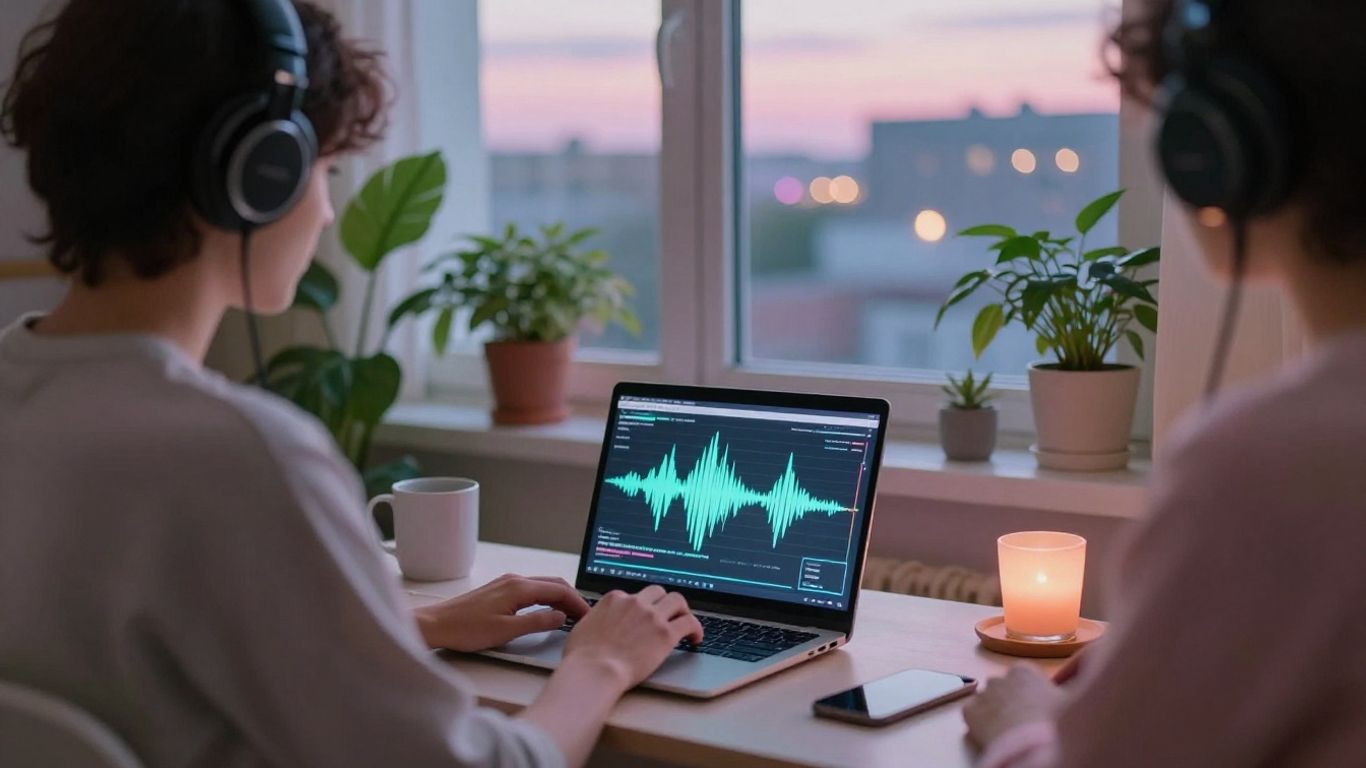
Getting the visuals to match the music is where the magic happens. AI tools analyze your audio’s tempo, mood, and structure to create synchronized animations. This means the visuals move with the beat and reflect the song’s feel.
Some tools offer specific visualizer options. These can range from simple waveform animations to more complex, abstract patterns that react to the music. The goal is a cohesive experience where audio and visuals feel like they were made for each other. This synchronization is often automated, saving you a lot of manual editing time.
Leveraging AI Lo-Fi Music Videos for Content

AI lo-fi music video generators offer a straightforward path to creating engaging visual content. You can use these tools to produce videos that fit various platforms and purposes without needing advanced technical skills. This means more time focusing on your creative ideas and less on the production grind.
Ideal Use Cases for Lo-Fi Content
Lo-fi music videos are perfect for background streams, study sessions, or relaxation content. They create a consistent, calming atmosphere that viewers can loop for extended periods. Think about creating long-form YouTube streams for study or sleep, or short, shareable clips for social media. The goal is to provide a non-intrusive, pleasant visual and auditory experience.
Here are some common applications:
- Study/Work Streams: Continuous, calming visuals to help focus.
- Relaxation & Sleep Aids: Ambient loops for unwinding.
- Background Music for Content: Adding a chill vibe to vlogs or tutorials.
- Social Media Loops: Short, aesthetic clips for platforms like TikTok or Instagram Reels.
Monetizing Your AI-Generated Videos
Many AI lo-fi video generators provide royalty-free output, allowing you to monetize your creations. This is a significant advantage for building a channel or brand. You can upload your videos to platforms like YouTube and earn ad revenue, provided you adhere to the platform’s terms of service and the generator’s licensing. Always check the specific usage rights for any tool you use. Some platforms even offer integrated music and video creation to streamline this process.
Monetizing AI-generated content requires understanding the licensing terms. Most tools allow commercial use, but it’s wise to confirm. This opens up avenues for passive income through ad revenue on platforms like YouTube.
Enhancing Social Media and Streaming Presence
Consistent visual content is key for growing an audience online. AI lo-fi videos help you maintain a steady output of engaging material. You can easily generate multiple videos tailored to different platforms, like vertical formats for Shorts and Reels, or horizontal for YouTube. This helps keep your audience engaged and can improve your channel’s visibility. The speed of generation means you can react to trends or create content on demand.
Comparing AI Lo-Fi Music Video Tools
When you’re looking to create lo-fi music videos with AI, you’ll find a few different types of tools out there. They range from all-in-one platforms to specialized generators, each with its own strengths.
Integrated Music and Video Platforms
These tools are designed to handle both the music creation and the video generation in one place. This means you can describe your desired vibe, have the AI compose a track, and then generate matching visuals without ever leaving the application. It’s a streamlined approach that saves you time and hassle. Platforms like Creatus.AI offer this kind of combined workflow, letting you go from a text prompt to a finished song and video. This is great if you want a simple, unified process.
Specialized AI Music Generators
Some tools focus solely on creating music. They’re excellent at composing original tracks based on your prompts, whether you want lo-fi beats, ambient soundscapes, or something else entirely. However, these platforms won’t generate video. You’ll need to take the music they create and use a separate tool to build the visuals. Suno and Udio are examples of powerful AI music generators, but you’ll need to pair them with a video tool. This gives you more control over the music side but adds an extra step to your workflow.
Dedicated AI Video Creation Tools
On the other hand, you have AI tools that specialize in video generation. These often take an existing audio file and create visuals to match it. Some can even generate video from text prompts alone, like Sora 2 and Veo 3. Tools like Neural Frames focus on audio-to-video synchronization, allowing for detailed control over visual reactions to your music. They might not compose the music themselves, but they excel at turning your audio into compelling visual content. You’ll need to provide the music separately, but these tools can produce some really polished results.
The Practical Benefits of AI Lo-Fi Video Tools
Using AI for your lo-fi music videos cuts down on a lot of the usual hassle. You can go from an idea to a finished video much faster than with traditional methods. This means you spend less time on technical stuff and more time on creating.
You’ll save significant time and money. Think about hiring editors, animators, and musicians. AI tools bundle these roles into one package, often at a fraction of the cost. This makes professional-looking videos accessible even if you’re on a tight budget.
Here’s a quick look at what you gain:
- Reduced Production Costs: No need for expensive software or multiple freelancers.
- Faster Turnaround: Generate videos in minutes or hours, not days or weeks.
- Simplified Workflow: Manage music and visuals from a single interface.
These tools are designed to be easy to use. You don’t need to be a video editing wizard or a music producer. Most platforms let you create content just by typing in what you want. This opens up video creation to a wider range of people.
AI tools handle the complex parts of synchronization and animation. You focus on the creative vision. This balance lets you maintain control while benefiting from automated processes. It’s about working smarter, not harder.
For example, you can easily create content for long background streams or study sessions. The AI handles the looping visuals and consistent audio playback. This is great for platforms like YouTube or Twitch where steady content is key. You can even explore different styles to see what works best for your audience. Check out platforms that offer a free tier to start. This lets you experiment without any initial investment.
Want to make cool videos without a lot of fuss? AI lo-fi video tools can help you do just that! Imagine turning your ideas into awesome videos quickly and easily. These tools are super helpful for making content that looks great without needing fancy equipment or tons of editing skills. Ready to see how simple it can be? Visit our website today to explore how AI can transform your video creation process!
Wrapping Up
So, you’ve seen how tools like Creatus AI Music Video Generator can really simplify things. Instead of juggling separate apps for music and video, you get a single workflow that handles both. You type in your idea, the AI makes a song, and then it turns that song into a video. It’s pretty straightforward, and you don’t need to be a pro at music production or video editing to get decent results. This means you can spend less time fiddling with software and more time actually creating content for your channels or projects. Give it a try and see how it fits into your content creation process.
Frequently Asked Questions
What exactly is an AI Lo-Fi Music Video Generator?
Think of it as a super-smart tool that makes chill music and cool videos at the same time! You give it an idea, maybe some lyrics, and it whips up a whole song with singing, then makes a matching video to go with it. It’s like having a music producer and a video director all in one, but powered by AI.
Do I need to know how to make music or edit videos to use this?
Nope, not at all! This is the best part. You don’t need any fancy skills. The AI handles all the complicated stuff like composing music and putting the video together. You just focus on your idea and what kind of vibe you’re going for.
Can I use the music and videos I create for my own stuff, like on YouTube?
Totally! The music these tools make is usually original, so you don’t have to worry about copyright issues. You can use your AI-generated songs and videos on platforms like YouTube, TikTok, or Instagram to share your content without getting into trouble.
What kind of videos can it make?
It can create all sorts of cool visuals! You can get animated scenes, abstract patterns, or even videos that look like they’re from classic lo-fi streams. You can also choose different video shapes, like vertical for TikTok or wider for YouTube, to fit wherever you want to post it.
How long does it take to make a video?
It’s super fast! Most of these AI tools can create a song and a video in just a few minutes. You type in your idea, hit generate, and then you can tweak it a bit before downloading. It saves a ton of time compared to doing it all yourself.
Is it better to use a tool that does both music and video, or separate ones?
Using a tool that does both music and video in one go is usually way easier. You don’t have to switch between different apps, upload files back and forth, or try to sync things up yourself. It keeps your whole creative process smooth and simple.