So, you’ve got this cool AI-generated song, right? Awesome! But now you’re thinking, ‘How do I make this into a music video?’ It sounds complicated, but it’s actually getting way easier. You don’t need to be a pro filmmaker or a music producer anymore. We’re going to walk through how you can take that AI tune and turn it into a video that people will actually want to watch. It’s all about using the right tools to make your music look as good as it sounds.
Key Takeaways
- You can now create a full song with AI vocals and then immediately turn that audio into a music video, all within one tool. This means less jumping between different apps.
- The process is pretty simple: just type in your song idea, let the AI create the music and vocals, then pick a visual style for your video.
- You don’t need any special skills. Whether you’re making music or videos, these AI tools handle the heavy lifting for you.
- These tools can export your finished video in different sizes, perfect for sharing on TikTok, Instagram, YouTube, and other social media spots.
- Using an integrated AI workflow for your ai song to video projects saves a ton of time and effort, especially if you’re an independent artist or creator.
Transforming Your AI Song Into A Music Video
Turning your AI-generated song into a music video might seem complicated, but it’s actually becoming quite straightforward. You don’t need to be a video editing expert anymore. The process generally involves a few key stages, from getting your song ready to generating the visuals.
Understanding The AI Song To Video Workflow
The basic idea is simple: feed your audio into an AI tool, and it creates a video. This usually means uploading your song or providing a link to it. The AI then analyzes the music’s rhythm, energy, and structure. It maps these elements to create synchronized visuals. You then pick a style, and the AI does the heavy lifting.
Key Features For Seamless Video Creation
When looking for a tool, check for features that make the process smooth. Automatic synchronization to the beat is a big one. You’ll also want options for different visual styles to match your song’s mood. The ability to export in various formats for different platforms is also important. Some tools even offer automatic lyric generation and syncing.
Choosing The Right AI Music Video Generator
There are several AI music video generators out there, each with its own strengths. Some focus on cinematic storytelling, while others excel at performance-style videos. Consider what kind of video you want. For example, LTX Studio offers a generator that syncs visuals with your music. Look for platforms that offer a free trial so you can test them out before committing.
The goal is to find a tool that simplifies the process, allowing you to focus on your music and message, not the technicalities of video production.
Generating Your AI Song
This section covers how to create the audio for your music video. You’ll learn to craft your song idea using text prompts, utilize AI for vocals and music, or upload existing audio if you already have a track.
Crafting Your Song Idea With Text Prompts
Start by thinking about the core idea for your song. What genre are you aiming for? What’s the mood or tempo? You can describe these elements using text prompts. The more specific you are, the better the AI can interpret your vision. For example, instead of "sad song," try "a melancholic indie folk song about lost love, with a slow tempo and acoustic guitar." This detailed approach helps the AI compose music that aligns with your creative direction.
Leveraging AI For Vocals And Music Composition
Once you have your idea, you can use AI tools to bring it to life. Many platforms allow you to input your text prompts and have the AI generate original music and even singing vocals. This process bypasses the need for traditional music production skills. You can experiment with different genres and styles quickly, iterating until you find a sound that fits your project. It’s a fast way to get a complete song ready for video production.
Uploading Existing Audio For Video Production
If you already have a song, whether it’s a demo, a professionally recorded track, or even something you created with other tools, you can use that too. Most AI music video generators accept standard audio file formats like MP3 or WAV. Simply upload your existing audio file. The AI will then analyze its rhythm, structure, and energy to create synchronized visuals. This offers flexibility if you’re not starting from scratch with AI music creation. You can explore AI music video makers for beginners to see how this process works.
Creating The Music Video
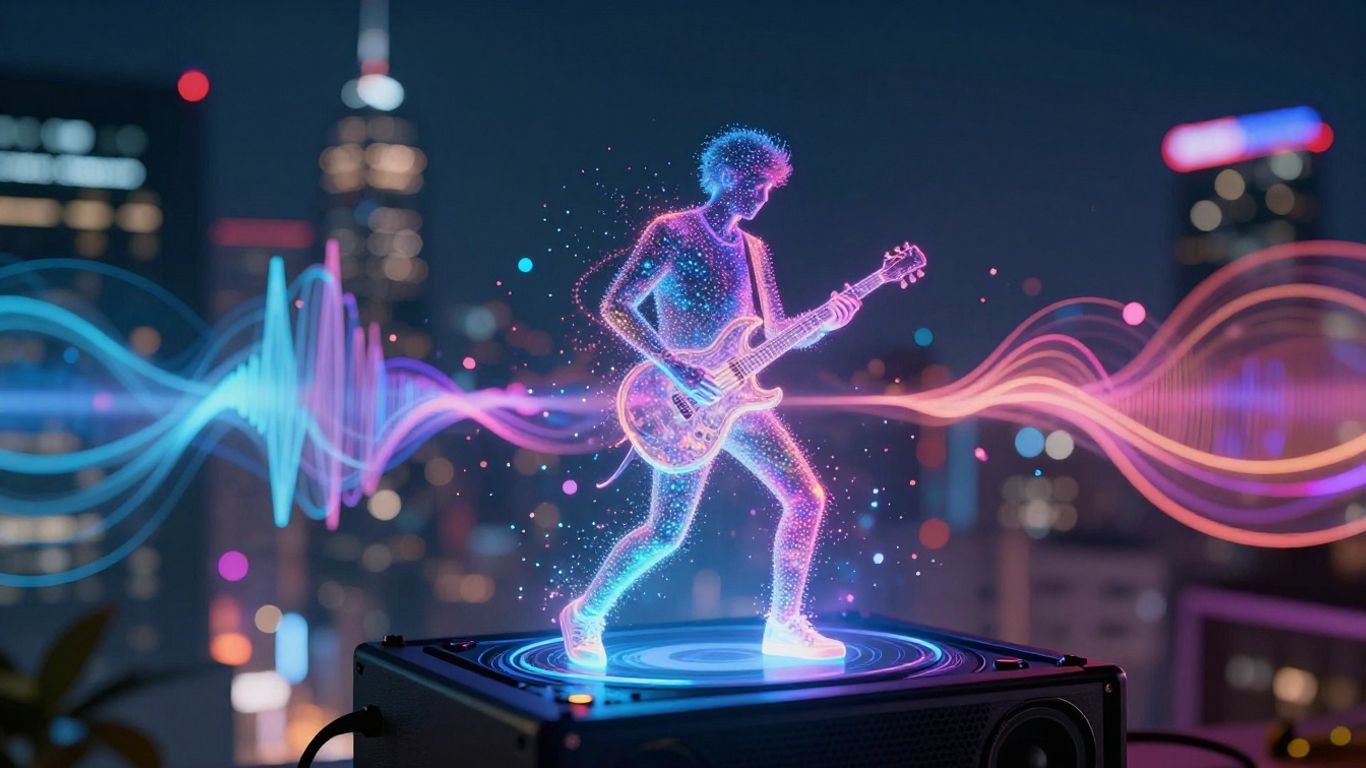
Now that you have your AI-generated song, it’s time to bring it to life visually. This section covers how to select the right look for your video and get it generated.
Selecting Visual Styles To Match Your Music
Think about the mood and genre of your song. Does it feel energetic and fast-paced, or slow and atmospheric? Most AI video tools offer a range of styles, from cinematic and abstract to performance-based or lyric videos. Choosing a style that complements your music is key. For example, a high-energy electronic track might suit dynamic, abstract visuals, while a ballad could work well with a more narrative or performance-focused style. Explore the options provided by your chosen generator to find the best fit.
Automated Video Generation And Synchronization
Once you’ve picked your style, the AI takes over. You’ll typically upload your audio file or provide a link to your song. The AI then analyzes the track’s rhythm, beats, and structure. It uses this information to automatically generate video clips and synchronize them to the music. This process removes the need for manual editing, making it much faster to get a video ready. You can often preview the generated video before committing to the final output.
Refining Your Video Output
After the initial generation, you’ll likely want to make some tweaks. Most platforms allow you to regenerate specific scenes or adjust elements like pacing and shot composition. You can also fine-tune the visual style or character appearances if needed. Some tools even let you add or edit lyrics directly within the video editor. The goal is to get the video looking just right, ensuring it aligns with your artistic vision. This iterative process helps you achieve a polished final product without needing advanced editing skills.
Optimizing Your AI Song To Video Output
Exporting For Different Social Media Platforms
Your AI-generated music video needs to look good everywhere you share it. Different platforms have different requirements for video dimensions. You’ll want to export your video in the right format to avoid awkward cropping or black bars.
Most AI tools let you choose your export ratio. Think about where you’ll post most often. Vertical 9:16 is best for TikTok, Instagram Reels, and YouTube Shorts. Square 1:1 works well for Instagram feeds. Standard 16:9 is good for YouTube main videos and other platforms.
Adding Synchronized Lyrics To Your Video
Lyrics can really help your audience connect with your song. Many AI video generators can automatically add lyrics that sync up with your vocals. This feature turns your video into a lyric video without much extra work.
Check if the tool offers this. If it does, you can usually pick a style for the text. Sometimes you can even highlight certain words or phrases as they’re sung. This makes the lyrics pop and keeps viewers engaged.
Ensuring Your Video Is Ready For Sharing
Before you hit publish, give your video a final watch. Does everything look right? Are the lyrics accurate and timed well? Are the visuals matching the mood of your song?
Take a moment to review the generated output. Most platforms offer a simple editor to make small tweaks. You can adjust timing, swap out a few clips, or fine-tune the colors. A quick final check makes a big difference in how professional your video looks.
Making sure your video is optimized for each platform means more people will see it and enjoy it. It’s about presenting your work in the best possible light, no matter where it’s viewed. This attention to detail pays off.
Advanced AI Music Video Techniques
Exploring Different Video Modes And Styles
AI video generators offer a range of modes to match your music’s vibe. You can go for a cinematic look with smooth transitions, or perhaps an animated style with characters. Some tools even let you create abstract visuals that react directly to the audio’s frequencies. Experimenting with these different modes is key to finding the perfect visual representation for your song. Think about the mood you want to convey – is it energetic, calm, or something else entirely?
Utilizing AI Directors For Shot Planning
Some advanced platforms include an ‘AI Director’ feature. This acts like a virtual director, planning out shots, camera angles, and pacing automatically. It analyzes your music’s structure and energy to create a cohesive visual narrative. This can save you a lot of time, especially if you’re not familiar with traditional filmmaking. You can often fine-tune the director’s suggestions or let it run with its own creative interpretation. This feature helps create videos that feel intentionally directed, not just a random collection of clips.
Integrating AI Avatars And Performance Elements
Consider using AI avatars to perform your song. These digital characters can be customized to look and move like real performers. Many tools allow for lip-syncing to your vocals, making the performance look authentic. You can also integrate these avatars into different virtual stages or environments. This technique adds a dynamic performance element to your music video, even if you don’t want to appear on camera yourself. It’s a great way to bring a song to life with a virtual artist. You can find tools that offer AI avatars for this purpose.
The Advantages Of An Integrated AI Workflow
Using a single AI platform for your music and video needs simplifies the entire creation process. You avoid the hassle of moving files between different applications. This means less time spent on technical setup and more time focusing on your creative vision.
This integrated approach eliminates the need for multiple subscriptions and software. You get everything in one place, from generating the song itself to producing the final music video. It’s a more cost-effective and efficient way to work.
Here’s how it streamlines things:
- Unified Creation: Generate lyrics, compose music, add vocals, and create visuals all within the same environment. No more juggling different tools.
- Consistent Output: Maintain a cohesive look and feel across your audio and visual elements. The AI understands how to match the mood of the music to the video.
- Faster Turnaround: Move from an initial idea to a finished music video much more quickly. This speed is a game-changer for independent artists and content creators.
When everything works together, you spend less energy on the mechanics of production and more on the art. It makes the whole experience feel less like a chore and more like a creative flow.
This unified workflow is particularly beneficial for independent artists who often work with limited resources. You can produce professional-looking content without needing a large team or expensive equipment. It makes creating content for platforms like TikTok and Instagram much more manageable. You can even generate full songs with AI vocals and then immediately turn them into videos.
Using AI tools together makes your work smoother and faster. Imagine all your creative steps flowing into one another, like a well-oiled machine. This means less hassle and more time for you to focus on making awesome stuff. Ready to see how this can change your projects? Visit our website to learn more and start creating today!
Wrapping It Up
So there you have it. Turning your AI-generated tunes into actual music videos is totally doable now, even if you’re not a video pro. Tools like Creatus make it pretty straightforward – you just feed them your song, pick some visuals, and let the AI do the heavy lifting. It’s not about replacing creativity, but giving you a faster way to get your music out there visually. Give it a shot and see what you can create.
Frequently Asked Questions
What’s the easiest way to make a music video for my AI song?
You can use an AI tool that does everything! Imagine typing in your song idea, and the AI creates the music, sings it, and then makes a music video that matches perfectly. You don’t need to be a music producer or video editor. Just provide your song, pick a style you like, and the AI handles the rest, making it super simple to get your song out there.
Do I need to be good at making music or videos to use these AI tools?
Nope! That’s the best part. These tools are designed for people who aren’t experts. You can write what you want your song to be about, and the AI writes and performs it. Then, you just tell the AI what kind of video you’re picturing, and it builds it for you. It’s all about making things easy, so you can focus on your ideas.
Can I use a song I already made with AI, or do I have to make a new one?
You can totally use a song you’ve already created! If you have an audio file of your AI song (like an MP3 or WAV), you can upload it straight into the video maker. The AI will then look at your song’s rhythm and mood to create a video that fits it perfectly. So, your existing music is good to go!
What kind of videos can the AI make?
The AI can create all sorts of videos! You can choose styles that look like movie scenes, cool animations, or even just show the lyrics moving with the music. Some tools can even make characters sing and dance. You pick the vibe, and the AI tries its best to match it to your song, making sure the visuals feel right.
Where can I share the music videos I make with AI?
You can share your AI-made music videos pretty much anywhere! These tools usually let you export your video in different shapes – tall for TikTok and Instagram Reels, square for Instagram posts, or wide for YouTube. So, you’re all set to share your creation on all your favorite social media spots.
Is it hard to make the video sync up with the song?
Not at all! That’s one of the main things these AI tools are built to do. They automatically listen to your song and make the video’s actions, like cuts and movements, match the beat and rhythm. It’s like the AI is a director who knows exactly when to show something to make it look awesome with your music.